
Distributed Order Management Date Logic in Dynamics 365: Why Your Order Promise Dates Don’t Match Fulfillment Reality

Distributed Order Management dashboard showing fulfillment network optimization

A CFO at a mid-market distributor implemented Distributed Order Management in Dynamics 365 Supply Chain Management expecting it to automatically optimize which warehouse fulfilled each order. Six weeks after go-live, order promise dates started slipping consistently beyond what the fulfillment network could actually deliver. The system promised customers Friday delivery, but warehouse capacity and transit times said Tuesday was realistic. The DOM configuration looked correct on paper, but something in the date calculation logic wasn’t aligning with how the fulfillment network actually worked.

This scenario repeats across Dynamics 365 implementations. Distributed Order Management is powerful, but the interaction between order promise date logic, inventory allocation, and fulfillment location rules creates a complexity that most teams underestimate. The system doesn’t fail loudly; it simply generates commitments that the supply chain can’t keep.

How DOM Calculates Order Promise Dates
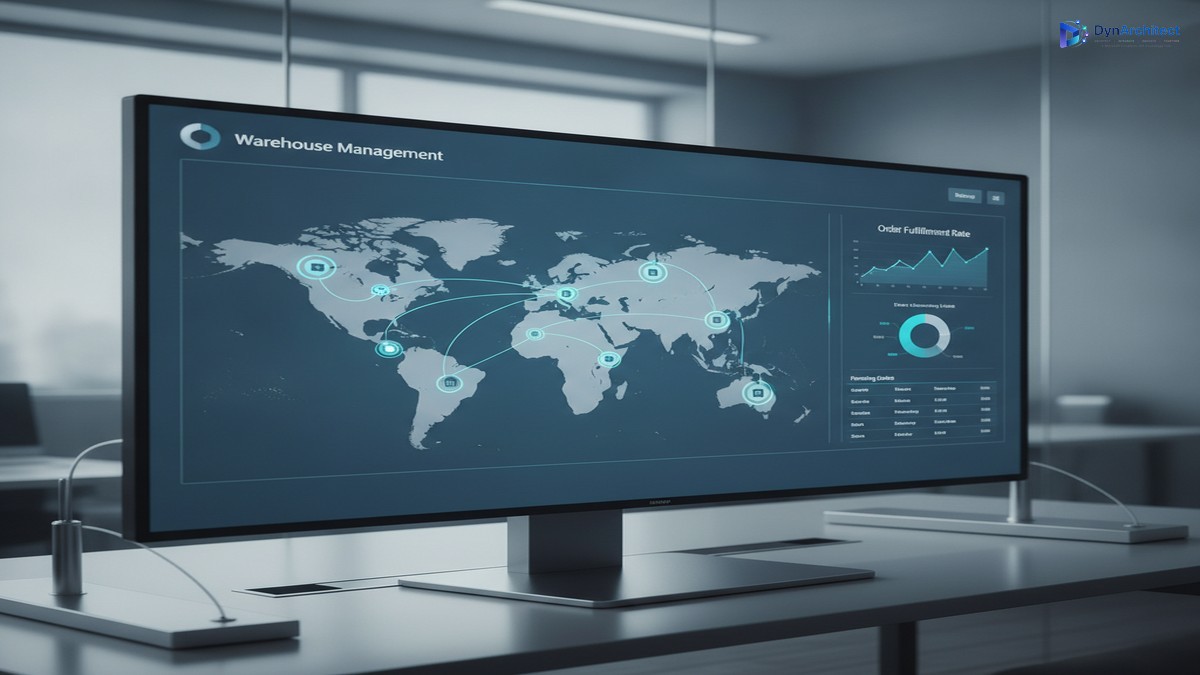
Distributed Order Management dashboard showing fulfillment network optimization

Distributed Order Management in Dynamics 365 uses a specific sequence when evaluating whether an order can be fulfilled. First, DOM checks inventory availability across fulfillment locations based on allocation rules you configure. Then it calculates a delivery date by adding transit time from the selected warehouse to the delivery address. Finally, it compares that calculated date against your order promise date policy. If the fulfillment location can deliver within the promised window, the order is allocated there. If not, DOM tries the next location in the rule priority sequence.

The order promise date itself is typically set during order entry, usually based on a default lead time from your Sales module or a customer-specific agreement. That date becomes a hard constraint in DOM’s allocation logic. If no warehouse can deliver by that date, DOM marks the order as unallocated, and a manual intervention becomes necessary.

The problem emerges when your order promise date policy doesn’t account for the actual distribution network topology. Many teams set promise dates based on what customer expectations are, not what the fulfillment network can physically deliver. You might promise Friday delivery in all cases, but your nearest warehouse to a particular delivery address is two days away by standard transit. DOM will correctly refuse that allocation, but the order is already in the system with a date you can’t keep.

Common Date Logic Failures

Transit time configuration is the first place this breaks. Dynamics 365 allows you to define transit times between fulfillment locations and delivery addresses using distance-based or location-based rules. If your transit time matrix is incomplete or uses broad assumptions (for example, assuming all addresses in a state can be reached in one day), DOM will calculate delivery dates that don’t match reality. A customer in a remote area might be assigned a warehouse that’s technically capable of shipping, but the transit time estimate is wildly optimistic.

Inventory allocation sequencing compounds the issue. DOM prioritizes fulfillment locations based on rules you define, often weighted toward nearest warehouse or lowest cost. If your highest-priority warehouse has zero inventory but a high promised delivery date policy, DOM may skip it and try a lower-priority location further away. That second location might have inventory, but if its transit time exceeds your order promise date, the order goes unallocated. Your first-choice warehouse would have delivered on time, but it was out of stock.

Lead time inclusion creates another layer of complexity. Some organizations include a buffer in their order promise dates to account for order processing and picking time at the warehouse. Dynamics 365 allows this through the delivery date offset configuration in DOM rules. If that offset is set incorrectly (too small or too large), the system either promises dates that include warehouse processing time that doesn’t exist, or it excludes processing time that’s actually required, causing fulfillment failures when the order reaches the warehouse and needs to be queued.

Customer-level promise date overrides can also break assumptions. You might configure DOM with a global 5-day promise window, but a contract with a specific customer guarantees 3-day delivery. If that override isn’t captured in your fulfillment location rules or priority weighting, DOM will allocate to a warehouse that can deliver in 4 days, violating the contract.

Diagnosing What’s Actually Happening

Modern warehouse fulfillment center with inventory management operations

The DOM allocation trace in Dynamics 365 is your primary diagnostic tool. When an order fails to allocate, you can review the detailed trace that shows which fulfillment locations were evaluated, in what order, and why each was rejected or selected. This trace will show you if DOM was considering a warehouse that’s 800 miles away when one 50 miles away was available, or if it rejected a capable warehouse because of a date mismatch.

Run a date audit on recent orders. Compare the promised delivery date in the order against the calculated fulfillment date from the allocating warehouse. If most discrepancies are 1-2 days, your promise date policy is probably out of sync with network capability. If discrepancies are random and larger, your transit time matrix or delivery date offset configuration needs review.

Test your fulfillment location rules under load. DOM’s behavior changes when multiple orders are competing for the same inventory. Create test orders representing different geographic regions and order volumes, then check whether DOM’s allocation recommendations make sense. A warehouse that looks ideal in isolation may become bottlenecked when handling actual volumes, and DOM doesn’t account for capacity constraints in its date calculations, only inventory availability.

Fixing the Fundamental Mismatch

Start by establishing what your supply chain can actually deliver. Map your fulfillment locations, typical inventory levels, and genuine transit times (not best-case, but realistic). Document customer-specific commitments and contract terms separately from default policies. This foundation is non-negotiable.

Configure DOM’s promise date policy to match this reality. If your farthest delivery address is 4 days by ground from your nearest warehouse, your default promise date can’t be 2 days. If you want to offer 2-day delivery, you need inventory positioned closer to that customer or expedited shipping available. The promise date is a hard constraint in DOM’s logic, and you can’t configure your way around physics.

Use delivery date offsets intentionally. Set offset values to match actual warehouse processing and handling time, not to pad margins or squeeze perceived cost. A 1-day offset means that when DOM calculates a delivery date, it subtracts 1 day from the available time window to account for warehouse operations. If your actual processing time is 1 day, use 1 day. If you set 2 days to add safety margin, you’ll miss valid allocation opportunities and generate unallocated orders.

Test with real order patterns before relying on DOM for critical orders. Run a pilot allocation cycle using your actual customer set and geographic distribution. Let DOM run without overriding individual allocations, then measure how many orders allocate successfully and how many miss their promise dates. That result tells you whether your configuration is grounded in supply chain reality or wishful thinking.

Implementation Considerations

DOM becomes more valuable when it’s working with accurate constraints, not fighting against them. The system will allocate orders optimally, but only within the bounds you set. If those bounds don’t match physical reality, you’re asking DOM to solve an impossible problem, and the system will fail in ways that look like bugs but are actually configuration problems.

Many teams discover this only after going live and watching order dates slip. By then, you’re rewriting promise date policies, adjusting transit times, and managing customer expectations, all while DOM continues to make allocation decisions based on outdated assumptions. The cost of getting this wrong extends beyond supply chain operations into customer service and revenue recognition, where promise dates become contractual commitments.

The solution isn’t complex, but it is foundational. Your Dynamics 365 implementation needs to start with an honest assessment of what your fulfillment network can deliver, then configure DOM to work within those constraints. When you do, the system’s optimization capabilities become genuinely valuable. When you don’t, you’re managing conflict between a system trying to allocate optimally and a supply chain that can’t deliver on what it’s promising.


#DynamicsSupplyChain #DistributedOrderManagement #DOM #SupplyChainOptimization #D365SCM #FulfillmentLogistics #InventoryAllocation #OrderManagement #SupplyChainTechnology


Cross-Legal-Entity Fulfillment Enters Preview. Your Intercompany Setup Determines If It Works.

Operations team reviewing a network map dashboard showing warehouse fulfillment locations across a distributed retail supply chain

A retail operations director looks at a stalled online order and sees the maddening part immediately: the product is in stock, just not in the legal entity that took the sale. This happens constantly inside multi-entity retail and distribution organizations, the kind that grew by acquisition, by regional incorporation, or simply because tax and banking realities forced separate companies to hold separate inventory. To the customer, it looks like one brand. To Dynamics 365, it looks like several unrelated companies, each with its own stock ledger, unable to see past its own four walls without someone picking up a phone and negotiating a manual intercompany purchase order. Microsoft’s new cross-legal-entity fulfillment capability, built on top of Distributed Order Management (DOM), is aimed squarely at that gap. It reached private preview in version 10.0.48 this past August, with a public preview following in 10.0.49, and it is worth a serious look from any finance or operations leader running Dynamics 365 across more than one legal entity.

What Cross-Legal-Entity Fulfillment Actually Changes

DOM itself is not new. Dynamics 365 Commerce has used it for years to solve a narrower version of this problem: given an order and a set of warehouses inside a single legal entity, which location should fulfill it, based on inventory availability, distance to the customer, and cost. The new capability extends that same logic across company boundaries. DOM can now evaluate inventory sitting in a different legal entity entirely, and when it decides that location is the right one to fulfill from, it does not just flag the mismatch for someone to sort out manually. It automatically builds the full intercompany transaction chain: an intercompany purchase order in the entity that took the original sale, and a matching intercompany sales order in the entity actually holding the stock, synchronized so that when the fulfilling entity ships, both records update and the customer’s original order closes out correctly. For an organization that has been handling these situations with a spreadsheet and a Teams message between two warehouse managers, that is a real reduction in manual work, not just a marginal one.

The business case writes itself on the inventory side. Stock that would otherwise sit idle in one entity while a nearly identical order goes unfulfilled, or gets backordered, in another becomes usable. Organizations running regional legal entities for tax or regulatory reasons, but operating as one brand commercially, finally get a fulfillment engine that reflects how customers actually experience the business rather than how the org chart is drawn.

The mechanics matter just as much when things do not go according to plan. If a fulfilling entity cannot complete an order, whether because inventory shifted after DOM made its decision or a warehouse simply declines the assignment, DOM does not leave the order stranded. It marks the line rejected and attempts reassignment on its next scheduled run, first to another location within the same entity, then to a warehouse in a different one entirely. Partial fulfillment works the same way: if a location can only ship part of an order, the shortfall carries through the intercompany chain, and DOM can reassign the remainder on a later pass. For an operations leader weighing this against the status quo, that built-in retry logic is arguably as valuable as the initial sourcing decision, since it replaces exception handling that used to depend on someone noticing the problem before anyone could fix it.

The Setup Cost Nobody Puts in the Feature Announcement

None of this activates by flipping a single switch, and the gap between the headline and the configuration work is exactly where evaluation projects go wrong. The prerequisite that will consume the most calendar time is intercompany trading relationships. For every pair of legal entities that should be able to fulfill for each other, someone has to create and link a customer record in the selling entity and a vendor record in the fulfilling entity, then configure both for automatic intercompany order creation. With two entities that is a manageable afternoon of setup. With eight or ten, which is not an unusual footprint for a company that has grown through acquisition, the number of pairs that need configuring grows fast, and each one typically touches both an accounts payable and an accounts receivable process owner who may not have been in the room when this project got approved.

Beyond that, three technical dependencies are easy to miss until a pilot stalls on them. First, the DOM solver has to be set to Production Solver rather than Simplified Solver, because the simplified option cannot create intercompany orders at all, a detail that only surfaces after someone has already built out fulfillment groups and rules under the wrong configuration. Second, Azure Maps has to be enabled and licensed, because DOM uses it to calculate real distances between warehouses and delivery addresses when deciding which entity should fulfill an order, and that is a dependency an IT team evaluating this purely as an ERP feature might not budget for. Third, and most consequential for a phased rollout, every legal entity that should participate has to be explicitly added to the DOM fulfillment profile. Miss one, and DOM will not simply deprioritize its locations, it will not see them at all, which makes partial or staged rollouts across a large entity footprint riskier to get right the first time than the documentation implies.

Abstract illustration of warehouse facilities connected by a glowing digital inventory routing network

What’s Actually in Scope Today

It is worth being precise about where this feature currently draws the line, because a preview capability evaluated against the wrong assumptions leads to a rollout plan that has to be rewritten in six months. As of this preview, cross-legal-entity fulfillment covers retail order channels only: point of sale, e-commerce, call center, and headless Commerce Scale Unit orders. Sales orders originated directly in Supply Chain Management sit outside this scope for now. Microsoft has said SCM order support is on the roadmap, but roadmap language in a preview announcement is explicitly not a delivery commitment, and organizations that need cross-entity logic for B2B or wholesale sales orders processed natively in SCM should not build a 2027 plan around a capability that has not shipped yet.

The preview status itself carries the same caveat every Dynamics 365 preview does, and it is worth repeating because it gets skipped over in internal pitch decks more often than it should: preview features are for evaluation, are subject to change, and Microsoft’s own documentation is explicit that timing and functionality should not factor into purchasing decisions. Private preview in 10.0.48 moving to public preview in 10.0.49 is a normal, healthy cadence, not a signal that general availability is imminent.

How to Evaluate This Before You Pilot It

For a finance or operations leader deciding whether this belongs on next year’s roadmap, the useful first step is not a technical proof of concept. It is an honest audit of how complete the organization’s existing intercompany trading setup already is. Companies that have already done the work of linking customer and vendor records across their legal entities for other intercompany scenarios will find the DOM-specific configuration, the vendor mapping, fulfillment groups, and rules, relatively fast to layer on top. Companies where intercompany trade has been handled ad hoc, entity by entity, as problems came up, should expect the trading relationship setup itself to be the majority of the project timeline, not the DOM configuration.

It is also worth involving accounts payable and accounts receivable process owners earlier than a typical fulfillment feature would require, since this changes the volume and pattern of intercompany transactions those teams reconcile every period. A pilot scoped to a single, well-understood pair of legal entities, run alongside the existing manual process rather than replacing it immediately, gives a much clearer read on actual fulfillment savings and reconciliation impact than a broad rollout attempted on day one of public preview.

Cross-legal-entity fulfillment addresses a real and common operational gap, and the underlying DOM engine it builds on is mature technology, not an experimental one. The preview label applies to the cross-entity orchestration layer, not to order fulfillment optimization itself. Routeget Technologies has walked a number of multi-entity clients through intercompany trade configuration for other reasons, and the pattern holds here too: the technology adoption timeline is rarely the bottleneck. The completeness of the underlying intercompany setup is.


#DistributedOrderManagement #Dynamics365SCM #IntercompanyFulfillment #OmnichannelFulfillment #SupplyChainAutomation