

Designing Dynamics 365 for Enterprise: Why Customization Strategy Decides Success, Not Implementation Speed
Your implementation partner is confident they can deploy Dynamics 365 Finance in 16 weeks, on budget, with minimal customization. Your CIO is skeptical. What everyone is missing is that 16 weeks of deployment velocity means nothing if the system cannot flex to meet the specific financial workflows, reporting requirements, and exception-handling logic that actually run your business. This article walks through the decision-making framework that separates Dynamics 365 implementations that maintain competitive advantage from those that lock you into inflexible process conformity.
The Cost of Standardization Without Strategy
When large organizations adopt Dynamics 365, they encounter a genuine constraint that smaller implementations never face. Standard Dynamics 365 processes are designed to handle typical transactional patterns: create a sales order, post inventory, record journal entries, close a period. These processes work well in companies where financial and supply chain operations follow recognizable routines. For organizations with complex subsidiaries, multiple legal entities, specialized revenue recognition requirements, or consolidated financial structures, the gap between standard functionality and operational reality can be substantial.
The temptation is to close that gap quickly. Customize first, ask questions later, implement the feature, move on. Partners and consultants work under schedule pressure; executives care about go-live dates. But what you are actually deciding during that 16-week window is whether Dynamics 365 will grow with your business or become a limitation on it. Quick customization often leaves a system that works once but breaks when operational volumes increase, subsidiary structures change, or new products with different financial characteristics are introduced.
The alternative, often recommended as the responsible path, is to conform your business processes to Dynamics 365’s out-of-the-box design, accepting some operational inefficiency as the cost of system stability and supportability. In many cases this is the right choice. But conformity also has costs that don’t appear on project budgets. Your finance team works longer hours to reconcile Dynamics 365’s assumptions against reality. Your reporting becomes a collection of workarounds rather than a source of truth. And when the next acquisition brings new compliance requirements or new product portfolios, the system lacks the extension points to accommodate them without a redesign.
What does decide success is a third path: designing your customization strategy during the planning phase, before implementation begins. That strategy takes into account which aspects of your business must remain flexible and which can safely conform to industry standards. It identifies the specific extension points within Dynamics 365’s architecture where customization will add the most value for the least technical risk. And it builds a system that can absorb change without constant rearchitecture.
Where Customization Creates Value Versus Where It Creates Debt
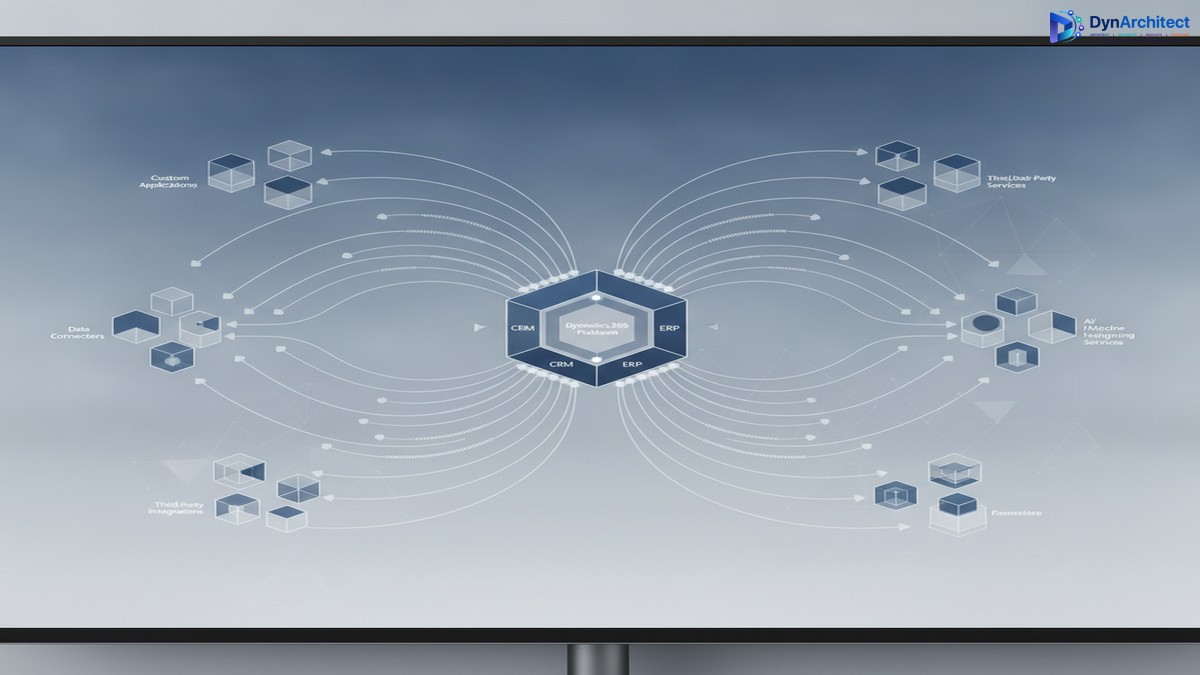
Enterprise Dynamics 365 implementations typically divide customization work into three categories. The first, which most organizations handle well, is creating reports and dashboards that show business leaders what is actually happening in the system. Power BI integration has made this category straightforward and low-risk. The second category is integrating Dynamics 365 with adjacent systems: supply chain planning, human capital management, third-party analytics, specialized industry platforms. This category is partially standardized through common APIs, but it still requires engineering effort to match data semantics and handle edge cases.

The third category is where implementation strategy becomes critical. This is the customization of Dynamics 365’s own business logic: approval workflows, financial period close sequences, consolidation logic for multi-entity structures, asset depreciation rules, tax calculation approaches. This category is where quick implementations often stumble. An approval workflow that works during initial deployment may become a bottleneck once volume increases. A period-close automation that works for a single legal entity with straightforward inter-company transactions becomes fragile when the organization acquires a subsidiary with different accounting standards.
The decision-making framework starts here: before implementation begins, your enterprise architects and finance leaders should identify which of these processes are truly core to competitive differentiation and which can safely standardize. A manufacturing company with a proprietary approach to cost allocation across multiple production facilities needs flexible and sophisticated costing logic. It is worth customizing Dynamics 365 to accommodate that approach because it is a source of actual competitive advantage. A company that follows standard industry costing practices might adopt Dynamics 365’s defaults and apply engineering effort elsewhere. The distinction seems obvious once stated, but most implementations conflate two different questions: “What does our business need?” and “What can we afford to build?”
Building Sustainable Extensibility Into Your Architecture
Once you have identified where customization creates value, the question becomes how to build those customizations in a way that survives the company’s evolution. This is the point where many implementations fail, not because the customizations are poorly written, but because they are designed for a static set of requirements rather than a dynamic business landscape.
Sustainable Dynamics 365 customization relies on a small set of architectural practices that most standard implementations skip. The first is establishing a clear boundary between custom logic and core system behavior. Dynamics 365 provides multiple layers where you can extend functionality: metadata-driven configuration, business process flows for structured automation, plugins for deep system logic, and custom APIs for discrete operations. Each layer has appropriate use cases, and mixing them creates brittle systems that become impossible to maintain as requirements change. Your architecture should establish which customization layer you will use for each category of logic, and it should enforce that decision consistently across the implementation.
The second practice is designing for data portability and reporting independence. The most consequential decision you make during implementation is how custom data structures interact with standard Dynamics 365 tables. Custom tables often make sense for capturing business-specific information, but they need to be designed from the start as if they might need to move to Power BI, external data warehouses, or downstream systems. This means using consistent naming conventions, avoiding gratuitous denormalization, and exposing data through defined APIs rather than direct database access. This sounds like overhead during implementation, but it becomes the difference between a system that can evolve and one that becomes increasingly brittle.
The third practice is establishing a plugin and API governance model before the first line of custom code is written. Plugins in Dynamics 365 give you profound power to intercept and transform business logic, but they also create opportunities for cascading failures if not managed carefully. A plugin that modifies financial data should have well-defined preconditions and should fail safely rather than partially. This requires treating plugin logic as mission-critical software, with corresponding standards for error handling, logging, and monitoring. Many organizations discover this requirement only after a plugin failure causes data corruption or blocks period close.
The Timeline Problem: Speed Versus Sustainability
The financial incentive structure in most implementations creates pressure to prioritize speed over sustainability. Consultants are paid for hours, not for long-term system stability. Partners succeed when projects go live on schedule, not when systems remain flexible three years later. This creates an alignment problem between what consultants build and what enterprises actually need.
The remedy is to invest in architectural review and governance at the beginning of the implementation, not at the end. This means dedicating time during planning to document which Dynamics 365 capabilities will be used as-is, which will be customized and why, and which are being bypassed in favor of external systems. It means establishing plugin standards and API governance before the technical team begins coding. It means creating a small architecture review board that reviews major customization decisions and blocks implementations that do not align with the agreed strategy.
This sounds like adding overhead to an already-complex project, and in terms of pure calendar time, it does. But the payoff is in the years that follow. When your organization expands into new markets and needs to onboard a subsidiary with different accounting structures, a well-designed Dynamics 365 foundation can usually accommodate that through configuration and targeted customization. A poorly-designed one requires rearchitecture. When regulatory requirements change and you need to modify financial period-close logic, a system built on clear customization boundaries can adapt. One without those boundaries often cannot.
Deciding What to Do Right Now
If you are in the early stages of Dynamics 365 planning, the most valuable action is to bring your architects and business leaders into the conversation about customization strategy before implementation begins. Do not let this decision be made implicitly by consultants optimizing for schedule. If you are mid-implementation and realizing that customization decisions are being made tactically rather than strategically, it is not too late to step back and establish architecture governance.
The enterprise that succeeds with Dynamics 365 is not necessarily the one that goes live fastest. It is the one that understands, before implementation, which parts of its business need to remain flexible and builds a system architecture that protects that flexibility. That requires more planning, more discipline, and more serious engagement with technical architecture decisions. It also results in a system that still works years later when your business has changed in ways you could not have predicted during implementation planning.
This is not a problem that faster implementation or lower-cost consulting can solve. It is a problem that requires CIOs and enterprise architects to make genuine strategic choices about where customization creates value and where it creates technical debt. The organizations that make those choices deliberately are the ones that get long-term value from Dynamics 365. The others end up managing the consequences.
Topics: #Dynamics365Architecture #EnterpriseCustomization #Dynamics365Strategy #CustomizationStrategy #EnterpriseERP #Dynamics365Implementation


