
A technical consultant reviewing the release notes for Dynamics 365 Finance and Operations version 10.0.49 will hit a line that looks routine until it isn’t: automatic clearing of bridged transactions during bank reconciliation, previously something you could turn on when you were ready, is now mandatory. Self-update customers got the build on September 11, and autoupdate production environments follow on October 2. Anywhere bridging accounts, methods of payment, or bank reconciliation parameters were never fully configured, that gap stops being a backlog item and becomes an active problem in the general ledger the moment the update lands.
This is the kind of change that rewards people who read upgrade notes closely and punishes people who don’t. Bridged payment clearing isn’t a new concept in F&O, Microsoft first shipped the automatic version of it a couple of release waves back, but plenty of environments left it disabled because the manual clearing process, while tedious, was at least predictable. Mandatory rollout removes that opt-out, so it’s worth walking through what bridging actually does, what specifically changes in 10.0.49, and what a technical team should check before the autoupdate window closes in early October.

How Bridged Payment Clearing Actually Works
A bridging payment is a payment that posts to the general ledger in two steps instead of one. When a vendor or customer payment is created, the amount lands first in an intermediate bridging account rather than directly in the bank main account. It only moves to the real bank account once the transaction actually clears, which is confirmed during bank reconciliation. The gap between those two events, sometimes hours, sometimes several business days for checks or ACH batches, is exactly the timing problem bridging accounts exist to solve. Without one, your cash position either overstates funds that haven’t cleared yet or requires someone to manually track which payments are still in flight.
Centralized vendor payments add a second layer of complexity on top of that timing gap. When a shared services organization pays vendors out of one legal entity on behalf of several operating entities, the bridging transaction has to reconcile correctly across that entity boundary, not just across time. That’s the specific scenario the 10.0.49 changes target, and it’s also the scenario most likely to have been left half-configured, because centralized payment setups tend to get built by one team and handed off before every downstream parameter gets revisited.
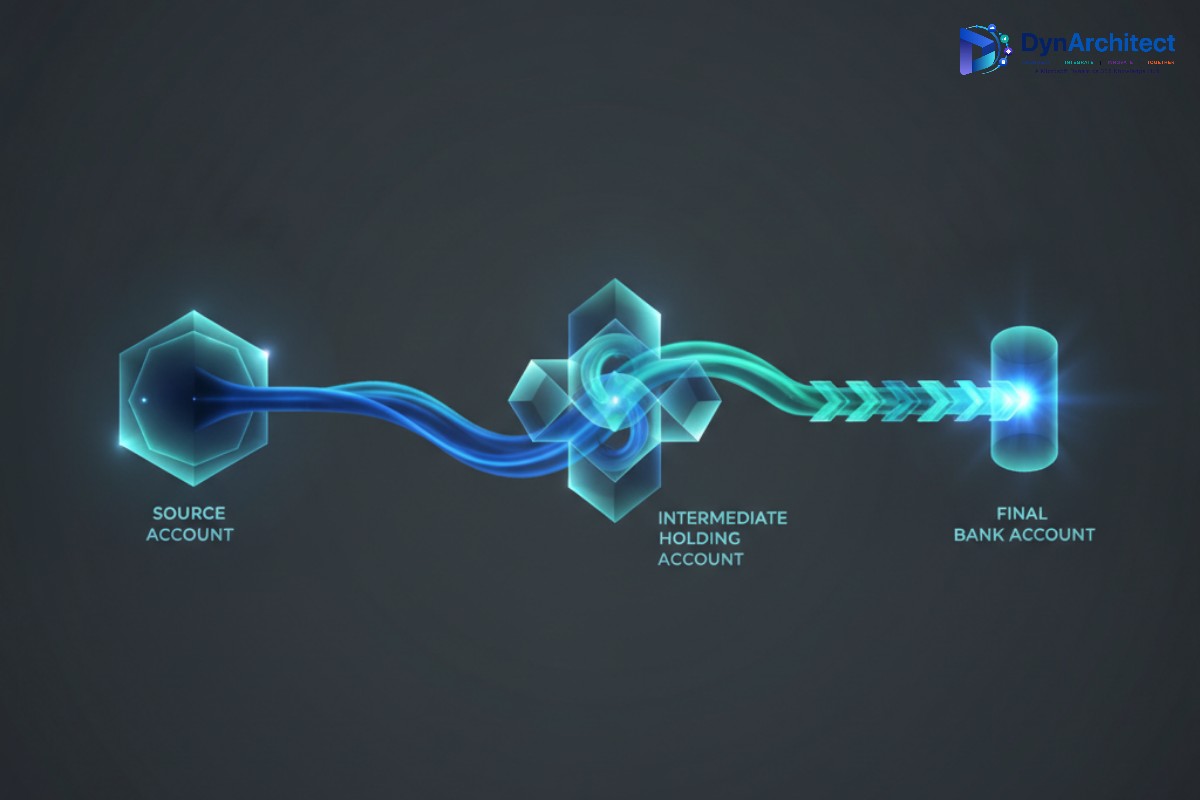
What Changes in Version 10.0.49
Three related capabilities move from optional to mandatory in this release: automatic clearing of bridged transactions through advanced bank reconciliation, the extension of that clearing to centralized bridged vendor payments specifically, and use of the latest exchange rate when posting bank transactions. A fourth item, clearing bridged customer payments automatically on the accounts receivable side, reaches general availability this same month, giving Finance teams parity between the vendor and customer sides of bridging for the first time. Microsoft also shipped a preview capability to review automatic bank reconciliation matching results before they post, along with performance improvements to bridge transaction selection that matter once you’re running this at real transaction volume rather than in a sandbox.
The practical effect is that any environment relying on the older manual clearing workflow, where a user posts a general journal by hand after reconciliation, no longer has that as a supported path once the mandatory feature activates. If your bank reconciliation parameters, methods of payment, or bank account records were never updated to support automatic clearing, the reconciliation worksheet’s “mark as reconciled” action will attempt to post clearing journals against configuration that isn’t there, and that’s where things go sideways.
Configuring It Before the Update Lands
The setup itself isn’t complicated, but it touches three separate configuration surfaces, and missing any one of them is enough to cause posting failures. Start in Feature Management and confirm that “Automatic clearing of centralized bridged vendor payments during bank reconciliation” is actually enabled rather than assuming it inherited a default; feature flags introduced in earlier waves don’t always carry forward cleanly into new environments cloned from production.
Next, check the methods of payment used for the affected vendor and customer payment types. The “Bridging account by bank account” parameter determines which account the system treats as the offset for the bridging entry: turned on, it pulls the bridging account configured on the bank account itself, and turned off, it falls back to whatever bridging account is set on the method of payment record. Mixed configurations, where some payment methods rely on the bank account setting and others rely on their own override, are a common source of confusion during testing, so it’s worth documenting which methods use which approach rather than assuming consistency.
Bank account records need attention in two places. On the General tab, confirm the bridging account itself is populated and points to a valid, active main account. On the Reconciliation tab, the “Clear bridged transactions during reconciliation” toggle needs to be on; if it’s off, the system still requires someone to clear bridging payments through a manual general journal, which defeats the purpose of the mandatory automation and will look like the feature “isn’t working” when really it’s configured to not run. Finally, in Cash and Bank Management parameters, the clearing journal name on the Bank reconciliation tab has to point to a journal name that’s actually set up to accept these postings; a blank or misconfigured journal name is a quiet failure point that won’t surface until someone tries to reconcile a real bank statement.
Handling What Doesn’t Clear Automatically
Even with configuration correct, individual transactions will occasionally fail to clear automatically, usually because of a data issue on the underlying payment rather than a setup problem. Dynamics 365 Finance includes a periodic batch job for exactly this situation: Cash and Bank Management > Periodic Tasks > Clear Bridged Transactions lets you select a specific reconciliation ID and resubmit the clearing attempt as a batch process rather than trying to force it through the interactive reconciliation worksheet again. Building a habit of checking this job’s history after each reconciliation cycle, at least for the first few months after the mandatory rollout, will catch configuration gaps faster than waiting for a period-end variance to surface them.
The posting date logic is also worth knowing before someone asks why a clearing entry landed where it did: the system uses the earlier of the reconciliation cut-off date or the system date, not always the date the bank statement itself is dated. For teams doing month-end close under a tight calendar, that detail affects which period a clearing entry hits and is easy to get wrong if you’re reasoning from the statement date alone.
Testing Before the Autoupdate Window Closes
Self-update customers already have this behavior live as of September 11. Autoupdate customers have until October 2 before it arrives automatically, which is a narrow but workable window to validate configuration in a sandbox tier rather than discovering gaps in production. The most useful test isn’t a single sample transaction, it’s running a full reconciliation cycle against a realistic batch of centralized vendor payments, ideally spanning more than one legal entity, and confirming the clearing journals post to the correct centralized entity with the correct offset accounts. Teams that skip straight to production validation tend to find out about a missing bridging account setup during the first live bank statement import after go-live, which is a worse time to find out.
Extending the same test to accounts receivable is worth the extra hour, since the customer-side clearing feature is landing in the same window and shares enough of the underlying mechanics that a gap on one side often points to the same gap on the other.
Routeget Technologies has walked several clients through advanced bank reconciliation configuration changes like this one, and the pattern holds across most of them: the technical setup itself takes an afternoon, but tracking down which of dozens of payment methods and bank accounts were configured inconsistently over several years takes longer than the actual fix. Treating this mandatory change as a prompt to audit that configuration now, rather than after a reconciliation cycle breaks, is the difference between a routine update and an unplanned fire drill.
#BridgedPaymentClearing #BankReconciliation #AccountsPayable #DynamicsFinanceOps #CashManagement #ERPGovernance
No comment yet, add your voice below!