

A controller at a mid-sized distributor recently described the moment her AP team realized what they’d actually bought. A vendor emailed a PDF invoice to the shared mailbox Business Central was watching, and within a few minutes the Business Central Payables Agent had pulled the vendor, mapped the line items to a G/L account, and dropped a fully drafted purchase invoice into the review queue. It looked like the AP clerk role had been automated away. Then someone asked whether the agent had checked the invoice against the purchase order or the goods receipt behind it, and the honest answer was no. It never does. Purchase order matching sits on Microsoft’s own published list of things the Payables Agent explicitly does not do, right alongside approval flows and anomaly detection.
That gap matters more than it sounds like it should, because Microsoft shipped a separate, unrelated feature in the same Business Central 2026 release wave that does handle order and receipt matching, and the two are easy to mistake for one connected capability. They are not. Understanding where the line actually falls is the difference between a rollout that genuinely reduces AP workload and one that quietly removes a control your finance team assumed was still there.
What the Business Central Payables Agent Actually Automates
The agent’s job starts and ends with turning an inbound PDF into a usable draft. It monitors a dedicated mailbox, pulls unread invoice emails, and runs each attached PDF through Azure Document Intelligence to extract the vendor name, amounts, and line detail. From there it tries to match the sender to an existing vendor record in Business Central; if it can’t do that confidently, it stops and asks a designated supervisor for instructions rather than guessing. When a new vendor genuinely needs to be created, the agent prefills the card from what it read off the invoice, but the record comes in blocked by default until a person reviews and releases it. Only after the vendor question is settled does the agent move to drafting the invoice itself, using historical purchasing patterns and item references to suggest which G/L accounts the line items belong to.
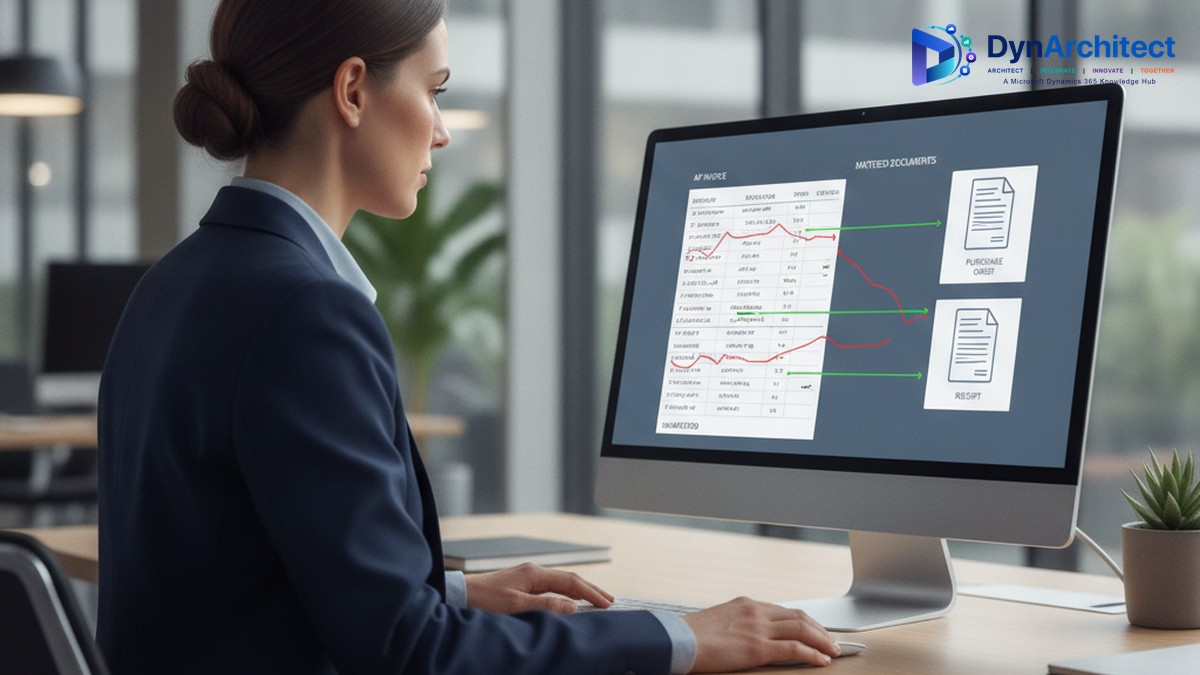
None of that becomes a posted transaction on its own. Every draft lands in a review queue where a human has to confirm, correct, or reject it before it becomes an actual purchase invoice, and Microsoft is direct about why: the agent’s account classifications and vendor matches “can be inaccurate,” and it has no way to evaluate business context the way a person reviewing the invoice would. That’s a reasonable design for what the agent is built to do, which is eliminate the manual keying and re-typing that eats the first half of most AP cycles. It is not built to answer the question of whether what you’re about to pay actually matches what was ordered and what showed up on the dock.
The Three-Way Match Gap Nobody’s Marketing Slide Mentions
Three-way matching, the practice of confirming an invoice against its purchase order and its receipt before payment, is the control most finance organizations rely on to catch overbilling, duplicate charges, and phantom deliveries. The Payables Agent doesn’t perform it. That’s not a bug or an oversight Microsoft is quietly working around; it’s a documented limitation, and as of this writing the agent itself is still labeled a public preview release rather than a finished, generally available feature.
What makes this genuinely confusing for a rollout is that the same 2026 wave 1 release also introduced “Match Purchase Invoices to Multiple Order and Receipt Lines,” a completely separate, non-AI capability built directly into standard purchase order processing. It adds a “Get Order Lines” action that surfaces received-but-uninvoiced or unreceived order lines, a “Matched Order Lines” page for reviewing and adjusting how invoice lines tie back to multiple purchase orders and partial receipts at once, and a “Receipt on Invoice” toggle that can auto-generate the receipt when a linked invoice posts. It reached general availability in April 2026, on its own timeline, with its own set of exclusions that keep it away from prepayment orders, item charges, projects, subcontracting, blanket orders, and intercompany transactions. Nothing in Microsoft’s documentation ties these two features together, and there’s no evidence the Payables Agent hands its drafts off into this matching workflow automatically. They simply shipped in the same release, aimed at the same purchase-to-pay process, and solve two different halves of the problem without talking to each other.
The practical result is that an AP team running the Payables Agent still needs to run invoices through order and receipt matching separately, whether that means the new native matching screens, an existing three-way-match process, or a third-party tool already in place. Treating the agent’s fast, clean drafts as evidence that matching already happened is exactly the kind of assumption that erodes a control environment quietly, one invoice at a time, until an audit or a duplicate payment surfaces the gap.
Consumption Billing Changes How You Budget for This
The licensing model adds a second layer finance leaders need to plan around before anyone flips this on for real volume. Copilot itself is bundled into Business Central’s Essentials and Premium subscription tiers, so the base chat and suggestion features a user sees day to day don’t carry a separate charge. Agents are different. The Payables Agent runs on Copilot Credits, a metered unit purchased through an Azure subscription, and consumption scales with how much work the agent actually does rather than with how many people are logged in. Microsoft’s own guidance is candid that it doesn’t publish a flat per-invoice rate; credit consumption depends on which features get used and what actions the agent performs on a given document, which means the honest answer to “what will this cost us” only comes from watching it run.

That variability lands at an awkward moment for most finance calendars. Invoice volume tends to spike at quarter-end and during seasonal peaks, which is precisely when a consumption-based bill is likely to jump, and precisely when a finance team has the least appetite for a surprise line item. Organizations used to a flat per-seat software cost don’t automatically have a forecasting habit built for variable, usage-driven spend, and marketing language that blurs “Copilot is included” with “the agent is included” doesn’t help anyone build one. There’s also a governance detail worth knowing before you assign ownership: viewing actual billing and consumption detail requires the SUPER or AGENT-DIAGNOSTICS permission set specifically. The narrower AGENT-ADMIN role that would typically administer the agent day to day does not, by itself, grant visibility into what it’s costing, so whoever ends up accountable for the Azure bill needs to be deliberately provisioned, not assumed.
What This Means for a Rollout Decision
None of this argues against adopting the Payables Agent. For an AP team drowning in PDF invoices that arrive by email in a single language, it removes a real chunk of manual entry, and the human-in-the-loop design means it isn’t going to post something wrong without a person signing off first. The documented ceilings are worth checking against your own volume before you commit to it as a strategy rather than a pilot: the agent tops out at 500 processed invoices and 100 monitored emails per day per environment, it’s validated for English only, it only reads PDF attachments up to a handful of pages and a few megabytes each, and it will not touch approval workflows or flag anomalies on its own. A high-volume, multi-language AP operation with heavy PO-based purchasing is going to run into those edges quickly.
The more useful framing for a CIO or CFO evaluating this isn’t “should we turn on AI for accounts payable.” It’s two separate questions that deserve two separate answers: does this reduce the manual work our AP team does today, and does it strengthen or weaken the matching controls we already rely on. The first answer, for the right invoice profile, is genuinely yes. The second, at least for now, is that the agent doesn’t touch that control at all, and the feature that does was built and shipped on its own, waiting to be adopted separately. Firms we’ve worked with on Business Central Copilot rollouts have had the smoothest results when they scoped the agent narrowly, ran it against real invoice volume for a full billing cycle before expanding it, and kept three-way matching exactly where it already lived rather than assuming the new AI layer had absorbed it.
#BusinessCentral #PayablesAgent #APAutomation #CopilotCredits #ThreeWayMatch #ERPGovernance