
The temptation to underestimate Business Central extension complexity is real, especially for teams migrating from legacy systems like Dynamics NAV or Dynamics GP. You get the cloud, you get the Azure-backed infrastructure, and suddenly extension development feels like the easy part. It rarely is. The AL language itself is modern and approachable, but scaling extensions across multi-tenant deployments, managing breaking changes across versions, and keeping runtime performance acceptable requires architectural thinking most teams discover too late.
## The AL Language Layer: Beyond the Syntax
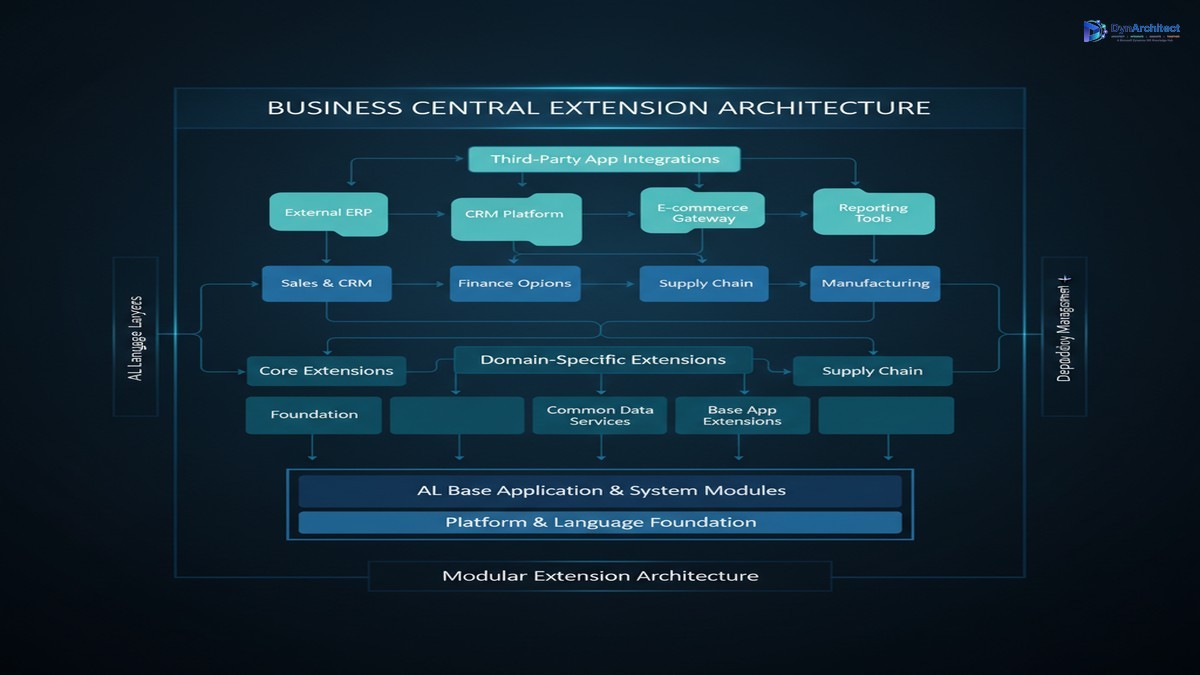
AL is not a thin wrapper over familiar patterns. It is a type-safe, metadata-driven language designed specifically for Dynamics 365 Business Central’s event-driven architecture. This distinction matters. Writing valid AL code is different from writing maintainable extensions that survive updates, integrate with other extensions, and perform predictably under load.
Most teams encounter this when they begin mixing AL patterns across their own extensions. One team member uses procedural code for large batch operations, another chains event handlers expecting sequential execution, and a third builds data structures that clash with AL’s table metadata constraints. These choices do not fail immediately; they fail at scale, or during the next Business Central update, or when a customer deploys your extension alongside a third-party solution that makes similar assumptions.
The foundational discipline is understanding AL’s object model and metadata binding. Every AL object (table, page, report, codeunit) declares its intent at design time, not runtime. A table’s primary key structure is immutable once deployed to production; a field’s data type cannot be changed without data migration; relationships between tables are defined through foreign keys at the metadata level, not through application-level joins in procedural code. Teams that build to this model, treating metadata declarations as contracts, tend to survive updates and extensions conflicts far better than teams that treat AL as a generic imperative language.
## Dependency Management and Extension Composition
As your custom solutions grow, extensions accumulate. You likely have a base extension providing core business logic. You probably have domain-specific extensions for finance, supply chain, manufacturing. You may have third-party solutions from AppSource or custom integrations. Each one loads and runs within the same Business Central instance. Dependencies between them are not optional; they are architectural.
Many teams manage dependencies informally: a naming convention for tables, an unwritten rule about which extensions can call which, or careful manual testing to confirm no conflicts emerge. This works until it does not. You deploy an updated third-party extension, and suddenly your base extension’s event handlers no longer fire as expected because the third-party extension registers handlers on the same objects with different priorities. You add a new custom field to a table, and a report in an existing extension breaks because it makes assumptions about field structure. You rename an event in one extension and the dependent extension fails to bind at runtime because neither extension explicitly declares the dependency.
The right approach is treating extension composition as a design problem, not a deployment logistics problem. Each extension should declare its dependencies in its app.json file explicitly. Each extension should own a well-defined set of tables, pages, and events. Cross-extension calls should flow through clearly defined APIs (integration codeunits, events that other extensions are explicitly invited to subscribe to) rather than directly against tables or internal procedures. When an extension changes, dependent extensions fail to compile or at runtime hook registration fails, and you know immediately rather than discovering problems in customer deployments.
## Event-Driven Architecture and Handler Ordering
Business Central extensions operate in an event-driven model. You do not subclass objects or override methods; you subscribe to events that fire at defined points in the object lifecycle. This is powerful for extensibility and far less fragile than inheritance-based architectures. It is also deceptively easy to misuse.
A common mistake is assuming event handler execution order is deterministic. Two extensions both subscribe to the OnBeforeInsert event of a table. Which handler runs first? The answer is “undefined” without explicit priority declaration. If your logic depends on one handler running before the other, you are building a house of cards. A customer adds another extension, or AppSource releases an update, and handler order shifts. Your business logic breaks silently or produces incorrect results.
The principle is simple: make no assumptions about handler ordering unless you explicitly control it. If your extension depends on data being modified or events being raised in a specific order, declare that dependency. Use event priorities consciously. Consider whether a sequence of handlers can be reorganized into a single orchestration point rather than a chain of unordered event subscriptions.
Similarly, avoid performing long-running operations inside event handlers. Business Central event handlers execute synchronously within the transaction context of the triggering operation. A long-running SQL query, an external API call, or a batch data operation inside an event handler blocks the user interaction and risks transaction timeout. If you need to coordinate complex operations, use scheduled jobs, background tasks, or power integration orchestration outside the event handlers themselves.
## Performance Optimization and Query Patterns
Business Central extensions live in a multi-tenant cloud environment with resource governance. You do not own the database; you rent capacity. Query patterns that perform acceptably on a local single-tenant installation often stumble under load in production because of contention and resource limits.
The fundamentals are straightforward but often overlooked. Write efficient queries: use table keys for filtering, avoid unnecessary fields in SELECT projections, filter data at the database level rather than loading entire tables into AL variables. Use batch operations for bulk changes rather than loops with individual updates. Avoid queries inside event handlers that fire on every transaction. Profile your code using Business Central’s telemetry infrastructure to identify actual bottlenecks rather than optimizing on instinct.
One frequent pattern error is the “load all data then filter” approach. You write a report that loads every sales order in the company and then filters in AL code. This works fine with 500 orders; it fails when you have 500,000. The correct pattern is filtering at the database level using AL’s table filtering syntax, then loading only the rows you need.
Another is the N+1 query pattern. You loop through a set of header records and for each one, you run a query to load related detail records. With 1,000 headers, this becomes 1,001 queries. The correct approach is a single query that retrieves all headers and details in one operation, or two queries that load all data at once and correlate in AL code.
## Version Updates and Breaking Changes
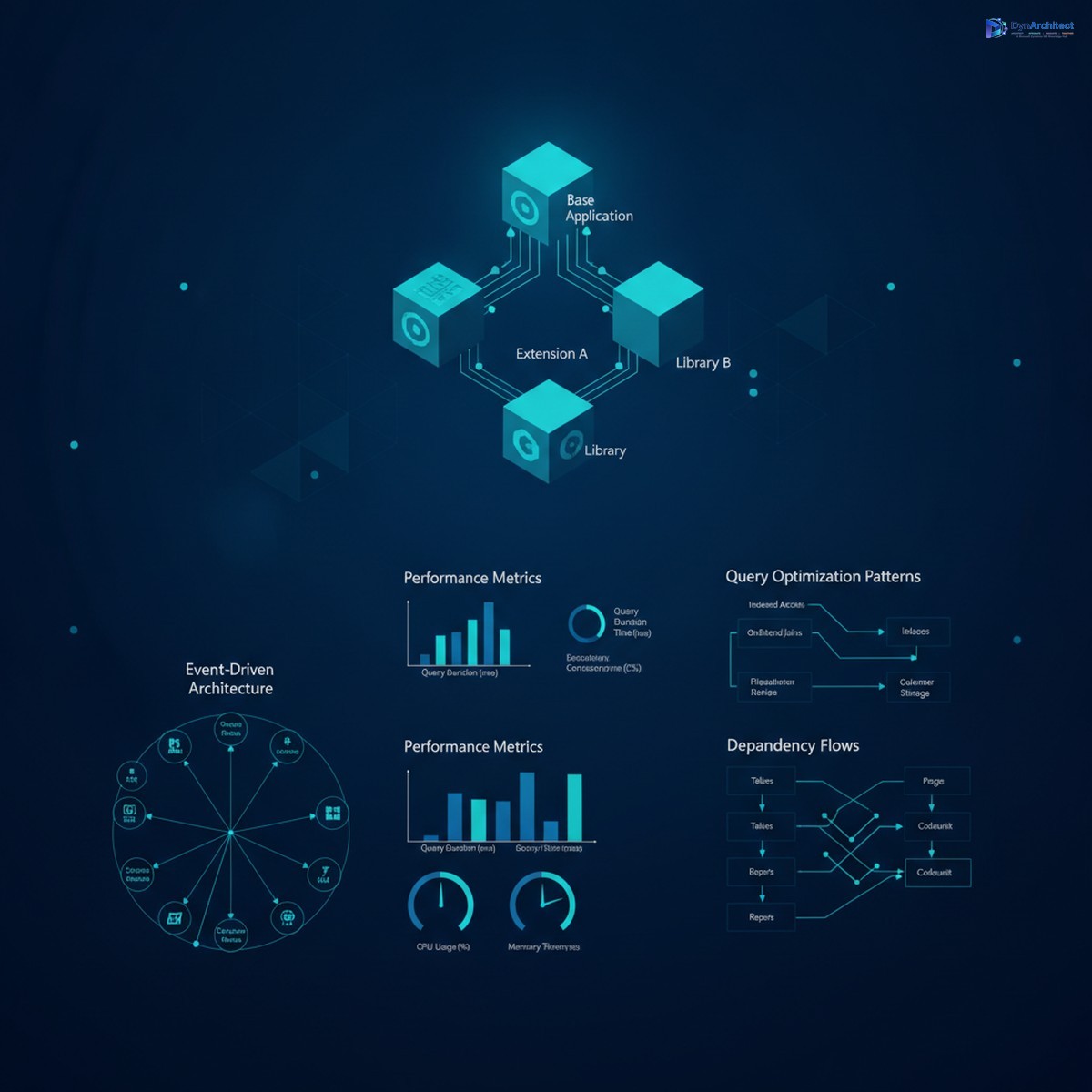
Business Central updates every month. Your extensions must survive these updates. Microsoft maintains backward compatibility for the AL language and most APIs, but they do not guarantee that your custom logic will behave identically. Events might fire in different orders after an update. Performance characteristics might shift. New objects might shadow or conflict with your custom objects.
The practical answer is testing. You should regression test every extension after every Business Central update before deploying to production. Run your critical business flows, confirm that reports produce expected results, verify that integrations still function. This is not optional tooling; it is a requirement for stable production deployments.
You should also stay aware of deprecation announcements. Microsoft signals breaking changes well in advance. Review the release notes before each update. If your extension uses an API marked as deprecated, plan to migrate off it before support ends.
## Deployment Patterns and Lifecycle Management
How you package and deploy extensions matters. Most organizations start by deploying all custom extensions into a single App Package file, or worse, as a single sandbox solution from Visual Studio Code. This works at small scale. At scale, it becomes a bottleneck. A single developer making a small bug fix to one feature must rebuild and redeploy the entire package, potentially blocking deployments by other teams. A customer wants to selectively disable a feature without rebuilding the whole solution.
The mature approach is modular packaging. Core functionality lives in a base extension. Domain-specific logic lives in separate, focused extensions that depend on the base. Third-party solutions integrate through published events and APIs. Each extension is versioned, deployed, and updated independently. Customers can subscribe to updates or defer them based on their readiness, rather than being locked to a monolithic release cycle.
You should also have a clear Application Lifecycle Management (ALM) strategy. Version your extensions. Maintain a change log. Test updates in a staging environment before production. Have a rollback plan if an update causes issues. Business Central app upgrades are designed to handle schema migration and data transformation automatically in many cases, but only if you structure your deployments correctly.
## Path Forward
Building robust Business Central extensions is not about mastering AL syntax; it is about understanding the platform’s model, planning dependencies deliberately, avoiding common performance pitfalls, and treating versioning and deployment as architectural concerns rather than afterthoughts. Teams that succeed do this from the start. Teams that struggle usually discover these principles only after something breaks in production.
If you are starting extension development, adopt these practices early. If you are maintaining existing extensions, audit them against these principles. Refactoring to improve dependency management or performance optimization costs time upfront but pays back almost immediately in reduced support burden and faster deployment cycles.
Building enterprise-grade Business Central solutions requires discipline, but it is entirely achievable if you are intentional about architecture from the outset.
#BusinessCentralAL #DynamicsExtensions #ALLanguagePatterns #ExtensionArchitecture #BCPerformanceTuning #CloudERP
No comment yet, add your voice below!