
# Building Custom APIs in Business Central: A Developer’s Guide to Extending Integration Capabilities
Business Central’s Power Automate connector and standard OData endpoints cover a wide range of integration needs. For a mid-market company syncing a handful of cloud services, these out-of-the-box capabilities are often sufficient. But the moment you need to expose Business Central data to a proprietary third-party system, enforce complex business logic at the API boundary, or build a consistent integration layer that multiple services depend on, you’ll quickly discover the limits of connector-based approaches.
Custom API endpoints in Business Central provide a way out. Unlike the Power Automate connector, which exposes a read-only view of standard entities, custom APIs let you control exactly what data flows into and out of your system, apply authorization rules at the endpoint level, and define the exact REST semantics your downstream systems expect.

## When Standard Connectors Stop Working
The Power Automate connector and OData endpoints both serve important purposes, but they operate under constraints that custom APIs remove. The Power Automate connector simplifies workflow automation by automatically discovering Business Central tables and fields, but this convenience comes with limited flexibility around response formats, pagination, and error handling. OData endpoints provide more control but still expose the underlying data model directly, which means any future schema changes can ripple into dependent systems.
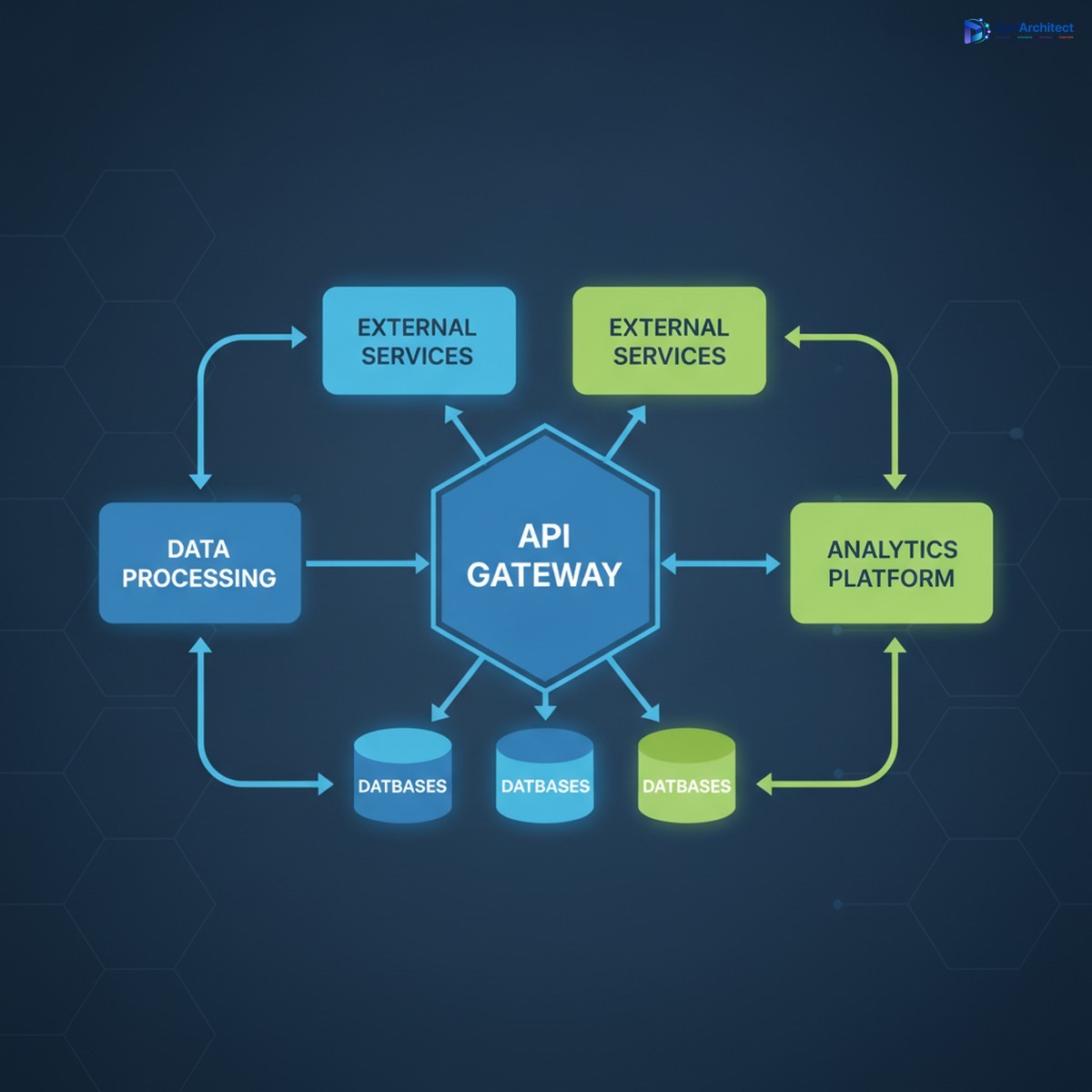
A custom API, by contrast, sits between your Business Central data layer and external systems. It acts as a versioned contract that isolates external consumers from internal schema changes. If you add a field to a table, rename a lookup, or refactor your data structure, the API’s public interface remains stable as long as the underlying business logic does.
## Building Your First Custom API in AL
In Business Central, custom APIs are built using AL, the business application language. The core construct is an API page, which combines the declarative benefits of page design with REST exposure. Here’s the basic pattern:
A custom API page declaration specifies an entity name, which becomes the REST resource path (/api/custom/v1/orders, for example), and then maps AL fields to the underlying Business Central tables. Unlike a traditional page, which is designed for user interaction, an API page focuses on data structure and response shape.
“`
page 50100 OrderAPI
{
PageType = API;
EntityName = ‘Order’;
EntitySetName = ‘Orders’;
…
}
“`
From this declaration, Business Central automatically exposes a REST endpoint. A POST request creates a record, GET retrieves records, PATCH updates, and DELETE removes records, following standard HTTP semantics.
## Controlling the Request Surface
One of the key advantages of building custom APIs is control over the data you expose. You’re not forced to expose every field on a table. Instead, you explicitly declare which fields appear in the API, rename them if needed for compatibility, and define read-only vs. read-write properties.
This becomes essential when integrating with legacy systems or third-party services that expect a specific data structure. If your external partner’s API expects a field called `CustomerOrderID` but Business Central calls it `BillToCustomerNo`, the custom API layer translates between them. This translation insulates both systems from breaking changes on the other side.
Equally important is the ability to hide internal details. Not every field a Business Central user needs to see belongs in an external API. You can expose only order headers, hide internal cost allocations, and require that all modifications go through specific validation routines your custom API enforces.
## Authentication and Authorization at the API Level
All Business Central APIs, custom or standard, authenticate via Azure AD (Entra ID) OAuth. Your calling system requests a token using a service principal or delegated credentials, and Business Central validates the token before allowing access to the API.
However, custom APIs let you layer additional authorization logic on top of Azure AD authentication. You might check that the caller’s organization ID matches the data they’re requesting, or enforce that only a specific external system can modify orders within certain value ranges.
This can be implemented in the page’s trigger code, before any data is returned or modified:
The API code can inspect the authenticated caller’s identity, query Business Central tables to determine if access is allowed, and reject the request with a specific HTTP status and error message if not.
## Versioning Your API Without Breaking Clients
Over time, your API contract will evolve. You’ll add new fields, deprecate old ones, or change the structure of nested objects. Custom APIs handle this through explicit versioning.
The standard approach is to include a version number in the API path itself: `/api/custom/v1/orders` vs. `/api/custom/v2/orders`. This allows you to support legacy clients on the v1 endpoint while new clients use v2. You might even run both endpoints simultaneously, pointing v1 to an older page definition and v2 to an updated one, ensuring that existing integrations don’t break.
Alternatively, you can deprecate individual fields by keeping them in the response but marking them in documentation as no longer updated. This gives calling systems time to migrate to newer fields before you remove them entirely.
## Testing and Monitoring Your Custom API
A custom API is only as good as its reliability in production. Before deploying to a live environment, test the API endpoints thoroughly using tools like Postman or custom scripts that simulate your downstream systems. Verify that create, read, update, and delete operations all work as expected, that error responses include meaningful messages, and that rate limits and timeouts behave predictably.
Once deployed, monitor the API’s health through Business Central’s telemetry and logging infrastructure. Log each API call with caller identity, HTTP status, and execution time, so you can diagnose performance issues or unexpected errors after the fact. If an external system starts making requests at an unusual rate or fails repeatedly, your logs will reveal it quickly.
## A Practical Example: Order Sync Between Business Central and an ERP Partner
Consider a scenario where your organization uses Business Central as the primary system of record for financial data, but integrations with a warehouse management system (WMS) require real-time updates whenever an order ships. A custom Order API exposes the minimum fields the WMS needs: order number, line items, quantities, and ship-to address.
The API page includes trigger code that, on insert or modify, validates that quantities are non-negative, ship-to addresses are complete, and the order type is supported by the WMS integration. If validation fails, the API returns a 400 error with a message explaining what was missing or invalid. This prevents the WMS from receiving half-formed orders that it cannot process.
When the order is ready to ship, the WMS sends a PATCH request to the same endpoint with shipping carrier and tracking information. The custom API updates Business Central with those details, logs the update for audit purposes, and returns a 200 response confirming success.
## Common Pitfalls to Avoid
One frequent mistake is exposing too much data in a single API endpoint. A page that joins ten tables and returns dozens of fields might seem comprehensive, but it becomes slow, difficult to version, and hard to secure. Instead, design lean APIs that return only what the caller needs, and create separate endpoints for different use cases.
Another pitfall is inadequate error handling. If your custom API hits an exception in AL code and doesn’t catch it, the response will be a generic 500 error with a stack trace. External callers have no idea what went wrong. Always wrap business logic in try-catch blocks, translate exceptions into meaningful HTTP status codes (400 for bad requests, 409 for conflicts, 422 for validation failures), and include a human-readable error description.
Finally, don’t overlook throttling. If you don’t set rate limits on your API endpoints, a poorly behaved client or a denial-of-service attack can consume all available Business Central resources. Use Business Central’s built-in throttling policies to cap the number of requests per minute per caller.
## Moving Forward
Custom APIs transform Business Central from a closed system to an extensible platform. They enable you to control the shape of your data, enforce business rules at the boundary, and maintain a stable contract with external systems even as your internal architecture evolves.
If you’re currently wiring integrations together with Power Automate flows and OData endpoints, custom APIs might be the missing piece that gives you the control and clarity your architecture needs. At Routeget Technologies, we’ve helped organizations design and implement custom API strategies that streamline integrations and reduce long-term maintenance burden.
—
**#BusinessCentralAPIs #CustomIntegration #ALDevelopment #BusinessCentralExtensibility #APIDesign #IntegrationArchitecture #DevelopmentPatterns**
#BusinessCentralAPIs #CustomIntegration #ALDevelopment #BusinessCentralExtensibility #APIDesign #IntegrationArchitecture #DevelopmentPatterns
No comment yet, add your voice below!