Building a Unified Customer Data Foundation: How Sales Intelligence Transforms Lead Qualification and Sales Cycle Velocity

Building a Unified Customer Data Foundation: How Sales Intelligence Transforms Lead Qualification and Sales Cycle Velocity

The sales team at a mid-market B2B software company arrives at the Monday morning pipeline meeting with incomplete information. The VP of Sales has visibility into which deals are in which stage, but not into the customer context behind each deal. Who are the actual decision makers at each account? Which departments have engaged? Has the customer interacted with the company before, or is this first contact? What is their industry, company size, and technology stack? The sales rep knows bits of this information, but no two reps have captured it the same way. Some store data in email, some in notebooks, some in CRM fields. The result is a pipeline that looks healthy on paper but falls apart because the team is qualifying the wrong leads and missing customer signals that indicate real buying intent.

This is the cost of fragmented customer data. Sales teams that operate without a unified customer view lose time on unqualified leads, miss expansion opportunities in existing accounts, and fail to personalize outreach when it matters most. Dynamics 365 Customer Insights, combined with Sales Cloud capabilities, changes this dynamic. When your customer data is unified, deduplicated, and enriched across all touchpoints, sales teams see the full customer context instantly. Deals close faster. Win rates improve. Sales cycles compress by 20 to 30 percent not because your reps work harder, but because they work smarter with better intelligence about every prospect.

The Hidden Drag of Fragmented Customer Data

Most sales organizations start with fragmented data. Customer records live in multiple systems: CRM captures interactions and deal history; your email platform logs communication threads; your website analytics track engagement; billing systems hold contract data; support systems record customer inquiries and resolutions. A prospect who engaged with your company months ago via webinar, then returned through a web form, then sent an email inquiry, then created a trial account, appears as four separate records across four systems. Your sales rep sees only the CRM record, not the full picture of escalating engagement.

The consequence is predictable. Sales reps call leads cold that should be warm. They miss opportunities to expand into existing customers because they do not know the customer is already using related products. They customize pitches based on incomplete information, missing the business outcomes that actually matter to that prospect. They cannot explain to their manager why a deal is slipping because the customer context is not documented in a way that reveals the real issue.

Customer Insights solves this by creating a unified, enriched customer profile from every data source. It automatically deduplicates records across CRM, email, web analytics, support systems, and anywhere else customer data lives. It enriches profiles with industry data, technographic data, company size, and other intelligence from third-party data providers. It surfaces what third-party B2B data knows about every prospect: their technology stack, their recent funding, their headcount changes, their recent executive appointments. Within Dynamics 365 Sales, this unified customer profile appears on every account, contact, and deal, giving your rep complete context in seconds.

Moving from Activity-Based to Intelligence-Based Selling

Traditional sales processes focus on activity metrics: calls made, emails sent, meetings scheduled. Without unified customer data, sales teams spend time on low-probability leads because they lack signals to identify high-probability prospects.

Unified customer data enables intelligence-based selling. Instead of cold outreach, your team works from a prioritized list based on engagement patterns and behavioral signals. Dynamics 365 Sales uses lead scoring and Sales Insights to flag warm leads: prospects who have visited your pricing page, engaged with content, and match your ideal customer profile. Your rep already knows this is a warm opportunity before they call.

The impact is measurable. A sales rep calling 20 people daily with 2 percent conversion generates 0.4 qualified leads daily. The same rep calling 10 high-probability prospects daily with 30 percent conversion generates 3 qualified leads. Better information about which prospects are actually ready to buy delivers higher effectiveness with less activity.

Expanding Revenue from Existing Customers

The most overlooked benefit of unified customer data is expansion revenue. Most sales organizations default to a single-deal view: one sales rep owns each opportunity. That rep pursues the initial deal, closes it, and moves on. No one explicitly owns the next opportunity with that same customer. Twelve months later, the customer has adopted a related product line, but your company never knew to pitch it because your sales team did not have visibility into what the customer was already using.

Unified customer data fixes this. Customer Insights maintains a complete history of all purchases, interactions, and product usage for every customer. When a new opportunity is created for that customer, the assigned sales rep instantly sees what products the customer uses, when they adopted them, how heavy their usage is, which departments are engaged, and whether expansion into adjacent products makes sense. Customers who deployed one module of Dynamics 365 two years ago and now need a second module do not start from cold evaluation. The new sales rep can position the second module as a natural expansion that integrates with what the customer already has.

In practice, customers with visibility into their own install base expand revenue by 15 to 25 percent annually from existing customers alone, without adding new customer acquisition effort. That revenue compounds over time. A company that grows 5 percent from new customers but 20 percent from existing customer expansion reaches double the revenue in roughly five years instead of fourteen.

Accelerating Sales Cycles Through Personalization at Scale

Personalization is often mentioned in sales strategy conversations as a nice-to-have. In practice, with unified customer data, it becomes a must-have acceleration lever. When a sales rep knows a prospect’s technology stack, recent company milestones, organizational structure, and buying patterns, personalization is not an extra effort; it is the baseline.

A prospect at a retail company considering a new ERP system is not just a prospect; they are a prospect in retail, likely operating stores, managing inventory across locations, and handling complex supply chain coordination. Your pitch focuses on those outcomes, not generic ERP benefits. Your demo emphasizes how fast other retailers implemented, what other retailers use for multi-location inventory, and how other retailers reduced cycle times. Every element of the engagement is tailored because unified data tells you who this prospect is.

This personalization at scale accelerates deal progression. Prospects who see tailored outreach, relevant case studies, and proven outcomes for their industry move through sales stages faster than prospects who receive generic content. A sales cycle that typically takes 90 days compresses to 60 days when every customer engagement is informed by unified data. Compressed cycles mean your team closes more deals per quarter with the same headcount, and your customers get to value faster.

Implementation and Getting Started

Unified customer data does not require replacing your entire tech stack. Customer Insights integrates with Dynamics 365 CRM and works with external data sources: your email platform, your website analytics, your support system, your billing system. The implementation typically involves mapping these data sources, defining deduplication rules, enriching data with third-party intelligence, and creating unified customer profiles. Most organizations complete this in two to four months for their core data sources, then expand to include additional systems.

The first step is assessing your data landscape. Which systems hold customer data today? How much duplication exists across systems? Do you have email and web engagement data? Are customer usage patterns captured anywhere? Most organizations are surprised by how much relevant customer data they already have; it just lives in disconnected systems. Bringing that data together under a unified customer profile in Dynamics 365 means your sales team can immediately see what they could not see before.

The business case is straightforward. If unifying customer data compresses your sales cycle by 20 percent, increases your win rate by 10 to 15 percent, and expands revenue from existing customers by 15 to 20 percent, the payback is typically measured in months, not years. For a sales organization booking 100 million dollars annually, a 20 percent cycle compression and 15 percent win rate improvement could unlock 15 to 25 million dollars in incremental revenue annually. That business outcome is difficult to justify ignoring.

Conclusion

Unified customer data is no longer a differentiator in enterprise software. It is becoming table stakes for any sales organization competing in B2B markets where deal complexity and decision-making cycles justify investment in sales intelligence. Organizations that implement it gain a tangible advantage: shorter sales cycles, higher win rates, larger deal values from existing customers, and more focused sales effort. For a VP of Sales or CFO evaluating how to grow sales effectiveness without proportionally growing the sales team, unified customer data in Dynamics 365 Customer Insights and Sales Cloud is one of the highest-ROI investments available.

#DynamicsCustomerInsights #SalesCloudIntelligence #LeadQualificationStrategy #SalesEffectiveness #CustomerDataPlatform #SalesCycleOptimization #B2BSalesStrategy #DigitalSalesTransformation

Consolidating Customer Intelligence: How Dynamics 365 Customer Data Platform Transforms Sales Pipeline Visibility and Revenue Forecasting

Your sales team operates across fragmented data sources. Pipeline data lives in the CRM. Customer account history sits in a separate system. Communication touchpoints scatter across email, Teams, and LinkedIn. Finance holds contract and payment data. The result is predictable: deal visibility remains partial, forecasting depends on gut feel rather than complete customer context, and sales reps waste cycles hunting information instead of closing deals. This fragmentation costs money. It slows deal progression. It creates forecast errors that ripple into quarterly results.

The underlying problem is not tool proliferation—it’s that modern selling requires a unified understanding of each customer that no single application delivers on its own. This is where Dynamics 365’s Customer Data Platform (CDP) capabilities enter the picture. The CDP layer consolidates disparate customer records, interactions, and context into a single coherent view, giving sales and finance teams the integrated information they need to execute reliably.

Understanding the CDP Layer in Dynamics 365

Dynamics 365 includes customer data management functionality built directly into Customer Insights (formerly Dynamics 365 for Customer Insights), which integrates tightly with Sales, Finance, and Operations. This CDP capability differs from third-party CDP platforms because it starts with enterprise transaction data already flowing through your Dynamics ecosystem, rather than attempting to ingest and map data from external sources. The practical benefit: implementation complexity drops, data quality improves because you’re working with source records you already own, and the unified customer view connects back to operational systems without middleware translation layers.

The CDP ingests records from multiple origins: Dynamics 365 Sales accounts and contacts, historical transaction data from Finance and Operations, marketing interaction data from automated campaigns, customer service interaction logs, Azure Data Lake connections for external data sources if needed, and real-time activity feeds from Teams or other collaboration tools your team uses. These records flow through entity mapping and deduplication logic (matching logic that identifies when two records represent the same real-world customer despite different IDs across systems), then resolve into unified customer profiles. Each unified profile becomes queryable and actionable within Sales, Finance, and Operations applications. This unified profile is what changes how your sales and finance functions operate.

How Unified Customer Profiles Impact Sales Execution

Consider a tangible scenario. A sales rep is preparing for a renewal discussion with a mid-market customer. Today, the rep opens the opportunity record in Dynamics 365 Sales and sees contract value and contract end date. To understand the customer’s actual spend across the organization, the rep must open a separate Finance portal to check accounts payable and payment history. To understand what support issues the customer has logged, the rep logs into Service separately. To understand whether this customer recently attended a product webinar or downloaded content, the rep logs into a separate marketing system. By the time the rep assembles this picture, an hour has passed. Worse, details often get missed because the rep doesn’t know which systems to check.

With Customer Data Platform unification, the rep’s unified customer profile surfaces all this context—recent transaction history, open support cases, known business issues, prior interactions, marketing engagement, and contract renewal dates—in a single pane. The context is there when the rep opens the account record. This changes the tone of the renewal conversation. The rep arrives prepared, knows what matters to the customer, and can propose relevant solutions rather than generic upgrades. Renewal close rates improve. Contract values increase because the rep understands the customer’s full operational context and can pitch solutions that address known pain points.

For finance and sales leadership, the same unified data improves forecast accuracy. CFOs and Sales VPs rely on accurate pipeline forecasting to guide capital allocation and operational planning. Yet pipeline forecasts built from incomplete customer context tend to be overoptimistic (reps weight deals more heavily than customer context supports) or miss risks (a customer with chronic payment issues or support problems may be churning despite apparently healthy active contracts). With complete customer history—including payment patterns, support escalations, prior upsells, and customer health scores—finance and sales can calibrate forecasts more accurately and identify deals at risk before they stall or slip.

The Enablement Challenge: From Unified Data to Behavioral Change

Consolidating data is the technical step. Driving adoption is where most organizations stumble. Sales reps trained on the old approach often continue checking separate systems by habit. Finance teams accustomed to a specific reporting layout may not immediately recognize the productivity gains available through the unified view. Implementation plans that skip enablement frequently result in the CDP sitting unused while teams continue fragmented workflows.

Effective deployment requires three parallel workstreams. First, map your data unification to specific business processes (how does complete customer context improve the renewal process? how does it change forecast calibration?). Second, train reps and analysts on the new workflow before go-live so they understand not just where information is, but why the consolidated view matters to their specific job. Third, measure outcome improvement (did deal cycle time drop? did forecast accuracy improve? did upsell rates increase?) and share results back to the team monthly so adoption feels like an improvement, not a mandate.

Organizations that execute these elements well see results within ninety days. Reps spend less time searching and more time on high-value customer conversations. Finance forecasts settle into a tighter range, reducing revenue surprises. Cross-sell and upsell attach rates increase because sales now has complete visibility into where each customer has already invested. Support organizations respond faster because they understand the customer’s business context and can diagnose issues more accurately.

Integration Across Finance, Sales, and Operations

The CDP doesn’t exist in isolation. Its value multiplies when integrated across Finance, Sales, and Operations workflows. Finance can see which customers are revenue-concentrating risks and flag them for relationship reviews. Operations can identify customers with persistent operational issues and proactively propose solutions. Sales can see predictable expansion opportunities because the unified profile reveals gaps where the customer already uses related products. This cross-functional visibility transforms the customer relationship from transactional (invoice, support, deal) into strategic (long-term value, risk management, growth potential).

The technical architecture matters here. Many organizations implement CDPs that require separate tools and manual integration points. Dynamics 365’s integrated CDP avoids this. Data flows directly from Sales, Finance, and Operations into unified profiles managed within the same ecosystem. This means no middleware delays, no data synchronization errors, and no expensive integration projects. Updates to customer records in any application reflect immediately in the unified profile and back to all other applications consuming that profile.

Timeline and Considerations for Your Organization

CDP deployment typically spans three to four months from planning to operations: four to six weeks of data mapping and quality assessment, four weeks of deduplication logic refinement and profile unification, two to three weeks of application configuration and workflow integration, then two to four weeks of enablement and controlled rollout. Organizations with complex multi-subsidiary structures or legacy data quality issues may extend this timeline, but the basic arc remains predictable.

The primary financial consideration is not software licensing (your Sales, Finance, and Operations seats already include CDP capabilities), but rather the implementation effort: data analyst and architect hours to map records, Dynamics configuration expertise for profile design and workflow connections, and business analyst time for enablement and change management. Typical deployment budgets range from 300,000 to 600,000 USD for mid-market organizations, depending on data complexity and number of integrations required. The return on investment materializes through improved forecast accuracy (fewer revenue surprises), faster deal cycles, higher renewal rates, and increased cross-sell attach. Organizations that measure these metrics often see payback within a year.

The first decision point is simple: do your sales and finance leadership teams have complete visibility into each customer’s operational footprint and financial relationship with your organization? If the answer is no, if your teams currently check multiple systems to understand a customer, if forecast accuracy remains soft despite a robust pipeline process, then CDP unification addresses a real and measurable business gap. The question is not whether Dynamics 365 can unify your data, but whether your sales and finance functions are ready to operate differently once that unification happens.


#DynamicsCDP #CustomerDataPlatform #SalesForecasting #CustomerInsights #SalesExecutionD365 #RevenueForecasting

Revenue Leakage in Dynamics 365 Sales: How Customer Insights Reveals the Customers and Deals Your Sales Team Is Overlooking

Sales analytics dashboard showing customer data, revenue trends, and risk indicators

Every sales leader knows the tension: your forecast shows healthy pipeline, yet deals slip, renewal customers disappear, and you discover too late that a key account has been quietly moving spend to a competitor. By then, the revenue is gone. The uncomfortable truth is that most sales organizations are missing revenue opportunities because they lack complete visibility into customer health. Dynamics 365 Sales gives you the transaction history, but it doesn’t automatically tell you which customers are at churn risk, which territories are underserving high-value segments, or which accounts have unmet needs your sales team has overlooked.

This visibility gap creates revenue leakage—the silent drain of money your organization should be capturing but isn’t. It’s not a process problem or a capability problem. It’s a data problem. Sales teams today operate with fragmented customer views, pulling insights from email, spreadsheets, and half-remembered conversations rather than from a unified, AI-informed customer profile.

Dynamics 365 Customer Insights, integrated with Dynamics 365 Sales, changes that equation. It surfaces the customer and deal patterns your sales team is missing, turning reactive forecasting into proactive opportunity identification. Here’s why this matters, and how to use it.

The Hidden Cost of Incomplete Customer Visibility

A typical enterprise sales organization manages accounts across multiple product lines, regions, and sales representatives. Within that sprawl, visibility breaks down. A customer’s service interactions, support history, and product usage patterns live in separate systems. Your CRM captures what the sales team recorded, often days or weeks after the conversation. Marketing knows about digital engagement and content downloads but doesn’t automatically share that with the sales team. Finance sees transaction history but not the potential for expansion.

The result is that your sales team operates on a partial picture. A renewal customer who shows declining product usage may not trigger an alert until the renewal comes due—too late to course-correct. A high-value prospect showing strong product engagement may never get the right follow-up because the sales process doesn’t connect product behavior to account value. A territory might be systematically underserving customers in a high-margin segment simply because the data to identify those customers never reaches the account manager’s workspace.

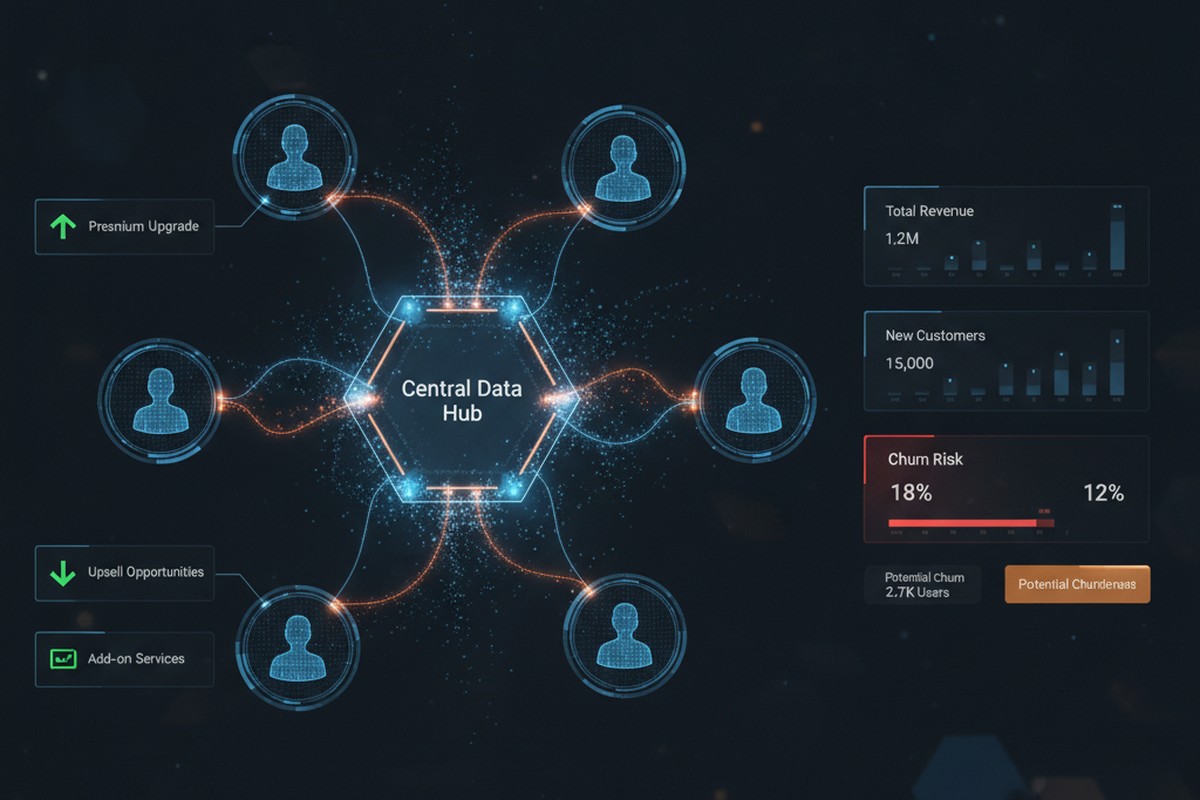
Customer insights and sales analytics visualization showing interconnected customer data, churn risk indicators, and upsell opportunities

None of these problems are individually dramatic. But they accumulate. A single missed upsell here, a renewal at risk there, a territory misaligned by segment. Over a year, across a 50-person or 500-person sales organization, the revenue impact becomes material. This is revenue leakage: money your organization should capture but doesn’t because the visibility isn’t there to act on it.

What Customer Insights Reveals

Dynamics 365 Customer Insights does three things that Dynamics 365 Sales alone cannot do: it unifies fragmented data, it applies AI to detect patterns, and it surfaces those patterns directly where sales works.

First, unification. Customer Insights pulls data from Dynamics 365 Sales, Service, and Finance, along with external sources like transactional systems, email engagement platforms, and even product usage telemetry if you’re licensing that data. It resolves duplicate customer records, maps fragmented customer identities across systems, and builds a single unified customer profile. That profile then becomes the source of truth for your sales team, not the sum of dozens of disconnected systems.

Second, AI-driven pattern detection. Once your customer data is unified, Customer Insights applies machine learning models to detect risk and opportunity. It identifies which customers are at churn risk based on behavioral signals: declining engagement, reduced transaction frequency, increasing support tickets for infrastructure issues rather than feature adoption. It flags cross-sell and upsell candidates by finding customers with strong product engagement, high contract value, and similarity to customers who have successfully adopted adjacent products. It detects territory misalignment by showing which high-value customer segments are under-represented in each territory’s current assignment.

Third, integration into sales workflows. Customer Insights insights aren’t buried in a separate analytics portal. They live inside Dynamics 365 Sales, where your sales team already works. A segment insight becomes a targeted list for account managers. A churn risk indicator appears on the customer card, prompting a proactive outreach. Territory realignment recommendations come with data backing that makes the business case clear to sales leadership.

Three Revenue Leaks Customer Insights Stops

In practice, this surfaces three common revenue leaks that Dynamics 365 Sales alone doesn’t catch.

Churn risk not detected until renewal: A customer’s service organization starts requesting more support tickets. Their product usage plateaus. They haven’t attended your quarterly business reviews. But your sales team doesn’t know this yet because the renewal isn’t for eight months. By the time the renewal date arrives, the customer has already decided to leave. Customer Insights detects these behavioral signals and flags the account as at-risk, giving your sales team months to engage, understand the underlying issues, and propose solutions before the customer decides to leave.

Upsell and cross-sell opportunities invisible in transaction history: An existing customer has been steadily growing revenue with one product line. Their usage of that product is high relative to their segment peer group. They have no adoption of your complementary product, despite a clear business case. But this pattern doesn’t surface in your CRM unless a sales rep manually reviews the account and spots it. Customer Insights identifies customers matching this profile (high engagement with Product A, zero adoption of Product B, high segment value) and presents the opportunity to the account manager in a curated list. The sales team then has clear targeting and clear messaging: here are ten accounts that look exactly like your most successful cross-sell deals.

Territory assignments that systematically underserve high-value segments: A sales rep covers a territory by geography or existing customer base, as most do. But unbeknownst to anyone, their territory is underindexed for your highest-margin customer segment. There are five high-value customers they should be servicing more aggressively, but the assignment wasn’t based on segment data. Customer Insights analyzes territory composition and identifies these gaps. Sales leadership can then realign assignments, pair reps, or adjust compensation to prioritize the underserved segment, recovering revenue that was never really lost but never properly prioritized either.

Making It Work: Implementation Reality

Deploying Customer Insights for revenue recovery requires more than licensing and configuration. It requires discipline around data and alignment between sales and the teams supporting data quality.

Start narrow. Don’t try to build a unified customer profile from all your data at once. Pick your three to five highest-priority leakage patterns: churn risk, a specific high-margin upsell use case, or territory underutilization in a specific segment. Build the data foundation for those patterns first. That usually means cleaning Dynamics 365 Sales and Finance data, establishing integrations with service and support systems, and clarifying the business definitions your models need (what signals constitute churn risk for your product and industry, what engagement level constitutes strong adoption, what segments you care most about).

Then connect insights to action. An insight that doesn’t make it to a sales rep’s attention is just reporting. Customer Insights insights should flow into Dynamics 365 Sales as filtered lists, dynamic segments, or automated workflow triggers. When a customer hits a churn-risk threshold, a task appears on the account manager’s dashboard. When your AI identifies a cross-sell candidate, it lands in a weekly opportunity list. This requires configuration, but it’s configuration that makes the investment pay off.

Finally, track adoption and adjust. Sales teams don’t automatically trust new data. They trust data that repeatedly surfaces patterns they already sense. So measure: what percentage of churn-risk customers your team engages, what percentage of AI-identified cross-sell opportunities convert, what revenue the territory realignment recovered. As results emerge, adoption increases and the business case for the investment becomes clear.

The Compound Effect

Revenue leakage seems invisible because it’s measured by the opportunities you didn’t see, not by the deals you lost. A customer renewal that didn’t happen looks like a churn, not a miss. A customer segment your territory didn’t pursue looks like normal variation in segment mix, not a systemic gap. But when you unify customer data and apply AI to detect patterns, these invisible leaks become visible. And visible problems are fixable.

For a 100-person sales organization with average deal size of $50,000, recovering even one additional deal per quarter per rep through improved territory alignment or churn prevention represents $5M to $10M in annual recurring revenue. The math compounds as your organization scales. Customer Insights is not the only solution to revenue leakage, but it’s one of the few tools that surface the patterns causing the leak in the first place.

Dynamics 365 Sales will always show you what happened. Customer Insights shows you what you’re missing. For sales leaders serious about revenue recovery, that difference is strategic.


About Routeget Technologies: Routeget specializes in Dynamics 365 implementations for enterprise sales and service organizations. We help sales leaders establish data governance and customer analytics strategies that uncover revenue recovery opportunities through Customer Insights and Dynamics 365 Sales integration. If your organization is looking to reduce revenue leakage through better customer intelligence, we’d welcome a conversation.

#DynamicsSales #CustomerInsights #RevenueLeakage #SalesAnalytics #SalesForecasting #CustomerDataPlatform #SalesLeadership

Customer Insights’ Real-Time Web Tracking Reaches GA. The Unification Still Runs on a Schedule.

Marketing operations analyst reviewing a unified customer journey dashboard blending anonymous and known visitor data

A prospect spends eleven minutes on your pricing page, adds a plan to a cart, then leaves without filling out a form. Three days later, that same person emails your sales team asking a specific question about the enterprise tier. In most Dynamics 365 environments today, those two events live in different universes: an anonymous session in Google Analytics or a marketing tag manager, and a fresh lead record with no browsing history attached to it. Without real-time web tracking tying the two together, the sales rep who picks up that email has no idea the prospect already compared pricing tiers three times last week.

That gap is what Microsoft’s new real-time web tracking and personalization capability in Dynamics 365 Customer Insights – Data is built to close, and it reaches general availability this month. For CMOs, sales operations leaders, and the CIOs who own the Dynamics 365 platform underneath them, the feature is worth understanding in some detail, because the way it actually works has a nuance that the “real-time” label in the release notes doesn’t fully convey.

What the Feature Actually Does

Customer Insights – Data now tracks website visitors, known and anonymous, through a script deployed on the site. The moment an unknown visitor lands on a page, they’re assigned a persistent tracking identifier stored in a cookie, and their behavior (pages viewed, products browsed, elements clicked) streams into Dataverse. Within roughly thirty seconds, that visitor shows up as an “unknown” customer profile inside Customer Insights, carrying a real activity history even though nobody knows their name yet.

When that same visitor eventually identifies themselves, by submitting a form, registering for a webinar, or creating an account, the system doesn’t discard the anonymous history. It calls a function that links the tracking identifier to the newly created customer record, and the previously anonymous browsing activity gets attached to a real profile. If that person later returns from a different laptop or a different browser, they get a new anonymous identifier on that device, but once they log in or submit contact information again, that second stream of activity gets tied back to the same underlying identity.

Abstract illustration of an anonymous visitor identity merging into a verified known customer profile

This is, functionally, a customer data platform capability arriving natively inside the Dynamics 365 stack rather than requiring a separate CDP subscription layered on top. Organizations can build personalization logic either through a no-code path using Microsoft’s Optimizely integration, or through a pro-code, API-driven approach for teams that want direct control over what triggers a personalized experience. Either way, the resulting segments and unified profiles are available to Customer Insights – Journeys for campaign targeting, and to any downstream system that queries the Dataverse tables directly.

Why “Real-Time Web Tracking” Needs a Footnote

Here’s the part worth flagging before anyone budgets a Q4 project around it. The anonymous tracking genuinely is real-time: activity streams into Dataverse and shows up in the Customers view within seconds of it happening. But the step that actually matters for revenue, merging that anonymous history into a unified customer profile, does not happen instantly. It runs on Customer Insights – Data’s scheduled unification process, the same batch job that has always consolidated records from multiple sources into a single golden profile.

In practice, a prospect can browse your pricing page today, submit a contact form an hour later, and still not show up in your CRM with their browsing history attached until the next unification cycle completes, which could be same-day or could stretch into the following morning depending on how the environment is scheduled. A rep calling a hot lead within minutes of form submission, still one of the strongest predictors of conversion, may be working from a bare contact record with none of the browsing signal that made the lead worth prioritizing.

None of this makes the feature less valuable. It does mean the operational conversation inside an IT or RevOps organization needs to be about unification frequency and lead-routing timing, not just about turning the tracking script on. Teams that assume “real-time” means “instantly reflected in the CRM record a rep is staring at” will be disappointed the first time a fast-moving lead falls through that gap.

One more wrinkle is worth flagging before anyone treats this as settled: Microsoft’s own step-by-step setup guide for the feature still carries preview-only language and cautions against production use, even though the official release plan lists September 2026 as its general availability date. That kind of documentation lag isn’t unusual right around a GA milestone, but it’s a reason to confirm the feature’s actual status directly in a given tenant, rather than assuming the release plan and the setup documentation are perfectly in sync on day one.

The Business Case Underneath the Feature

Set the timing nuance aside for a moment, because the underlying capability solves a problem that has quietly cost sales and marketing organizations money for years. Every enterprise running Dynamics 365 Sales alongside a separate web analytics tool has faced the same reconciliation problem: marketing can see anonymous traffic and behavioral signal, sales can see named leads and opportunities, and connecting the two requires either an expensive third-party CDP, a custom integration project, or accepting that a huge amount of buyer intent simply never reaches the people having sales conversations.

Bringing that unification natively into Dataverse changes the calculus in two ways. First, it removes a licensing and integration cost that many mid-market and even large enterprise customers had been avoiding entirely, leaving sales teams working blind on digital engagement signal even when marketing had the budget to capture it. Second, and more subtly, the browsing data now lives in the same platform as pipeline, opportunity, and service history, which is what actually makes predictive lead scoring and next-best-action recommendations useful rather than theoretical. A scoring model is only as good as the signal feeding it, and “this account viewed the enterprise pricing page four times in two weeks” is a materially stronger signal than anything derived from firmographic data alone.

The revenue argument holds up without inventing statistics to dress it up: faster identification of high-intent anonymous traffic lets marketing trigger nurture sequences sooner, lets sales prioritize outreach based on actual behavior instead of form-fill recency, and gives the handoff between the two functions real context instead of just a name and an email address. Organizations that have approximated this with tag-manager exports and manual CRM enrichment know exactly how much reconciliation work that replaces.

What a CIO or CMO Should Actually Evaluate

Before greenlighting a rollout, a few questions deserve real answers rather than assumptions carried over from the release notes. The first is privacy and consent: cookie-based tracking of anonymous visitors sits squarely inside regional privacy regulation, and the feature’s technical documentation does not, on its own, resolve consent banner integration, cookie retention policy, or a right-to-be-forgotten workflow for a visitor who was never formally identified. That work belongs to legal and privacy teams, not to the admin flipping the feature on.

The second is unification cadence, covered above but worth a concrete decision rather than a default setting left unexamined. Sales operations leaders should know, in hours or minutes, how long a browsing session actually takes to appear on a contact record in their environment, and should decide whether that cadence fits how their team works leads.

The third is the build decision between the no-code Optimizely path and the pro-code API approach. Organizations already running Optimizely for web experimentation will find the no-code route genuinely reduces lift. Everyone else should treat the pro-code path as a real development project rather than a configuration exercise, since it means deploying and maintaining a tracking script, standing up the customer tracking table in Dataverse, and building the logic that calls the identity-linking function at the right moment in a session.

Finally, multi-device identity resolution has a real limit worth setting expectations around: a visitor gets a new anonymous identifier on every new device or cleared browser, and reconciliation only happens once they identify themselves again there. For B2B buying committees browsing from several laptops across an account, the “unified” view stays an approximation built from whatever identification events actually occurred, not a complete picture of every stakeholder’s activity.

Where This Leaves the Rollout Decision

None of these considerations argue against adopting the capability. They argue for treating it as what it is: a genuine, natively integrated CDP function that closes a real gap between marketing’s view of a prospect and sales’ view of a lead, arriving with the operational fine print that any capability touching customer data and real-time expectations tends to carry. Organizations paying for a bolt-on customer data platform specifically to solve this unification problem now have a reason to reevaluate that spend, and organizations that had written the problem off as unsolvable inside their existing Dynamics 365 investment have a genuine option they didn’t have a year ago.

The teams that get the most value out of this will treat the September GA date as the start of a scoping conversation, covering consent workflows, unification timing, and the no-code versus pro-code build decision, rather than as a switch to flip and assume will behave exactly as its name implies. Firms that have already worked through CDP unification problems in Dynamics 365 environments, Routeget Technologies included, tend to see the same pattern: the technology answers a real business need, but the value only shows up once the operational details around timing and consent get resolved deliberately rather than left to default settings.


#DynamicsCustomerInsights #CustomerDataPlatform #LeadScoring #SalesMarketingAlignment #DigitalTransformation

Before You Budget for Predictive Lead Scoring in Dynamics 365, Fix Your Customer Data

Sales operations leaders reviewing a unified customer data visualization on a screen, representing predictive lead scoring built on clean CRM data.

A CFO signs off on a Dynamics 365 Sales Premium upgrade because the pitch is straightforward: let machine learning flag which leads are actually worth a rep’s time, and stop burning quota on prospects who were never going to buy. Three months later, the predictive lead scoring model is live, the scores are showing up in the lead grid, and the sales team is quietly ignoring them. Not because the sellers are resistant to AI. Because the scores don’t match what they already know about the pipeline, and once a rep catches the model ranking a dead lead above a warm one twice, they stop trusting it entirely.

This is one of the more predictable failure patterns in Dynamics 365 Customer Engagement rollouts, and it has almost nothing to do with the scoring algorithm itself. Predictive lead scoring in Dynamics 365 Sales is a genuinely capable feature. The problem is that most organizations turn it on before their underlying customer data is in any condition to be scored, and no model, however well built, can compensate for that.

Sales operations leaders reviewing a unified customer data visualization on a screen, representing predictive lead scoring built on clean CRM data.

What predictive lead scoring actually needs before it can work

Microsoft is explicit about the minimums required to train a usable model: an organization needs at least 40 qualified leads and 40 disqualified leads closed within a training window that can range from three months to two years, with a default of two years. That threshold isn’t a suggestion. Fall short of it and the model has too little signal to distinguish a pattern from noise, and Dynamics will show it as not ready to publish based on its AUC accuracy score. You can override that warning and publish anyway, but the documentation is blunt about the result: the model will perform poorly, and it will keep performing poorly until retrained on better data.

That’s the technical detail. The business detail underneath it is more interesting. Getting to 40 clean, correctly dispositioned qualified leads and 40 clean disqualified ones sounds trivial until you actually audit a pipeline that’s been running for a few years with inconsistent qualification criteria, sales reps who mark things “disqualified” for a dozen different unwritten reasons, and duplicate lead records created every time marketing and a partner both touch the same contact. In our experience, the audit is where most of these projects should start, and almost never do.

There’s also a sync delay worth planning around: newly closed leads take roughly four hours to reach the data lake the model trains against, so a lead closed this morning won’t influence training until the afternoon. That’s a minor operational detail on its own, but it matters when you’re trying to hit a launch date and someone asks why yesterday’s closed deals aren’t reflected yet.

Why the data problem is really a Customer Insights problem

Here’s the part that doesn’t show up in most conversations about lead scoring: the leads sitting in Dynamics 365 Sales are frequently duplicates of the same underlying customer, split across records because they came in through different channels, were entered by different people, or predate a CRM migration that never fully deduplicated. A predictive model trained on that kind of data isn’t learning “what makes a good lead.” It’s partly learning “what makes a good lead record that happens not to have been merged yet,” which is a very different and much less useful pattern.

This is precisely the gap Microsoft’s Customer Insights – Data is built to close, and it’s worth understanding as more than a marketing data tool. Data unification in Customer Insights – Data runs through four stages: mapping which source columns represent stable customer attributes rather than transactional activity, applying deduplication rules to collapse duplicate rows into a single representative record, defining matching conditions that reconcile the same customer across different source tables, and finally producing a unified view that merges overlapping fields, such as six different email columns from six different systems, into one authoritative value per customer. Each unified profile gets a stable CustomerId, and if the underlying data or matching rules change enough that records merge or split later, the platform tracks the lineage through a PreviousCustomerId field rather than silently losing the history.

Abstract visualization of duplicate customer profile records merging into a single unified record, representing data unification in Dynamics 365 Customer Insights.

For a sales operations leader, the practical takeaway is that unification isn’t a one-time cleanup task bolted onto a CRM migration. It’s an ongoing process that determines whether every downstream AI feature, lead scoring included, is working from a coherent view of the customer or from a fragmented one. Microsoft’s own direction for 2026 makes this connection explicit: Customer Insights – Data is being positioned as the grounding layer underneath AI agents and Copilot experiences across the Dynamics 365 Customer Engagement suite, delivering the real-time, unified profiles those tools depend on. That’s not a coincidence. It’s an acknowledgment that the AI features getting the most executive attention right now are only as reliable as the data foundation underneath them, and Microsoft is building the platform accordingly.

What this changes about the rollout sequence

The organizations that get predictive lead scoring right generally do the sequencing in reverse order from how it gets pitched in a sales deck. Rather than licensing Sales Insights, flipping on the scoring model, and treating data quality as a follow-up item, they start by asking whether the lead and opportunity data in the system is clean enough to be worth scoring at all.

Concretely, that means auditing lead volume against the 40/40 threshold before committing budget, since an organization generating fewer than roughly 40 disqualified leads a quarter may need a longer training window or a rethink of what “disqualified” even means in their process. It means reviewing how consistently qualification and disqualification are being recorded today, since a model trained on inconsistent labeling will learn the inconsistency as if it were a real pattern. It means checking whether the same customer exists as multiple duplicate lead or contact records, and if so, treating deduplication and unification as a prerequisite project rather than a nice-to-have. And it means being honest about the AUC score once a model is trained: a model flagged as not ready to publish should not be pushed live just to hit a go-live date, because the credibility cost of sellers distrusting an inaccurate model is higher than the cost of a short delay.

There’s a licensing dimension worth flagging for budget owners too. Predictive lead and opportunity scoring through the quick setup path is available with Dynamics 365 Sales Enterprise, which includes a monthly allotment of scored records; other editions require checking current pricing and licensing guides directly, since Microsoft revises these terms often enough that anything printed here would be stale within a quarter. The point isn’t the specific number. It’s that scoring capacity is metered, so an organization planning to score its full lead volume needs to confirm the licensed capacity matches the actual pipeline size before rollout, not after.

The decision in front of you

None of this is an argument against predictive lead scoring, or against investing in Customer Insights – Data as part of a broader AI strategy. Both are mature, well-documented capabilities that do what Microsoft says they do. The argument is against sequencing the investment backward: buying the AI feature first and treating the data foundation as an afterthought, then wondering why adoption stalls when sellers stop trusting scores that were never going to be reliable given what they were trained on.

If you’re the executive sponsor evaluating this kind of investment, the useful question isn’t “should we turn on predictive scoring.” It’s “do we currently have 40-plus clean, consistently labeled examples on both sides of the qualified and disqualified line, and is our customer data unified enough that a model trained on it reflects real customers rather than duplicate records.” Answer that honestly first. We’ve walked enough clients through this exact sequence at Routeget Technologies to know that the organizations willing to spend a few weeks on that audit before flipping the switch are the ones whose sales teams actually end up using the scores six months later.


#PredictiveLeadScoring #DynamicsSales #CustomerDataPlatform #CRMDataQuality #AIinCRM #DigitalTransformation