AI-Powered Sales Forecasting in Dynamics 365 Sales: From Historical Data to Predictive Revenue Planning

The Forecast Nobody Trusts

Sales forecasts in enterprise organizations have a credibility problem. Sales leadership submits a forecast one month, management adjusts it downward out of habit, and by quarter-end everyone discovers that actual pipeline and close rates bore no resemblance to either number. The problem is not salespeople lying or poor spreadsheet discipline. It is that traditional forecasting relies on human judgment applied to datasets too large and complex for human pattern recognition to work reliably.

Dynamics 365 Sales with integrated AI and analytics capabilities changes this dynamic fundamentally. Rather than asking managers to estimate close rates and deal velocity based on their gut feel, organizations can build forecasts on the same historical data that actually predicts outcomes: past deal size, industry, pipeline velocity, sales rep experience, deal characteristics, and seasonal patterns. The result is not perfect, but it is consistently more accurate than traditional methods, and it gives sales leadership a fact-based foundation for revenue conversations with finance rather than negotiated guesses.

How Predictive Sales Analytics Work in Dynamics 365

Dynamics 365 Sales Premium includes a suite of analytics capabilities that power forecasting without requiring advanced data science skills or external platforms. The system automatically ingests data from opportunity records, activities, customer accounts, and deal attributes, then uses machine learning to identify the patterns that correlate with closed wins, lost deals, and extended cycles.

For an organization selling enterprise software with typical sales cycles of six to nine months, the system learns that deals from specific industries have different close rates, that proposals sent in month two (as opposed to month four) have higher win probability, and that opportunities touching more buying committee contacts are more likely to close. These patterns are statistically significant but often invisible to human judgment operating over dozens or hundreds of deals simultaneously.

The forecasting engine generates a confidence score for each opportunity: a prediction of the probability that deal will close within the target quarter. Rather than replacing the salesperson’s forecast with an algorithm, Dynamics 365 surfaces these predictions as a recommendation layer, allowing sales managers to keep the deal in forecast if they believe factors not in the data justify it, or to flag deals where the algorithm’s assessment contradicts the sales rep’s estimate. In practice, deals the system rates as low-probability but the rep insists will close become visible decision points, and forecasts weighted by these probabilities prove more accurate than unadjusted rep estimates.

Moving from Monthly Submissions to Continuous Intelligence

Traditional sales forecasting operates on a monthly or quarterly cadence. Sales leaders call a forecast meeting, reps submit their estimates, managers apply adjustments, and the number goes to finance. Three weeks later, when actual deals close or new opportunities surface, the forecast is already outdated.

AI-driven forecasting in Dynamics 365 Sales operates continuously. As pipeline changes, deal characteristics evolve, and close dates shift, the system recalculates probability scores in real time. Sales leadership can check accuracy at any point in the quarter rather than waiting for the official review, and can identify where actual progress is diverging from forecast early enough to adjust strategy or pipeline development.

This shift from periodic submission to continuous intelligence has operational consequences. Sales managers no longer spend two days in forecast-call meetings; instead they spend fifteen minutes reviewing a dashboard that shows which deals are tracking as expected and which have shifted risk status. Finance gets a more current picture of expected revenue. And sales reps see their opportunities scored fairly against consistent criteria rather than subject to manager judgment that varies month to month.

Building Revenue Predictability Across Market Segments

One of the highest-value uses of predictive sales analytics is building segment-specific forecast models. An organization selling both managed services and perpetual licenses may discover that customers purchasing managed services have a seventy-percent close rate while perpetual license deals close at forty-five percent, and that rep tenure affects close rates only for managed services, not perpetual deals. Once these segment-specific patterns are identified, forecasts weighted by segment become far more accurate than a single organization-wide model.

Organizations with international operations benefit further, as the system can identify which regions have different sales dynamics. A deal structure that works reliably in North America may have lower success in Asia Pacific due to buying patterns or competitive dynamics, and a forecast that does not account for that regional signal will consistently overshoot certain markets and undershoot others.

Building these segment models requires data discipline (opportunity fields must be filled consistently, sales stages must be defined clearly), but once that foundation is in place, the system automatically detects and incorporates segment-specific patterns. Sales organizations that have historically managed separate forecast models for different markets often find they can consolidate to a single system with segment-driven weightings, reducing forecast maintenance overhead while improving overall accuracy.

Common Implementation Mistakes

Organizations implementing AI-driven forecasting in Dynamics 365 Sales often make three systematic mistakes. First, they attempt to train the model on too little historical data. If the system only has two quarters of opportunity records, it cannot detect patterns that matter for a deal type with an eighteen-month cycle. Second, they do not invest in data quality upstream. If opportunity records lack consistent stage definitions, industry classifications, or customer size information, the model has no signal to work with. Third, they present the AI forecast as a replacement for human judgment rather than as a tool that surfaces patterns human judgment can integrate. Sales organizations that frame the system as “the computer will tell you who to trust” face adoption resistance; those that frame it as “the system flags patterns you should investigate” see adoption and engagement.

Next Steps for Sales Leadership

For organizations already using Dynamics 365 Sales, enabling predictive analytics is typically a configuration matter rather than a deployment project. Assess your historical opportunity data to confirm you have at least four quarters available and that field completion rates are reasonable. Review your sales stage definitions to ensure they are consistent with how deals actually progress. Then enable the analytics features and begin building segment-specific forecast models based on your business lines.

For organizations evaluating Dynamics 365 Sales or planning major system migrations, AI-driven forecasting should be part of the evaluation criteria. Whether your organization benefits from this capability depends on your sales model, your forecast accuracy needs, and your data discipline, but for enterprises where forecast accuracy directly affects financial planning and capital allocation, predictive sales analytics often justify the platform investment on their own.

The Forecast Everyone Uses

The strategic value of AI-driven forecasting extends beyond raw accuracy. When sales leadership and finance can trust a forecast because it is grounded in historical data rather than negotiation, conversations shift. Instead of debating the number, the conversation becomes, “What actions should we take to shift close rates or deal velocity?” Sales and finance become partners in building pipeline rather than adversaries in a forecast negotiation.

Dynamics 365 Sales with integrated AI analytics makes this shift possible. For sales organizations ready to move beyond spreadsheet-based forecasting, the capability is available today.


About Routeget Technologies: Routeget Technologies helps mid-market and enterprise organizations implement and optimize Dynamics 365 Sales, enabling teams to improve forecast accuracy, streamline pipeline management, and drive predictable revenue growth through data-driven sales practices.

#SalesForecastingAI #DynamicsSalesAnalytics #SalesRevenuePlanning #PredictiveAnalyticsD365 #SalesLeadership #EnterpriseAI #DynamicsSales

Revenue Leakage in Dynamics 365 Sales: How Customer Insights Reveals the Customers and Deals Your Sales Team Is Overlooking

Sales analytics dashboard showing customer data, revenue trends, and risk indicators

Every sales leader knows the tension: your forecast shows healthy pipeline, yet deals slip, renewal customers disappear, and you discover too late that a key account has been quietly moving spend to a competitor. By then, the revenue is gone. The uncomfortable truth is that most sales organizations are missing revenue opportunities because they lack complete visibility into customer health. Dynamics 365 Sales gives you the transaction history, but it doesn’t automatically tell you which customers are at churn risk, which territories are underserving high-value segments, or which accounts have unmet needs your sales team has overlooked.

This visibility gap creates revenue leakage—the silent drain of money your organization should be capturing but isn’t. It’s not a process problem or a capability problem. It’s a data problem. Sales teams today operate with fragmented customer views, pulling insights from email, spreadsheets, and half-remembered conversations rather than from a unified, AI-informed customer profile.

Dynamics 365 Customer Insights, integrated with Dynamics 365 Sales, changes that equation. It surfaces the customer and deal patterns your sales team is missing, turning reactive forecasting into proactive opportunity identification. Here’s why this matters, and how to use it.

The Hidden Cost of Incomplete Customer Visibility

A typical enterprise sales organization manages accounts across multiple product lines, regions, and sales representatives. Within that sprawl, visibility breaks down. A customer’s service interactions, support history, and product usage patterns live in separate systems. Your CRM captures what the sales team recorded, often days or weeks after the conversation. Marketing knows about digital engagement and content downloads but doesn’t automatically share that with the sales team. Finance sees transaction history but not the potential for expansion.

The result is that your sales team operates on a partial picture. A renewal customer who shows declining product usage may not trigger an alert until the renewal comes due—too late to course-correct. A high-value prospect showing strong product engagement may never get the right follow-up because the sales process doesn’t connect product behavior to account value. A territory might be systematically underserving customers in a high-margin segment simply because the data to identify those customers never reaches the account manager’s workspace.

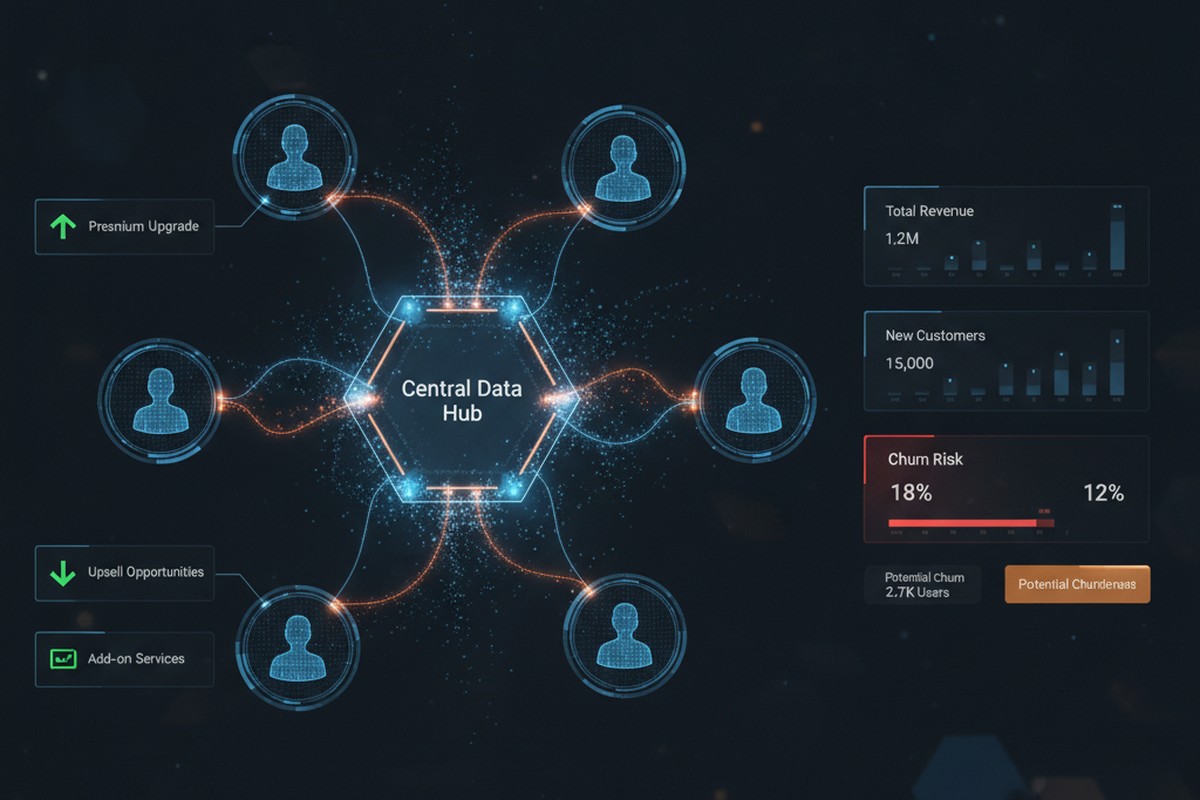
Customer insights and sales analytics visualization showing interconnected customer data, churn risk indicators, and upsell opportunities

None of these problems are individually dramatic. But they accumulate. A single missed upsell here, a renewal at risk there, a territory misaligned by segment. Over a year, across a 50-person or 500-person sales organization, the revenue impact becomes material. This is revenue leakage: money your organization should capture but doesn’t because the visibility isn’t there to act on it.

What Customer Insights Reveals

Dynamics 365 Customer Insights does three things that Dynamics 365 Sales alone cannot do: it unifies fragmented data, it applies AI to detect patterns, and it surfaces those patterns directly where sales works.

First, unification. Customer Insights pulls data from Dynamics 365 Sales, Service, and Finance, along with external sources like transactional systems, email engagement platforms, and even product usage telemetry if you’re licensing that data. It resolves duplicate customer records, maps fragmented customer identities across systems, and builds a single unified customer profile. That profile then becomes the source of truth for your sales team, not the sum of dozens of disconnected systems.

Second, AI-driven pattern detection. Once your customer data is unified, Customer Insights applies machine learning models to detect risk and opportunity. It identifies which customers are at churn risk based on behavioral signals: declining engagement, reduced transaction frequency, increasing support tickets for infrastructure issues rather than feature adoption. It flags cross-sell and upsell candidates by finding customers with strong product engagement, high contract value, and similarity to customers who have successfully adopted adjacent products. It detects territory misalignment by showing which high-value customer segments are under-represented in each territory’s current assignment.

Third, integration into sales workflows. Customer Insights insights aren’t buried in a separate analytics portal. They live inside Dynamics 365 Sales, where your sales team already works. A segment insight becomes a targeted list for account managers. A churn risk indicator appears on the customer card, prompting a proactive outreach. Territory realignment recommendations come with data backing that makes the business case clear to sales leadership.

Three Revenue Leaks Customer Insights Stops

In practice, this surfaces three common revenue leaks that Dynamics 365 Sales alone doesn’t catch.

Churn risk not detected until renewal: A customer’s service organization starts requesting more support tickets. Their product usage plateaus. They haven’t attended your quarterly business reviews. But your sales team doesn’t know this yet because the renewal isn’t for eight months. By the time the renewal date arrives, the customer has already decided to leave. Customer Insights detects these behavioral signals and flags the account as at-risk, giving your sales team months to engage, understand the underlying issues, and propose solutions before the customer decides to leave.

Upsell and cross-sell opportunities invisible in transaction history: An existing customer has been steadily growing revenue with one product line. Their usage of that product is high relative to their segment peer group. They have no adoption of your complementary product, despite a clear business case. But this pattern doesn’t surface in your CRM unless a sales rep manually reviews the account and spots it. Customer Insights identifies customers matching this profile (high engagement with Product A, zero adoption of Product B, high segment value) and presents the opportunity to the account manager in a curated list. The sales team then has clear targeting and clear messaging: here are ten accounts that look exactly like your most successful cross-sell deals.

Territory assignments that systematically underserve high-value segments: A sales rep covers a territory by geography or existing customer base, as most do. But unbeknownst to anyone, their territory is underindexed for your highest-margin customer segment. There are five high-value customers they should be servicing more aggressively, but the assignment wasn’t based on segment data. Customer Insights analyzes territory composition and identifies these gaps. Sales leadership can then realign assignments, pair reps, or adjust compensation to prioritize the underserved segment, recovering revenue that was never really lost but never properly prioritized either.

Making It Work: Implementation Reality

Deploying Customer Insights for revenue recovery requires more than licensing and configuration. It requires discipline around data and alignment between sales and the teams supporting data quality.

Start narrow. Don’t try to build a unified customer profile from all your data at once. Pick your three to five highest-priority leakage patterns: churn risk, a specific high-margin upsell use case, or territory underutilization in a specific segment. Build the data foundation for those patterns first. That usually means cleaning Dynamics 365 Sales and Finance data, establishing integrations with service and support systems, and clarifying the business definitions your models need (what signals constitute churn risk for your product and industry, what engagement level constitutes strong adoption, what segments you care most about).

Then connect insights to action. An insight that doesn’t make it to a sales rep’s attention is just reporting. Customer Insights insights should flow into Dynamics 365 Sales as filtered lists, dynamic segments, or automated workflow triggers. When a customer hits a churn-risk threshold, a task appears on the account manager’s dashboard. When your AI identifies a cross-sell candidate, it lands in a weekly opportunity list. This requires configuration, but it’s configuration that makes the investment pay off.

Finally, track adoption and adjust. Sales teams don’t automatically trust new data. They trust data that repeatedly surfaces patterns they already sense. So measure: what percentage of churn-risk customers your team engages, what percentage of AI-identified cross-sell opportunities convert, what revenue the territory realignment recovered. As results emerge, adoption increases and the business case for the investment becomes clear.

The Compound Effect

Revenue leakage seems invisible because it’s measured by the opportunities you didn’t see, not by the deals you lost. A customer renewal that didn’t happen looks like a churn, not a miss. A customer segment your territory didn’t pursue looks like normal variation in segment mix, not a systemic gap. But when you unify customer data and apply AI to detect patterns, these invisible leaks become visible. And visible problems are fixable.

For a 100-person sales organization with average deal size of $50,000, recovering even one additional deal per quarter per rep through improved territory alignment or churn prevention represents $5M to $10M in annual recurring revenue. The math compounds as your organization scales. Customer Insights is not the only solution to revenue leakage, but it’s one of the few tools that surface the patterns causing the leak in the first place.

Dynamics 365 Sales will always show you what happened. Customer Insights shows you what you’re missing. For sales leaders serious about revenue recovery, that difference is strategic.


About Routeget Technologies: Routeget specializes in Dynamics 365 implementations for enterprise sales and service organizations. We help sales leaders establish data governance and customer analytics strategies that uncover revenue recovery opportunities through Customer Insights and Dynamics 365 Sales integration. If your organization is looking to reduce revenue leakage through better customer intelligence, we’d welcome a conversation.

#DynamicsSales #CustomerInsights #RevenueLeakage #SalesAnalytics #SalesForecasting #CustomerDataPlatform #SalesLeadership

Dynamics 365 Copilot Capacity Budgeting Just Lost Its Calendar

A finance director and IT director review a cloud service capacity dashboard on a boardroom screen

A finance director we work with spent most of August putting together next year’s Copilot capacity budget for Dynamics 365 Sales the way her team always had: pull the spring release wave notes, pull the fall ones once they land, estimate how many new agent-driven features will touch the message pool, and set a prepaid capacity number that should hold until the next twice-yearly review. On August 25, that whole planning ritual stopped making sense. Microsoft announced it was retiring the release wave model entirely, and with it the predictable calendar that Dynamics 365 Copilot capacity budgeting has quietly depended on since agent-based features started billing by consumption instead of by seat.

If your organization runs Sales Qualification Agent, Sales Opportunity Agent, Sales Close Agent, or Recommended Actions Agent inside Dynamics 365 Sales, this is not a housekeeping change you can skim past. Those agents draw against the same shared Copilot Studio message capacity as every other AI feature on your tenant, and the mechanism Microsoft used to signal “new capability incoming, plan accordingly” just went away.

What Microsoft actually changed

For years, Dynamics 365, Power Platform, and Dataverse published a Release Wave 1 plan in the spring and a Release Wave 2 plan in the fall, each one a large, dated document listing what was coming and roughly when. Microsoft’s August 25 announcement folds all three product lines into the AI at Work roadmap, a single continuously updated destination that already covered Microsoft 365 Copilot and other AI capabilities. New features now get published individually, as soon as a plan is committed and ready to share, rather than batched into one of two annual releases. Each item on the new roadmap carries a status: In Development, Rolling Out, or Launched, and organizations can filter the view down to the products they actually run.

The transition runs through the back half of 2026. Existing release plan content with a preview or GA date of June 1, 2026 or later is migrating onto the new roadmap between September and November. The old Release Planner tool retires on November 15, 2026, though Microsoft says the historical plans will stay archived on Learn for reference rather than disappearing outright. Functionally, this means there will be no Dynamics 365 2026 release wave 2 as a discrete document. Capabilities that would have shipped under that banner are instead appearing on the AI at Work roadmap as they become ready, which for a CIO or IT director used to scanning one document twice a year is a meaningfully different rhythm to plan around.

Abstract illustration of a digital capacity gauge filling as streams of data particles flow into it

Why Sales Qualification Agent makes this concrete, not abstract

The reason this matters more for Sales and Customer Insights teams than for most other parts of Dynamics 365 is billing mechanics. Sales Qualification Agent, which researches inbound leads against a defined target customer profile and, in its research-and-engage mode, autonomously sends outreach and evaluates BANT criteria before handing qualified leads to a seller, does not bill per seat. Neither do its siblings. All four of the consumption-based Sales agents draw down Copilot Studio messages, the same billing unit Microsoft uses across its agent portfolio, and message consumption scales with how complex each interaction is rather than with how many users are licensed.

That capacity is purchased two ways, and most enterprise tenants end up running both at once. Prepaid capacity comes as message pack subscriptions bought through the Microsoft 365 admin center or a partner, assigned to a Power Platform environment, then linked to the Dynamics 365 Sales environment that will actually consume it. Pay-as-you-go billing charges for whatever gets used beyond that, provided the tenant has an Azure subscription linked to Power Platform. Prepaid capacity is always drawn down first, with pay-as-you-go picking up the overflow, and when both run dry the AI capabilities simply stop working. Dynamics 365 Sales does send in-app notifications as quota runs low, but by the time a seller notices Sales Qualification Agent has gone quiet, the qualification and outreach work it was doing has already stalled.

The detail that should worry a budget owner more than the billing model itself is that this message capacity is shared across the entire Power Platform environment, not ring-fenced for Sales. If your Customer Service team turns on a new Copilot capability, or someone in IT stands up an unrelated agent in the same environment, it draws from the identical pool that Sales Qualification Agent depends on to keep researching and engaging leads. Under the old wave model, at least you knew twice a year, in one document, roughly what new capacity-hungry features were about to land across the whole product family and could size your purchase accordingly. Under the always-on model, that visibility has to be built by your team instead of handed to you on a schedule.

What changes in Dynamics 365 Copilot capacity budgeting

None of this means the AI at Work roadmap is worse information than the old release plans. If anything, seeing individual features move through In Development, Rolling Out, and Launched stages in near real time is more accurate than a document that was often stale within a few months of publication. What changes is the operating rhythm your finance and IT teams need around it. A capacity budget that gets set once or twice a year and left alone until the next wave review was already a rough approximation. Now that the calendar cue for “review it again” is gone, treating capacity planning as a periodic project rather than a standing operational discipline will let gaps accumulate quietly until a quota depletion notice arrives at an inconvenient moment.

The practical fix is to move ownership of Dynamics 365 Copilot capacity budgeting from an annual or semi-annual planning exercise to a monitored, recurring process, and to assign it explicitly rather than assuming it falls out of the old wave cycle by habit. The Power Platform admin center already shows Copilot Studio message capacity and consumption at the environment level, and pay-as-you-go usage can be tracked and bounded with spending limits in Azure Cost Management. Neither tool is new. What is new is that nobody is going to hand you a twice-yearly reminder to go look at them.

Three changes are worth making before the Release Planner actually shuts down in November. First, subscribe to the AI at Work roadmap’s filtered view and RSS feed for the specific products your tenant runs, rather than relying on someone remembering to check a bookmark that no longer gets updated on a predictable schedule. Second, replace the biannual capacity review with a monthly or quarterly one, sized to how quickly your Sales, Service, and any other Copilot-consuming teams are actually adding agent capability, since a tenant running only Sales Qualification Agent has a very different burn rate than one that has also turned on Recommended Actions Agent and a Customer Service copilot in the same environment. Third, make sure whoever owns the Azure Cost Management budget for Power Platform pay-as-you-go spend is the same person, or is at least in the same room, as whoever owns the Dynamics 365 Sales rollout plan, because the two decisions are now effectively one decision made in two different admin portals.

We’ve helped clients rebuild exactly this kind of monitoring cadence after a licensing or capacity surprise forced the issue, and it is far less painful to set up deliberately than to reconstruct after an outage. The underlying lesson from Microsoft’s roadmap change is not that anything about Sales Qualification Agent or its sibling agents got worse. It is that a planning habit built around a fixed calendar just lost its calendar, and the tenants that notice first will be the ones that already treat capacity as something to watch continuously rather than something to budget for twice a year and forget.


#DynamicsSales #CopilotCapacity #SalesQualificationAgent #PowerPlatformGovernance #AIatWorkRoadmap #EnterpriseAI

Before You Budget for Predictive Lead Scoring in Dynamics 365, Fix Your Customer Data

Sales operations leaders reviewing a unified customer data visualization on a screen, representing predictive lead scoring built on clean CRM data.

A CFO signs off on a Dynamics 365 Sales Premium upgrade because the pitch is straightforward: let machine learning flag which leads are actually worth a rep’s time, and stop burning quota on prospects who were never going to buy. Three months later, the predictive lead scoring model is live, the scores are showing up in the lead grid, and the sales team is quietly ignoring them. Not because the sellers are resistant to AI. Because the scores don’t match what they already know about the pipeline, and once a rep catches the model ranking a dead lead above a warm one twice, they stop trusting it entirely.

This is one of the more predictable failure patterns in Dynamics 365 Customer Engagement rollouts, and it has almost nothing to do with the scoring algorithm itself. Predictive lead scoring in Dynamics 365 Sales is a genuinely capable feature. The problem is that most organizations turn it on before their underlying customer data is in any condition to be scored, and no model, however well built, can compensate for that.

Sales operations leaders reviewing a unified customer data visualization on a screen, representing predictive lead scoring built on clean CRM data.

What predictive lead scoring actually needs before it can work

Microsoft is explicit about the minimums required to train a usable model: an organization needs at least 40 qualified leads and 40 disqualified leads closed within a training window that can range from three months to two years, with a default of two years. That threshold isn’t a suggestion. Fall short of it and the model has too little signal to distinguish a pattern from noise, and Dynamics will show it as not ready to publish based on its AUC accuracy score. You can override that warning and publish anyway, but the documentation is blunt about the result: the model will perform poorly, and it will keep performing poorly until retrained on better data.

That’s the technical detail. The business detail underneath it is more interesting. Getting to 40 clean, correctly dispositioned qualified leads and 40 clean disqualified ones sounds trivial until you actually audit a pipeline that’s been running for a few years with inconsistent qualification criteria, sales reps who mark things “disqualified” for a dozen different unwritten reasons, and duplicate lead records created every time marketing and a partner both touch the same contact. In our experience, the audit is where most of these projects should start, and almost never do.

There’s also a sync delay worth planning around: newly closed leads take roughly four hours to reach the data lake the model trains against, so a lead closed this morning won’t influence training until the afternoon. That’s a minor operational detail on its own, but it matters when you’re trying to hit a launch date and someone asks why yesterday’s closed deals aren’t reflected yet.

Why the data problem is really a Customer Insights problem

Here’s the part that doesn’t show up in most conversations about lead scoring: the leads sitting in Dynamics 365 Sales are frequently duplicates of the same underlying customer, split across records because they came in through different channels, were entered by different people, or predate a CRM migration that never fully deduplicated. A predictive model trained on that kind of data isn’t learning “what makes a good lead.” It’s partly learning “what makes a good lead record that happens not to have been merged yet,” which is a very different and much less useful pattern.

This is precisely the gap Microsoft’s Customer Insights – Data is built to close, and it’s worth understanding as more than a marketing data tool. Data unification in Customer Insights – Data runs through four stages: mapping which source columns represent stable customer attributes rather than transactional activity, applying deduplication rules to collapse duplicate rows into a single representative record, defining matching conditions that reconcile the same customer across different source tables, and finally producing a unified view that merges overlapping fields, such as six different email columns from six different systems, into one authoritative value per customer. Each unified profile gets a stable CustomerId, and if the underlying data or matching rules change enough that records merge or split later, the platform tracks the lineage through a PreviousCustomerId field rather than silently losing the history.

Abstract visualization of duplicate customer profile records merging into a single unified record, representing data unification in Dynamics 365 Customer Insights.

For a sales operations leader, the practical takeaway is that unification isn’t a one-time cleanup task bolted onto a CRM migration. It’s an ongoing process that determines whether every downstream AI feature, lead scoring included, is working from a coherent view of the customer or from a fragmented one. Microsoft’s own direction for 2026 makes this connection explicit: Customer Insights – Data is being positioned as the grounding layer underneath AI agents and Copilot experiences across the Dynamics 365 Customer Engagement suite, delivering the real-time, unified profiles those tools depend on. That’s not a coincidence. It’s an acknowledgment that the AI features getting the most executive attention right now are only as reliable as the data foundation underneath them, and Microsoft is building the platform accordingly.

What this changes about the rollout sequence

The organizations that get predictive lead scoring right generally do the sequencing in reverse order from how it gets pitched in a sales deck. Rather than licensing Sales Insights, flipping on the scoring model, and treating data quality as a follow-up item, they start by asking whether the lead and opportunity data in the system is clean enough to be worth scoring at all.

Concretely, that means auditing lead volume against the 40/40 threshold before committing budget, since an organization generating fewer than roughly 40 disqualified leads a quarter may need a longer training window or a rethink of what “disqualified” even means in their process. It means reviewing how consistently qualification and disqualification are being recorded today, since a model trained on inconsistent labeling will learn the inconsistency as if it were a real pattern. It means checking whether the same customer exists as multiple duplicate lead or contact records, and if so, treating deduplication and unification as a prerequisite project rather than a nice-to-have. And it means being honest about the AUC score once a model is trained: a model flagged as not ready to publish should not be pushed live just to hit a go-live date, because the credibility cost of sellers distrusting an inaccurate model is higher than the cost of a short delay.

There’s a licensing dimension worth flagging for budget owners too. Predictive lead and opportunity scoring through the quick setup path is available with Dynamics 365 Sales Enterprise, which includes a monthly allotment of scored records; other editions require checking current pricing and licensing guides directly, since Microsoft revises these terms often enough that anything printed here would be stale within a quarter. The point isn’t the specific number. It’s that scoring capacity is metered, so an organization planning to score its full lead volume needs to confirm the licensed capacity matches the actual pipeline size before rollout, not after.

The decision in front of you

None of this is an argument against predictive lead scoring, or against investing in Customer Insights – Data as part of a broader AI strategy. Both are mature, well-documented capabilities that do what Microsoft says they do. The argument is against sequencing the investment backward: buying the AI feature first and treating the data foundation as an afterthought, then wondering why adoption stalls when sellers stop trusting scores that were never going to be reliable given what they were trained on.

If you’re the executive sponsor evaluating this kind of investment, the useful question isn’t “should we turn on predictive scoring.” It’s “do we currently have 40-plus clean, consistently labeled examples on both sides of the qualified and disqualified line, and is our customer data unified enough that a model trained on it reflects real customers rather than duplicate records.” Answer that honestly first. We’ve walked enough clients through this exact sequence at Routeget Technologies to know that the organizations willing to spend a few weeks on that audit before flipping the switch are the ones whose sales teams actually end up using the scores six months later.


#PredictiveLeadScoring #DynamicsSales #CustomerDataPlatform #CRMDataQuality #AIinCRM #DigitalTransformation