
Inventory Valuation Methods in Dynamics 365 SCM: Optimizing Weighted Average Cost versus FIFO for Production Environments

Inventory Valuation Methods in Dynamics 365 SCM: Optimizing Weighted Average Cost versus FIFO for Production Environments

Most organizations implementing Dynamics 365 Supply Chain Management face a decision that carries significant implications for cost of goods sold, profit margins, and compliance reporting: which inventory valuation method to use. The choice between weighted average cost and FIFO (first-in-first-out) is not just an accounting decision. In a production environment, it affects material costing accuracy, intercompany billing, cost allocations to projects, and the credibility of your financial close. Yet many teams treat this choice as a one-time configuration decision made during implementation, with limited understanding of how market volatility, production volume, and reporting requirements actually drive the economic outcome.

The tension is real. Weighted average cost provides stability and simplifies inventory management during volatile input costs. FIFO reflects actual material flows and produces balance sheets that match physical inventory reality more closely. In practice, the right choice depends on your production environment, cost volatility profile, inventory turnover patterns, and regulatory requirements. Dynamics 365 SCM supports both methods through its costing methodology framework, but the implementation details, performance implications, and cost recalculation processes are where most teams encounter friction.

Weighted Average Cost: Stability and Simplified Processing

Weighted average cost is the default choice for many organizations because it reduces operational complexity. Every time you receive a purchase order, the system calculates a new average by dividing total inventory value by total inventory quantity. This new average immediately updates the cost of all remaining inventory. For production planning, weighted average simplifies the calculation of standard costs for manufactured items. When you produce a component or finished good, the system pulls the current weighted average cost of raw materials. If you operate under a standard costing model, you define standard costs periodically, and variance adjustments occur only at period end, not on every receipt.

The tradeoff is transparency. Weighted average obscures cost trends. If your raw material supplier announces a price increase, weighted average gradually incorporates it, hiding the timing and magnitude of the cost impact. In volatile environments like commodities or electronics, weighted average can swing dramatically between months, making month-to-month margin comparisons difficult without normalization adjustments.

FIFO: Transparency and Cost Layer Management

FIFO assumes that the oldest inventory is consumed first. Dynamics 365 implements this by maintaining cost layers, where each purchase receipt creates a distinct cost layer tagged with its receipt date and quantity. When you consume or sell inventory, the system allocates cost from the oldest available layer first. At period end, any remaining inventory is valued using the most recent cost layers, reflecting current market pricing more closely.

The transparency benefit is significant for financial reporting and variance analysis. When you look at COGS, you can trace it back to specific purchase orders and cost layers, identifying which cost increases were realized through consumption. For organizations managing cost variance against budget, FIFO provides a clearer signal: if your COGS is higher than expected, you can see whether it is due to higher purchase prices or higher volume. Your ending inventory is always valued at the most recent costs, which approximates current replacement cost and makes your balance sheet more transparent to auditors.

The tradeoff is operational complexity. Maintaining cost layers requires careful allocation logic, especially when inventory receipts, production consumption, and transfers occur in rapid sequence. In high-turnover environments, the cost layer list can become large, and period-end reconciliation can become involved. Additionally, FIFO requires strict enforcement: once a cost layer is fully consumed, it cannot be reused.

Practical Implementation Considerations

When implementing either method in Dynamics 365 SCM, several factors merit attention. First, define your product hierarchy and category structure before assigning costing methods. Dynamics 365 allows different methods for different product categories, but requires clear classification during product master setup.

Second, evaluate your inventory receipt and consumption patterns. If you operate batch manufacturing with discrete production runs, FIFO cost layer alignment to production orders is natural and provides traceability. If you operate continuous flow manufacturing or blend materials from multiple receipts, weighted average cost simplifies allocation logic. If you manage high-value components or have regulatory requirements for batch traceability (pharmaceutical, food industries), FIFO is often mandatory regardless of operational complexity.

Third, plan your inventory close process and cost reconciliation workflow. Weighted average requires validation of the average cost calculated on each receipt. FIFO requires allocation of consumption to specific cost layers and reconciliation against physical inventory counts and production records. Both require discipline in closing inventory transactions on time before period close.

Fourth, consider your financial reporting and variance requirements. If you report cost variance by material type, supplier, or purchase date, FIFO provides better traceability. If you consolidate cost variance across your entire inventory and adjust at period end, weighted average is simpler. In multi-subsidiary or intercompany environments with transfer pricing rules, your costing method choice affects how transfer prices are calculated. FIFO cost layers can be specific to transfer dates, allowing more accurate intercompany billing.

Cost Recalculation Performance and Selection Criteria

Both methods trigger cost recalculation processes in Dynamics 365, but the scope and frequency differ. Weighted average cost triggers recalculation on every purchase receipt and transfer. This is computationally light, but it means cost changes propagate immediately through the system, affecting any cost-dependent calculations within minutes.

FIFO cost recalculation is typically a period-end operation. You run an inventory close process that allocates inventory transactions to cost layers and settles timing differences between receipt and consumption. This is more computationally intensive, but concentrated at a specific point in time. You can review and validate allocations before they are locked. In large organizations with hundreds of SKUs and thousands of daily transactions, this choice has real performance implications.

To select the right method, evaluate these dimensions: If your raw material costs are stable or you operate in a low-inflation environment, both methods produce similar results, and weighted average is simpler. If your input costs are volatile or subject to frequent escalation, FIFO provides better visibility into realized cost changes. If you have strong regulatory or audit requirements for batch traceability and cost layer auditability, FIFO is typically non-negotiable. If you operate in a highly automated, high-volume manufacturing environment with minimal manual inventory adjustments, weighted average reduces operational overhead.

Conclusion

The choice between weighted average cost and FIFO is a foundational decision in Dynamics 365 Supply Chain Management that affects your cost reporting, operational workflows, and financial close processes for years. Weighted average cost simplifies ongoing inventory management and provides cost stability, making it suitable for organizations with stable supply chains and a focus on operational efficiency. FIFO provides transparency into cost flows and market-based valuation, making it the better choice for volatile cost environments, regulated industries requiring batch traceability, and organizations with strong financial reporting requirements.

Neither method is universally better. The correct choice depends on your production environment, cost volatility, regulatory requirements, and organizational priorities. Make this decision deliberately during the design phase, document the rationale clearly, and build your cost management and close processes around the chosen method. Once locked in, changing methods is costly and disruptive, so invest the time to evaluate your specific context and align all stakeholders on the approach before configuration begins.

—

Routeget Technologies brings deep Dynamics 365 implementation expertise to supply chain and financial operations organizations. Our supply chain practice helps organizations configure and optimize inventory management, costing strategies, and cost-to-close processes. If your team is evaluating costing methods or implementing Dynamics 365 SCM, we can help ensure your cost accounting framework is aligned with your business model and operational requirements.

#InventoryValuation #Dynamics365SCM #WeightedAverageCost #FIFOCosting #SupplyChainAccounting #ProductionCosting #FinanceOperations #ERP

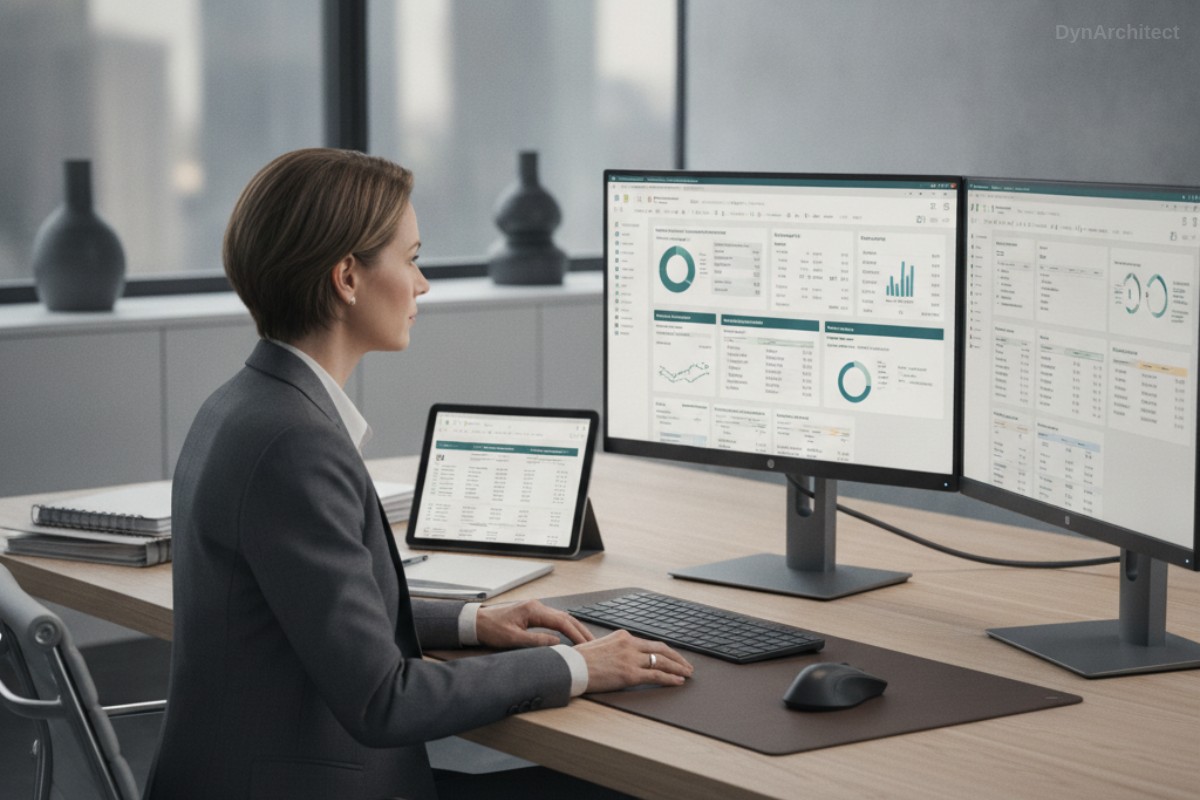
Automating Finance Operations Without Manual Supervision: Desktop Flows for Unattended Batch Processing in Power Automate

The accounts payable team receives vendor invoices across email, portals, and EDI feeds. Someone needs to log into three separate legacy systems, extract data, cross-check line items, and route approvals. This work consumes 12 hours daily, happens at predictable times, and does not require human judgment except for exceptions. Your finance director has asked: can we stop paying for four additional AP staff and let the system handle the routine work?

This is the real-world problem desktop flows address. While cloud flows orchestrate modern cloud-native APIs and services, they cannot click buttons in legacy Windows applications, extract text from PDF scans, or navigate desktop tax compliance software. Desktop flows bridge this gap by providing unattended, schedule-driven automation of legacy application interactions, freeing your team to concentrate on exceptions and decision-making while batch operations run overnight.

Why Desktop Flows Matter for Finance Operations

Finance teams in mid-market and enterprise organizations operate mixed technology landscapes. Core enterprise applications like Dynamics 365 Finance coexist alongside legacy on-premises tax software, obsolete bank reconciliation tools, and third-party applications with no modern APIs. Replacing all of these is neither feasible nor economically justified when the application only requires data entry at predictable intervals.

Desktop flows, also called Robotic Process Automation (RPA), automate routine system interactions without rewriting the applications. A bot logs into the legacy system, executes the exact sequence of steps a human operator would perform, and exits cleanly. If the expected screen does not appear or a business rule blocks the action, the bot detects the failure and alerts an operator. An invoice entry workflow requiring 5 minutes per vendor invoice, repeated 200 times per month, consumes 1,000 hours annually. Automating that workflow with desktop flows reduces workload to oversight and exception handling while eliminating transcription errors and enabling overnight batch completion.

Desktop Flows Versus Cloud Flows

Cloud flows in Power Automate work with APIs and cloud services. They call Dynamics 365, send emails through Exchange Online, read SharePoint files, or trigger webhooks. Cloud flows excel at integration and orchestration but assume the target application exposes an API.

Desktop flows operate at the UI layer, interacting with Windows applications like a human user does: clicking buttons, typing text, reading screen content, interpreting dialog boxes. This makes desktop flows universally applicable to any Windows application, regardless of age. The tradeoff is brittleness; desktop flows rely on locating UI elements by coordinate, accessibility label, or image recognition, so UI layout changes break selectors. For finance operations, this distinction is critical. A desktop flow automates a legacy tax system without APIs because it mimics manual steps your tax accountant performs daily. A cloud flow cannot do this without significant custom development.

Architecture for Unattended Finance Automation

Unattended automation means the bot runs on a scheduled timer without human intervention, executing overnight during non-business hours to avoid contention with human users.

A robust finance automation workflow follows this pattern:

Pre-execution validation. Before the bot starts, verify preconditions. Check that required input files are present, confirm the target system is online and accessible, and validate that previous runs completed successfully. A cloud flow orchestrates these checks and decides whether to launch the desktop flow.

Bot execution with retry logic. The desktop flow logs into the target application, performs required operations, and captures results. If an operation fails, it logs the exception and continues with the next item if possible, or halts if the failure is blocking. Desktop flows include error handling for UI recognition failures, network timeouts, and permission errors.

Output logging and escalation. After each automated action, the desktop flow logs results to a structured output table: success, failure reason, timestamp, and extracted data. If exceptions occur, the flow writes them to a queue for human review. This is critical. The bot must not silently fail; it must make failures visible so operators can triage and fix issues before they compound.

Completion notification. Once the batch completes, a cloud flow sends a summary to finance stakeholders: how many items processed, exceptions logged, and link to the exception queue.

Practical Implementation Considerations

UI Recognition and Fragility. Desktop flows locate UI elements by image recognition, coordinate position, or accessibility properties. If the application layout changes, image-based selectors break. Use accessibility labels and text properties where possible, as these survive minor layout changes. Reserve image selectors for elements without stable labels.

Performance and Scalability. A single desktop flow bot runs on one machine and processes one item at a time. For high-volume automation (processing 1,000 invoices nightly), register multiple desktop flow machines in a machine group to distribute load.

Logging and Observability. Desktop flows execute headless; you cannot see what the bot is doing in real time. Detailed logging is mandatory. Log application state before each action, results after each action, and any exception. Store logs in a Dataverse table so they are queryable and auditable, supporting both troubleshooting and compliance reporting.

Maintenance and Regression Testing. When the underlying application receives updates, test your desktop flows immediately. UI changes, new validation rules, or altered field names break selectors or logic. Establish a regression test suite of known input scenarios your bot should handle correctly, and re-run after each application patch.

A Real Finance Workflow Example

Consider invoice entry automation: vendors email invoices. An AP team member downloads each invoice, logs into a legacy accounting system, enters vendor name, invoice amount, invoice date, and account coding, then routes for approval. The system allows bulk CSV import but only accepts one file per session and takes 10 minutes to process.

An unattended desktop flow workflow:

Step 1: A cloud flow monitors a SharePoint folder for new invoice PDFs. When a file arrives, it extracts to a temporary folder.

Step 2: A cloud flow calls Azure Form Recognizer to extract vendor name, invoice amount, and date from the PDF. Results write to a staging table in Dataverse.

Step 3: A desktop flow runs for each PDF. It logs into the legacy accounting system, fills in extracted vendor name, amount, and date, selects the appropriate GL account, and saves. If the vendor is not found, the bot adds it first.

Step 4: The desktop flow writes success or exception status back to Dataverse. A cloud flow checks the status table; if an exception occurred (vendor already exists with different details, invalid GL account), it sends an alert to the AP supervisor.

Step 5: Each night at 11 PM, a cloud flow sends a summary: invoices processed, exceptions logged, link to the exception queue.

The result is invoices moving from inbox to approval routing without manual data entry. The AP team focuses on resolving exceptions and approving borderline items, not transcribing PDFs.

Security and Compliance

Desktop flows handle confidential financial data and interact with sensitive systems. Security requirements include:

Credential Management. Never hardcode credentials in the desktop flow. Store them in Azure Key Vault or Power Automate connection references, retrieving them at runtime. Rotate credentials regularly.

Audit Trail. Document every action the bot takes. Log entries should include who authorized the automation, when it ran, what it did, and who reviewed results. Finance auditors often require this for SOX compliance.

Exception Handling. If the bot encounters an error, it should halt, log the error, and alert a human. This prevents the bot from automatically creating duplicate invoices or misrouting approvals.

Testing in Isolation. Test desktop flows in a sandboxed environment before production deployment. Test happy path (normal invoices) and edge cases (missing vendor data, invalid GL accounts, locked records).

Conclusion

Desktop flows bring practical capability to finance operations: automating routine legacy system interaction without expensive system replacement or ongoing manual labor. The tradeoff is operational complexity. Desktop flows require robust logging, exception handling, UI selector maintenance, and audit oversight. For organizations willing to invest in these practices, the result is a finance team that operates more efficiently, catches exceptions faster, and focuses on value-added work.

Routeget Technologies has built and maintained desktop flow automation for finance processes across dozens of implementations. We understand UI-based automation fragility, observability importance, and the specific requirements auditors impose on unattended bots operating on financial data. If your organization is evaluating desktop flow automation for AP, AR, GL reconciliation, or tax compliance workflows, we can help you design robust patterns that scale without creating compliance or operational risk.


#PowerAutomateRPA #DesktopFlows #FinanceAutomation #UnattendedBots #ERPIntegration #FinanceOperations #ProcessAutomation #LegacySystemModernization

Multi-Company Consolidation and Intercompany Eliminations in Business Central: Building Predictable Financial Reporting for Multi-Entity Organizations

Multi-company consolidation architecture in Business Central

Most finance leaders in multi-entity organizations face the same uncomfortable question every quarter: when you’ve pushed the consolidation close button, how confident are you that the consolidated revenue number sitting in front of the board actually represents what happened across all your companies? Not the individual piece that’s typically reliable, but the consolidated picture? That’s where consolidation becomes less about compliance and more about survival.

Business Central’s consolidation framework is deceptively straightforward on paper. Transfer general ledger entries from subsidiary companies into a consolidated company, eliminate intercompany transactions, and generate a trial balance. The reality of getting there, especially across multiple environments, different chart of accounts structures, and hundreds of intercompany transactions, is where most implementations hit friction.

The Two Paths to Multi-Entity Financial Reporting

Business Central offers two fundamentally different architectures for consolidation, and choosing between them shapes your entire finance operation.

Native Business Central Consolidation handles multiple subsidiary companies within the same environment. Each subsidiary is a separate legal entity (company), and the consolidated company pulls general ledger entries from all of them into a single trial balance. This works well for organizations with moderate complexity: two to six subsidiaries, similar chart of accounts structures, and predictable intercompany volumes. The native approach requires no additional licensing and runs against your existing Business Central instance.

Cross-Environment Consolidation pulls data across separate Business Central environments, typically when subsidiaries operate independently or have separate implementations. This approach demands Azure app registration and explicit API configuration beyond what most implementations document upfront. It gains you geographic flexibility and organizational autonomy at the cost of architectural complexity that surprises most finance leaders when they discover it.

The decision between these architectures should happen before implementation begins, not halfway through configuration. A CFO running five subsidiaries with different revenue streams should make that choice explicitly based on reporting requirements, not stumble into cross-environment consolidation because someone recommended “a separate environment for that subsidiary.”

Why Intercompany Eliminations Break Without Architecture

Intercompany eliminations are not an accounting problem. They are an architecture problem masquerading as accounting.

A subsidiary books a $500,000 sale to its sister company. The buying subsidiary records a $500,000 purchase from that same sister. The parent company sees $500,000 of revenue and $500,000 of expense moving through its chart of accounts. In a consolidated trial balance, these numbers double-count the same economic transaction, distorting both the consolidated revenue line and gross margin.

Eliminating this intercompany transaction seems straightforward: enter an adjusting entry in the consolidated company’s general journal, reverse out the duplicate revenue and expense, and your consolidated numbers reflect the economic reality of what actually happened outside the company. In practice, this process fails for three reasons that surface repeatedly in multi-entity implementations.

First: Account mapping complexity. When subsidiaries maintain different chart of accounts structures, you cannot simply reverse a $500,000 revenue entry in Subsidiary A against a matching $500,000 purchase entry in Subsidiary B. The account numbers don’t align. You must maintain a separate intercompany chart of accounts and map each subsidiary’s accounts to that shared chart, then map back to the consolidated company’s structure. This creates bidirectional mapping rules that are easy to misconfigure and difficult to audit later.

Second: Dimension fragmentation. Subsidiaries may use different dimensions to slice data. One subsidiary tracks revenue by sales region; another tracks revenue by customer segment. Consolidated reporting demands that these dimensions reconcile or remain separately reportable. Without deliberate dimension strategy upfront, finance teams end up manually reconciling consolidated totals back to subsidiary detail because the consolidated trial balance doesn’t break down by the dimensions that matter to the business.

Third: Timing and currency mismatch. Intercompany eliminations assume the subsidiary’s books match. If the subsidiary records a $500,000 sale in December and the parent records a $500,000 purchase in January, the consolidation period matters. Similarly, when subsidiaries operate in different currencies, the exchange rate used to record the transaction must align with the rate used to record the corresponding entry in the other company, or the elimination fails to net perfectly and leaves a mysterious gain or loss on currency conversion that nobody can explain.

These technical details are finance operations details. They cascade directly into close speed, error rates, and the executive team’s confidence in the numbers.

CFO reviewing consolidated financial statements in Business Central

Practical Path: Right-Sizing the Consolidation Approach

A common failure mode in consolidation implementations is overengineering for tomorrow’s complexity. Organizations build elaborate cross-environment consolidation architectures when today’s requirements could run entirely on native consolidation.

For two to six subsidiaries with predictable intercompany volumes: Start with native Business Central consolidation. It requires no licensing premium, minimizes Azure complexity, and works against your existing environment. The Business Units page becomes your consolidation control center. Test data before running consolidation (the “Test File” or “Test Database” action flags account number and dimension mismatches before they corrupt your close). Generate the Consolidated Trial Balance report (Report 17) and the G/L Consolidation Eliminations report (Report 16) to preview elimination impact before posting adjustments.

For cross-environment requirements or complex subsidiary structures: Allocate implementation time explicitly to Azure app registration, API endpoint configuration, and cross-environment testing. Document which company data moves which direction, which chart of accounts mapping applies at each step, and which dimensions matter to consolidated reporting. This is not something a finance team should discover mid-close.

For intercompany transaction volume above 200 per month: Evaluate ISV extensions like Binary Stream MEM (Multientity Management) or equivalent tools. Native Business Central consolidation handles centralized intercompany payables and receivables adequately, but it is not optimized for mass journal entry processing when intercompany volumes exceed what native functionality was designed for. ISV tools are cost-justified if they reduce manual reconciliation by five to ten hours per close cycle.

Building Eliminations into Your Close Process

Intercompany eliminations work best when they become a defined step in your close calendar, not an afterthought when the numbers don’t match.

Pre-close phase: Publish a “no intercompany transactions after X date” deadline to all subsidiary controllers. Require them to settle open intercompany payables and receivables (the native Business Central Intercompany Transactions module makes this transparent). Running consolidation after that deadline eliminates the problem of transactions in flight.

Consolidation phase: Run the Consolidated Trial Balance report. Compare this to the prior quarter. Material variances should be investigated before finalization. Use the G/L Consolidation Eliminations report to preview the impact of pending adjustments. Only post elimination entries if the consolidated numbers reflect the economic reality the business expects.

Post-close phase: Publish the consolidated trial balance to Finance stakeholders (CFO, Board reporting team, external auditors). Confidence in this number determines trust in all downstream financial statements.

The Bottom Line

Business Central’s consolidation engine solves a real problem: bringing multiple legal entities’ financial data into a single, trusted view. But consolidation success depends entirely on architecture decisions made before implementation starts. Choose between native and cross-environment consolidation explicitly. Map your chart of accounts and dimensions upfront. Define your intercompany elimination rules in writing before you book a single subsidiary transaction.

When you do this work, consolidation becomes predictable. The numbers reconcile. Your close accelerates. The board sees financial statements that actually represent what happened across the organization.

When you don’t, you spend the last three days of every close cycle chasing mysterious variances and rebuilding eliminations by hand.

The difference between those two outcomes isn’t luck. It’s architecture.


About Routeget Technologies: Routeget specializes in Business Central implementations for mid-market organizations with complex multi-entity structures. Our approach begins with consolidation architecture design before any configuration touches the system, ensuring your finance team closes faster with higher accuracy.

#MultiEntityConsolidation #BusinessCentralFinance #ConsolidationAccounting #IntercompanyEliminations #FinanceOperations #CFOStrategy #BusinessCentralCFO

Global Payroll Consolidation in Dynamics 365 F&O: When Mandatory Upgrade Meets Your Legacy Salary System

CFOs and Finance Operations leaders managing global enterprises with Dynamics 365 Finance and Operations often inherit complex, multi-country payroll systems built over years of acquisition and consolidation. When Microsoft announces mandatory payroll module upgrades, the panic is real. Your current system handles salary processing across 12 countries in 9 currencies with legally binding tax rules in each jurisdiction. A forced upgrade risks disrupting payroll runs and triggering compliance violations that no CFO wants on their record.

The Payroll Module Upgrade Dilemma

Dynamics 365 F&O payroll has evolved significantly since its introduction. Earlier versions of the payroll module, built on older technology stacks, are being deprecated in favor of a modernized architecture that integrates more tightly with current Human Resources, General Ledger, and Tax Calculation Services. The upgrade is not optional. Microsoft has published end-of-support dates, and after those dates, support contracts expire, patches stop arriving, and your system becomes an orphan.

For most organizations, this timeline feels compressed. The payroll system is not something you can take offline for a two-week migration. Employees must be paid on schedule, tax filings must meet jurisdictional deadlines, and auditors expect clean transaction trails. A payroll upgrade failure doesn’t just hurt IT morale; it creates payroll delays, tax exposure, and employee relations issues that escalate to the CFO’s desk very quickly.

Where Consolidation Starts Making Financial Sense

Many organizations discover during upgrade planning that they have more payroll complexity than necessary. Legacy systems from acquired subsidiaries still run parallel payroll processes. Some countries process payroll in the legacy system and then manually reconcile into F&O. Others have built custom calculation engines in Excel or external tools because the standard payroll module didn’t handle local requirements at the time.

This redundancy is expensive. Each parallel system requires dedicated support, training, reconciliation labor, and audit oversight. When the F&O payroll upgrade forces a modernization moment, many CFOs find that consolidation becomes not just feasible but economical. Instead of re-implementing the old approach in the new payroll module, you can redesign payroll processing around what the modernized module actually does well, eliminate legacy workarounds, and reduce operational complexity in the process.

The question is not just “Can we upgrade?” but “Should we consolidate while we upgrade?”

Technical and Compliance Constraints

The payroll module redesign in Dynamics 365 F&O is substantial. The new architecture integrates more tightly with the Tax Calculation Service, allowing organizations to stay current with tax rule changes across jurisdictions without manual updates. It also supports real-time General Ledger posting, which means payroll accruals reflect in your books immediately rather than waiting for a month-end batch. These are genuine improvements, but they require careful mapping during migration.

Compliance constraints are real. Each country where you process payroll has specific requirements: statutory deductions must be calculated by law, tax filings must use government-mandated formats, and records must be preserved for audit. The payroll module upgrade must maintain compliance across every jurisdiction you operate in. Some countries have limited payroll capabilities even in the modernized module. If you rely on those capabilities, you cannot simply consolidate everything into F&O; you must maintain targeted parallel systems for those jurisdictions and carefully reconcile with F&O.

Currency conversion rules, withholding tax calculations, and pension contribution formulas all vary by country. The new payroll module handles this variability, but configuration is complex and requires deep knowledge of local requirements. Many organizations underestimate the effort needed to get country-specific payroll configurations right during upgrade, leading to post-go-live adjustments that cost more than front-loaded planning would have.

Planning the Consolidation Alongside Upgrade

A successful approach treats the payroll upgrade and consolidation as a single program, not as separate initiatives. Start by mapping every current payroll process: which countries are in F&O today, which are in legacy systems, which are in Excel or external vendors. For each, document the business rules (tax treatment, deductions, gross-to-net calculations), the data sources (HR system, time tracking, benefits), and the downstream processes (GL posting, tax filing, employee reports).

Then evaluate consolidation options. Full consolidation into the upgraded F&O payroll module is ideal from a system management standpoint but may not be feasible for all countries. Selective consolidation where F&O handles core operations and legacy systems remain for countries with limited module support is often more realistic. Some organizations design a hybrid model: F&O runs payroll in supported countries and serves as a hub that reconciles with legacy systems in other jurisdictions.

Build a detailed integration plan. The Tax Calculation Service in Dynamics 365 can handle many jurisdictions natively, but configuration effort is significant. Plan for tax configuration as part of the overall upgrade timeline, not as an afterthought. If you are consolidating from multiple legacy systems, plan for data reconciliation: will prior-year data come into F&O, or will legacy systems remain as historical record? What is the cutover date?

Avoiding Common Pitfalls

Many organizations make predictable mistakes during payroll upgrade and consolidation. First, underestimating configuration complexity. Payroll module configuration for even a single country requires weeks of effort. Global payroll with multiple countries and currencies requires months. Adding consolidation demands on top of upgrade demands extends the timeline further. Plan accordingly and resource adequately. Second, neglecting change management. Payroll teams, HR teams, finance teams, and employees all experience change when payroll migrates. Users accustomed to legacy system workflows will find F&O workflows different. Training and communication matter more than they seem to.

Third, skipping the parallel run. Running old and new payroll systems in parallel for at least one full cycle (monthly for most organizations) allows you to validate that the new system calculates payroll correctly and produces results that match the legacy system (or justify differences). Skipping this step and going live immediately risks discovering critical calculation errors after employees have been paid incorrectly, which creates compliance and employee relations damage.

Fourth, treating consolidation as a technical project rather than a business decision. Whether to consolidate particular countries is a business choice: it trades operational simplification against some loss of local autonomy. This decision should involve Finance Operations leadership and regional business leaders, not just the technical team. Without business buy-in, post-go-live support and change management will be harder.

Beyond the Upgrade: Continuous Improvement

After successful upgrade and consolidation, the payroll system is positioned for easier maintenance and evolution. The modernized module receives quarterly updates from Microsoft that include new tax rules, currency changes, and feature improvements. Organizations can adopt these updates more readily than they could with legacy systems, because the new architecture is designed for continuous change.

From a finance perspective, consolidated payroll also opens opportunity for better analytics. When all payroll runs through a single system and posts to the General Ledger in real-time, Finance teams can analyze labor costs, accruals, and headcount trends more easily and accurately. Payroll becomes less of a back-office compliance function and more of a finance analytics asset.

Next Steps for Finance Leaders

If your organization faces a mandatory F&O payroll module upgrade, the time to plan is now. Engage your Dynamics 365 technical partners early. Perform a comprehensive audit of your current payroll landscape: what systems do you have, what are the compliance and business requirements for each, and where is consolidation feasible? Build a realistic timeline and resource plan. Brief your CFO and business leaders on consolidation opportunities and trade-offs. And plan for adequate parallel-run validation before cutover, no matter how eager you are to decommission legacy systems.

The upgrade is mandatory, but consolidation is strategic. Making the right choice at this inflection point can simplify your finance operations for years to come.


Routeget Technologies helps finance-driven enterprises navigate Dynamics 365 F&O implementations, including payroll consolidation, global tax configuration, and upgrade program management. If your organization is planning a payroll module upgrade, our consulting team can help assess consolidation opportunities and design migration strategies that reduce risk and operational complexity.

#DynamicsFinanceOps #GlobalPayroll #PayrollIntegration #ERPModernization #FinanceOperations #MultiCountryPayroll #PayrollModuleUpgrade