Offline-First Architecture in Power Apps Canvas Apps: Building Resilient Mobile Solutions Without Connectivity Dependency

Offline-First Architecture in Power Apps Canvas Apps: Building Resilient Mobile Solutions Without Connectivity Dependency

Field workers don’t wait for connectivity. A delivery driver doesn’t pause at a dead zone. A maintenance technician doesn’t delay equipment inspection because the site lacks reliable Wi-Fi. Yet many organizations ship Power Apps canvas applications that fail the moment the network drops, forcing users to pause work, travel to find a signal, or discard hours of local effort.

Building applications that survive and thrive in disconnected states requires a fundamental shift in how developers approach data flow, synchronization, and user feedback. Power Apps now provides the native tooling for offline-first architecture through Dataverse offline capabilities, but tooling alone is insufficient. The architecture decision determines whether offline works as a seamless fallback or a frustrating degradation.

#

The Cost of Connectivity Dependency

Most cloud-native applications assume the network exists. They send every keystroke to the server. They fetch fresh data on every screen load. They fail silently when the connection drops, leaving users confused about whether their work was saved, and frustrated by the inability to continue.

In field operations, this assumption is expensive. A field service technician working in a warehouse with intermittent coverage might spend 15 to 20 percent of their day waiting for connectivity or navigating to find signal. A delivery driver can’t complete 200 stops per day if each stop requires a network roundtrip for product information. The business impact compounds across teams: lost productivity, missed time windows, and poor user adoption of technology that feels unreliable.

Offline-first architecture inverts this model. The application assumes disconnection is normal. Data lives locally on the device first. Synchronization happens when connectivity permits, not on every operation. Users continue working through network gaps. The architecture becomes resilient by design rather than optimistic about network availability.

#

Offline Capabilities in Power Apps: Current Landscape

Power Apps canvas apps now have built-in offline support for Dataverse connections. This is not a crude “cache the last fetch” approach. The platform provides structured offline profiles, selective data download, conflict detection, and synchronization queuing.

Offline profiles define which tables, columns, and records are available offline. A solution architect designs a profile for each use case: what data does a field technician need to complete their work without connectivity? What’s the acceptable device storage footprint? A profile with minimal data loads faster and consumes less battery and storage. A profile with comprehensive data gives users more autonomy but requires more device resources.

The platform supports filtering within a profile. A delivery driver’s offline profile might include only their assigned stops for the current day and product catalog data relevant to those stops, not the entire order history or every product in inventory. This selective download is critical for both performance and user experience.

Dataverse offline handles synchronization automatically. When connectivity returns, the platform queues pending creates, updates, and deletes. The sync engine submits these operations in order and handles network transience: temporary disconnections don’t fail the sync. The platform retries intelligently.

Conflict detection works at the row level. If a user modifies a record offline and a change arrives from another user during that offline period, the platform detects the conflict and surfaces it through the app’s error-handling logic. The developer chooses the resolution strategy: last-write-wins, user-prompted merge, or rejection.

#

Designing Offline-First Architecture

Offline success requires deliberate design at multiple layers.

Data Selection Strategy. Define what data users need to complete their work. A field technician repairing HVAC equipment needs equipment history, service bulletins, parts inventory, and customer contact information. They do not need the company’s entire customer directory or historical service records from five years ago. Start with the minimal dataset that enables work continuation. Allow advanced users to download additional data for longer offline periods.

Offline Profiles as Contracts. An offline profile is a contract between the developer and the device. It defines the authoritative set of data available offline. Changes to a profile cascade through every user’s device on the next sync cycle. Version your profiles explicitly. Communicate profile changes to field teams before release. A profile change that adds 500 MB of data can render older devices unusable.

Sync State Visibility. Users need to know whether data is fresh from the server or stale from the local cache. Build UI that indicates sync status: last successful sync time, pending changes count, and current sync progress. Show users when data came from offline storage, not necessarily as an error but as a factual state. Some users will intentionally use offline data they understand to be recent enough for their task.

Graceful Degradation of Features. When offline, not all features work. Complex filters requiring real-time lookups fail. Write operations that depend on server-side logic (validations, calculations, updates to related records) may queue for synchronization. Design features that degrade cleanly: simple operations work offline immediately, complex operations queue for later execution, unavailable operations display clearly why they’re unavailable.

Conflict and Error Handling. Define how the app responds to sync conflicts. For most field operations, last-write-wins is unacceptable because it silently discards work. Instead, implement explicit conflict detection: when a conflict occurs, pause the affected record, alert the user, and provide merge options. For example, if a customer contact updates a work order while the technician is also editing it offline, the app should present both versions and ask the user to reconcile.

Similarly, define error categories. A failed write due to business rule violation (insufficient inventory for this transaction) is different from a network timeout. The app should handle each differently: business rule violations require user action to resolve, while timeouts trigger retry logic.

#

Implementation Patterns

Request Data Sparingly. Minimize the data footprint by filtering aggressively. If a user works with 50 customers, download data for 50 customers, not 5,000. Use Dataverse filters in the offline profile definition.

Cache User Context Locally. Store the current user’s ID, role, and basic preferences locally during the first sync. Use this cached context for permissions checks and role-based feature flags that work offline, rather than requiring a server roundtrip every time.

Implement Progressive Download. Start with essential data (today’s work items, immediate customer data). Allow users to request expanded data sets for offline use: “Download full customer history for offline access” triggers a background sync. Progressive download prevents app startup from being blocked on large downloads.

Design for Eventual Consistency. In offline-first systems, data is eventually consistent, not immediately consistent. A user creates a work order offline. It syncs to the server when connectivity returns. Another user querying the server doesn’t see it instantly. Build workflows that tolerate this latency: don’t expect immediate visibility of offline changes across the team until sync completes.

Monitor Sync Failures. Implement diagnostics. Log failed sync operations and the specific errors returned. Expose this information to support teams and administrators so they can diagnose why a user’s data isn’t synchronizing. A sync failure that goes unnoticed for days can leave a user working with stale data indefinitely.

#

Common Pitfalls

Overloading Offline Profiles. Including too much data in an offline profile leads to slow device performance, high battery drain, and storage conflicts on older phones. Start minimal. Let users explicitly expand the profile if they need more data.

Ignoring Battery and Storage Constraints. Mobile devices have finite battery and storage. Large offline profiles with frequent sync cycles drain battery rapidly. Design sync to happen periodically or on user trigger, not continuously.

Silent Data Loss on Conflict. Never implement silent conflict resolution that discards user work. Always surface conflicts explicitly and require user action to resolve.

Treating Offline as a Rare Edge Case. Offline is not a rare edge case for field operations. It’s the normal state punctuated by brief connectivity windows. Design for that reality.

#

Building for Resilience

Offline-first architecture shifts the burden from hoping connectivity works to ensuring the application works despite connectivity gaps. Power Apps provides the platform capabilities. The architect must design the data strategy, synchronization policy, and error handling to match the deployment reality of field operations.

The organizations that ship resilient field applications don’t apologize for network conditions. They design around them. Users work when connectivity permits synchronization and when it doesn’t. The application adapts to the network’s unpredictability rather than depending on the network’s reliability.

—

Power Apps Governance and Scaling: Building Enterprise Applications Without Creating Technical Debt

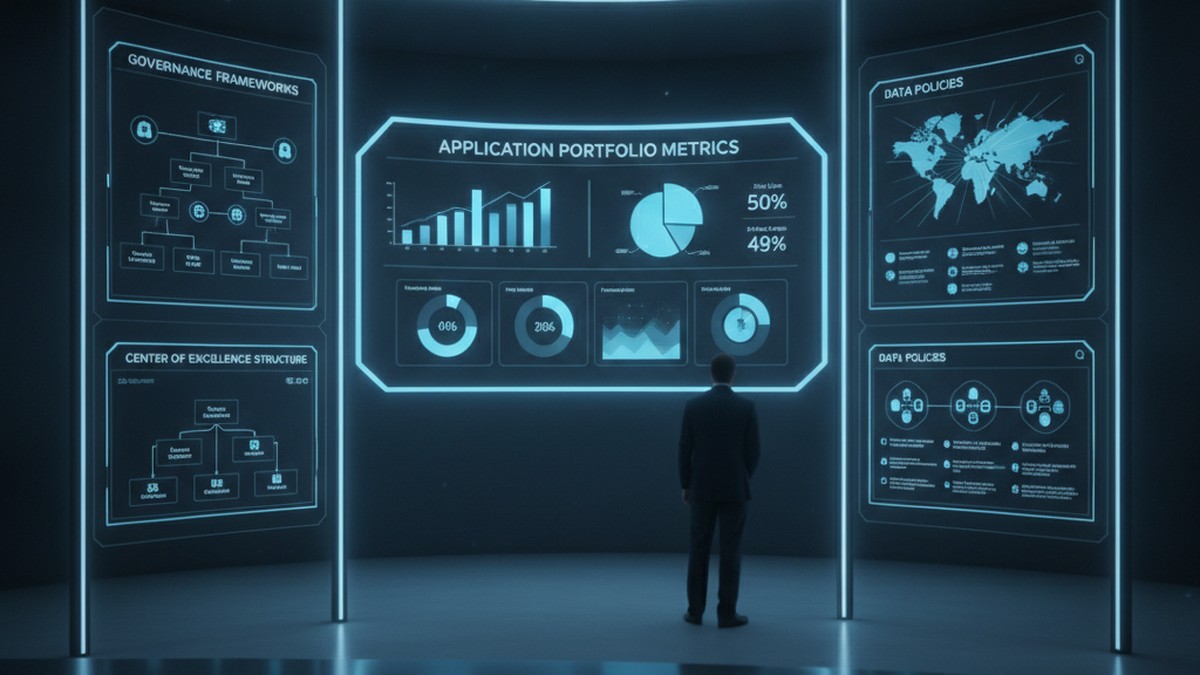
Enterprise Power Apps governance dashboard with application portfolio metrics and CoE framework

Problem Statement (Opening Hook)

Six months after launching your Power Apps initiative, you have 47 applications built across the organization. You’re congratulating yourself on driving digital velocity when IT discovers that 23 of those apps are querying the production Dataverse directly without connection audits, three apps are storing passwords in Power Automate flows, and nine apps were built with Dataverse tables that now conflict with the enterprise data model you’re implementing for Dynamics 365. You also cannot tell which apps are critical, which are experimental, and which are duplicates of work already done by other teams. This is not a Power Apps problem. This is a governance problem, and the cost of fixing it later vastly exceeds the cost of defining it now.

Why Power Apps Governance Matters at Scale

Power Apps succeeds because it is low-code. Business teams move faster. IT provisioning cycles shrink from months to days. Without governance, organizations end up managing application sprawl rather than portfolio. They face compliance risks when applications store regulated data without proper encryption. They accumulate technical debt through duplicate apps and integration spaghetti. Most critically, they lose the ability to retire old applications because no one remembers dependencies.

Governance does not mean blocking innovation. It means setting up boundaries so innovation happens inside a framework that scales. Done well, governance feels like enabling guardrails rather than restrictive rules.

The Three Pillars of Effective Power Apps Governance

Governance across Power Platform breaks into three interdependent areas: application lifecycle management (ALM), data governance, and access control. Each addresses a different aspect of operational risk, and each requires clarity before you have hundreds of applications in production.

ALM defines how applications move from development to test to production, who approves releases, and how rollback works. Without ALM discipline, applications get updated without testing and deployments happen without documentation. Microsoft Power Platform’s ALM tooling (solution containers, source control integration, deployment pipelines) is mature. Using it from the first application, rather than retrofitting later, saves significant effort.

Data governance specifies which Dataverse tables are available to which applications, which fields those applications can read and write, whether applications have direct table access or go through a custom API layer for auditing, and how data synchronization happens when multiple applications share tables. Organizations that skip data governance often discover halfway through Dynamics 365 F&O implementation that Power Apps developers were extending the General Ledger table directly, bypassing the compliance logic built into the F&O ledger posting engine. Starting with a canonical data model and enforcing read-write boundaries prevents those conflicts.

Access control governs who can create applications, what permissions they have, whether they can publish to production, and what user-level permissions applications inherit. Many organizations default to giving all users “create” permissions in Power Platform, then react with panic when app sprawl becomes visible. Instead, defining roles and mapping them to permission levels creates scalability. Skilled developers need broad creation rights. Business power users need constrained environments where they can build applications without affecting production infrastructure.

Enterprise Power Apps governance dashboard with application portfolio metrics and CoE framework

Common Governance Failures

Most organizations make one of three mistakes. The first is defining governance so rigorously it kills velocity. Requiring sign-off from multiple committees before publishing an app causes teams to work around the process in unsanctioned environments. The second mistake is defining no governance at all. Teams build freely until compliance audits arrive. Retrofitting governance then requires temporarily shutting down production applications to audit and repair them. The third mistake is defining governance on paper without technical enforcement. Policies exist but the actual permissions and Dataverse configurations never match. Effective enforcement requires embedding governance into administration, not just culture.

Effective governance finds the middle ground. It sets clear, enforceable boundaries while leaving room for teams to innovate within those boundaries. It is documented not in slides but in the actual configuration of your Dataverse, your solution containers, and your deployment pipelines.

Building a Practical Governance Framework

Start with application classification. Tier applications by criticality: mission-critical (runs the business and cannot fail), important (supports major business process and needs monitoring), and experimental (proof-of-concept or exploratory work). Mission-critical and important applications get the most scrutiny. Experimental applications get looser controls. This prevents governance overhead from killing innovation while ensuring critical work gets appropriate rigor.

Next, establish your Dataverse data architecture before widespread application development begins. Define which tables are canonical and which are read-only views or replicas. Specify who owns each table. Set up row-level security policies and field-level permissions. If applications bypass the model, audit logs show it. This enforces a single version of truth and prevents applications from accidentally conflicting.

Implement solution containers and source control integration. Every application goes into a solution container, not deployed loose to the environment. Solutions are version-controlled in Git. Deployments go through a clear pipeline: development environment, test environment, staging, production, with manual gates between stages. Automate testing at each stage where possible. This creates an audit trail of every change and makes rollback possible.

Enterprise development team collaborating with ALM workflows and CI/CD pipelines on display monitors

Set up a governance review board (often called a CoE governance committee) that meets monthly to review application portfolio health, approve new high-risk applications, and identify applications for retirement. The board includes IT architecture, security, compliance, and business process representatives. This is not a blocking committee. It is an enabling committee that helps teams navigate governance boundaries and flags risks early.

Finally, communicate governance as infrastructure, not as restriction. Frame governance conversations around what it enables: faster time to production for compliant applications, easier integration with enterprise systems, reduced security risk, and the ability to retire old applications without cascading failures. Teams that understand the rationale behind governance adopt it voluntarily.

Technical Debt and Long-Term Maintenance

Technical debt in Power Apps manifests quietly. An application built against a local Dataverse table works fine for six months until the enterprise decides to synchronize that table with Dynamics 365. The app breaks because its queries now hit a different data source. Another application stores customer IDs in a text field. When customer ID standards change, updating that field breaks any app that relied on the old format. A third application has hard-coded access credentials buried in flows. When those credentials rotate, the application goes dark.

These failures happen because applications were not architected for change. Avoiding technical debt requires discipline upfront: use API layers instead of direct table access, parameterize configuration values, separate data schemas from application logic, build retry logic into integrations, and document dependencies. It also requires governance processes that periodically review applications for architectural drift.

Balancing Speed and Control

The tension between moving fast and maintaining governance is real. The resolution is not to choose one or the other, but to acknowledge that different applications need different levels of control. A dashboard for business analytics needs different governance than an application that writes to the General Ledger. A proof-of-concept application needs different processes than a mission-critical customer portal. Tailoring governance to the application’s role allows you to move fast where speed matters and deliberate where risk is highest.

Organizations that execute this balance well report that governance, once established, does not slow velocity. If anything, it accelerates it. Teams know the boundaries. Deployments are predictable. Integration is straightforward. Failures do not cascade. Applications retire cleanly. The cost of operating the Power Platform ecosystem decreases even as the number of applications grows.

Building for Sustainable Scale

Power Apps’ promise is that business teams can build applications without IT intermediaries. Realizing that promise at scale requires intentional governance, not despite that governance, but because of it. The organizations building the most applications fastest are the ones with the clearest governance frameworks. They have defined what good looks like. They enforce it technically. They review it regularly. They adjust it based on what they learn.

If your organization is still in the early stages of Power Apps adoption, spending time now on governance infrastructure saves vastly more time later. If you are already in growth mode with sprawling applications, implementing governance means making deliberate choices about which applications to migrate to ALM pipelines first and which to retire. Either way, the question is not whether to govern Power Apps at scale. The question is how quickly you can build governance that enables scale rather than constrains it.

Routeget Technologies works with organizations across this journey, from establishing governance frameworks and Center of Excellence operations to implementing ALM pipelines and data architecture for large-scale Power Platform deployments. The difference between organizations that scale Power Apps sustainably and those that end up in technical debt rework usually comes down to governance discipline established early and reinforced consistently.

#PowerAppsGovernance #PowerPlatformCoE #ApplicationLifecycleManagement #LowCodeGovernance #EnterpriseArchitecture #DataverseGovernance #PowerAppsDevelopment #DigitalTransformation