Building a Sustainable Power Automate Center of Excellence: Governance Without Gridlock

Most organizations that deploy Power Automate do so without any governance structure, then scramble to build one after their citizen developers have created hundreds of inconsistent, poorly monitored automations. The result is predictable: Shadow IT runs deeper, cloud costs spike unpredictably, and IT eventually responds with policies so rigid that the business stops creating new flows and the platform stalls. The tension between speed and control is real, but it does not require choosing one or the other.

A Center of Excellence for Power Automate is simply a structured approach to decision-making: who gets to build flows, what patterns we enforce, how we measure success, and where funding comes from. It is not bureaucracy. It is the difference between a platform that serves business strategy and one that devolves into a cost and compliance liability.

Why Power Automate Centers of Excellence Matter

Before the Cloud, automation meant capital expenditure on licensed tools, IT-owned build processes, and a multi-year return-on-investment narrative. Business units that needed a workflow change submitted requests and waited. Power Automate inverted this model. Individual contributors with no coding background can now build workflows that connect dozens of applications, move data, and execute business logic in minutes rather than months.

This democratization is valuable, but it creates an organizational problem. Without structure, a 500-person organization can quickly accumulate 2,000 flows built by people who do not know about each other’s work, who use different authentication patterns, who log into different cloud environments, and who have no shared understanding of which flows are business-critical versus experimental prototypes. When a flow breaks at 2 a.m. on a Saturday, no one knows why, because the person who built it is no longer with the company. When your automation bill spikes 40% month over month, you cannot explain why, because no one is tracking flow execution patterns.

A CoE provides visibility, standardization, and accountability without becoming an approval bottleneck. It articulates the expectations around flow design, security, data governance, and cost management so that developers can move quickly and IT can sleep at night.

Organizational Structure: Three Patterns That Work

The most effective CoE structures share a common shape: a small central team responsible for standards, enablement, and governance; a distributed network of power users embedded within business units; and clear escalation paths from edge to center.

The central team should be small, typically two to four people, depending on organization size. Its role is not to build flows for every department, but to establish patterns, mentor citizen developers, and make the hard calls when conflicts arise. The team member should come from IT but ideally have business acumen—someone who understands both technical architecture and why the business cares about a given workflow. This role often seats best as a product manager rather than a pure engineer, since the job is as much about communication and change management as it is about technical decisions.

Distributed power users are the actual force multiplier. These are individuals in Finance, Operations, Sales, or HR who have invested time learning Power Automate deeply and can build flows, mentor peers, and serve as the first line of triage when flows behave unexpectedly. Organizations often resist this approach because it seems to decentralize control, but experience shows the opposite. When power users exist within their own departments, flows get built faster, are maintained more reliably, and align better with business context because the builder is embedded in the problem domain. The CoE provides training, sets standards, and holds power users accountable to those standards, but does not make them beg for permission.

Escalation paths matter. If a power user wants to build a flow that touches sensitive financial data, or that orchestrates changes across multiple critical systems, the CoE should have a clear, lightweight process to evaluate the design and approve the build. This is not a veto gate; it is a collaborative design review. Most escalations resolve quickly because the CoE can flag real risks (poor error handling, missing audit trails, data loss exposure) and guide the builder toward a more robust solution. The business gets its flow, and IT maintains reasonable confidence in the architecture.

Governance Framework: Standards Without Bureaucracy

Power Automate governance typically fails in one of two directions: it is either too loose (anything goes, leading to chaos), or too tight (everything requires approval, leading to workarounds). A functional governance framework sits between these poles.

Start with flow taxonomy. Define three categories: production flows (business-critical, require naming conventions and documentation), standard flows (departmental automations that follow company patterns but do not require escalation), and experimental flows (one-off tests and prototypes, deleted after 90 days if not promoted to production). This simple taxonomy lets developers understand expectations immediately and lets IT focus oversight where it matters most.

Establish naming and documentation standards. This sounds bureaucratic but solves real problems. A flow named “P001” tells you nothing. A flow named “Sales-QuoteApproval-VP” immediately tells you the business domain, the function, and the approval level. When a developer checks the existing flows, they can find related work and avoid duplication. When you need to disable a set of flows for maintenance, you can identify all related ones quickly. Documentation templates (one sentence describing what the flow does, the owner contact, the systems it touches) take five minutes to complete and dramatically reduce the knowledge burden when the builder leaves the company.

Data governance rules must be specific to your risk profile. Most organizations should establish: flows that touch Dynamics 365 Finance or HR systems must use managed identities and log all operations to an audit table; flows that create, update, or delete records in any production environment must include error handling and notification to the flow owner on failure; flows that move data between systems must encrypt data in transit and log the data movement event; flows that exceed 50 executions per day should be reviewed quarterly to confirm they still provide business value. These rules are not arbitrary IT gatekeeping; they reflect the business’s real exposure to data loss, compliance violations, and cost overruns.

Funding and Stakeholder Alignment

A CoE that must justify its existence through a departmental budget burns out quickly. Instead, embed the cost in the automation project’s business case. When Finance proposes an automation that will save a manual process, the total cost of ownership includes the CoE’s contribution: the design review, the mentoring, the platform licensing, the monitoring and ongoing optimization. This aligns incentives. If the CoE is too restrictive or slow, the business unit pushes back and the executive sponsor hears about it. If the CoE is too permissive and allows bad automations to proliferate, the operations team sees costs rise and demands better governance.

Create a steering committee that meets quarterly, including representatives from major business units, IT leadership, finance, and compliance. This committee reviews CoE performance (how many flows, what categories, cost per automation), approves new platform features or tool purchases, and arbitrates any major policy changes. This keeps the CoE accountable and prevents it from becoming an insular IT function that loses touch with business needs.

Measuring Success

Set metrics that matter. Track the number of production flows, the average time to build a flow once it is approved, the ratio of successful executions to failures, and the cost per automation. More importantly, survey power users and business unit leaders annually on whether Power Automate is enabling them or creating friction.

A CoE that has reduced flow-creation cycle time from eight weeks (under an old IT process) to three days and has achieved 99.5% execution reliability is delivering value even if it has not eliminated every risk. The point is not perfection; it is enabled business agility coupled with acceptable risk.

Common Pitfalls

Organizations often stumble on a few predictable mistakes. The first is creating a CoE without giving it authority. If the central team cannot enforce naming standards or require design reviews, it becomes an advisory body that developers ignore, and you have gained nothing except an extra cost center. The second is over-investing in tooling before you have clarity on the actual problem. Buy governance software only after you understand what you are trying to govern; often a simple spreadsheet and a SharePoint site suffice. The third is confusing CoE with “IT approval committee.” Governance should be about patterns and risk management, not about gating every creative idea because IT wants to be in control. If a power user’s approach is sound but unconventional, approve it and monitor it; do not reject it because it does not match a template.

Finally, do not neglect the change management dimension. If your organization has relied on Shadow IT for years, a CoE that suddenly requires visibility into all flows will face resistance. Plan for a communication campaign, early wins that demonstrate the value of transparency, and meaningful involvement of power users in CoE decisions from the start.

Moving Forward

Building a Center of Excellence for Power Automate is not a one-time project; it is an organizational capability that evolves as the platform matures. Start by identifying your central team and your first set of power users. Define basic standards around flow naming, documentation, and data handling. Establish your escalation path for production flows. Monitor adoption, cost, and execution reliability. Adjust based on what you learn.

Organizations that take this approach typically report that Power Automate adoption accelerates within six months, not because governance is loose, but because developers know the expectations and can move with confidence. Costs become predictable because you understand what is running and why. And the platform becomes a genuine strategic asset rather than a shadow IT liability.

Routeget Technologies has implemented Power Automate Centers of Excellence for financial services, healthcare, and manufacturing clients, and the patterns that work remain consistent: clear governance that focuses on risk and enablement rather than control; distributed power users who are vested in the business outcome; and a small central team that removes obstacles and sets standards rather than approving every decision. The structure is less important than the commitment to treat Power Automate as a managed platform rather than a free-for-all tool.

#PowerAutomateCOE #FlowGovernance #LowCodeGovernance #ProcessAutomation #AutomationStrategy #EnterpriseAutomation

Power Apps Governance and Scaling: Building Enterprise Applications Without Creating Technical Debt

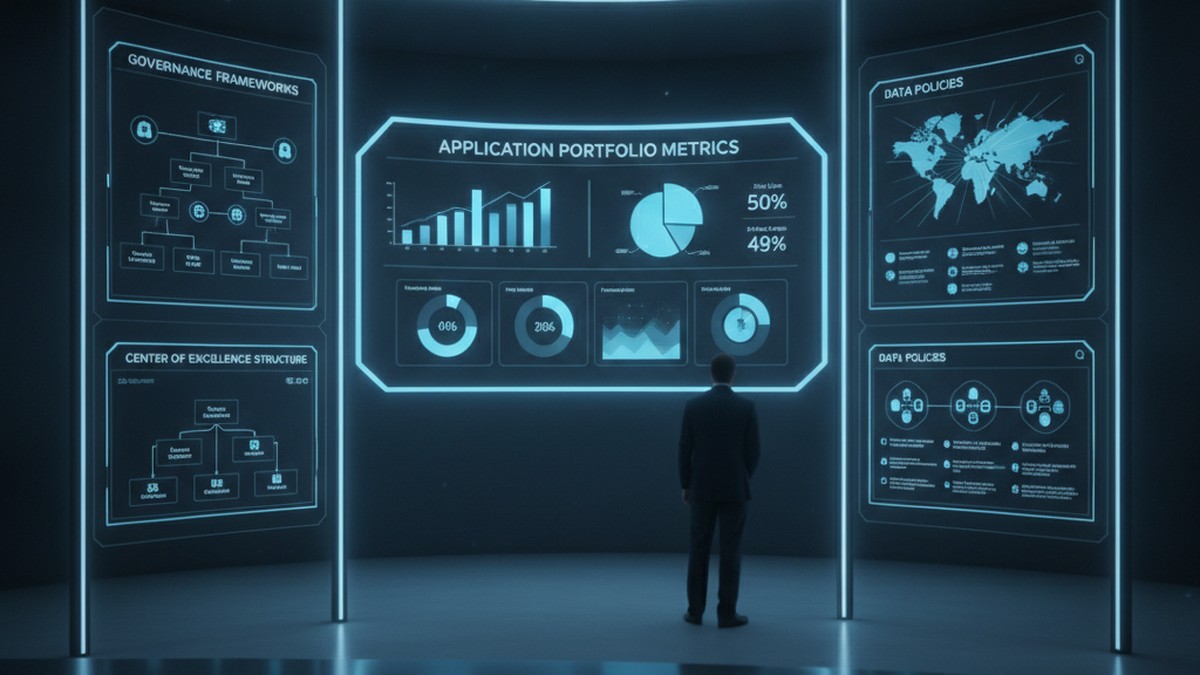
Enterprise Power Apps governance dashboard with application portfolio metrics and CoE framework

Problem Statement (Opening Hook)

Six months after launching your Power Apps initiative, you have 47 applications built across the organization. You’re congratulating yourself on driving digital velocity when IT discovers that 23 of those apps are querying the production Dataverse directly without connection audits, three apps are storing passwords in Power Automate flows, and nine apps were built with Dataverse tables that now conflict with the enterprise data model you’re implementing for Dynamics 365. You also cannot tell which apps are critical, which are experimental, and which are duplicates of work already done by other teams. This is not a Power Apps problem. This is a governance problem, and the cost of fixing it later vastly exceeds the cost of defining it now.

Why Power Apps Governance Matters at Scale

Power Apps succeeds because it is low-code. Business teams move faster. IT provisioning cycles shrink from months to days. Without governance, organizations end up managing application sprawl rather than portfolio. They face compliance risks when applications store regulated data without proper encryption. They accumulate technical debt through duplicate apps and integration spaghetti. Most critically, they lose the ability to retire old applications because no one remembers dependencies.

Governance does not mean blocking innovation. It means setting up boundaries so innovation happens inside a framework that scales. Done well, governance feels like enabling guardrails rather than restrictive rules.

The Three Pillars of Effective Power Apps Governance

Governance across Power Platform breaks into three interdependent areas: application lifecycle management (ALM), data governance, and access control. Each addresses a different aspect of operational risk, and each requires clarity before you have hundreds of applications in production.

ALM defines how applications move from development to test to production, who approves releases, and how rollback works. Without ALM discipline, applications get updated without testing and deployments happen without documentation. Microsoft Power Platform’s ALM tooling (solution containers, source control integration, deployment pipelines) is mature. Using it from the first application, rather than retrofitting later, saves significant effort.

Data governance specifies which Dataverse tables are available to which applications, which fields those applications can read and write, whether applications have direct table access or go through a custom API layer for auditing, and how data synchronization happens when multiple applications share tables. Organizations that skip data governance often discover halfway through Dynamics 365 F&O implementation that Power Apps developers were extending the General Ledger table directly, bypassing the compliance logic built into the F&O ledger posting engine. Starting with a canonical data model and enforcing read-write boundaries prevents those conflicts.

Access control governs who can create applications, what permissions they have, whether they can publish to production, and what user-level permissions applications inherit. Many organizations default to giving all users “create” permissions in Power Platform, then react with panic when app sprawl becomes visible. Instead, defining roles and mapping them to permission levels creates scalability. Skilled developers need broad creation rights. Business power users need constrained environments where they can build applications without affecting production infrastructure.

Enterprise Power Apps governance dashboard with application portfolio metrics and CoE framework

Common Governance Failures

Most organizations make one of three mistakes. The first is defining governance so rigorously it kills velocity. Requiring sign-off from multiple committees before publishing an app causes teams to work around the process in unsanctioned environments. The second mistake is defining no governance at all. Teams build freely until compliance audits arrive. Retrofitting governance then requires temporarily shutting down production applications to audit and repair them. The third mistake is defining governance on paper without technical enforcement. Policies exist but the actual permissions and Dataverse configurations never match. Effective enforcement requires embedding governance into administration, not just culture.

Effective governance finds the middle ground. It sets clear, enforceable boundaries while leaving room for teams to innovate within those boundaries. It is documented not in slides but in the actual configuration of your Dataverse, your solution containers, and your deployment pipelines.

Building a Practical Governance Framework

Start with application classification. Tier applications by criticality: mission-critical (runs the business and cannot fail), important (supports major business process and needs monitoring), and experimental (proof-of-concept or exploratory work). Mission-critical and important applications get the most scrutiny. Experimental applications get looser controls. This prevents governance overhead from killing innovation while ensuring critical work gets appropriate rigor.

Next, establish your Dataverse data architecture before widespread application development begins. Define which tables are canonical and which are read-only views or replicas. Specify who owns each table. Set up row-level security policies and field-level permissions. If applications bypass the model, audit logs show it. This enforces a single version of truth and prevents applications from accidentally conflicting.

Implement solution containers and source control integration. Every application goes into a solution container, not deployed loose to the environment. Solutions are version-controlled in Git. Deployments go through a clear pipeline: development environment, test environment, staging, production, with manual gates between stages. Automate testing at each stage where possible. This creates an audit trail of every change and makes rollback possible.

Enterprise development team collaborating with ALM workflows and CI/CD pipelines on display monitors

Set up a governance review board (often called a CoE governance committee) that meets monthly to review application portfolio health, approve new high-risk applications, and identify applications for retirement. The board includes IT architecture, security, compliance, and business process representatives. This is not a blocking committee. It is an enabling committee that helps teams navigate governance boundaries and flags risks early.

Finally, communicate governance as infrastructure, not as restriction. Frame governance conversations around what it enables: faster time to production for compliant applications, easier integration with enterprise systems, reduced security risk, and the ability to retire old applications without cascading failures. Teams that understand the rationale behind governance adopt it voluntarily.

Technical Debt and Long-Term Maintenance

Technical debt in Power Apps manifests quietly. An application built against a local Dataverse table works fine for six months until the enterprise decides to synchronize that table with Dynamics 365. The app breaks because its queries now hit a different data source. Another application stores customer IDs in a text field. When customer ID standards change, updating that field breaks any app that relied on the old format. A third application has hard-coded access credentials buried in flows. When those credentials rotate, the application goes dark.

These failures happen because applications were not architected for change. Avoiding technical debt requires discipline upfront: use API layers instead of direct table access, parameterize configuration values, separate data schemas from application logic, build retry logic into integrations, and document dependencies. It also requires governance processes that periodically review applications for architectural drift.

Balancing Speed and Control

The tension between moving fast and maintaining governance is real. The resolution is not to choose one or the other, but to acknowledge that different applications need different levels of control. A dashboard for business analytics needs different governance than an application that writes to the General Ledger. A proof-of-concept application needs different processes than a mission-critical customer portal. Tailoring governance to the application’s role allows you to move fast where speed matters and deliberate where risk is highest.

Organizations that execute this balance well report that governance, once established, does not slow velocity. If anything, it accelerates it. Teams know the boundaries. Deployments are predictable. Integration is straightforward. Failures do not cascade. Applications retire cleanly. The cost of operating the Power Platform ecosystem decreases even as the number of applications grows.

Building for Sustainable Scale

Power Apps’ promise is that business teams can build applications without IT intermediaries. Realizing that promise at scale requires intentional governance, not despite that governance, but because of it. The organizations building the most applications fastest are the ones with the clearest governance frameworks. They have defined what good looks like. They enforce it technically. They review it regularly. They adjust it based on what they learn.

If your organization is still in the early stages of Power Apps adoption, spending time now on governance infrastructure saves vastly more time later. If you are already in growth mode with sprawling applications, implementing governance means making deliberate choices about which applications to migrate to ALM pipelines first and which to retire. Either way, the question is not whether to govern Power Apps at scale. The question is how quickly you can build governance that enables scale rather than constrains it.

Routeget Technologies works with organizations across this journey, from establishing governance frameworks and Center of Excellence operations to implementing ALM pipelines and data architecture for large-scale Power Platform deployments. The difference between organizations that scale Power Apps sustainably and those that end up in technical debt rework usually comes down to governance discipline established early and reinforced consistently.

#PowerAppsGovernance #PowerPlatformCoE #ApplicationLifecycleManagement #LowCodeGovernance #EnterpriseArchitecture #DataverseGovernance #PowerAppsDevelopment #DigitalTransformation

The Power Pages Enhanced Data Model Migration Tool Reached GA. The Four Templates That Couldn’t Move Now Can.

Solution architect reviewing data migration dashboards on a dual-monitor workstation in a modern office

The Migration That Kept Getting Delayed

If you have maintained a Dynamics 365 Customer Self-Service, Partner, Community, or Employee Self-Service portal since before the Power Pages rebrand, you have almost certainly run into this wall: everything Microsoft has shipped for Power Pages application lifecycle management over the last three years, solutions support, Power Platform pipelines, environment variables, faster provisioning, has applied only to sites built on the enhanced data model. Your site, built on the standard data model with its familiar adx_ prefixed tables, has been sitting outside that perimeter the entire time. You could read every announcement, watch every demo, and still not be able to touch any of it, because the migration tooling that was supposed to bring your site along explicitly excluded the four Dynamics 365 portal templates. That changed on September 7, 2026, when Microsoft moved the standard-to-enhanced data model migration utility in the Power Platform CLI to general availability and, for the first time, extended it to Customer Self-Service Portal, Employee Self-Service Portal, Community Portal, and Partner Portal sites.

This is not a small technical footnote. For a lot of organizations running production portals on these templates, it is the first realistic path off a data model that Microsoft has been quietly deprecating in practice, if not in name, since 2023.

What the Standard Data Model Was Actually Costing You

The distinction between the standard and enhanced data models is not cosmetic. On the standard data model, website configuration lives in a set of legacy adx_ entities: adx_webpage, adx_webrole, adx_weblink, and so on. Those tables were never built for the deployment discipline that modern ALM assumes. Configuration changes get made directly against a live environment, promotion between environments means manually reconciling records or wrestling with unmanaged solution exports, and Microsoft has to maintain backward compatibility with a table structure that predates Dataverse solution awareness altogether. The enhanced data model consolidates that configuration into the newer powerpagecomponent table structure, which is solution-aware, supports environment variables, and plugs directly into Power Platform pipelines. Sites on the enhanced data model also provision faster and pick up feature and security updates automatically, rather than waiting on package installs that someone on your team has to remember to schedule.

None of this was news. What was missing, until this month, was a supported way to get an existing site there without rebuilding it from scratch. Microsoft’s own documentation was blunt about the gap as recently as March 2026, stating outright that sites created with the four Dynamics 365 templates could not be migrated and that only new sites on those templates would land on the enhanced data model. If you were running a production Partner Portal from 2021, your only two options were live with the limitation indefinitely or replatform the entire site.

What the Enhanced Data Model Migration Utility Shipped at GA

The migration utility itself is not new. Microsoft first previewed pac powerpages migrate-datamodel back in April 2024, and it worked reasonably well for the templates it supported: starter layouts, application processing, blank page builds, program registration, and scheduling sites. What reached general availability on September 7 is both a maturity milestone and a scope expansion. The scope expansion is the four Dynamics 365 templates finally being added to the supported list, which is the headline for most technical teams reading this. The maturity milestone is three specific capabilities that were not reliable enough to trust in preview: a genuinely useful customization dependency report that tells you what will break before you commit to anything, a status-check command so you are not guessing whether a large migration job is still running or has stalled, and a formal rollback path if validation turns something up after the data has moved.

Running the migration itself still follows the same sequence architects who piloted the preview will recognize. You authenticate against the target environment, generate a customization report scoped to a specific website ID, and read that report closely before doing anything else, since it is the tool telling you exactly which of your customizations depend on tables that will not exist in the same form once you move. From there, you migrate configuration data and, separately, transactional data referencing that configuration, using mode flags that let you split the work rather than attempting a single all-or-nothing pass. A status-check command lets you monitor long-running jobs on sites with meaningful data volume, and only once you are satisfied do you run the command that actually switches the site over to serve from the enhanced data model record. The CLI now requires Power Platform CLI 2.11.2 or later, along with updated Dataverse base portal and Power Pages core packages, so confirm your tooling versions before you start rather than discovering a version mismatch mid-migration.

Close-up of a developer typing CLI migration commands with terminal windows and a data flow diagram in the background

The Five Things That Will Actually Break

The customization report is useful precisely because most Dynamics 365 portal implementations that have been running for several years have accumulated customizations the original template never anticipated, and those are where the real work lives. Five categories come up consistently. Custom columns added directly to the legacy adx_ metadata tables have no equivalent in the enhanced schema, so you will need to stand up a new custom table, add a lookup back to powerpagecomponent, and migrate the data across rather than expecting an automatic mapping. Relationships built between your custom tables and the old adx_ tables need to be recreated against their powerpagecomponent equivalents, which means auditing your solution for every such relationship before you migrate, not after. Liquid code that references entities directly, something like assigning a variable from entities[‘adx_weblinks’], needs to be rewritten to use the corresponding Liquid object instead, since the enhanced data model does not expose those legacy entity names the same way. FetchXML embedded in Liquid templates that queries adx_ entities by name has to be rewritten against powerpagecomponent with a componenttype filter, and getting that filter value wrong is a common source of queries that silently return nothing rather than failing loudly. Finally, any custom plugins or classic workflows registered against the old tables need to be re-registered against their enhanced equivalents, which is easy to forget if that logic was written by a developer who has since moved on and the automation itself has been running quietly in the background for years.

None of these are migration blockers on their own. They are the reason the customization report exists, and the reason this gets treated as a project with a real test phase, not a command run against production on a Friday afternoon.

How to Actually Run This

Start on a full copy of the production environment, not a shared sandbox someone else is also using that week. Run the customization report first and treat it as your scope document: every item it flags becomes a line in your migration plan, and if it flags nothing, that itself is worth double-checking against a manual review of your solution, since undocumented customizations from years back do not always get picked up cleanly. Migrate configuration data and configuration data references as separate, deliberate steps rather than reaching for the combined mode on a first attempt, since separating them gives you a natural checkpoint to validate before moving transactional data. Watch your table sizes going in: the migration processes records in batches of five thousand, so a site with a large volume of case records, form submissions, or forum content tied to configuration should expect the migration job to take real time, and you should plan your maintenance window accordingly rather than assuming it finishes in minutes. Once the migration completes, work through the five customization categories above methodically against your report before you consider the environment production-ready, and only then schedule the actual cutover during a low-traffic window given that end users will be locked out or degraded while the switch happens.

Treat this as a two-track modernization rather than folding it into the separate Bootstrap 5 template migration Microsoft made generally available for these same four templates back in June. One is about the underlying data model and ALM story, the other is about front-end markup and CSS, and combining them multiplies your testing surface for no real benefit. Sequence the data model migration first, stabilize, then take on Bootstrap as its own scoped effort.

Why This Is Worth Prioritizing Now

Every enhanced-data-model-only feature Microsoft has shipped since 2023 stays out of reach until you make this move, and the pace of that list is not slowing down. In our work at Routeget Technologies with legacy Dynamics 365 portal environments, we have consistently seen operational overhead trace back to being stuck on manual package management and unmanaged solution exports, simply because migrating never had a supported path for the specific template a client was running. That excuse is gone now. The work is not trivial, and the five customization categories above are real effort, not boilerplate. But for a portal your organization depends on, closing that ALM gap and getting onto a data model Microsoft is actively investing in is a better use of a sprint than continuing to work around a limitation that no longer needs to exist.


#PowerPages #EnhancedDataModel #PowerPlatformALM #DynamicsPortalMigration #LowCodeGovernance #PowerPlatformCLI

The CoE Starter Kit Is Dead. Agentic Center of Enablement Isn’t the Full Replacement Yet.

IT governance director reviewing a Power Platform admin governance dashboard on a large office monitor

If your organization still runs the Power Platform Center of Excellence Starter Kit, you already know something changed this year. The monthly release cadence that used to ship new Power BI dashboards, governance flows, and inventory jobs went quiet in February. By May, Microsoft made it official: the kit is “no longer receiving ongoing feature investments or updates.” For a lot of IT Directors and Power Platform CoE leads, that left a real question sitting on the desk. The DIY governance stack your team spent two or three years building and patching now has no vendor behind it, and the natural next move, moving everything into the Power Platform admin center, only gets you partway there.

That gap just got a little smaller. In September 2026, Microsoft opened public preview on the Agentic Center of Enablement, a set of three AI agents built directly into the admin center that are meant to take over a chunk of what the CoE Starter Kit used to do by hand. It is a meaningful step. It is not, on its own, a like-for-like replacement, and understanding exactly where the line falls matters more than the headline announcement.

What Actually Happened to the CoE Starter Kit

The timeline is worth stating plainly, because a lot of the commentary around this has blurred it. Development on the CoE Starter Kit effectively stopped in February 2026. Microsoft’s public confirmation followed in the spring, framed not as an abandonment but as a redirection of engineering effort: governance capability was moving from a community-maintained accelerator into the product itself. That framing turned out to be accurate, just slower to materialize than the announcement implied. Between May and September, organizations that depended on the kit for environment inventory, maker identification, and license reclamation were largely left running an unsupported toolset with no clear native equivalent for several of its core jobs. The admin center had usage and licensing dashboards, but not the ownership tracking, lifecycle states, or cross-tenant rollups that a mature CoE program actually runs on day to day.

That is the backdrop the Agentic Center of Enablement is stepping into, and it explains why the reaction from practitioners has been cautiously interested rather than celebratory.

IT governance director reviewing a Power Platform admin governance dashboard on a large office monitor

Agentic Center of Enablement: Three Agents, One Governance Loop

The Agentic Center of Enablement is not a dashboard you configure. It is three purpose-built agents that run continuously against your tenant, and each one does a distinct job in what Microsoft is positioning as a closed governance loop.

The Highlights agent produces a daily snapshot of tenant activity with no setup required: new resource creation, capacity consumption shifts, and other changes an admin would otherwise have to go looking for. The Insights agent is the one doing the heavier analytical work. It scans the tenant continuously and surfaces governance issues, ownerless resources, activity happening in the default environment, and security, compliance, performance, and adoption problems, then ranks them by impact so an admin isn’t left triaging a flat list. The Action Plan agent takes whatever the Insights agent surfaces and turns it into a concrete remediation plan with defined steps, which an admin reviews and approves before anything actually executes. Every action any of the three agents takes is logged in a full audit trail, which matters for organizations that need to show a paper trail to internal audit or a regulator.

Access is straightforward by design. It requires at least one managed environment in the tenant and the Power Platform administrator role, and it activates automatically rather than needing a deployment project the way the old kit did. For a CIO comparing total cost of ownership, that alone is worth noting: there is no solution to import, no Power Automate flows to maintain, no Dataverse tables to keep patched against breaking API changes.

Solution architect typing at a keyboard with dual monitors showing governance and application inventory analytics

Picture the scenario the Insights agent is actually built for. A regional sales team spins up a canvas app in the default environment to solve an immediate problem, the maker moves teams six months later, and the app keeps running with nobody watching its connector permissions or its data exposure. Under the old model, that app surfaces only if someone happened to run the right CoE Starter Kit inventory flow and then manually reviewed the output. Under the new model, the Insights agent flags it as default-environment activity with an ownerless resource attached, ranks it against everything else it found that day, and the Action Plan agent proposes reassigning ownership or migrating it into a governed environment before anyone has to go looking. That is a genuine reduction in the manual triage work a CoE analyst used to own.

Where the Gap Still Sits

Here is where the caution comes in. Reviews of the preview from consultants who ran real CoE programs on the Starter Kit have flagged the same handful of missing pieces, and they are not minor ones. The admin center, even with the new agents layered on top, still does not give you shadow IT detection in the sense the kit’s telemetry did, since it inventories what exists inside the platform rather than surfacing unsanctioned use happening around its edges. Lifecycle management, the process of formally retiring an app or flow, reassigning ownership when someone leaves the company, or tracking an asset through draft, active, and deprecated states, is not something the Insights and Action Plan agents currently model. Cross-tenant visibility, relevant to any organization running multiple tenants after an acquisition or a regional split, also is not part of what shipped in September’s preview. And the business context that made the old kit useful to non-technical stakeholders, tagging an app as customer-facing, financially regulated, or tied to a specific business unit, still has to be built and maintained separately, because the agents currently work from platform telemetry rather than organizational metadata.

None of that makes the Agentic Center of Enablement a disappointment. It genuinely automates the parts of governance that used to eat the most analyst hours: finding orphaned resources, flagging default-environment sprawl, and building a first-draft remediation plan instead of starting from a blank spreadsheet. It just is not yet the full replacement that some of the messaging around the CoE Starter Kit’s retirement implied it would be.

What This Means for Your Governance Roadmap

For an organization still weighing what to do with its Starter Kit investment, the practical move right now is not to rip anything out. The kit’s dashboards and flows will keep functioning even without updates, and the specific gaps described above, ownership workflows, lifecycle tracking, cross-tenant reporting, are exactly the pieces worth keeping running in parallel while the native agents mature. Treat the preview period as a chance to pilot the Insights and Action Plan agents in a single managed environment, compare their findings against what your existing telemetry already tells you, and use the overlap to decide which manual processes can retire first. Ownerless resource detection and default-environment cleanup are reasonable early candidates, since those are exactly the categories the Insights agent targets today.

A workable sequence looks like this. Start by enabling the agents in whichever managed environment already has the most mature governance discipline, since that gives you a clean baseline to compare against rather than a noisy one. Spend two or three weeks letting the Highlights and Insights agents run before acting on anything, so you get a real read on how their findings line up with what your team already knew versus what genuinely surprises them. Then hand a small batch of the Action Plan agent’s proposed remediations to whoever currently owns that work by hand, and measure the time saved rather than assuming it. Only after that comparison holds up across a full reporting cycle does it make sense to talk about retiring pieces of the Starter Kit stack rather than just running both in parallel.

It is also worth flagging this to whoever owns license and compliance risk in your organization, since the daily snapshot and continuous scanning behavior changes what “governance coverage” means for audit purposes, even during preview. A feature that is not yet generally available can still become the thing an auditor asks about six months from now.

We have walked several clients through exactly this kind of platform transition at Routeget Technologies, and the pattern holds regardless of which specific tool Microsoft is retiring or introducing: the risk isn’t in adopting the new capability too early, it’s in assuming a preview feature already covers ground it hasn’t gotten to yet. Run the pilot, keep the documentation for what the old system covered that the new one doesn’t, and revisit the gap list when general availability lands, since that is typically when Microsoft fills in the pieces a preview release leaves out.


#AgenticGovernance #CoEStarterKit #PowerPlatformGovernance #ShadowITRisk #EnterpriseAI #LowCodeGovernance

The Power Apps Canvas Authoring Agent Reached GA. Your Governance Policy Didn’t Come With It.

IT governance analyst reviewing AI-assisted low-code application development activity on a large display

A Power Platform CoE lead at a mid-market insurer found out about the change the way most of these things get discovered: by accident, during a routine environment audit. A developer had connected GitHub Copilot to a production canvas app through Microsoft’s new canvas authoring agent, made a dozen edits to a claims-intake screen over an afternoon, and synced them straight into the live coauthoring session. Nothing in the change log flagged it as unusual. The commit history, if you could call it that, lived in a chat transcript on someone’s laptop. No one had done anything against policy, mostly because no policy addressed it.

That gap is the real story behind Microsoft’s canvas authoring agent plugin, which reached general availability in September 2026. The feature itself is a genuine productivity tool: it lets coding agents such as GitHub Copilot and Claude Code create screens, wire up data sources, and write Power Fx formulas inside an existing canvas app, all through a Model Context Protocol (MCP) server that Microsoft ships as part of its Power Platform Skills toolkit. For organizations trying to close the gap between the number of business problems worth automating and the number of qualified makers available to build for them, this closes real ground. What it doesn’t do is arrive with a governance model of its own, and that distinction matters more than the feature announcement lets on.

IT governance analyst reviewing AI-assisted low-code application development activity on a large display

What the canvas authoring agent actually changes

Canvas apps have always been editable from outside Power Apps Studio in a limited sense, through the pack/unpack tooling that Power Platform admins use for source control. What’s new is that an external AI agent can now read and write that same source format, .pa.yaml files that describe screens, controls, and formulas, while a live coauthoring session keeps Studio in sync in real time. A developer opens an app in Studio, turns on coauthoring, points a coding agent at the Studio URL through a short configuration command, and from that point forward the agent can inspect available connectors, understand a data source’s schema, and start proposing changes that appear in the open Studio tab almost immediately.

Microsoft’s own documentation is fairly candid about what this requires from an organizational standpoint. The plugin authenticates through the Azure Identity SDK rather than managing its own credentials, which is the right design choice, but it also means the agent is operating with whatever permissions the signed-in developer already has. There’s no separate, scoped-down identity for “AI agent editing this one app.” If a developer has edit rights across a solution, so does the agent connected to their session.

Why the timing creates a false sense of coverage

Microsoft also shipped enhanced admin controls for agent security this same month, giving Power Platform administrators the ability to centrally define authentication requirements, block anonymous access, and set sharing restrictions for agents at the environment or environment-group level. It’s a legitimate and overdue capability, and if your team has been tracking the Power Platform release notes, it would be easy to assume it covers this new scenario too.

It doesn’t, at least not based on what Microsoft has published. Those enhanced controls are built around agents deployed and run inside the platform itself, the kind built in Copilot Studio and surfaced to end users. The canvas authoring agent plugin is a different animal entirely: a locally running MCP server, invoked from a developer’s own machine, connected to a live editing session rather than a deployed runtime. Nothing in Microsoft’s release plan for the agent security controls mentions third-party coding agents or MCP connections as being in scope. Microsoft’s canvas apps documentation acknowledges the gap in its own way, noting only that “organization policies may restrict agent plugins, third-party MCP servers, local MCP processes.” That’s a pointer toward policies your organization has to write, not a description of controls that already exist.

For a CIO or IT Director, that’s the operative fact. Two features reached general availability in the same release cycle, one of them creates a new pathway for AI-driven changes to production applications, and only one of them comes with a dedicated administrative control surface. The other one inherits whatever governance already existed around app editing generally: your connector policies, your data loss prevention rules, and whatever review discipline your team enforces on its own.

Developer typing on keyboard with dual monitors showing an AI coding agent editing a low-code application interface

What that means for the controls you actually have

None of this means the feature should be blocked outright. It means the governance conversation has to happen at the level of existing controls rather than waiting for a purpose-built one. A few of those controls do real work here if teams actually use them.

Data loss prevention policies still apply to every connector the agent touches, since the plugin operates through the same connector framework as any other canvas app author; an agent can’t reach a data source that DLP policy already blocks for that environment, which means auditing DLP coverage in development environments (where this tool will see the most use) is worth doing before rollout rather than after an incident. Account scoping matters more than usual here too: because the agent inherits the developer’s own permissions rather than operating under a separate identity, the standard advice to use accounts with minimum necessary access for the target app stops being a nice-to-have and becomes the only real access control in play. A developer testing this plugin with an account that has broad maker rights across a solution has effectively given a coding agent the same reach.

Code review is the other lever, and it’s one many low-code teams have historically underused precisely because canvas apps didn’t produce reviewable source in any conventional sense. That’s no longer true. The .pa.yaml output is plain text, which means it can go through the same pull request and review process a development team would apply to any other code change, if the organization chooses to route it that way. Microsoft’s own guidance is explicit that this is a “best-effort” generation process and that validation against organizational standards remains the developer’s responsibility, not something the tooling guarantees. Teams that already treat canvas apps as governed software assets, with source control and change review, will find this capability drops into that process with minimal friction. Teams that have historically treated canvas apps as disposable end-user tools, exempt from the ALM discipline applied to pro-code systems, are the ones most likely to be surprised later.

There’s a narrower risk worth naming directly for security teams: indirect prompt injection. An agent pulling schema information or sample data from a connected source, whether that’s a SharePoint list, a SQL table, or a third-party connector, can encounter content crafted to manipulate its next action. Microsoft flags this explicitly in its own security guidance for the tool, which is a signal worth taking seriously rather than filing away as boilerplate.

The decision in front of you

The practical takeaway isn’t that this feature is unsafe to adopt. It’s that adopting it responsibly requires deliberately extending existing governance rather than assuming new governance arrived with it. That means reviewing DLP policy coverage for the connectors your canvas app makers actually use, tightening account scoping for anyone testing agent-assisted authoring, deciding explicitly whether .pa.yaml changes require the same review your pro-code changes get, and briefing security teams on the prompt injection surface before, not after, the first incident report.

Organizations that have already invested in Power Platform Center of Excellence discipline, source control for canvas apps, and defined review gates will absorb this well. Those still treating canvas apps as a category exempt from that discipline now have a concrete reason to close that gap, because the tooling connecting external AI agents to production apps has already arrived, whether or not the governance model has caught up to meet it. Routeget Technologies has been helping clients build exactly that kind of CoE discipline into their Power Platform environments, and the teams that treat this as an ALM question rather than a feature-adoption question tend to be the ones who avoid finding out about a change during an audit instead of a change request.


#PowerApps #CanvasApps #AIGovernance #LowCodeGovernance #MCPServers #EnterpriseAI

Power Apps Component Libraries vs. Code Components: Choosing a Reuse Strategy That Holds Up

Solution architect reviewing multiple Power Apps interface mockups on a monitor, representing component reuse across canvas apps

A Power Apps center of excellence at a mid-size manufacturer recently discovered that its “shared” approval banner control existed in eleven slightly different versions across eleven canvas apps. Every app maker had pulled the component in at some point, tweaked a color or a label to fit their screen, and moved on. When a compliance requirement forced a wording change across all of them, nobody could say with confidence which apps were actually running the current version without opening each one and checking manually. The team had built a Power Apps component library specifically to prevent this. It didn’t, because nobody on the team understood how a component library actually propagates changes.

That gap between what makers assume Power Apps component libraries do and what they actually do is one of the more expensive misunderstandings in a growing Power Apps estate, and it only gets worse as the number of apps and makers increases. Solution architects planning a reuse strategy have two real options inside the platform: canvas component libraries, the no-code mechanism most makers reach for first, and code components built on the Power Apps component framework (PCF), which have been usable inside canvas apps since general availability in June 2021 but remain underused outside professional development teams. Picking between them, or more realistically deciding where each one belongs, requires understanding a few mechanics that the tooling doesn’t make obvious at first glance.

Power Apps component libraries copy, they don’t link

The detail that trips up most teams is this: when a canvas app imports a component from a library, Power Apps copies that component’s full definition into the app itself. The app becomes, in Microsoft’s own terminology, self-contained with respect to that component. There is no live reference back to the library sitting in Dataverse. This is a deliberate design choice that lets an app keep functioning even if it’s exported to an environment where the source library doesn’t exist, but it means updates are never automatic.

When a library owner publishes a change, consuming apps get a notification the next time a maker opens that app for editing, or a maker can proactively check for updates from the Insert pane. Either way, someone has to look at the diff, decide to accept it, and republish the app. Skip that step across even a handful of apps and you end up exactly where the manufacturer above did: a library that is current, and a fleet of apps that quietly are not.

Abstract illustration of glowing modular panel blocks assembling together, representing reusable Power Apps components

A few structural details make this worse if they’re not planned for early. Microsoft’s own guidance caps component libraries at roughly twenty components for performance reasons, which means a library that grows organically without a naming or grouping convention eventually has to be split, and that split itself becomes a migration project. If a maker edits a library-sourced component directly inside an app instead of going back to the library, that action silently breaks the link and creates a local, permanently divergent copy, though the dependency reference stays visible in the Insert pane, which makes it look connected when it isn’t. And library components carry a managed property called “Allow customizations.” When it’s turned off in a target environment, nobody downstream can adjust the component locally at all, which is often the right call for a governed control but needs to be a conscious decision, not a default nobody reviewed.

Where solution export makes this a governance problem, not just a hygiene one

Application lifecycle management adds another layer that’s easy to miss if a team is exporting solutions on a schedule rather than reviewing them individually. Solution export always packages the latest published version of the component library, regardless of which version any given consuming app has actually accepted. That means the correct sequence is to update every dependent app to the current component version first, then export. Do it backward, and you can ship a solution where the library and the apps inside it are on different versions of the same control, which typically surfaces as a subtle visual or behavioral inconsistency rather than an outright error.

There’s also a one-time synchronization quirk worth knowing before a first deployment: when an app and its library move to a target environment together, Power Apps treats them as synchronized at that moment and won’t prompt for updates again until the library is reimported with a newer version. Teams that assume update notifications will keep working the same way in production as they did in the maker’s development environment are often surprised when that stops happening. And because Dataverse tracks the dependency relationship, a library can’t be deleted while any app still references it, and a missing library in a solution import produces a hard failure rather than a warning, which is a reasonable safety net but one that catches teams off guard when they’ve assumed a component library is just another kind of shared file.

What code components are actually for

Power Apps component framework code components sit at a different point on the build-versus-govern spectrum. A system administrator has to explicitly enable the Power Apps component framework for canvas apps at the environment level before any maker can use one, which is itself a useful governance checkpoint that a canvas component library doesn’t have. Building one requires the Power Platform CLI and TypeScript rather than the canvas designer, and the finished component gets packaged into a Dataverse solution and imported like any other managed asset, which puts it squarely inside standard ALM pipelines instead of the copy-and-notify model described above.

The tradeoff is real, not cosmetic. Code components running inside canvas apps can’t call the Dataverse Web API directly, and they can’t implement custom authentication; both of those have to be handled through connectors instead, which rules out certain integration patterns that would be straightforward in a model-driven app. Microsoft’s documentation is also direct about the security posture: because a code component is executable code with access to the same context and tokens as the app around it, the platform surfaces an explicit warning when someone imports one, and the stated guidance is to treat unfamiliar components the way you’d treat any third-party dependency, which is to say, review it before it goes anywhere near a production environment.

A workable split, not a single winner

None of this argues for abandoning component libraries in favor of code components, or the reverse. The two mechanisms are suited to different kinds of reuse, and the architects who get the most value out of Power Apps treat the choice as a deliberate design decision rather than whichever option the maker who built the first version happened to know.

Component libraries are the right tool for UI patterns that app teams themselves need to iterate on: a standard header, a status badge, a form validation pattern that will keep evolving as business rules change. The update-and-review workflow is a feature here, not a bug, because it gives each app team a checkpoint before absorbing a change, provided someone actually owns checking for updates on a schedule rather than leaving it to chance. Code components are the better fit for controls that need to be built once, security-reviewed once, and then distributed as a locked, vetted building block: a specialized data visualization, a control that needs rendering performance a canvas formula can’t deliver, or anything a center of excellence wants to hand out without giving every consuming team edit access to the internals.

The practical starting point for a team building either strategy is small: split libraries along functional lines before they approach the twenty-component ceiling, require a version note on every publish so consumers can judge a change before accepting it, and add a step to the solution export checklist that confirms every dependent app has actually synced to the latest component version. For code components, route imports through whatever center of excellence review process already governs custom connectors, since the risk profile is similar. None of this is complicated once it’s written down, which is precisely why it’s worth writing down before the first inconsistent approval banner shows up in an audit, rather than after. Routeget Technologies has helped several clients untangle exactly this kind of fragmented reuse setup during broader Power Platform governance engagements, and the fix is almost always process, not a missing feature.


#PowerApps #ComponentLibraries #PowerAppsComponentFramework #ALMGovernance #LowCodeGovernance #CanvasAppArchitecture