Building Secure Enterprise AI Agents in Copilot Studio: Knowledge Grounding, Custom Plugins, and Orchestration Patterns for Regulated Environments

Building Secure Enterprise AI Agents in Copilot Studio: Knowledge Grounding, Custom Plugins, and Orchestration Patterns for Regulated Environments

Enterprise AI deployments in regulated industries face a straightforward technical constraint: the agent must provably use only approved data sources, must not hallucinate, and must maintain audit trails for compliance. Copilot Studio’s architecture addresses this through knowledge grounding and plugin orchestration, but assembling these pieces into a secure, maintainable agent requires understanding how Copilot Studio routes queries, validates data boundaries, and enforces authorization across knowledge sources and external systems.

The Problem with Ungrounded Agents

A Copilot Studio agent without knowledge grounding treats a user query as an instruction to call any available plugin or to invent answers from training data. In a regulated environment, this is unacceptable. A customer service agent deployed in a financial services company cannot invent loan rates; an HR agent in a healthcare organization cannot fabricate policy interpretations. The business constraint translates to a technical one: the agent must fail gracefully when it lacks a grounded answer rather than generate plausible-sounding misinformation.

Knowledge grounding solves this by restricting the agent to a bounded set of facts, documents, or structured data. Copilot Studio implements this through uploaded files, dataverse-backed knowledge bases, and semantic search over indexed content. The agent retrieves relevant passages during query processing and uses those passages to construct answers. If no relevant passage exists, the agent indicates that it cannot answer rather than hallucinating.

Implementing Knowledge Grounding with Dataverse and File Indexing

Two approaches to knowledge grounding are available in Copilot Studio: file-based knowledge and Dataverse-backed knowledge. File-based knowledge works by uploading PDFs, Word documents, or plain text files into a Copilot Studio project. The system indexes these files, and when a query arrives, it performs semantic search to retrieve relevant passages. This approach works well for static reference documents such as policy manuals, compliance guidelines, or product specifications. Document search happens at query time, so the latency overhead is usually 200-500 milliseconds for a semantic search across 10,000 documents.

Dataverse-backed knowledge integrates with Common Data Model tables in your Dynamics 365 or Power Platform environment. Rather than uploading static files, you configure a table such as “Knowledge Articles” or “Service Cases” as a grounding source, and the agent queries that table using a pre-built retrieval pattern. This approach scales better for high-volume scenarios and allows the knowledge base to update in real time without redeploying the agent. When a new case resolution is logged in Dataverse, it becomes immediately available to ground future queries. Configuration requires mapping the table, defining semantic search columns, and specifying access control rules in Dataverse so the agent respects row-level security.

For regulated environments, Dataverse-backed knowledge provides stronger compliance guarantees because audit logs are native to Dataverse. Every knowledge retrieval is logged as a Dataverse query, creating a queryable audit trail of which data the agent accessed and when.

Custom Plugins: Extending the Agent Beyond Knowledge Retrieval

Knowledge grounding constrains answers to existing facts, but regulated agents often need to take actions: updating customer records, submitting approvals, or fetching real-time data not stored in the knowledge base. Copilot Studio plugins extend agent capabilities by connecting it to external systems and internal APIs.

A plugin in Copilot Studio is a cloud flow (Power Automate) that the agent calls when a user request matches a defined trigger phrase or intent. The plugin receives inputs from the agent conversation, executes business logic or API calls, and returns outputs that the agent incorporates into its response.

For example, an HR agent in a regulated environment might include a plugin to fetch an employee’s current benefits enrollment status from a Benefits Dataverse table. When a user asks, “What am I currently enrolled in?”, the agent identifies this as a benefits-lookup intent, calls the plugin with the user’s employee ID, receives a structured response containing enrollment details, and incorporates that into a natural-language answer.

The critical architectural decision in regulated environments is authorization: the plugin must enforce that the user asking the question has permission to see the data being returned. Copilot Studio plugins receive the user’s Azure Active Directory identity at runtime, and a well-designed plugin validates that user’s permissions against the target system before returning data. This can be implemented by querying a row-level security configuration in Dataverse or by calling an external authorization service.

Orchestration Patterns for Complex Workflows

Multi-step workflows in regulated environments require careful choreography across plugins and decision points. Copilot Studio supports branching and parallel plugin execution. A branching pattern calls an eligibility-check plugin; based on the result, the agent follows different paths (proceed to service request, escalate to human, or deny access). Parallel execution fetches customer data, checks transactions, and retrieves support history simultaneously, reducing response time.

Critical requirement: error handling must distinguish between failure modes. If an eligibility check denies authorization, the agent must inform the user and stop; it cannot escalate privileges or retry as a higher-privileged account. This is enforced through plugin exception handling: plugins either succeed and return valid data, or explicitly surface errors that the agent relays to the user.

Enforcing Data Boundaries and Compliance Controls

Copilot Studio provides limited native data controls, so security responsibility falls on plugins and Dataverse configuration. Production implementations include: plugin logic that filters PII from responses before the agent processes them, plugin logging to Dataverse audit tables with timestamp and user identity, and retention policies that purge customer data after deletion requests. For example, a plugin returning customer account information strips credit card and SSN before the agent sees it, preventing accidental exposure. Audit logging enables compliance reviews: “Which customers did Agent X access on 2026-09-28?” and “How many sensitive-data queries were denied?” These patterns support SOC 2, HIPAA, and financial services reporting.

Practical Implementation: Example Configuration

An insurance customer service agent illustrates these patterns. Knowledge base queries a policy-documents table in Dataverse, row-level security restricts data to the authenticated customer’s policies. When a user asks about coverage, the agent retrieves matching documents and grounds its response. For claim submission, a plugin retrieves the customer’s policy from Dynamics CRM using the user’s AAD identity, validates authorization, checks eligibility, and submits to an external claims API, logging all steps to a Dataverse audit table. Authorization or eligibility failures surface as errors to the user.

Common Implementation Pitfalls

Plugins should not have over-broad API permissions; pass customer IDs as input parameters, not hardcoded service accounts. Do not rely on conversational history as an audit trail; log sensitive operations to Dataverse or Azure Monitor instead. Knowledge grounding prevents answers outside the knowledge base but not errors within it; regular review of grounded sources is essential.

Conclusion

Building secure enterprise AI agents requires more than deploying Copilot Studio; it requires architecting grounding, authorization, and audit patterns that respect data boundaries and maintain compliance evidence. Knowledge Dataverse tables provide audit-friendly grounding, custom plugins enforce authorization at the point of data access, and orchestration patterns coordinate multi-step workflows while preserving error handling and visibility. These pieces, assembled together, enable regulated organizations to deploy agents that answer questions accurately, log their actions faithfully, and operate within approved data and authorization boundaries.

—

Routeget Technologies specializes in enterprise AI implementation and Copilot Studio architecture for regulated industries. We help organizations design secure agent workflows that meet compliance requirements while maximizing automation benefits.

Offline-First Architecture in Power Apps Canvas Apps: Building Resilient Mobile Solutions Without Connectivity Dependency

Offline-First Architecture in Power Apps Canvas Apps: Building Resilient Mobile Solutions Without Connectivity Dependency

Field workers don’t wait for connectivity. A delivery driver doesn’t pause at a dead zone. A maintenance technician doesn’t delay equipment inspection because the site lacks reliable Wi-Fi. Yet many organizations ship Power Apps canvas applications that fail the moment the network drops, forcing users to pause work, travel to find a signal, or discard hours of local effort.

Building applications that survive and thrive in disconnected states requires a fundamental shift in how developers approach data flow, synchronization, and user feedback. Power Apps now provides the native tooling for offline-first architecture through Dataverse offline capabilities, but tooling alone is insufficient. The architecture decision determines whether offline works as a seamless fallback or a frustrating degradation.

#

The Cost of Connectivity Dependency

Most cloud-native applications assume the network exists. They send every keystroke to the server. They fetch fresh data on every screen load. They fail silently when the connection drops, leaving users confused about whether their work was saved, and frustrated by the inability to continue.

In field operations, this assumption is expensive. A field service technician working in a warehouse with intermittent coverage might spend 15 to 20 percent of their day waiting for connectivity or navigating to find signal. A delivery driver can’t complete 200 stops per day if each stop requires a network roundtrip for product information. The business impact compounds across teams: lost productivity, missed time windows, and poor user adoption of technology that feels unreliable.

Offline-first architecture inverts this model. The application assumes disconnection is normal. Data lives locally on the device first. Synchronization happens when connectivity permits, not on every operation. Users continue working through network gaps. The architecture becomes resilient by design rather than optimistic about network availability.

#

Offline Capabilities in Power Apps: Current Landscape

Power Apps canvas apps now have built-in offline support for Dataverse connections. This is not a crude “cache the last fetch” approach. The platform provides structured offline profiles, selective data download, conflict detection, and synchronization queuing.

Offline profiles define which tables, columns, and records are available offline. A solution architect designs a profile for each use case: what data does a field technician need to complete their work without connectivity? What’s the acceptable device storage footprint? A profile with minimal data loads faster and consumes less battery and storage. A profile with comprehensive data gives users more autonomy but requires more device resources.

The platform supports filtering within a profile. A delivery driver’s offline profile might include only their assigned stops for the current day and product catalog data relevant to those stops, not the entire order history or every product in inventory. This selective download is critical for both performance and user experience.

Dataverse offline handles synchronization automatically. When connectivity returns, the platform queues pending creates, updates, and deletes. The sync engine submits these operations in order and handles network transience: temporary disconnections don’t fail the sync. The platform retries intelligently.

Conflict detection works at the row level. If a user modifies a record offline and a change arrives from another user during that offline period, the platform detects the conflict and surfaces it through the app’s error-handling logic. The developer chooses the resolution strategy: last-write-wins, user-prompted merge, or rejection.

#

Designing Offline-First Architecture

Offline success requires deliberate design at multiple layers.

Data Selection Strategy. Define what data users need to complete their work. A field technician repairing HVAC equipment needs equipment history, service bulletins, parts inventory, and customer contact information. They do not need the company’s entire customer directory or historical service records from five years ago. Start with the minimal dataset that enables work continuation. Allow advanced users to download additional data for longer offline periods.

Offline Profiles as Contracts. An offline profile is a contract between the developer and the device. It defines the authoritative set of data available offline. Changes to a profile cascade through every user’s device on the next sync cycle. Version your profiles explicitly. Communicate profile changes to field teams before release. A profile change that adds 500 MB of data can render older devices unusable.

Sync State Visibility. Users need to know whether data is fresh from the server or stale from the local cache. Build UI that indicates sync status: last successful sync time, pending changes count, and current sync progress. Show users when data came from offline storage, not necessarily as an error but as a factual state. Some users will intentionally use offline data they understand to be recent enough for their task.

Graceful Degradation of Features. When offline, not all features work. Complex filters requiring real-time lookups fail. Write operations that depend on server-side logic (validations, calculations, updates to related records) may queue for synchronization. Design features that degrade cleanly: simple operations work offline immediately, complex operations queue for later execution, unavailable operations display clearly why they’re unavailable.

Conflict and Error Handling. Define how the app responds to sync conflicts. For most field operations, last-write-wins is unacceptable because it silently discards work. Instead, implement explicit conflict detection: when a conflict occurs, pause the affected record, alert the user, and provide merge options. For example, if a customer contact updates a work order while the technician is also editing it offline, the app should present both versions and ask the user to reconcile.

Similarly, define error categories. A failed write due to business rule violation (insufficient inventory for this transaction) is different from a network timeout. The app should handle each differently: business rule violations require user action to resolve, while timeouts trigger retry logic.

#

Implementation Patterns

Request Data Sparingly. Minimize the data footprint by filtering aggressively. If a user works with 50 customers, download data for 50 customers, not 5,000. Use Dataverse filters in the offline profile definition.

Cache User Context Locally. Store the current user’s ID, role, and basic preferences locally during the first sync. Use this cached context for permissions checks and role-based feature flags that work offline, rather than requiring a server roundtrip every time.

Implement Progressive Download. Start with essential data (today’s work items, immediate customer data). Allow users to request expanded data sets for offline use: “Download full customer history for offline access” triggers a background sync. Progressive download prevents app startup from being blocked on large downloads.

Design for Eventual Consistency. In offline-first systems, data is eventually consistent, not immediately consistent. A user creates a work order offline. It syncs to the server when connectivity returns. Another user querying the server doesn’t see it instantly. Build workflows that tolerate this latency: don’t expect immediate visibility of offline changes across the team until sync completes.

Monitor Sync Failures. Implement diagnostics. Log failed sync operations and the specific errors returned. Expose this information to support teams and administrators so they can diagnose why a user’s data isn’t synchronizing. A sync failure that goes unnoticed for days can leave a user working with stale data indefinitely.

#

Common Pitfalls

Overloading Offline Profiles. Including too much data in an offline profile leads to slow device performance, high battery drain, and storage conflicts on older phones. Start minimal. Let users explicitly expand the profile if they need more data.

Ignoring Battery and Storage Constraints. Mobile devices have finite battery and storage. Large offline profiles with frequent sync cycles drain battery rapidly. Design sync to happen periodically or on user trigger, not continuously.

Silent Data Loss on Conflict. Never implement silent conflict resolution that discards user work. Always surface conflicts explicitly and require user action to resolve.

Treating Offline as a Rare Edge Case. Offline is not a rare edge case for field operations. It’s the normal state punctuated by brief connectivity windows. Design for that reality.

#

Building for Resilience

Offline-first architecture shifts the burden from hoping connectivity works to ensuring the application works despite connectivity gaps. Power Apps provides the platform capabilities. The architect must design the data strategy, synchronization policy, and error handling to match the deployment reality of field operations.

The organizations that ship resilient field applications don’t apologize for network conditions. They design around them. Users work when connectivity permits synchronization and when it doesn’t. The application adapts to the network’s unpredictability rather than depending on the network’s reliability.

—

Building a Center of Excellence for Microsoft Cloud Governance: Establishing Control Without Stalling Innovation

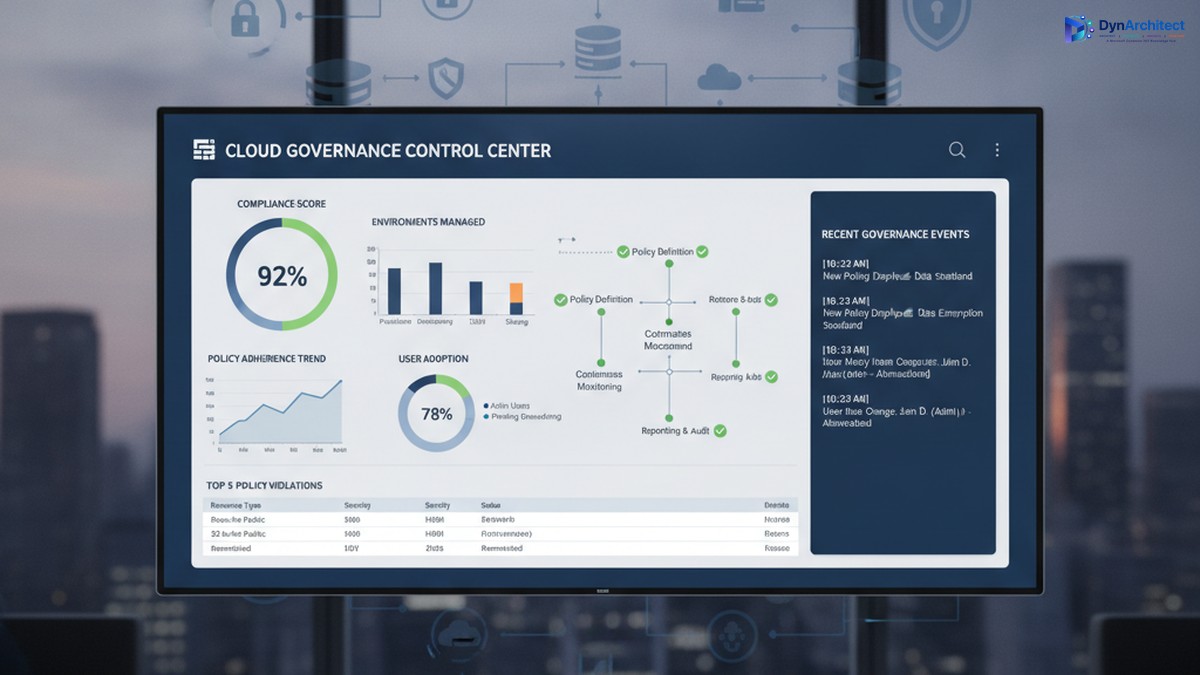
Enterprise cloud governance dashboard showing compliance metrics and governance control center

Building a Center of Excellence for Microsoft Cloud Governance: Establishing Control Without Stalling Innovation

The gap between Microsoft cloud adoption and cloud governance is widening. A CIO with three Power Platform environments deployed across finance, sales, and operations discovers, too late, that each environment has evolved its own authentication rules, data retention policies, and integration patterns. Consolidating them would disrupt active projects. Adding governance now feels like putting handcuffs on people who finally have the tools they need to move fast.

This tension is real, and it is solvable, but it requires a deliberate governance structure: a Center of Excellence (CoE). The purpose of a CoE is not to slow adoption or enforce rigid rules; it is to embed governance into the adoption process itself so that teams can move fast, safely, and with full visibility to leadership.

The Cost of Ungoverned Adoption

When organizations begin adopting Microsoft cloud services, Power Platform, Dynamics 365, Azure, Dataverse, adoption typically starts in one department or use case. A finance team builds a Power App to automate invoice processing. A field service team creates automations to dispatch technicians. Marketing builds a model-driven app to track campaigns. Each team solves a real problem immediately, with minimal delay.

Enterprise cloud governance dashboard showing compliance metrics and governance control center

The problem emerges months later, when three separate environments exist, each configured differently, each with its own data security settings, its own API connectors, and its own integration patterns. A security incident in one triggers questions about the others. A new compliance requirement (data residency, audit logging, export restrictions) means reconfiguring three environments instead of one. A developer leaves, and no one knows what custom logic lives inside automations in that environment. A connector expires, breaking integrations that no one is monitoring centrally.

The cost is not just technical debt. It includes regulatory risk (audit readiness, compliance violations), security risk (data exposure, unauthorized access), operational risk (outages affecting dependent business processes), and financial risk (unused licenses, redundant infrastructure, uncontrolled connector costs). For a mid-market organization, this hidden cost often runs to hundreds of thousands of dollars annually.

Governance after deployment is expensive and disruptive. Retrofitting compliance into three mature environments forces teams to rebuild their solutions or abandon them. Governance before deployment is far cheaper, but it requires structure and clarity on day one.

What a Center of Excellence Is (and Is Not)

A Center of Excellence is a team, function, or governance body responsible for establishing standards, providing guidance, and enforcing policies that keep cloud adoption secure, compliant, and architecturally sound. In the context of Microsoft cloud, a CoE typically has five core responsibilities:

IT leaders and cloud architects collaborating on governance and compliance framework planning

First, it establishes platform standards: which cloud services are approved for use, which are pilot-only, and which are off-limits; which authentication methods are mandatory; how data classification and sensitivity levels map to environments; where connectors can and cannot be used; which compliance frameworks apply (HIPAA, SOC2, PCI DSS, local data residency rules); and how disaster recovery and backup policies are configured.

Second, it onboards new teams and projects by providing reference architectures, reusable templates, and guidance so that new adopters do not have to invent their own governance solutions. A template might be a pre-configured Power Apps environment with the correct security role structure, DLP policies in place, and example connectors already approved and tested.

Third, it monitors ongoing usage and health. This includes license optimization (identifying unused environments and consolidating them), connector audits (catching deprecated or unapproved integrations), security scanning (checking for data exposure and overpermissioned roles), and performance monitoring (identifying resource-intensive automations that need optimization).

Fourth, it provides a feedback loop and governance review process. Teams that encounter a genuine need for a capability that current governance prohibits should be able to propose an exception, and the CoE should evaluate it against risk and organizational goals rather than simply saying no.

Fifth, it acts as an internal consulting function, helping teams plan migrations, optimize environments, troubleshoot problems, and adopt new capabilities safely.

What a CoE is not: it is not a gate that delays innovation. It is not a compliance police force that exists only to say no. It is not a one-person function managed as a side project by someone already stretched thin. These are common failure modes.

Establishing a Governance Foundation

A successful CoE begins with three foundational decisions.

First, secure executive sponsorship and clear governance scope. The CoE needs budget, staffing, and decision-making authority that comes from leadership. Without it, the CoE is a suggestion, not a standard. The scope should define: which Microsoft services the CoE governs (Power Platform, Dynamics 365, Dataverse, Azure, or all of the above); which organizational units must comply (divisions, departments, teams); and what governance decisions the CoE makes directly versus decisions it escalates.

Second, define governance principles that balance control with velocity. A principle might be: “Low-risk, read-only integrations can be self-service and pre-approved; integrations that modify business data require architecture review and security sign-off, but should be approved within two business days, not two weeks.” This principle gives teams clarity on what they can do immediately and what requires review, and it commits the CoE to a review timeline so governance does not become an indefinite bottleneck.

Third, build the governance infrastructure: identify which tools provide visibility and enforcement. This typically includes the Power Platform admin center (for environment management, DLP policies, and connector audits), Azure AD (for identity and access management), Microsoft Purview (for compliance and data governance), and possibly a custom CoE tracker (a Power Apps or Power BI dashboard that centralizes governance data across these tools and makes it visible to team leads and IT leadership).

Staffing and Operating a CoE

A CoE typically starts with a lead (dedicated, not a side project), supported by domain specialists: a Power Platform architect, a Dynamics 365 architect if applicable, a security engineer, and a compliance or risk specialist. For a mid-market organization, this might be three to five people. The CoE lead reports to the CIO or Chief Technology Officer and has direct access to business unit leaders.

The CoE should operate with a clear calendar: environment governance reviews happen monthly, new environment requests are triaged weekly, exception requests are evaluated within two business days, and a quarterly governance review presents data to leadership on usage, compliance status, security incidents, and license optimization opportunities.

Communication is essential. The CoE should publish governance policies in writing (not passed down verbally), maintain a knowledge base with FAQ and troubleshooting guidance, hold a monthly town hall for team leads to learn about new capabilities and governance changes, and send monthly status reports to IT leadership so adoption and governance metrics are visible.

Moving Forward: Quick Wins and Sustained Governance

A CoE need not be perfect from day one. An effective starting point is: document the current state of all cloud environments, establish a data classification standard and assign environments to classification levels, implement DLP policies in Power Platform to prevent data exfiltration, establish environment naming conventions and assign owners, and conduct a security audit to identify and remediate any immediate risks.

Longer-term, invest in automation: automated provisioning of new environments with governance policies pre-applied, automated security scanning and compliance audits, and automated license optimization recommendations. These investments pay off quickly through reduced manual work and faster compliance cycles.

The goal is not perfection. The goal is control: knowing what is deployed, who owns it, what data it contains, and whether it complies with organizational standards. Teams that have this clarity can innovate faster and with less risk, not slower.

Conclusion

A Center of Excellence is how organizations scale cloud adoption from experimental to strategic. It is not governance for governance’s sake; it is governance that removes risk so teams can move confidently. Building one requires executive commitment, clear principles, and sustained staffing, but the return comes quickly in reduced security incidents, faster compliance cycles, and more predictable project outcomes.

At Routeget Technologies, we have built and operated CoE functions for dozens of mid-market and enterprise organizations. We know what works: clear policies, strong automation, and leadership that understands that governance and innovation are not in conflict, they are prerequisites for each other.


#CenterOfExcellence #CloudGovernance #MicrosoftCloud #PowerPlatform #DLP #DataGovernance #ComplianceAutomation #CloudArchitecture #EnterpriseGovernance #DigitalTransformation

Hashtags: #CenterOfExcellence #CloudGovernance #MicrosoftCloud #PowerPlatform #DataGovernance #ComplianceAutomation #CloudArchitecture #EnterpriseGovernance #DigitalTransformation

Building Agentic AI Systems with Copilot Studio: Model Context Protocol Server Integration

Enterprise organizations building AI agents face a fundamental challenge: enabling large language models to perform meaningful work within existing systems while maintaining security, auditability, and control. Copilot Studio provides the interface layer for conversational agents, but traditional API integrations create fragility. Each new action requires endpoint configuration, error handling, and tight coupling to specific business logic. Model Context Protocol (MCP) servers offer a structured alternative. They allow agents to discover, request, and invoke actions across distributed systems through a standardized interface. For development teams architecting production-grade agentic systems, understanding how to design and integrate MCP servers into Copilot Studio workflows separates proof-of-concept prototypes from systems that scale across departments and organizational boundaries.

Understanding MCP as an Agent Capability Layer

The Model Context Protocol is a lightweight, JSON-RPC based standard defining how AI models interact with external tools and data sources. Rather than embedding specific tool definitions directly into an agent’s configuration, MCP creates a server layer that exposes capabilities in a way agents can discover and invoke independently. An MCP server implements two core patterns: resource exposure (providing read access to data or context) and tool definition (declaring executable actions with input schemas and return formats).

In Copilot Studio terms, an MCP server acts as a capability broker between the agent and backend systems. When a user interacts with a Copilot, the agent receives the request, determines which capabilities it needs, and queries the MCP server for available tools. The server responds with a catalog of action definitions; the agent selects appropriate tools, constructs parameters according to the schema, and requests execution. The server performs the action against the underlying system, returns structured results, and the agent synthesizes those results back to the user.

This architecture decouples the agent from specific implementation details. If business processes change or you need to add new backend systems, you extend the MCP server without rewriting agent logic. Teams building multiple agents needing access to the same core systems can reuse the same MCP server across different Copilots, reducing duplication and maintenance overhead.

Designing MCP Servers for Enterprise Dynamics 365 Scenarios

Most MCP server use cases in enterprise environments involve exposing Dynamics 365 and Microsoft Power Platform capabilities through standardized interfaces. Common patterns include MCP servers that expose Dataverse operations (create, read, update, delete with role-based access control), Power Automate flow invocation (triggering automated workflows from agent requests), or custom business logic endpoints (order fulfillment checks, inventory queries, approval workflows).

The design process begins with identifying which actions agents need to perform and who should be authorized. An MCP server accepting arbitrary Dataverse record creation is a security liability; an MCP server that only creates records in a specific table with predefined field values, within the scope of the user’s Dataverse security role, is architecturally sound. Define input parameters explicitly, validate data types and constraints before passing to backend systems, and handle errors gracefully by returning structured error messages the agent can interpret.

Consider a scenario where multiple Copilots need to query customer records, trigger approval workflows, and update lead status based on user interactions. Rather than hardcoding these capabilities into each Copilot, you build an MCP server exposing three tools: GetCustomerInfo, TriggerApproval, and UpdateLeadStatus. Each tool includes access control checks, parameter validation, and error handling. That server becomes the single source of truth for those capabilities; updating the underlying business logic happens once and applies across all agents that use it.

Implementation Considerations and Integration Patterns

Integrating an MCP server with Copilot Studio requires understanding the data flow and potential failure points. The Copilot Studio SDK provides mechanisms for discovering and invoking MCP servers. Configuration points to the server’s network location and credentials. At runtime, when a user interacts with a Copilot, the agent constructs a request to the MCP server’s tool discovery endpoint, which returns available actions. The agent processes the user’s natural language request, determines which tools apply, formats parameters, and invokes the tool via the MCP server. The server responds with execution results (success, failure, or partial success) that the agent interprets.

Resilience matters in this chain. What happens if the MCP server is temporarily unavailable? A well-designed agent might inform the user that a capability is temporarily offline or queue the request for retry. What if the user’s security role doesn’t allow the requested action? The MCP server should reject clearly, rather than attempting the action and failing silently. What if the underlying system returns unexpected data? The MCP server should normalize responses into the schema the agent expects.

Monitoring and observability are equally important. Log which tools were invoked, by which user, with which parameters, and what the outcome was. Structured logging (JSON format, clear event types) makes it easier to analyze patterns and identify when tools start failing unexpectedly.

Building Custom Tools Within the MCP Server Framework

Custom tools are where the MCP server delivers business value. Instead of asking users to navigate a system directly, an agent can expose a conversational interface that guides users through actions and invokes appropriate tools. An example: an expense approval workflow. The underlying Dynamics 365 workflow requires expense data (employee ID, category, amount, justification) in specific fields, routed to appropriate managers. An agent with access to an MCP-exposed tool can accept the conversational description (“I need to submit a client dinner expense of $500 for Tuesday”), parse relevant details, validate them against business rules (Is the user authorized? Is the amount within policy?), and invoke the approval tool, all without asking the user to navigate a form.

Building these tools requires clarity about inputs, validation, and return values. Tool definitions in MCP include a name, description (used by the agent to understand when to invoke), input schema (JSON schema specifying required and optional parameters), and implementation code. The implementation typically retrieves information from Dynamics 365 or Power Platform, applies business logic (checking approval authority, order fulfillment status, next process steps), and returns structured results. If implementation requires multiple backend calls (query Dynamics 365 customer data, check Power Automate status, verify external inventory), the MCP server orchestrates those calls and returns unified responses.

Error handling at this layer is critical. If a tool invocation fails (customer record not found, workflow error, API timeout), return error information the agent can act on. A generic “something went wrong” response is not useful; “Customer record with ID X not found in Dynamics 365” gives the agent actionable context.

Scaling and Common Pitfalls

As organizations mature their agentic AI adoption, a single MCP server often serves multiple Copilots across departments. A sales Copilot needs customer and opportunity records; an operations Copilot needs inventory and order fulfillment data; a finance Copilot needs expense and budget information. A centralized MCP server exposes core capabilities in a standardized way, and each Copilot calls the same server but requests only the tools it needs, avoiding duplication and inconsistent business logic.

Scaling also means handling load. An MCP server might receive tool requests from dozens of agents simultaneously, each serving multiple concurrent users. The server should queue requests appropriately, implement rate limiting if necessary, and fail gracefully if backend systems become unavailable. Caching helps. If the same customer record is requested repeatedly, the MCP server can cache it briefly rather than querying Dynamics 365 every time.

Teams new to MCP often make predictable mistakes. One: defining tool inputs too loosely. A tool that accepts “any Dataverse table name” is a security risk. Constrain tool inputs to specific, well-defined options. Two: insufficient error handling. Wrap backend calls in try-catch blocks, validate responses against expected schemas, and return clear error messages. Three: lack of monitoring. Implement structured logging, alert on tool invocation failures, and track response times so you identify performance regressions.

Moving Forward

If your organization is building agentic AI systems with Copilot Studio, the decision to use MCP servers should be driven by scope and complexity. A single Copilot performing a handful of simple lookups might not need the structure MCP provides. A multi-Copilot environment where agents need access to shared capabilities benefits significantly from MCP’s decoupling and standardization.

Start by inventorying the capabilities your agents need to perform. Group them by system (Dynamics 365 capabilities, Power Automate invocations, external APIs). Design an MCP server that exposes those capabilities through well-defined tools, with input validation, access control, and error handling. Build incrementally. Launch with the core capabilities your first Copilot needs, then extend it as additional Copilots come online. Monitor usage and iterate on tool definitions based on agent feedback.

The result is a more maintainable, scalable, auditable system where agents focus on conversational understanding and reasoning, while MCP servers handle the complex work of integrating with enterprise systems reliably and securely.

—

Routeget Technologies brings deep expertise in designing and deploying agentic AI systems within Microsoft Dynamics 365 and Power Platform environments, from MCP server architecture to multi-Copilot deployment strategies.

Tags: #AgenticAI #CopilotStudio #ModelContextProtocol #AIAgents #DynamicsIntegration #PowerPlatform #AIDevelopment #CloudArchitecture #Dynamics365 #EnterpriseSoftware

Extending Power Pages Beyond UI: Liquid Templates, Code Components, and JavaScript for Production Portal Requirements

Power Pages’ low-code interface makes building portals faster than traditional custom development. But every organization eventually hits the moment where the out-of-the-box form controls, basic table views, and standard workflows become constraints rather than features. The portal needs business logic that doesn’t fit the declarative model. Data needs to transform based on context. The user experience requires patterns Power Pages doesn’t provide natively.

At that point, technical teams face a critical decision. Many teams build custom portals in React or Vue, burning months of development and losing the Power Platform’s Dataverse integration layer. Others try to force every requirement into Power Pages’ declarative surface, resulting in fragile workarounds that break with each platform update. A third path exists: understanding how to extend Power Pages with Liquid templates, custom JavaScript, and code components without abandoning the platform’s operational advantages.

The Architecture Mismatch: Why Low-Code Hits a Ceiling

Power Pages’ strength is also its limitation. The platform provides configuration-driven portal building because that model works for the common cases: customer self-service forms, portal content, and basic lookup forms. The form engine optimizes for ease of use, not for the kind of sophisticated client-side behavior a production portal often requires.

Consider a realistic scenario. A financial institution needs a partner portal where finance directors can submit loan applications, see real-time pricing based on their organization’s profile, track application status through workflow stages, and export reports combining Dataverse data with external system information. The default Power Pages form control has no awareness of multi-step workflows. Table views don’t support the kind of conditional formatting and interactive filtering the business expects. The out-of-the-box experience feels incomplete.

This gap between what Power Pages provides by default and what production portals require is not a product limitation. It’s a signal that the team needs to step beyond configuration and into code. The opportunity is recognizing which layer to extend, which will determine the development complexity and maintenance burden of the resulting system.

Three Extension Points: Understanding When to Code

Liquid Templates are server-side templating that query Dataverse using FetchXML and render dynamic content before sending HTML to the browser. They excel at personalized content: showing customers only their records, displaying role-based form sections, or calculating KPIs in dashboards. Liquid queries run with elevated permissions, making it safe to expose read-only data that would be restricted through the client-side portal Web API. The limitation is clear: Liquid generates static HTML. Interactive behavior requires client-side code.

JavaScript and Portal Web API enable client-side interactivity. Custom JavaScript embedded in web templates can make asynchronous Dataverse calls for create, retrieve, update, and delete operations. This supports sophisticated portals: real-time filtered dashboards, search-and-filter experiences, and form interactions without page reloads. The portal Web API is constrained by design (specific tables and columns exposed, row-level security enforced), which means portals are secure by default. The tradeoff: teams sometimes discover in production that row-level security filters block the data they need. Performance matters here too. Portals making dozens of sequential API calls feel slow. Efficient implementations batch calls, cache data, and avoid redundant queries.

Code Components built with the Power Apps Component Framework (PCF) provide reusable custom controls that can be packaged and deployed independently. A data grid with sorting and filtering. A date picker with business calendar logic. A currency converter. Code components encapsulate complexity and can be versioned and reused across multiple portals. Power Pages supports a subset of PCF APIs (no device access, no multi-field components), but this covers most scenarios. The advantage over inline JavaScript is encapsulation and reusability; the cost is more formal development and packaging.

Combining Patterns in Production

Successful portals typically combine these extension points strategically. Liquid templates render personalized, read-only content server-side. JavaScript layered on top adds client-side interactivity like filtering, modal dialogs, and form submission without page reloads. Code components provide sophisticated interactive controls for scenarios too complex for inline JavaScript.

The principle is simple: use the least powerful extension point that solves the problem. Server-side logic stays in Liquid. Client-side behavior goes to JavaScript. Reusable controls become code components. This discipline keeps portals maintainable and reduces the surface area for bugs.

Common Implementation Mistakes

Teams building production portals frequently encounter predictable problems.

Overusing the portal Web API is the most common. Developers build portals that make dozens of sequential API calls to fetch related records, transform them, and populate sections of the page. The portal feels slow because it genuinely is slow: each API call adds 200-500ms of network latency. The solution is to rethink the architecture: can Liquid fetch the related records server-side? Can the JavaScript cache frequently needed data instead of querying it repeatedly? Can the form be restructured to avoid needing related data?

Neglecting row-level security testing is another common mistake. Developers build portals using a system administrator account and assume the portal Web API will return certain columns and records. In production, when row-level security rules are applied, the queries fail or return no data. Testing with non-administrator accounts during development prevents this category of surprise.

Security logic embedded in JavaScript is another pattern to avoid. A developer might write JavaScript that checks whether a button should be shown by verifying the user’s role. But if the role is determined by JavaScript on the client, an attacker can modify the browser’s DOM and show a button that should be hidden. Any security decision must be validated server-side, either through Liquid templates or through server-side plugins.

Moving Forward: When to Invest in Extension Architecture

The decision to extend Power Pages with code components, custom JavaScript, and Liquid templates should be made deliberately, not by accident. If the portal’s core requirements can be met with Power Pages’ declarative features, stay there. Configuration is faster to build, simpler to maintain, and survives platform updates with fewer breaking changes than custom code.

But if the portal needs personalized server-side content, client-side interactivity beyond basic form submission, or reusable custom controls, then understanding these extension points is essential. Teams that build with a clear architecture in mind, that understand which layer solves which problems, and that test thoroughly across use cases and user roles will build portals that feel native while leveraging the operational advantages of the Power Platform and Dataverse.

Organizations that struggle are often those that assume Power Pages is only for simple portals, then scramble to refactor when production requirements demand sophistication. By understanding the extension architecture from the start, teams can make intentional decisions about scope, complexity, and implementation approach rather than discovering these constraints partway through development.

Power Pages is capable of hosting sophisticated production portals. The key is recognizing what each extension point is designed to solve, and building with that clarity in mind.


About Routeget Technologies

Routeget Technologies helps enterprise organizations design, implement, and optimize Power Platform solutions including sophisticated Power Pages portals. Whether you’re planning a customer-facing portal, a partner collaboration site, or an internal employee experience, the difference between a successful portal and a frustrating one often comes down to architecture choices made early in the project. Our team works with organizations to understand their portal requirements, design an appropriate extension architecture, and guide implementation to ensure portals perform well, remain secure, and stay maintainable through their production lifecycle.

#PowerPagesCustomization #LiquidTemplates #CodeComponents #PortalDevelopment #PowerPlatform #EnterprisePortals #CustomJavaScript #WebAPIDevelopment #LowCodeExtension #PortalArchitecture

Automated Workflow Sprawl in Power Automate: How Finance Leaders Can Prevent the Cost Explosion Most Orgs Don’t See Coming

Finance leaders across enterprise organizations are discovering an uncomfortable truth about Microsoft Power Automate adoption: the platform that promises to eliminate manual work through low-code automation often becomes a hidden cost center once it reaches production scale. The culprit is not a licensing pricing error, but a governance gap. Organizations typically purchase Power Automate licenses based on anticipated user volume or a modest number of bots, only to find themselves facing exponential cost growth within 12 to 18 months. The reason is straightforward: they underestimated the volume of workflows that would be built, and they failed to establish guardrails to manage that sprawl before it spiraled into a compliance and budget problem.

The early signs appear incremental. A department discovers Power Automate and begins automating quote-to-invoice workflows. Finance enablement builds flows for journal entry generation. HR creates robotic process automation bots to automate onboarding. Each initiative seems reasonable in isolation, delivering clear ROI. But without a centralized finance governance model that tracks cost per flow, enforces retry limits, and manages premium connector usage, cloud flow sprawl becomes the default outcome. By the time the Finance organization sees the full bill, they are managing hundreds of flows across dozens of teams, with no clear visibility into which flows are actually delivering value and which are simply consuming API request capacity.

This article is written for finance leaders, IT directors, and CFOs who are either experiencing unexpected Power Automate cost overruns or want to prevent them as they scale.

The Real Cost of Power Automate is Not on the Price Sheet

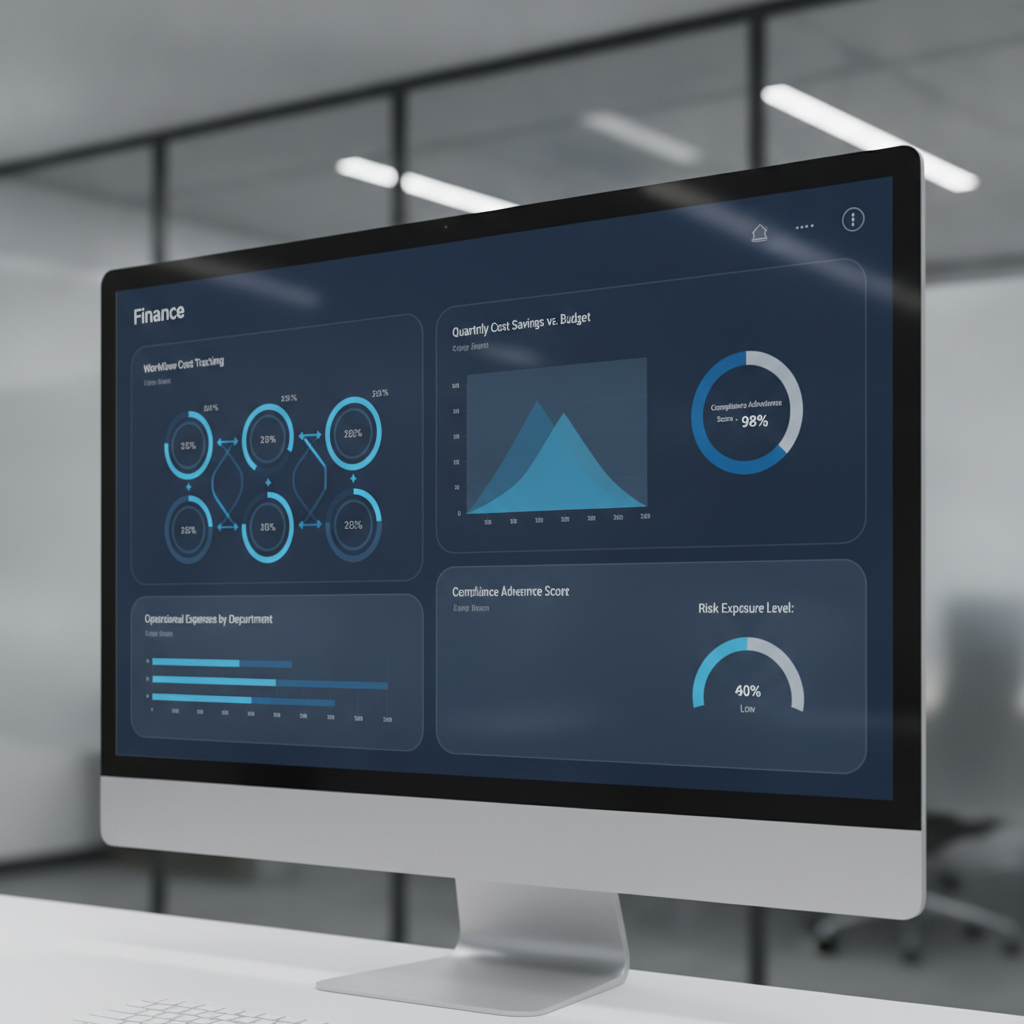
Finance dashboard showing cost controls and governance metrics for Power Automate workflows

Microsoft’s published Power Automate pricing tells one story: Premium plans at $15 per user per month, Process bot licenses at $150 to $215 per bot per month, plus premium connector fees for integrations to enterprise systems like Salesforce, SAP, or ServiceNow. That is the anchor price, but not the total cost most organizations experience at scale.

Research consistently shows that real total cost of ownership runs 3 to 5 times the base licensing cost once automation moves beyond pilot into operational deployment. The gap exists because several cost drivers are not visible at purchase time and are not managed as line items on initial procurement requests.

First is the cost of premium connectors. The base Power Automate license includes only standard connectors. Flows that touch enterprise systems like Salesforce, Oracle, ServiceNow, or SAP require a premium connector license, adding per-user or per-flow costs on top of the base plan. In a large organization with dozens of automation use cases spanning Finance, Operations, and Sales, premium connector usage becomes a pervasive second licensing layer.

Second is the API request limit structure. Each Power Automate license allocation includes a fixed daily quota of API requests. Flows running at high frequency can exhaust this quota, causing throttling and execution failures. Organizations can either optimize flows to use fewer API calls (expensive in consultant time) or purchase additional request capacity (expensive in licensing). This cost is often discovered in production, not in the procurement phase.

Third is the cost structure of unattended robotic process automation. Finance automation commonly involves unattended desktop flows, which require a separate Process bot license ($150 to $215 per bot per month). Organizations frequently begin with a pilot of two or three bots, then discover they need five, ten, or twenty bots to handle all manual processes suitable for RPA. Each additional bot is a monthly recurring cost, and growth correlates directly with how aggressively the organization pursues automation.

Fourth is the cost of monitoring and governance infrastructure. Cloud flows fail. Bots encounter edge cases and incomplete data. At large scale, organizations need investment in monitoring solutions, error logging platforms, and governance tooling, all adding to total cost of ownership beyond the base license itself.

How Workflow Sprawl Becomes a Budget Crisis

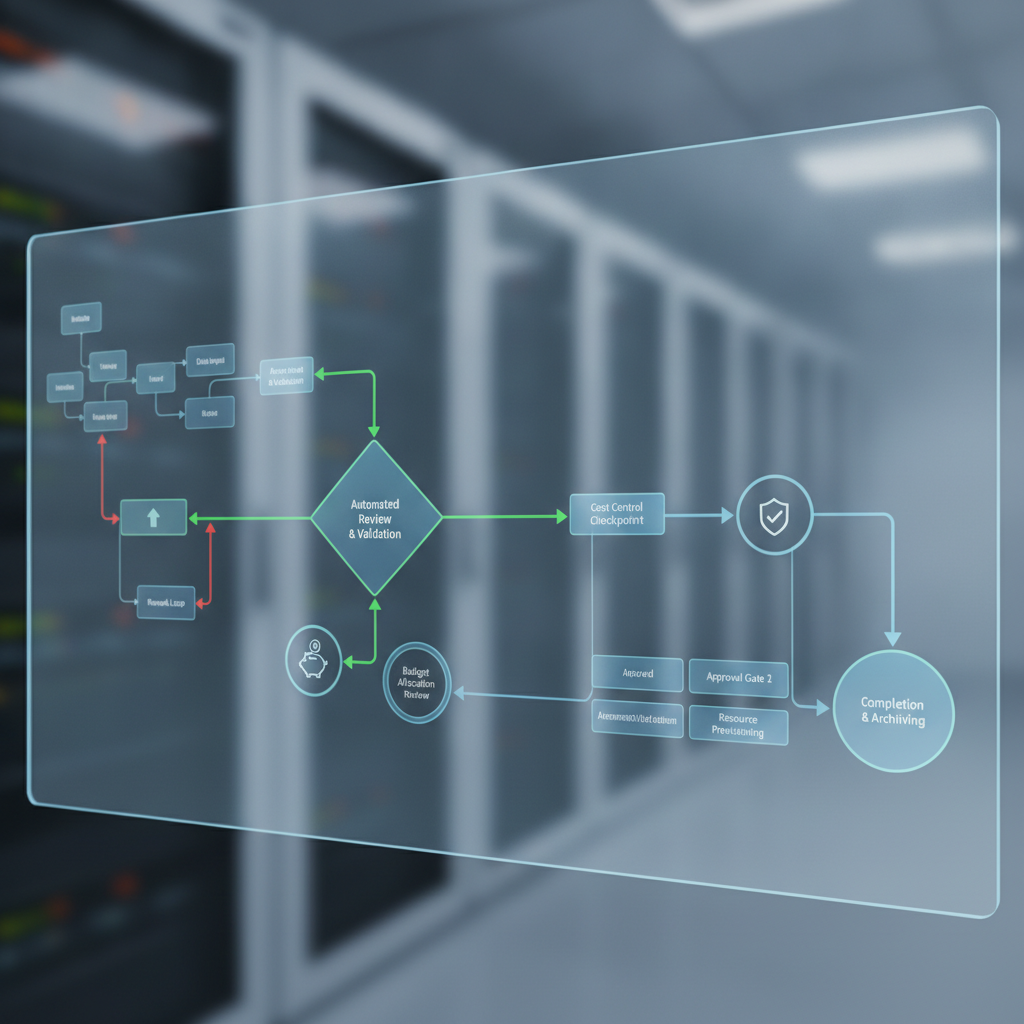
Workflow automation governance and approval gates visualization

The progression from pilot to sprawl follows a predictable pattern, rooted in organizational behavior and governance gaps rather than platform limitations.

Phase one is the success case. A team automates a business process with measurable results. Leadership approves expansion. Teams that see the success submit their own automation requests.

Phase two is the consumption phase. Requests accelerate. Finance IT or a Center of Excellence builds flows and bots in higher volume, focused on delivery velocity and process improvement, not cost per flow or API efficiency. An organization that budgeted for twenty flows but ended up with eighty viewed this as adoption success, not flagged as a problem. The assumption is that cloud platforms are cheap and infinite, an assumption that fails at the scale of hundreds of concurrent flows in a large enterprise.

Phase three is the recognition phase. The monthly software license bill arrives 50 percent higher than expected. Or the Power Automate admin console shows API request quotas being exhausted regularly. Or an audit discovers flows created without any approval process.

Phase four is the governance crisis. By this point, the organization has hundreds of flows and dozens of bot licenses in production. Rationalizing them is difficult because so many business processes depend on them. The choices become unattractive: freeze new automation requests, accept runaway costs, or undertake an expensive flow rationalization effort.

The real cost of sprawl extends beyond license fees. It includes operational overhead, wasted automation effort on redundant processes, API request overages, and governance overhead of auditing that volume of automation.

Governance Framework to Prevent Sprawl

The solution is not to avoid Power Automate, but to impose financial discipline and governance from the start, before sprawl becomes endemic.

First, establish a flow cost tracking model. Assign ownership, purpose, and monthly cost estimate to every flow and bot. Track actual API request consumption per flow and per team. Without cost visibility at that level of granularity, finance leaders cannot see which automation initiatives deliver value and which simply consume capacity.

Second, establish approval and prioritization gates for new automation. Every new flow or bot should be evaluated for business value, estimated cost per transaction, expected API request volume, and whether the outcome duplicates existing automation.

Third, set hard API request budgets by department. Monitor consumption weekly, not monthly. If a team approaches its budget, trigger a review of flow efficiency and consolidation opportunities.

Fourth, enforce premium connector policies. Premium connectors should be approved before flows are built, not discovered during cost review. Understand whether standard alternatives exist and whether business value justifies incremental licensing cost.

Fifth, consolidate flows quarterly or semi-annually. Identify redundant flows, consolidate similar use cases, and retire flows no longer delivering value. Treat the flow library as a managed asset.

Sixth, implement centralized monitoring and governance tooling. The Power Automate Center of Excellence starter kit or third-party platforms provide visibility into flow execution, failure rates, and API request consumption.

Where Finance Leaders Should Start

For CFOs and Finance Leaders evaluating or scaling Power Automate, the path starts with one decision: treat automation as a governed, cost-tracked initiative, not a free-for-all low-code platform.

If your organization is in pilot phase, establish governance discipline now, so it is part of the adoption story from the start rather than a late-stage correction.

If your organization is already in sprawl phase, the priority is visibility. Audit your current environment. Understand what flows are running, what they cost, what they do, and whether they deliver value. Execute a consolidation program to reduce complexity and cost.

Power Automate is genuinely powerful and genuinely cost-effective when deployed in a disciplined way. The platform is not the problem. Governance is. Finance leaders who treat it as a governed, tracked, and financially accountable initiative will see the promised ROI. Those who treat it as a free platform for teams to automate whatever they want will see costs spiral.

The choice, and the accountability, starts with Finance.


Routeget Technologies helps enterprise organizations design and implement governance frameworks for Power Platform and enterprise automation, ensuring automation delivers ROI at scale rather than becoming a hidden cost center.

#PowerAutomateGovernance #WorkflowAutomation #FinanceTransformation #PowerPlatform #CostOptimization #EnterpriseAutomation #Microsoft365Automation

Building Autonomous Agents with Copilot Studio: Moving Beyond Chatbots

# Building Autonomous Agents with Copilot Studio: Moving Beyond Chatbots

Most organizations implementing Copilot Studio treat it as an intelligent chatbot that responds to user queries. That’s a missed opportunity. The platform’s real power lies in building autonomous agents that can make decisions, trigger downstream processes, and handle multi-step workflows without human intervention at each stage. Finance teams processing invoice exceptions, HR departments handling onboarding, and supply chain teams managing vendor communications all stand to benefit.

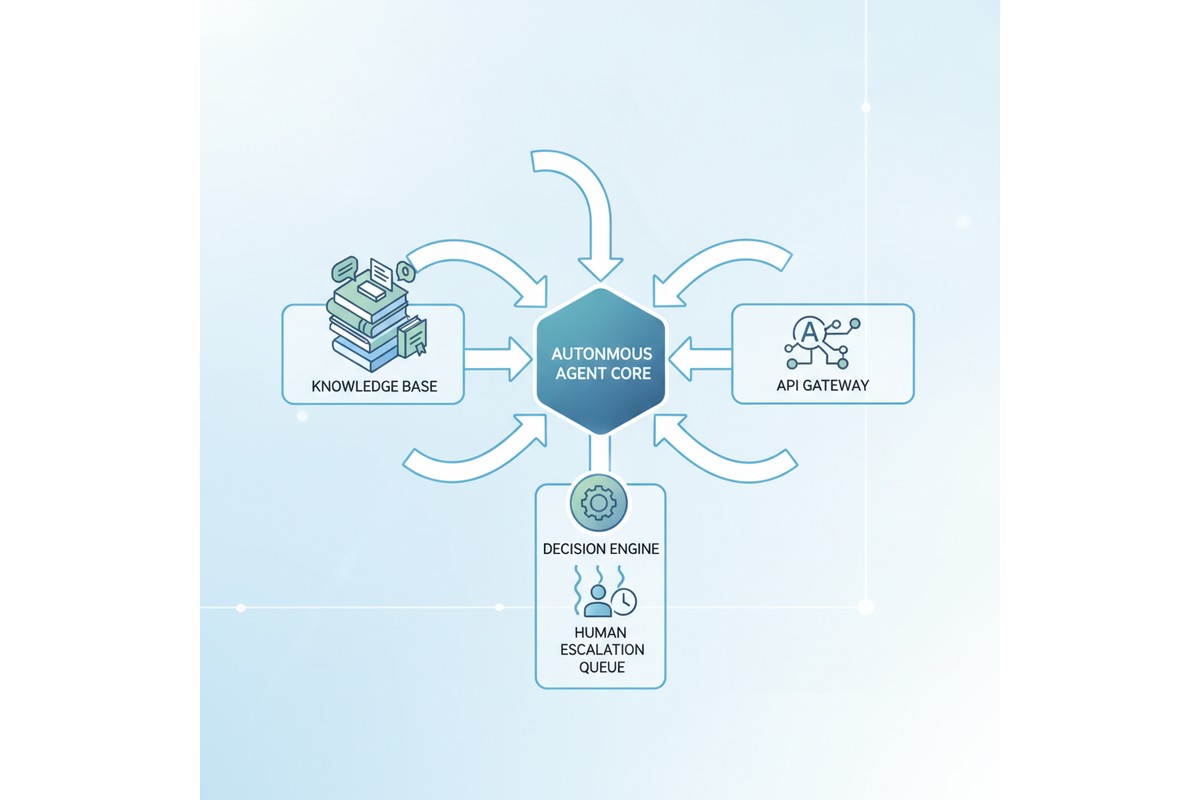
Copilot Studio autonomous agent system architecture

The gap between a chatbot and an autonomous agent comes down to three capabilities: the ability to invoke external systems without manual triggers, the capacity to make contextual decisions based on structured data, and the skill to maintain state across actions without restarting. Most Copilot Studio implementations lack these, which means their agents remain reactive and conversation-driven rather than autonomous and process-driven.

Building such an agent requires careful attention to custom actions, knowledge base integration, prompt engineering, and error handling. It’s not enough to wire up an API connection. You need to architect the agent so it knows when to act independently, how to handle failures gracefully, and when to escalate decisions to human reviewers.

Autonomous Agents vs. Interactive Chatbots

An interactive chatbot waits for user input at every step. The user submits a question, the chatbot responds, and the conversation ends until the next message arrives. Autonomous agents complete tasks without requiring user input at each decision point.

Consider a claims-processing agent. An interactive version might ask, “Does this claim qualify for expedited review?” and wait. An autonomous agent evaluates the claim against configured rules, makes the decision independently, updates the backend system, and notifies stakeholders automatically. The user’s role shifts from guiding each step to reviewing high-risk exceptions.

This design shift affects multiple aspects. First, the agent must understand when to act without prompts, requiring condition evaluation and decision trees beyond natural language understanding. Second, the agent must have authority to modify downstream data, introducing governance questions about which decisions need audit trails, human review, or policy-based automation.

Third, autonomous agents must recover from failure states gracefully. If an API call fails, an interactive chatbot tells the user it didn’t work. An autonomous agent must retry, escalate, or follow a fallback path based on business logic. Building robust error handling into the agent’s design from day one is essential.

Custom Actions and API Integration

Copilot Studio’s custom actions allow you to connect to external APIs and invoke them as part of the agent’s workflow. This is where many implementations falter. Teams configure basic actions without thinking through how the agent should behave when an API call fails, how long it should wait, or whether it should retry.

For a typical autonomous agent, you’ll define custom actions for the key external systems your agent needs to access. In a finance context, this might mean actions that query an ERP system to check if a purchase order exists, retrieve the purchasing history for a vendor, or post a transaction to the general ledger. In an HR context, you might define actions to look up employee records, check manager approval status, or send notifications through Teams or email.

Each action should include error handling at the definition level. Define which HTTP status codes are retryable (typically 502, 503, 504 and timeout errors), which represent permanent failures (400, 401, 403), and which might represent missing data (404). Configure exponential backoff for retries to avoid overwhelming the downstream API.

The other critical design choice is authentication. Copilot Studio supports connection references, which allow you to authenticate to external APIs securely. For a finance agent, you might use a service account that has specific permissions (read-only access to check PO status, but write access only to specific GL accounts). Never give your agent more permissions than it needs. If an agent is compromised, narrow permissions limit the damage.

Knowledge Base Integration

Most Copilot Studio agents include at least one knowledge base: a collection of documents or FAQs that the agent can reference when answering questions. For autonomous agents, knowledge bases serve a different purpose. Rather than storing answers to user questions, you use them to store decision logic, business rules, and process documentation that the agent uses to make autonomous decisions.

Consider a vendor onboarding agent. Instead of storing a knowledge base full of “How do I become a vendor?” FAQs, you store the actual business rules: vendors in certain geographic regions require additional tax documentation, vendors spending over a certain threshold need credit checks, and vendors in specific industries need compliance certifications. The agent retrieves these rules from the knowledge base, evaluates them against the vendor’s profile, and determines which documents need to be collected before onboarding can proceed.

This approach works because Copilot Studio’s retrieval-augmented generation (RAG) allows the agent to fetch relevant information from the knowledge base and incorporate it into its reasoning. The agent doesn’t just repeat back what’s in the knowledge base; it uses the information to make decisions.

For this to work reliably, your knowledge base content needs to be structured and current. Avoid storing conflicting information. If rule A says “credit checks are required for vendors over $100K” but another document says “credit checks are needed for vendors over $50K,” the agent’s behavior becomes unpredictable. Centralize your business rules in a single source of truth, and refresh the knowledge base whenever rules change.

Prompt Engineering for Autonomous Decision-Making

The system prompt enables autonomous action. A poorly written prompt produces an agent that refuses decisions or decides carelessly. A strong system prompt includes four elements: clear boundaries on what decisions it can make versus escalate, step-by-step decision logic (“Check vendor history using the vendor-lookup action. If they have 50 successful transactions in the past 12 months and average payment time under 30 days, they qualify for expedited payment”), guardrails for when to escalate (“If you cannot retrieve the vendor record after two retries, escalate with a detailed explanation”), and instructions for maintaining context (“Remember the vendor ID throughout. Do not make redundant lookup calls”). Specificity separates reliable agents from unreliable ones.

Error Handling and Escalation Workflows

Every autonomous agent will encounter situations where it can’t proceed. An API call fails. Required data is missing. A decision requires human judgment because it involves an exception to the normal rules. How the agent handles these situations determines whether it’s actually useful.

Design your escalation workflow first. Identify three or four common failure scenarios for your agent. For a claims processor, these might be: missing medical documentation, conflicting diagnoses from different providers, and claims that exceed specific dollar thresholds. For each scenario, define who reviews it, what information they need to see, and how they communicate their decision back to the agent (if it needs to resume).

In Copilot Studio, escalations typically flow through Power Automate. When your agent encounters a situation that requires human review, it creates a ticket or sends a notification through Teams, Power Automate, or a ticketing system. That ticket should include all the context the reviewer needs: the data the agent gathered, the decision it tried to make, and why it couldn’t proceed.

When the human reviewer makes a decision, it needs to flow back to the agent. This might happen through manual input in Teams, through an approval flow in Power Automate, or through a custom action that queries decisions from a database. The agent needs to know what the reviewer decided and continue processing if appropriate.

Test your error handling paths before going live. Don’t assume the happy path works and hope the error handling magically works when things go wrong. Deliberately trigger failures: kill an API connection, send bad data, create scenarios where required fields are missing. Observe how your agent behaves and refine the escalation logic.

Testing Autonomous Agents

Testing an autonomous agent is more complex than testing a chatbot because behavior depends on data state, API responses, and decision logic. Test at three levels: individual actions in isolation using Copilot Studio’s built-in testing, decision paths using test data with known outcomes, and escalation and error handling by simulating API failures and missing data. For each scenario, document expected behavior and verify the agent performs as designed.

Governance and Monitoring

Autonomous agents that make decisions without human review carry risk. Build governance into your design by logging every decision with the context that informed it. Set up monitoring dashboards that track autonomous decisions, escalations, errors, and human overrides. If humans override agent decisions more than 20 percent of the time, the agent’s logic needs refinement. Schedule periodic audits to verify correctness and identify patterns in mistakes, then update the system prompt or decision logic to correct them.

Conclusion

Building a true autonomous agent in Copilot Studio requires more up-front design work than building a chatbot, but the payoff is significant. Autonomous agents reduce manual work, ensure consistent decision-making, and allow organizations to scale processes without proportional increases in headcount. The key is treating autonomy as a design requirement from day one: architect your custom actions, knowledge base, prompts, and error handling specifically to support autonomous decisions, and build governance and monitoring to ensure those decisions stay accurate over time.

—

**About Routeget Technologies:** Routeget specializes in designing and implementing autonomous agents across the Microsoft cloud platform, helping organizations move beyond chatbots to truly autonomous processes. Our team brings hands-on experience building agents for finance operations, supply chain, HR, and customer service use cases, with a focus on robust error handling, governance, and measurable business outcomes.

#CopilotStudioAgents #AutonomousAgents #PowerPlatform #AIDecisionMaking #ProcessAutomation #Microsoft365AI #AgentDesign

#CopilotStudioAgents #AutonomousAgents #PowerPlatform #AIDecisionMaking #ProcessAutomation #Microsoft365AI #AgentDesign

Building Enterprise AI Plugins for Copilot Studio: When Prompt Engineering Stops Working

Your Copilot Studio instance has been live for three months. The generic responses work fine for routine customer questions. Finance users can ask about invoice status, support teams can access knowledge articles, and operations can trigger basic workflows. Then a regional finance controller asks the system to calculate cross-border tax liability on a specific transaction type, and the Copilot returns something confidently wrong. You prompt-engineer for two weeks, add retrieval augmented generation, feed it more context documents. The Copilot still hallucinates because the business logic you need is not in any training data and cannot be reliably expressed as plain-language instructions. This is the moment you need custom AI plugins.

Copilot Studio has become the dominant interface for enterprise AI in Microsoft’s ecosystem. It handles conversation orchestration, knowledge integration, and basic AI coordination reasonably well. But enterprises running this platform often discover a hard boundary: Copilot’s core language models and retrieval pipelines, however well-prompted, cannot reliably execute business logic that requires domain-specific reasoning, real-time calculation, or proprietary algorithms. At that point, the architecture choice is clear. You build a custom plugin that encapsulates your logic, expose it to Copilot through the API, and let Copilot handle the conversation while your code handles the reasoning.

The boundary between prompting and programming

The first question teams ask is practical: when should we stop refining prompts and start building a plugin? The answer depends on measurability and consistency. If the Copilot’s output accuracy has reached a plateau after refinement, and accuracy is below your business threshold, a plugin is justified. If the required logic involves calculations, date arithmetic, multi-step conditionals, or reference data lookups (like product pricing, tax rates, or inventory counts), those belong in code, not prompts. If the same request returns different answers depending on minor variations in phrasing, or if the Copilot sometimes invents plausible-sounding answers rather than admitting it cannot answer, those are signals that the language model is not the right tool for that part of the workflow.

Consider a typical scenario: a Dynamics 365 Finance user asks Copilot about available cash in a specific cost center, accounting for committed purchase orders and pending payroll. The Copilot needs to query Dynamics, aggregate real-time data, apply business rules about what counts as committed, and return a specific number. Prompting the Copilot to do this might work in a demo. In production, with thousands of daily queries across different cost centers, exchange rates, fiscal calendars, and policy variations, a language model will eventually return incorrect numbers, usually with complete confidence. A plugin solves this by running the exact query and calculation logic every time, leaving the Copilot to handle the conversation and formatting.

Plugin architecture in Copilot Studio

Copilot Studio plugins connect to external APIs. That external API can be anything you build: a cloud function, a containerized service, a Logic App with Power Automate, or a .NET Azure Function. The Copilot describes what it wants to do (based on the conversation context), the plugin action is triggered, your code executes, and the result is returned to the Copilot for further conversation.

The simplest architecture is a single Azure Function or cloud function (AWS Lambda, Google Cloud Functions) that accepts a JSON request from Copilot and returns a JSON response. The function can call Dynamics 365 APIs, query a database, call third-party services, or execute business logic. From Copilot’s perspective, it simply sends a request and gets back structured data.

For enterprise scenarios, though, you need to think about authentication, rate limiting, audit logging, and error handling. Copilot can send requests at high volume during peak usage. Your plugin needs to handle this without degrading Copilot’s response time or running up costs. You should implement proper logging of what Copilot requested, what your code returned, and any failures, so you can debug issues later. You should also plan for security: the plugin is exposing business logic and potentially sensitive data (cost center balances, tax calculations, procurement data). Access should be restricted to authenticated users, requests should be validated, and responses should be filtered by role so users only see what they are authorized to see.

Real-world plugin implementation patterns

A common pattern is the data enrichment plugin. Copilot receives a user’s question about a purchase order. The Copilot extracts the order ID or vendor name from the conversation, calls your plugin, and the plugin queries Dynamics 365 Supply Chain Management to return order status, delivery dates, budget allocation, and any policy exceptions. The Copilot then uses this structured data to answer the user’s question accurately. Without the plugin, the Copilot might guess or confuse details from different orders.

Another pattern is calculation and validation. Finance teams often need to validate transaction proposals before they are committed. A user might ask Copilot whether a specific expense is compliant with policy, and Copilot needs to check the expense amount against the cost center budget, the employee’s spending tier, the transaction category, and any special approvals in place. This logic is too complex and too sensitive for a language model to handle. A plugin runs the exact validation rules and returns yes or no with an explanation of which rule applies.

A third pattern is workflow initiation. Copilot can receive a user’s request to approve a contract, create a purchase requisition, or escalate an issue. Instead of trying to directly modify systems, Copilot calls a plugin that creates a structured request in your workflow engine (Power Automate, Logic Apps, or a custom orchestration service), which then handles the actual business process with proper audit trails, notifications, and approval chains.

Failure modes and production lessons

The most common failure in production is latency. A Copilot session timeout is usually 30 seconds. If your plugin takes 15 seconds to execute (because it is doing multi-step Dynamics queries or waiting for external services), Copilot will time out before your plugin even returns. You need to either cache data, run asynchronous jobs, or redesign the plugin to return partial results and update the Copilot UI after the full result arrives. Teams that skip this step often end up with Copilot sessions that fail silently or time out repeatedly in production.

A second failure mode is incomplete error handling. A plugin fails (database is down, Dynamics is temporarily unavailable, an API call returns an unexpected error). The plugin should catch this, log it, and return a clear error response to Copilot, not crash or hang. Copilot should then explain to the user that it could not retrieve the data and suggest alternatives (like checking the system status page or contacting support). Without this, users see broken Copilot sessions with no explanation.

Authorization is a third area. Your plugin receives a request from Copilot that includes the user’s identity. Your plugin must verify that this user is actually authorized to see the data they are asking about. If your plugin does not check authorization, users can escalate privileges by asking Copilot for data they would not normally have access to. This is a security and compliance issue, especially in regulated industries like finance and healthcare.

Choosing between custom development and pre-built AI services

Microsoft’s AI Builder sits between pure prompting and custom plugins. AI Builder lets you build models that can do optical character recognition, sentiment analysis, or predictive scoring, and expose these as Copilot actions. For some use cases (document classification, customer sentiment analysis, basic prediction), AI Builder is sufficient and faster to build than a custom plugin. But for complex business logic, multi-step reasoning, or calculations with regulatory requirements, a custom plugin is necessary because you control exactly what the code does and can audit every decision.

Deployment and monitoring

Once a plugin is built, it should be versioned and deployed through your standard application lifecycle management pipeline. Changes to plugin logic should go through testing and approval before hitting production. You should have monitoring in place: track response times, error rates, and plugin usage patterns. Set up alerts if response times exceed thresholds or error rates spike. Log every request and response (at an appropriate detail level, respecting privacy) so you can audit what Copilot asked, what your plugin returned, and whether the result was accurate.

This monitoring becomes particularly important when Copilot’s behavior changes. If Copilot suddenly starts calling your plugin more frequently or with different inputs, your plugin needs to handle it gracefully. If a new version of Copilot changes how it describes requests, your plugin should either adapt or return a clear error rather than silently misinterpreting the request.

Conclusion

Copilot Studio is effective at conversation and orchestration, but it is not a replacement for business logic. Custom AI plugins let you draw a clear line: Copilot handles the conversation and user interaction, while your code handles the reasoning, calculation, and access control. This division of labor produces systems that are both more accurate and more maintainable than trying to encode all business logic as prompts. The engineering effort to build a plugin is real, but for any enterprise scenario involving calculations, multi-step reasoning, or regulated data access, the plugin approach is the right architecture choice.

#CopilotStudioAI #AIPlugins #EnterpriseAI #PowerPlatform #CustomAIPlugins #Dynamics365AI #CloudArchitecture #PluginArchitecture

AI Builder Document Intelligence: Why Your Finance Team Still Manually Keys 2,000 Invoices a Month

AI Builder Document Intelligence: Why Your Finance Team Still Manually Keys 2,000 Invoices a Month

For most large enterprises running Dynamics 365 Finance, accounts payable looks straightforward on paper: invoices arrive, they get matched to purchase orders, approvals happen, payments post. In practice, the first step is where the actual work lives.

An average mid-market organization processes 2,000 to 5,000 invoices per month across dozens of vendors. Each arrives in a different format, with fields in different positions, sometimes with missing data. A finance team that tries to automate this early usually concludes it is not worth the engineering effort. The result is a process that remains almost entirely manual: an AP clerk opens an email, scans an attachment, reads the invoice line by line, and keys data into the ERP by hand.

The financial impact compounds invisibly. A clerk processes around 30 to 50 invoices per day. That is 8 to 10 minutes per invoice of pure data entry, plus rework for errors. Across 2,500 monthly invoices at an average of 40 minutes per invoice, you have roughly 1,667 labor hours per month, or 8 to 10 full-time equivalent staff just feeding data into your ERP. The opportunity cost is real: those people are doing work machines could do better.

Intelligent document processing has existed for years, but it historically demanded custom machine learning expertise or vendor lock-in to specialized platforms. AI Builder changes that. It is a low-code intelligent document processing engine built directly into the Power Platform and accessible through Microsoft Dataverse. Using AI Builder’s document intelligence model, you can teach a system to extract data from invoices, POs, or receipts, and have that extracted data automatically flow into Finance and Operations as journal entries, vendor invoices, or line items, without custom code or a separate platform.

The catch is that most implementations get the architecture wrong, deploy too early, or do not think through the business case clearly enough to justify the investment.

What AI Builder Document Intelligence Actually Does

AI Builder’s document intelligence model learns patterns from example documents. You supply 5 to 100 sample invoices, mark the specific fields you want extracted (invoice number, date, line item amounts, vendor name, cost center), and AI Builder trains a model. Once trained, it processes new invoices and extracts those fields with a confidence score for each value.

The extraction outputs structured data as JSON, which flows into Power Automate, passes to Dynamics 365 through REST APIs, or writes directly to Dataverse tables. You can build an approval workflow where extracted data is reviewed by humans, corrections are made if confidence scores are low, and once approved, the invoice posts without manual rekeying.

The critical limitation: AI Builder solves data entry, not the entire AP transformation. It does not solve the three-way match or reconciliation of discrepancies between invoice amounts and actual receipts. If invoices regularly have billing errors or missing line items, AI Builder will extract those discrepancies accurately, but human approval workflows are still required to investigate.

AI Builder also assumes reasonably stable vendor populations. If vendors send different invoice formats month to month, or you have 200 vendors across five countries with different field positions, you may need multiple models or a more flexible extraction architecture.

The Actual Implementation Costs

The common mistake is to assume that because AI Builder is “low code,” implementation cost is proportionally low. It is not.

Training a single AI Builder model requires deciding which fields are worth extracting, building a training set, and determining how much format variance the model needs to handle. You cannot build a generic model across all vendors. You have to scope it precisely. Multiple vendor formats require multiple models or accepting lower confidence scores and higher downstream rework.

The real cost sits in the integration layer. You need a Power Automate flow that ingests documents, calls the AI Builder model, handles extracted data, performs validation and enrichment (cost center lookups, amount threshold checks, purchase order verification), and posts data into Dynamics 365 Finance. That flow needs error handling, logging, and exception routing for human review. You also need to decide where documents come from: email, OneDrive, a vendor portal. Each source requires a different ingestion pattern.

A medium-complexity invoice processing automation project involving 5 to 10 major vendors, one AI Builder model, and robust Power Automate orchestration typically runs 6 to 12 weeks, roughly 300 to 600 professional services hours. At 200 USD per hour fully loaded, that is 60,000 to 120,000 USD. AI Builder licensing is usage-based at roughly 0.01 to 0.02 USD per page. An organization processing 2,500 invoices per month with 3 pages each processes 90,000 pages annually, costing 900 to 1,800 USD in consumption.

But labor savings are substantial. Saving 1,667 hours per month at 45 USD per hour fully loaded equals 75,000 USD monthly, or 900,000 USD annually. Even if net savings are 70 percent of that due to exception handling and ongoing overhead, you still have 630,000 USD in annual labor savings against a 120,000 USD implementation cost. Payback happens in 2 to 3 months.

Those numbers are achievable if, and only if, you have a focused vendor population, reasonably consistent invoice formats, and a clear baseline for how much time the manual process actually consumes. Many organizations skip that baseline measurement, build the system anyway, and then cannot measure whether it actually saved time.

Common Failure Modes

The most common failure is misalignment on scope. Finance wants to automate “all invoices.” Engineering builds one model for all vendor formats. The model trains on 50 random invoices from 20 different vendors. When it encounters a new vendor invoice, confidence scores are low, and the entire pile ends up in the exception queue. The fix: scope tightly. Start with 3 to 5 major vendors representing 40 to 60 percent of volume. Get those working first. Add additional vendors only after the core extraction pipeline is mature and stable.

The second failure is underestimating validation and enrichment workload. Once you extract data, you need to validate it. Does the date make sense? Is the vendor in the master list? Is the amount within normal range? If any check fails, the invoice needs review. Without a validation layer, you have not saved labor; you have shifted it from data entry to exception handling.

The third failure is publishing to Dynamics 365 without handling master data dependencies. A vendor invoice requires valid vendor master records, cost centers, and often purchase order references. Incomplete or inconsistent vendor master data means extraction works perfectly but posting fails because the vendor cannot be resolved. This shows up as an AI Builder problem when implementation teams do not plan for data quality prerequisites upfront.

When AI Builder Works

The use cases with clear ROI are relatively specific.

The strongest case is a company with a stable vendor population where the top 10 to 20 vendors represent 70 percent of invoice volume and use consistent invoice formats. Train one or two models for those top vendors, automate their extraction entirely, and you have converted 70 percent of invoice volume from manual to automated. The remaining 30 percent stay manual, but you have cleared the decks of high-volume repetitive work.

The second strong case is an ERP migration where the existing system has data entry backlogs. Using AI Builder to accelerate historical invoice loading during migration can meaningfully shorten timelines. Post-migration, you keep the system running for ongoing automation.

The third case is significant localization requirements, where invoices come from subsidiary companies in multiple countries and languages. AI Builder’s multilingual capabilities handle non-English documents, so you can build a single orchestration layer that routes invoices by language, extracts data consistently, and maps that data to the right cost centers based on geography.

Measuring Before Committing

Before starting, measure three things.

First, measure current invoice processing with precision. How many invoices per month? Average time per invoice from receipt to posting, broken down by task (data entry, validation, research, approval, posting)? Error rate and rework volume? These numbers should come from actual time tracking, not estimates.

Second, identify scope. Which vendors represent the top 50 percent of volume? Are their formats consistent month to month? If you extracted 20 sample invoices from your top 10 vendors, how much variation would you observe in field positions? This informs whether you need one model or multiple models.

Third, confirm you have people and tools in place. AI Builder handles extraction, but you still need a Power Automate designer, a Dynamics 365 developer, and ongoing operational ownership for the flow. If you would need to hire these resources, that cost belongs in the implementation budget.

With those measurements, the business case becomes concrete. You can calculate labor savings per month against implementation cost and decide with confidence whether the project pencils out.

AI Builder document intelligence is not a panacea for AP efficiency, but in focused scope with stable vendor populations and consistent invoice formats, it solves a real problem that costs most large enterprises hundreds of thousands of dollars per year in pure human labor. The implementation requires clarity on scope, attention to data quality, and realistic expectations about exception handling. But for the right use case, the ROI is compelling enough to build into your Dynamics 365 Finance roadmap.


Hashtags: #AIBuilder #DocumentIntelligence #InvoiceProcessing #DynamicsFinance #FinanceAutomation #DynamicsFinanceOps #RPA #PowerPlatform

Business Central Virtual Tables Eliminate the ETL Job Between BC and Dataverse. They Also Eliminate Half Your Filter Options.

Solution architect reviewing a real-time data integration visualization between enterprise systems

A solution architect scoping a Dynamics 365 Sales rollout for a distribution client recently asked a straightforward question: does the sales team need to see live Business Central order and inventory data inside their CRM records, or is a nightly sync job good enough? The honest answer took longer than it should have, because Business Central virtual tables, the feature Microsoft built specifically to answer this question, solve it only for a narrower set of scenarios than the AppSource listing and most walkthroughs suggest. The core mechanism works exactly as advertised. Where it falls short is rarely covered in the getting-started guides, and that gap is exactly where a scoping conversation needs to happen before anyone commits to an architecture.

Virtual tables have been positioned, correctly in most cases, as the end of a certain kind of integration project: the one where someone builds a scheduled job to copy Business Central records into Dataverse so Power Apps and Dynamics 365 Sales can read them. That job needs error handling, a schema that drifts every time BC gets a service update, and someone on call when the sync silently stops. Virtual tables remove that job entirely for read-heavy scenarios, just not for every scenario, and the difference is worth planning around before it’s discovered mid-build.

How Business Central Virtual Tables Actually Work

The Business Central Virtual Table plugin, published on AppSource, gives Dataverse a way to read and write Business Central records without copying that data into Dataverse storage. Under the hood, it consumes the Business Central API (v2.0), turns each endpoint’s response properties into virtual table columns, and maps the API’s own relationships into table relations that Power Apps and Power Automate can traverse like any native table. None of that translation happens on a schedule. Every query against a Business Central virtual table becomes a live OData call back to the Business Central tenant the moment a user opens a form, loads a subgrid, or a flow condition evaluates.

That real-time behavior is the actual selling point, and it’s a legitimate one. A Dynamics 365 Sales rep looking at an account record sees the customer’s current balance and open orders as they exist in Business Central right now, not as of last night’s sync window. There’s no data duplication to reconcile, no field mapping table to maintain as BC’s schema evolves, and no separate storage cost in Dataverse for records that already live somewhere else.

What Setup Actually Involves

Getting virtual tables running is a Power Platform admin task more than a developer task, which is worth knowing before anyone estimates the work. The solution installs from AppSource into a target Power Platform environment. Inside Business Central, an administrator enables the corresponding Microsoft Entra application, listed on BC’s own Entra applications page as the option for virtual tables. In Dataverse, the Business Central Virtual Data Source Configuration table needs the target BC environment name and a default company, since every request has to resolve to a specific company context.

Microsoft ships this as a set of managed solutions rather than one package: a company reference table every request depends on, the core plugin support, a catalog of tables available from the connected BC environment, and the generated virtual table definitions themselves. Because that catalog reflects the full breadth of Business Central’s OData surface, tables aren’t visible in Power Apps by default. An admin has to open the Business Central Configuration app and mark each table an app will use, a sensible governance control once you know it’s coming, and a confusing missing-table problem the first time you don’t.

Developer workstation displaying live data flow dashboards representing database integration

The Tenant Requirement That Ends Some Projects Before They Start

The detail worth checking on the first scoping call, not discovering three weeks into a build, is that the Business Central environment and the Dataverse environment must sit in the same Microsoft Entra tenant. For an organization that has run its Dynamics footprint under one tenant from the start, this is a non-issue. It becomes a real blocker for companies that grew through acquisition and still operate a separate Business Central tenant for a subsidiary, and it comes up constantly on engagements where a client’s CRM and ERP environments were provisioned years apart, sometimes by different vendors, under different tenants.

When that’s the situation, virtual tables aren’t an option regardless of how well everything else fits, and the project falls back to a conventional integration built on Power Automate flows against the Business Central API, or a dedicated integration platform between the two systems. Confirming tenant alignment costs a few minutes of checking admin center settings. Discovering the mismatch after a Power Apps screen is already designed around virtual tables costs a redesign.

Where the Filtering Restrictions Actually Bite

Because every virtual table query is a live OData call, the filtering grammar available to a Dataverse view or an advanced find is exactly as expressive as OData’s filter syntax, and no more. Predicates like does not equal, does not contain, does not begin with, and does not end with aren’t available. A view can’t combine AND and OR groups across different columns the way a native Dataverse table allows, and filtering on related tables or calculated fields isn’t supported either, nor are charts, attachments, images, or any BLOB-backed multiline text field built on a virtual table.

None of that shows up in a basic demo, which is the actual problem. A subgrid or gallery built against a virtual table for a first pass usually works, because the first pass rarely tests anything more demanding than “show me the open orders.” The gap surfaces once a real user asks for something like “show open sales orders where the requested ship date isn’t blank and the customer isn’t on credit hold,” a query needing a does-not-equal check on one column joined with an AND against a second. A native Dataverse table handles that without anyone thinking twice. A virtual table view can’t express it, and the fix ends up being either a purpose-built custom API on the Business Central side shaped for that exact query, or pushing the filtering logic into a Power Automate flow or a canvas app formula instead of the view. Either workaround is manageable, but only if someone anticipated it, and the tutorials rarely mention it exists.

Synthetic Relationships Connect the Models, But Only One Way

Virtual tables can also link to native Dataverse tables through what Microsoft calls synthetic relationships, letting a record like a Dataverse Account display related Business Central sales orders in a subgrid without custom plugin code. Building one means creating a foreign key on the native table first, then defining the relationship in the Business Central Configuration app’s Table Relations screen, mapping the native table’s key columns to the matching virtual table columns.

The relationship, once created, isn’t editable. Changing which columns participate means deleting it and rebuilding from scratch, and refreshing the underlying virtual table’s metadata while a relationship depends on it tends to throw errors rather than update quietly. The practical implication is to stabilize the Business Central side of the schema first: it’s far cheaper to adjust a Dataverse foreign key than to reconstruct several relationship mappings after a field gets renamed on the BC side. It’s also worth knowing upfront that relationships between two virtual tables aren’t supported at all, only between a native table and a virtual table, so an architecture chaining two Business Central entities purely through Dataverse relationships needs a custom API instead.

When Virtual Tables Are the Right Call

Virtual tables fit read-heavy scenarios well: a Power App or Dynamics 365 Sales form that needs current item availability, order status, or account balance without anyone owning a sync pipeline, where the filtering the business needs stays inside basic equality and straightforward AND logic. They’re a poor fit for anything involving attachments or images tied to BC records, analytics that need to chart or aggregate BC data directly, filter logic needing negation or mixed AND/OR groups, and any architecture spanning two Entra tenants.

The habit worth building into every Business Central to Dataverse integration scope is prototyping the specific filter and subgrid scenarios the business will actually use, not a generic list view, before the architecture is locked in. Almost every gap covered here only shows up once a real filter requirement meets OData’s grammar, and that’s cheap to test in the first week and expensive to discover after Power Apps screens are already built around the wrong assumption. Teams we’ve helped scope this kind of integration get the most value out of virtual tables when the tenant check and a short filter-requirements workshop are treated as the first two deliverables, not something left until a screen doesn’t do what the demo implied it would.

Virtual tables genuinely remove a maintenance burden that used to be permanent: the sync job nobody wanted to own, the schema drift nobody wanted to chase down. What they don’t remove is the need to know, before the architecture is set, exactly which filters, which tenant, and which record types the integration actually has to support.


#BusinessCentral #DataverseIntegration #VirtualTables #PowerPlatform #ERPIntegration #DynamicsConsulting