Data Loss Prevention Policy Implementation in the Microsoft Cloud: Balancing Security and Business Agility

Enterprise data governance dashboard showing Data Loss Prevention policies and security classifications

Data Loss Prevention Policy Implementation in the Microsoft Cloud: Balancing Security and Business Agility

Most IT leaders inherit DLP implementations that operate as expensive friction generators—slow approval workflows, frustrated business units, widespread policy exceptions—rather than effective data protection. The challenge isn’t building DLP capability; it’s building DLP that actually works in practice without crippling business operations.

Dynamics 365, Power Platform, and the broader Microsoft cloud stack move data at volume and velocity that traditional perimeter security cannot monitor. Spreadsheets with customer data flow through Power Automate workflows. Finance teams share GL account details via Teams. Sales consultants upload competitor files to Power Apps. Without intentional DLP governance, sensitive information leaks become statistical inevitability. Yet overly rigid DLP policies drive shadow IT and workarounds that are far less controlled.
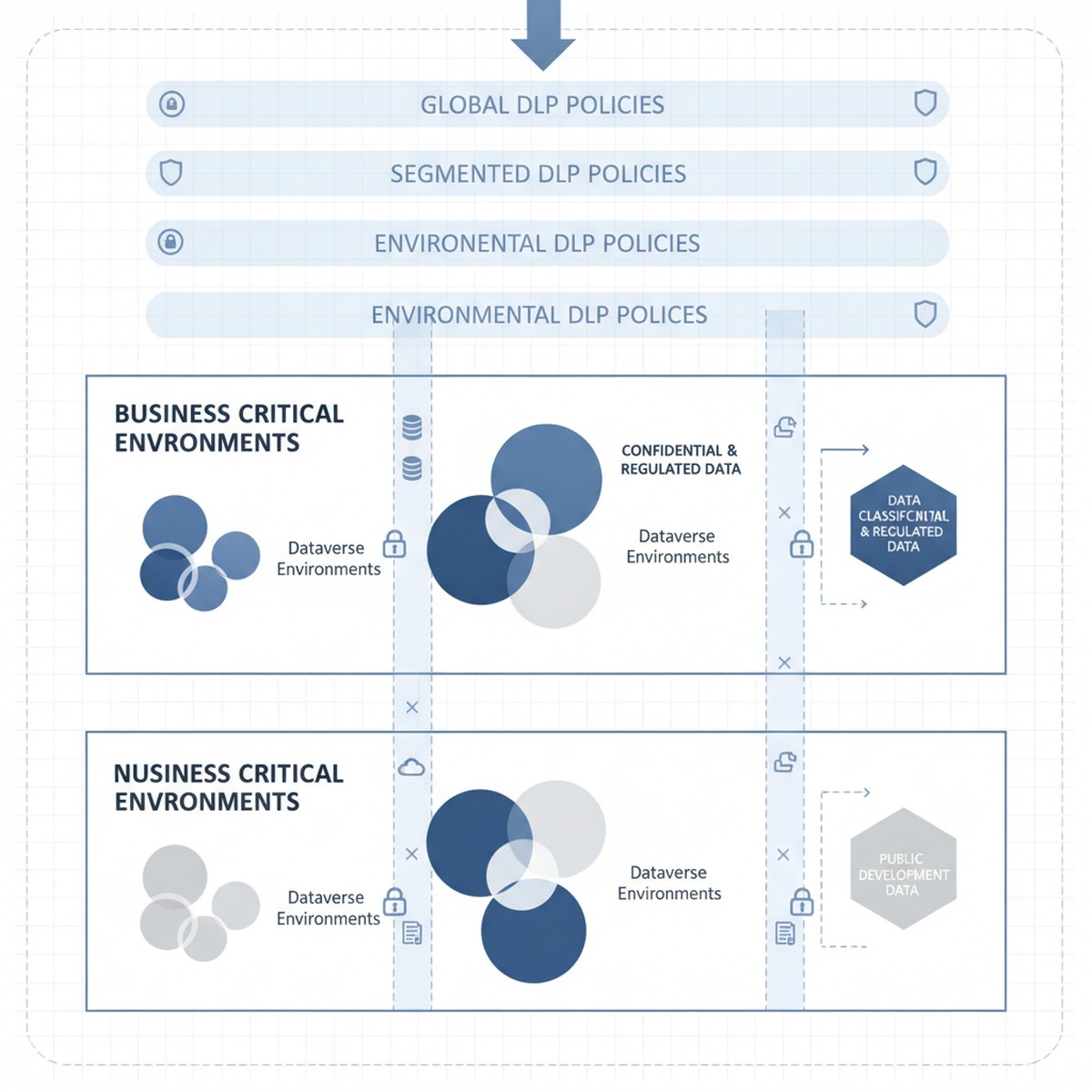
Microsoft cloud security architecture showing Dataverse environments with DLP policy layers and data classification zones

The tension is real: organizations need DLP policies that reduce breach risk and meet compliance requirements without triggering business user revolt. That balance comes from a three-layer approach starting with clear data classification, moving to segmented policy enforcement by workload, and ending with monitoring and exception workflows that catch real breaches without generating approval fatigue.

Understanding Microsoft Dataverse and Power Platform Data Classification

DLP in Microsoft Power Platform starts with a deceptively simple question: what data sensitivity level is stored in this Dataverse environment, and what external services should or should not have access to it?

Every Dataverse environment has an assigned DLP classification set by administrators. Out of the box, the options are “Business” (default), “Non-Business,” and “Unclassified,” each restricting which connectors can be used. An environment marked “Business” cannot call consumer-grade cloud services or public APIs by default. This classification system is the foundation of Power Platform DLP, and many organizations accept it unchanged. That is a mistake.

The actual tension surfaces immediately: a “Business” environment using default DLP classification prevents organizations from using essential connectors. A finance team might need to integrate Power Apps with Stripe for payment processing. A supply chain team needs logistics APIs to track shipments. A sales team needs to send customer records to third-party analytics services. These connectors fall outside default Business classification rules, but blocking them outright prevents legitimate business operations. Conversely, loosening policies to allow these services introduces real data exposure risk—customer payment details flowing to external processors without oversight.

Solving this tension requires abandoning the one-size-fits-all “Business” classification and instead segmenting Dataverse environments by actual data sensitivity and connector requirements. This segmentation becomes the policy framework that supports DLP without strangling innovation.

Segmenting Dataverse Environments by Sensitivity and Connector Requirement

Organizations that manage DLP effectively typically operate multiple Dataverse environments, each with a distinct DLP classification matched to the data sensitivity and connector requirements it actually holds.

Consider a typical enterprise structure: one environment holds Dynamics 365 Finance and Operations data (accounting records, GL accounts, intercompany transactions, supplier information). This is genuinely sensitive data subject to audit requirements and regulatory controls. This environment should be classified as “Business” under a restrictive DLP policy that prevents connectors to external consumer services, cloud file storage, or public APIs. Finance teams access this data through specifically designed Power Apps and Power Automate workflows within DLP constraints.

A second environment holds Power Apps and Power Automate flows that integrate Power Platform with external partner systems—logistics APIs, payment processors, analytics services, and public cloud connectors. This environment accepts connectors to these external services because data sensitivity and use case require it. However, no direct connection to the sensitive Finance and Operations environment is allowed. This environment operates under less restrictive DLP classification because data flowing through it is either lower sensitivity (customer feedback, survey responses, transaction history) or appropriately scoped to external partners.

A third environment is explicitly designated for proof-of-concept work and rapid prototyping. DLP is minimal here because solutions graduate to production environments with full governance only after validation and security review.

This segmentation approach solves the core tension: business users get connector freedom they need, but that freedom is appropriately scoped to environments holding data at the sensitivity level those connectors can safely access. A payment processor connector in the production environment holding Finance data would be irresponsible. The same connector in an e-commerce environment is reasonable.

Implementing Segmented DLP Without Over-provisioning

Segmentation only works when combined with clear governance over which data moves between environments and under what conditions. An organization running multiple Dataverse environments without data movement controls creates the worst outcome: complex DLP policies that block internal workflows and fail to prevent the very data exposure they were meant to restrict.

Governance begins with explicit data classification at the Dataverse table level. Every table in Finance and Operations environments should be tagged as “Highly Sensitive” (GL accounts, supplier data, payroll), “Internal” (historical transactions, internal metadata), or “Public” (product catalogs, customer-facing data). That classification becomes enforceable through data loss prevention rules: a table tagged “Highly Sensitive” cannot be queried by Power Automate flows in non-Business environments. This discipline prevents accidental sensitive data exposure through incorrectly scoped flows.

Second, organizations need exception workflows that actually work. Some business processes require sensitive data to flow to external systems. A customer requesting data export needs records to move outside the enterprise. A third-party audit requires financial table access. Building manual exception workflows—where business stakeholders request exceptions and security reviews them—turns DLP into a shared responsibility. Exception tracking also provides visibility into actual risk: organizations seeing hundreds of requests for sensitive data access learn something valuable about their risk profile.

Monitoring, Alerts, and Real-Time Response

DLP policy design matters, but enforcement and monitoring matter more. An organization with well-designed DLP policies but no monitoring ends up with policies that are either unenforced or inconsistently applied.

Microsoft Dataverse and Power Platform generate audit logs of DLP violations, but by default those logs are difficult to access in real time. Organizations that manage DLP effectively set up automated monitoring through Azure Monitor or Microsoft Sentinel, translating Dataverse audit logs into actionable alerts. A spike in violations from a specific user, a flow attempting repeated queries of sensitive tables, or patterns suggesting data exfiltration should generate alerts that security teams investigate within hours.

Real-time response capability is the difference between DLP as theoretical control and actual protection. When monitoring detects suspicious patterns, the ability to immediately disable Power Automate flows, revoke access to specific environments, or restrict Dataverse tables can interrupt a breach in progress. Without response capability, DLP monitoring is largely forensic—useful for understanding what happened after detection, not for preventing breaches.

Moving Forward: From DLP Compliance Theater to Actual Data Protection

DLP policy implementation is not a one-time project. Organizations that maintain effective data protection continuously adjust policies based on new business processes, security incidents that expose gaps, and platform evolution.

The organizations that manage this effectively treat DLP policy design as a shared responsibility across security, compliance, and business leadership. Policies are transparent—business stakeholders understand constraints and when exceptions can be requested. Exceptions are tracked regularly, signaling whether policies are appropriately calibrated. Monitoring is continuous and actionable, giving security teams real-time visibility into whether DLP policies actually protect data or just generate friction.

When these elements align, DLP stops being a security checkbox and becomes a capability that genuinely reduces sensitive data exposure risk without strangling business operations that depend on data movement and integration.

At Routeget Technologies, we have implemented data loss prevention governance across Dynamics 365 and Power Platform deployments in organizations ranging from mid-market to enterprise. Our approach begins with your current data sensitivity landscape and connector requirements, then builds segmented DLP policies and monitoring infrastructure that protect what matters most while enabling the business agility your teams need.

#DLPGovernance #DataLossPrevention #CloudSecurity #DynamicsCloudArchitecture #PowerPlatformGovernance #DataProtection #ComplianceAutomation #Dynamics365Security #MicrosoftDataverse #EnterpriseCloudGovernance

Building a Center of Excellence for Microsoft Cloud Governance: Establishing Control Without Stalling Innovation

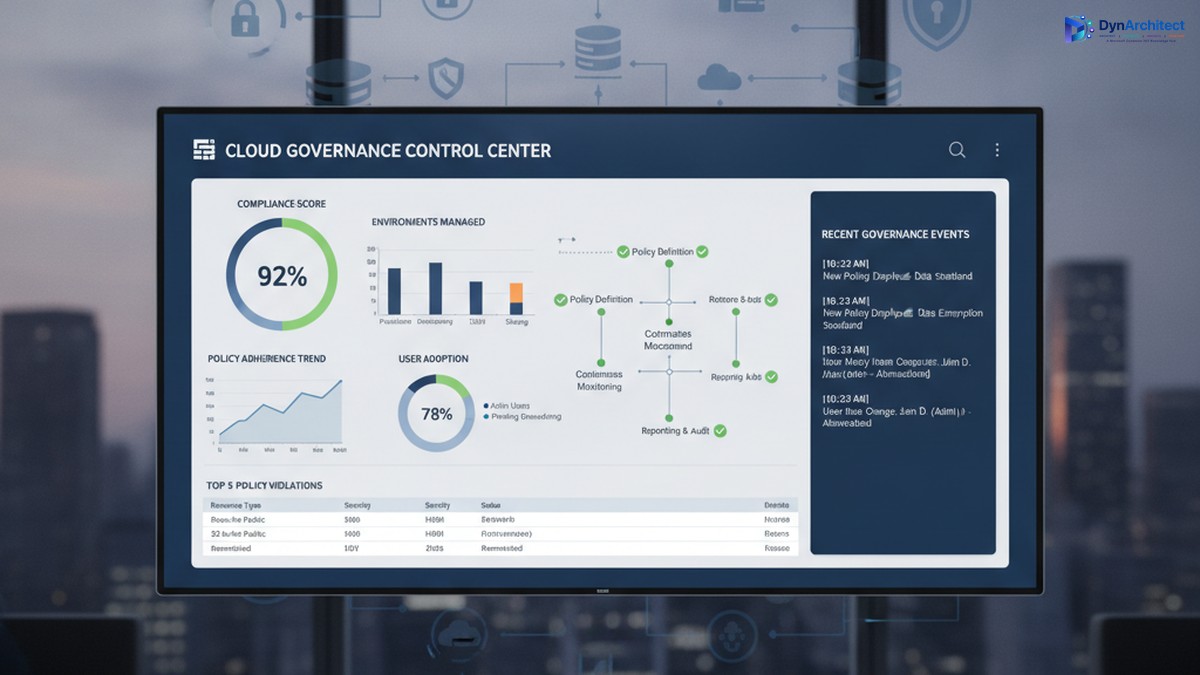
Enterprise cloud governance dashboard showing compliance metrics and governance control center

Building a Center of Excellence for Microsoft Cloud Governance: Establishing Control Without Stalling Innovation

The gap between Microsoft cloud adoption and cloud governance is widening. A CIO with three Power Platform environments deployed across finance, sales, and operations discovers, too late, that each environment has evolved its own authentication rules, data retention policies, and integration patterns. Consolidating them would disrupt active projects. Adding governance now feels like putting handcuffs on people who finally have the tools they need to move fast.

This tension is real, and it is solvable, but it requires a deliberate governance structure: a Center of Excellence (CoE). The purpose of a CoE is not to slow adoption or enforce rigid rules; it is to embed governance into the adoption process itself so that teams can move fast, safely, and with full visibility to leadership.

The Cost of Ungoverned Adoption

When organizations begin adopting Microsoft cloud services, Power Platform, Dynamics 365, Azure, Dataverse, adoption typically starts in one department or use case. A finance team builds a Power App to automate invoice processing. A field service team creates automations to dispatch technicians. Marketing builds a model-driven app to track campaigns. Each team solves a real problem immediately, with minimal delay.

Enterprise cloud governance dashboard showing compliance metrics and governance control center

The problem emerges months later, when three separate environments exist, each configured differently, each with its own data security settings, its own API connectors, and its own integration patterns. A security incident in one triggers questions about the others. A new compliance requirement (data residency, audit logging, export restrictions) means reconfiguring three environments instead of one. A developer leaves, and no one knows what custom logic lives inside automations in that environment. A connector expires, breaking integrations that no one is monitoring centrally.

The cost is not just technical debt. It includes regulatory risk (audit readiness, compliance violations), security risk (data exposure, unauthorized access), operational risk (outages affecting dependent business processes), and financial risk (unused licenses, redundant infrastructure, uncontrolled connector costs). For a mid-market organization, this hidden cost often runs to hundreds of thousands of dollars annually.

Governance after deployment is expensive and disruptive. Retrofitting compliance into three mature environments forces teams to rebuild their solutions or abandon them. Governance before deployment is far cheaper, but it requires structure and clarity on day one.

What a Center of Excellence Is (and Is Not)

A Center of Excellence is a team, function, or governance body responsible for establishing standards, providing guidance, and enforcing policies that keep cloud adoption secure, compliant, and architecturally sound. In the context of Microsoft cloud, a CoE typically has five core responsibilities:

IT leaders and cloud architects collaborating on governance and compliance framework planning

First, it establishes platform standards: which cloud services are approved for use, which are pilot-only, and which are off-limits; which authentication methods are mandatory; how data classification and sensitivity levels map to environments; where connectors can and cannot be used; which compliance frameworks apply (HIPAA, SOC2, PCI DSS, local data residency rules); and how disaster recovery and backup policies are configured.

Second, it onboards new teams and projects by providing reference architectures, reusable templates, and guidance so that new adopters do not have to invent their own governance solutions. A template might be a pre-configured Power Apps environment with the correct security role structure, DLP policies in place, and example connectors already approved and tested.

Third, it monitors ongoing usage and health. This includes license optimization (identifying unused environments and consolidating them), connector audits (catching deprecated or unapproved integrations), security scanning (checking for data exposure and overpermissioned roles), and performance monitoring (identifying resource-intensive automations that need optimization).

Fourth, it provides a feedback loop and governance review process. Teams that encounter a genuine need for a capability that current governance prohibits should be able to propose an exception, and the CoE should evaluate it against risk and organizational goals rather than simply saying no.

Fifth, it acts as an internal consulting function, helping teams plan migrations, optimize environments, troubleshoot problems, and adopt new capabilities safely.

What a CoE is not: it is not a gate that delays innovation. It is not a compliance police force that exists only to say no. It is not a one-person function managed as a side project by someone already stretched thin. These are common failure modes.

Establishing a Governance Foundation

A successful CoE begins with three foundational decisions.

First, secure executive sponsorship and clear governance scope. The CoE needs budget, staffing, and decision-making authority that comes from leadership. Without it, the CoE is a suggestion, not a standard. The scope should define: which Microsoft services the CoE governs (Power Platform, Dynamics 365, Dataverse, Azure, or all of the above); which organizational units must comply (divisions, departments, teams); and what governance decisions the CoE makes directly versus decisions it escalates.

Second, define governance principles that balance control with velocity. A principle might be: “Low-risk, read-only integrations can be self-service and pre-approved; integrations that modify business data require architecture review and security sign-off, but should be approved within two business days, not two weeks.” This principle gives teams clarity on what they can do immediately and what requires review, and it commits the CoE to a review timeline so governance does not become an indefinite bottleneck.

Third, build the governance infrastructure: identify which tools provide visibility and enforcement. This typically includes the Power Platform admin center (for environment management, DLP policies, and connector audits), Azure AD (for identity and access management), Microsoft Purview (for compliance and data governance), and possibly a custom CoE tracker (a Power Apps or Power BI dashboard that centralizes governance data across these tools and makes it visible to team leads and IT leadership).

Staffing and Operating a CoE

A CoE typically starts with a lead (dedicated, not a side project), supported by domain specialists: a Power Platform architect, a Dynamics 365 architect if applicable, a security engineer, and a compliance or risk specialist. For a mid-market organization, this might be three to five people. The CoE lead reports to the CIO or Chief Technology Officer and has direct access to business unit leaders.

The CoE should operate with a clear calendar: environment governance reviews happen monthly, new environment requests are triaged weekly, exception requests are evaluated within two business days, and a quarterly governance review presents data to leadership on usage, compliance status, security incidents, and license optimization opportunities.

Communication is essential. The CoE should publish governance policies in writing (not passed down verbally), maintain a knowledge base with FAQ and troubleshooting guidance, hold a monthly town hall for team leads to learn about new capabilities and governance changes, and send monthly status reports to IT leadership so adoption and governance metrics are visible.

Moving Forward: Quick Wins and Sustained Governance

A CoE need not be perfect from day one. An effective starting point is: document the current state of all cloud environments, establish a data classification standard and assign environments to classification levels, implement DLP policies in Power Platform to prevent data exfiltration, establish environment naming conventions and assign owners, and conduct a security audit to identify and remediate any immediate risks.

Longer-term, invest in automation: automated provisioning of new environments with governance policies pre-applied, automated security scanning and compliance audits, and automated license optimization recommendations. These investments pay off quickly through reduced manual work and faster compliance cycles.

The goal is not perfection. The goal is control: knowing what is deployed, who owns it, what data it contains, and whether it complies with organizational standards. Teams that have this clarity can innovate faster and with less risk, not slower.

Conclusion

A Center of Excellence is how organizations scale cloud adoption from experimental to strategic. It is not governance for governance’s sake; it is governance that removes risk so teams can move confidently. Building one requires executive commitment, clear principles, and sustained staffing, but the return comes quickly in reduced security incidents, faster compliance cycles, and more predictable project outcomes.

At Routeget Technologies, we have built and operated CoE functions for dozens of mid-market and enterprise organizations. We know what works: clear policies, strong automation, and leadership that understands that governance and innovation are not in conflict, they are prerequisites for each other.


#CenterOfExcellence #CloudGovernance #MicrosoftCloud #PowerPlatform #DLP #DataGovernance #ComplianceAutomation #CloudArchitecture #EnterpriseGovernance #DigitalTransformation

Hashtags: #CenterOfExcellence #CloudGovernance #MicrosoftCloud #PowerPlatform #DataGovernance #ComplianceAutomation #CloudArchitecture #EnterpriseGovernance #DigitalTransformation