Beyond Policies: Why a Center of Excellence Matters More Than Your DLP Rules

A Chief Financial Officer at a mid-market manufacturing company recently told us something revealing. Her organization had implemented strict Data Loss Prevention policies, invested in enterprise Dynamics 365 Finance, and handed out Power Platform licenses to anyone who asked. Two years later, she was frustrated. DLP was firing constantly, users were creating Shadow IT solutions outside the approved stack to bypass restrictions, and the promised $2M in operational savings hadn’t materialized. The problem wasn’t the policies. It was that nobody had decided who was in charge of making sure the investment actually worked.

That’s the gap a Center of Excellence fills.

When enterprise technology leaders talk about governance, the conversation often centers on the mechanical things: policy frameworks, data loss prevention rules, licensing controls, approval workflows. These are necessary. But they are not sufficient. Governance that lives only in technology rules creates friction. Governance that lives in organization structures, clear accountability, and shared mission creates velocity.

The Center of Excellence (CoE) represents a shift from treating governance as a compliance cost to treating it as a business function. It is the difference between a digital transformation initiative that deploys Dynamics 365 and one that actually transforms how a business operates.

What a Center of Excellence Actually Is

At its core, a CoE is a dedicated organizational function with a clear charter, staffing model, and accountability for ensuring that Dynamics 365, Power Platform, and related Microsoft investments deliver business value. It sits across business units and serves as both advocate and gatekeeper. This dual role is what makes it powerful.

The CoE champions adoption. It maintains best-practice libraries, runs training, provides templates for common patterns, and actively mentors teams building on the platform. It removes friction for legitimate business needs. At the same time, the CoE enforces guardrails. It reviews requests, flags security gaps, ensures compliance, manages licenses efficiently, and prevents duplicated effort across teams. These two roles seem contradictory until you realize they serve the same goal: ensuring that the organization’s Microsoft investments are actually being used in ways that compound value rather than create risk or waste.

A well-run CoE transforms how lines of business see technology governance. Instead of a gatekeeping function that says no, it becomes a service provider that says yes in safe, repeatable ways. When a finance leader wants to build a Power App, the CoE doesn’t block it; the CoE provides a starter template, handles the Azure deployment, ensures it integrates with the existing data architecture, and documents it for continuity. The result is faster time-to-value, lower risk, and a body of knowledge that survives individual developers leaving.

The Business Case for CoE Investment

The cost of not having a CoE is hidden but substantial. Consider the typical scenario: multiple business units building roughly the same Power Automate flows, each from scratch, with no shared patterns. Each team solves the problem slightly differently. When a business rule changes, the change has to be propagated across five different implementations. When an employee leaves, the flows they built are only partially documented. When an audit question arises, no one knows the lineage of the data flowing through these systems. This isn’t one-off friction; it compounds.

A mature CoE reduces these costs in measurable ways. First, it accelerates adoption and time-to-value. Teams that can build on templates and follow proven patterns deliver faster than teams that start from scratch each time. Second, it reduces duplicate investment. When the CoE maintains a library of reusable components, new projects pull from the library instead of reinventing. Third, it creates institutional knowledge. Documentation, component libraries, and shared approaches survive personnel transitions. Fourth, it reduces compliance and audit risk. When all Dynamics 365 and Power Platform implementations follow a common framework, audit preparation is faster and risk exposure is clearer.

From a financial standpoint, enterprises implementing a CoE typically see three outcomes. First, a lower cost per implemented solution, because duplicate effort is eliminated and patterns are reused. Second, faster business change cycles, because teams know how to build within the approved architecture and what guardrails exist. Third, better outcomes from license optimization. A CoE that tracks usage can identify licenses that are not generating value and redirect them to areas with stronger business cases. These benefits often exceed the cost of maintaining the CoE itself within 18 to 24 months.

Governance and Speed Are Not Opposites

The most common objection to investing in a CoE is that it will slow down delivery. Business units want autonomy. They worry that a CoE will become a bottleneck. This objection typically reflects past experience with poor governance structures, not an inherent truth about governance itself.

Good governance structures accelerate delivery by removing uncertainty. When a developer knows exactly what is approved, what patterns are available, and what the security and integration checkpoints are, they move faster, not slower. The slowdown comes when governance is reactive, unclear, or politically laden. A CoE that sets clear expectations upfront and provides the tools and templates to meet those standards is experienced as an accelerant.

This is why successful CoEs combine authority with service. They have the power to set standards and enforce them. And they have the resources and mandate to help teams meet those standards. Without the authority, the standards become suggestions. Without the service orientation, the CoE becomes a bottleneck.

Building the Right CoE for Your Organization

CoE structures vary by organization size and maturity. A large enterprise with multiple Dynamics 365 applications across different geographies needs a different CoE model than a mid-market company with a single Finance instance and a growing Power Platform adoption. However, the core function is the same: ensure governance serves the business, not the reverse.

The CoE needs executive sponsorship, ideally from the CFO or CIO, depending on whether the priority is finance systems transformation or technology-wide platform management. It needs dedicated staffing, not governance added to someone’s already-full plate. And it needs a charter that clearly delineates what the CoE is responsible for, how it makes decisions, and how business units can escalate or request exceptions.

Microsoft provides a Center of Excellence Starter Kit that includes templates, sample Power Automate flows, and documentation for common governance patterns. This is a practical starting point. However, the CoE itself, and the organizational commitment it represents, cannot be purchased as a kit. It has to be built.

The Connection to Dynamics 365 and Power Platform ROI

Ultimately, the CoE is a return-on-investment multiplier. The Dynamics 365 Finance deployment, the Power Platform licenses, the cloud infrastructure, these are one-time and recurring costs. The question is how fully and sustainably the organization uses them. A CoE ensures that knowledge compounds, that patterns are reused, that governance reduces risk without killing innovation, and that when leaders evaluate the success of the investment, they can point to outcomes that exceed expectations rather than deliver what was promised.

For organizations considering Dynamics 365 or scaling Power Platform adoption, the CoE is not an optional add-on. It is the structure that determines whether the investment delivers. Without it, governance defaults to ad hoc reaction, and value accumulates more slowly. With it, governance becomes a competitive advantage.

The CFO who shared the story at the beginning of this piece did eventually establish a CoE. Eighteen months after launch, her organization had cut Dynamics 365 implementation time by 35 percent, reduced Power Platform shadow IT by 70 percent, and recovered nearly 30 percent of unused licenses. She called the CoE investment one of the highest-ROI decisions she had made. Not because it was complex, but because it directly addressed the thing that matters most: ensuring that technology governance serves the business instead of creating friction within it.


#CenterOfExcellence #Dynamics365Governance #PowerPlatformCoE #EnterpriseGovernance #DigitalTransformationROI

Building Your Center of Excellence: A Governance Framework for Dynamics 365 and Power Platform Adoption

Most organizations discover too late that licensing a new enterprise platform is the easy part. By month nine of a Dynamics 365 implementation, the CIO faces a familiar problem: development teams are building the same reporting solution three different ways, shadow IT is spinning up unauthorized Power Apps, and nobody knows which integrations are active or whether they’re still maintained. The question shifts from “what can we build with Dynamics 365?” to “how do we manage what we’ve already built?”

The answer is a Center of Excellence, or CoE. But too many organizations approach CoE as an IT compliance function, when what they really need is a governance operating model that balances innovation with control. The difference between a CoE that stifles adoption and one that accelerates it comes down to how it’s structured, who runs it, and what decisions it actually owns.

Why a CoE Matters, and Why It Can Fail

A Center of Excellence is fundamentally about scaling capability safely. Dynamics 365 and the Power Platform make it possible for any department to build solutions without custom code. Finance can create a roll-up reporting app. Operations can design a custom workflow in Power Automate. HR can automate employee onboarding with Business Central. That capability is valuable, but without guardrails, it creates real problems.

Organizations end up with disconnected databases, data duplication, APIs that call into each other in ways nobody documents, licensing agreements nobody tracks, and worst of all, solutions that depend on a single person’s knowledge because nobody else knows how they work. Compliance teams start asking uncomfortable questions about data security, audit trails, and whether that Power App contains customer data it shouldn’t. Finance realizes they can’t account for total Power Platform costs because teams are subscribing independently. IT loses visibility into what’s running.

The instinct at this point is usually to shut it down: no more low-code development without IT approval, no more self-service, back to centralized control. But that approach guarantees that adoption stalls and shadow IT expands.

A properly functioning CoE does the opposite. It creates channels for safe innovation. It makes it easy for the right solutions to move forward quickly. It protects security and compliance without being gatekeepers. It distributes knowledge instead of centralizing it in one person’s head.

The Core Operating Model: Three Layers

An effective CoE sits across three layers of governance, and each layer has different stakeholders and decision rights.

The first layer is Strategic Governance, which answers high-level questions about where Dynamics 365 fits in the organization’s broader technology roadmap. This is a quarterly or semi-annual conversation among CIOs, CFOs, line-of-business leaders, and enterprise architects. It covers questions like: which business processes are we standardizing on Dynamics Finance and Operations versus Business Central versus custom development? How do we allocate the Power Platform premium licensing budget across departments? What integrations are strategic versus tactical? This layer exists to prevent redundant technology investments and to align platform adoption with business priorities.

The second layer is Operational Governance, which is where most of the actual CoE work happens. This layer owns the standards, the templates, the processes for approving new solutions, the documentation requirements, and the ongoing health of solutions already in production. It’s usually staffed by a mix of IT architects, a business analyst or two, and representatives from the business units actually using the platform. They review new Power Apps for security and scalability. They maintain a catalog of existing integrations. They enforce standards for naming, documentation, and code review. They decide when a prototype is ready to move to production and who owns it afterward. This layer runs on a weekly or bi-weekly cadence.

The third layer is Community and Enablement, which builds the skills and knowledge base that allow the organization to actually use the platform effectively. This includes training programs, documentation, a repository of templates and examples, and forums where developers and citizen developers can ask questions and share solutions. This layer is usually owned by the business units themselves or by IT’s learning and development function, but it should be resourced as a key part of the CoE’s charter, not treated as an afterthought.

Key Design Principles

Several principles determine whether a CoE actually works.

First, ownership matters more than representation. It’s tempting to create a steering committee with representatives from every department, but what actually scales adoption is having clear owners: a sponsor from the business who cares whether the solution delivers value, an owner who knows how it works operationally, and an IT steward who ensures it stays secure and compliant. The business owner drives the roadmap. The operational owner is accountable for uptime and data quality. The IT steward is accountable for security and compliance. When roles are clear, decisions are faster.

Second, CoE should remove friction for good solutions, not add it. Many organizations set approval bars so high that citizen developers give up. The right standard is not “everything must meet enterprise architecture specifications,” but rather “does this solution have an identifiable owner, proper error handling, documented dependencies, and appropriate security controls?” Some solutions can approve in days. Others need weeks. Urgency and risk should determine the timeline, not blanket requirements.

Third, establish a clear criteria for retirement. Solutions do not live forever. A Power App built two years ago to work around a process gap should be retired once the process is redesigned. An integration that was tactical should either be decommissioned or formally handed to a long-term owner. CoE should have the mandate to retire solutions that are unmaintained, redundant, or no longer needed. This is how you prevent technical debt from accumulating.

Fourth, fund it properly and staff it with people who know the platform. If the CoE is underfunded or staffed by people rotating in for six months, it becomes either a compliance police force or invisible. CoE roles should be permanent, owned by people with genuine Dynamics 365 and Power Platform expertise, and the organization should accept that CoE people are not available for project work. They’re invested in scalability and governance, not delivery.

Implementation Sequencing

Most organizations do not need a full three-layer CoE from day one. Sequencing matters.

If you’re early in a Dynamics 365 implementation, focus first on Operational Governance. Establish standards for development, set up a basic review process for significant customizations, and document what you’re building. This can be two people for a company of 500 to 1000 employees.

Once you have multiple production solutions and a growing Power Platform user base, add Community and Enablement. Create documentation, templates, and a way for developers to share solutions. This is where your learning investment starts to pay dividends.

Strategic Governance is usually the last layer to formalize, and it comes when you have enough solutions in production that technology decisions are starting to conflict or duplicate. At that point, a quarterly alignment conversation prevents expensive missteps.

Measuring Success

CoE effectiveness should be measured on business outcomes, not activity metrics. The right KPIs are things like time-to-deployment for new solutions, adoption rates for platforms you’re standardizing on, percentage of solutions with active owners, compliance pass rates on security audits, and total cost of ownership including licensing. Internal metrics like number of solutions reviewed or number of approvals processed are vanity metrics. What matters is whether the organization is getting faster and safer at delivering technology solutions, not how busy the CoE is.

The Reality

Building a CoE is not a one-time project. It’s an operating model that evolves as your platform footprint grows. Early on, it might be a single person who serves as architect and approval gatekeeper. Over time, as solutions multiply and stakes rise, it becomes a cross-functional team. At that stage, it can become a political lightning rod if it’s not carefully balanced between the needs of innovation and the demands of control.

The organizations that get it right treat CoE as a strategic capability, not a compliance function. They staff it with people who actually know Dynamics 365 and Power Platform. They give it clear decision authority. And they measure it on whether the organization is adopting faster and managing risk better, not on how many rules it can enforce.

If your organization is still in the “everyone build whatever you want” stage, that window of agility is closing. A governance framework isn’t about slowing down. It’s about scaling without breaking things. That distinction is what separates companies that harness platform capability from companies that are managed by it.


#DynamicsGovernance #CenterOfExcellence #PowerPlatformAdoption #CloudArchitecture #EnterpriseGovernance #D365CoE #DigitalTransformation

Building a Data Governance Framework for Dataverse: Compliance, Audit Trails, and Access Control in Enterprise Deployments

Organizations managing sensitive customer and operational data in Microsoft Dynamics 365 and Dataverse face an increasingly complex landscape of regulatory requirements, internal audit obligations, and stakeholder governance expectations. Compliance frameworks such as GDPR, HIPAA, SOX, and industry-specific standards place explicit demands on how data is accessed, modified, and retained. Yet many enterprise Dataverse deployments treat data governance as an afterthought, layered on top of an already-live system rather than architected from the start. This creates risk exposure and operational friction that audit teams and compliance officers spend months trying to remediate.

A deliberate data governance framework in Dataverse addresses this directly by establishing clear ownership, access control, and audit visibility before deployment rather than retrofitting governance months after go-live. The framework does three things well: it ensures that only authorized users can access or modify specific data sets, it creates a durable audit trail of who accessed what data and when, and it establishes accountability structures so that business leaders can quickly answer regulatory or audit inquiries about data handling practices.

Building this framework requires decisions across three dimensions: access architecture (who can see what data, and under what business conditions), audit and logging (what changes are tracked and who can access the audit trail), and data lifecycle management (how long data is retained and under what conditions it is purged). These are not purely technical decisions; they emerge from business governance policy and compliance requirements that should be clearly articulated by compliance, legal, and audit teams before implementation begins.

Access Control as the Foundation

Dataverse’s access control model starts with role-based security, where security roles define capabilities at a feature level (can a user create, read, update, or delete records of a given entity type) and share permissions (can a user see records owned by others). However, role-based control alone is coarse-grained: it does not distinguish between records within an entity type based on data sensitivity, business unit, or customer segment. Two users with the same security role can see all records in an entity, even if one should only see records for their own geographic region or customer vertical.

Dataverse adds two layers to refine access further: organization-owned versus user-owned record ownership, and team ownership structures that allow a set of records to be owned by a team rather than an individual. These features help, but they require discipline during implementation to be effective. A common mistake is to grant broad organization-level access to an entity because it feels simpler than setting up team-based ownership, then later realizing that users can see sensitive data they should not have access to.

A governance framework addresses this by establishing a clear access matrix during design: for each entity (or entity family such as customer records, financial transactions, or employee data), the framework defines which security roles can perform which operations, which records are owned by individuals versus teams, and whether sensitive fields within an entity require additional field-level access restrictions. Field-level security in Dataverse allows you to hide or restrict modification of specific fields to certain security roles, which is powerful for protecting sensitive columns like salary, medical information, or SSN without resorting to separate entities.

This mapping should be documented in a way that business stakeholders understand: a simple table showing entity type, record ownership model, security roles with access, and any field-level restrictions answers the question “who can see what” in business language rather than technical jargon. Once documented, this matrix becomes part of your governance baseline and a reference for onboarding new users or reviewing access during audit cycles.

Audit Trails and Change Tracking

Regulatory compliance often requires proof that sensitive data changes were made by authorized users and can be traced back to a business justification. Dataverse’s audit feature logs create, update, and delete operations on specified entities, recording the user who made the change, the timestamp, and the old and new field values. However, audit logs are only valuable if you know which entities to monitor and if you actively use the audit data to investigate access patterns or unusual changes.

A governance framework defines a “audit perimeter”: which entities are subject to audit logging, which fields within those entities are critical enough to track for compliance purposes, and how long audit logs are retained. For example, if you are handling customer payment information subject to PCI compliance, you would want to audit all access to payment card entities, even read-only access, and retain those logs for a defined period (often several years). In contrast, audit logging for a reference data entity such as product definitions might be less stringent.

The second component is audit access control: who is allowed to view audit logs, and can they be relied on as evidence of compliance? If system administrators can create, view, and delete audit logs at will, the audit trail loses credibility as a compliance artifact. A governance framework should separate the role that creates audit data (system operations, powered by Dataverse’s audit configuration) from the roles that access audit data for review (compliance, audit, and security teams). Ideally, audit logs are exported to a separate system (such as Azure Synapse, a data lake, or a SIEM) where they cannot be modified or deleted by user actions in Dataverse itself.

Audit Dataverse also provides change tracking, which is a lighter alternative to full audit logging: it records that a field changed but not the old value. Change tracking is useful for detecting unauthorized modifications to master data or configuration, even if you do not need the full audit trail for compliance purposes. Including change tracking in your governance framework for non-sensitive entities can help catch data quality issues or accidental overwrites without the overhead of full audit logging.

Data Lifecycle and Retention Policy

A complete data governance framework includes decisions about how long data is retained, what happens to data at end of life, and who is responsible for data purging. Many organizations default to infinite retention because deletion feels risky, but indefinite data retention creates compliance risk: GDPR’s right to be forgotten, for example, requires that personal data be deleted upon request unless there is a specific legal basis to retain it. Retaining data longer than necessary also increases the attack surface and creates unnecessary storage costs.

Establishing a retention policy within your governance framework requires collaboration between business (which teams use the data and for how long), legal and compliance (what regulations require), and IT operations (how to efficiently delete or archive data at scale). A retention policy might specify that customer contact records are retained for seven years after the last transaction, that employee data is retained for three years after termination, or that transactional logs are retained for five years. Each entity or data family should have a defined retention period and a corresponding deletion procedure.

Dataverse does not have automatic data purging built in, so a retention policy requires an operational process: either a scheduled flow that identifies records past their retention date and deletes them, or a manual review process where designated users approve deletion in batches. For sensitive data categories such as health information or financial records, requiring explicit approval before deletion adds an extra control layer. For high-volume, less-sensitive data such as transactional logs, automated purging based on the retention policy is more practical.

Governance in Practice: Implementation Guidance

Building a governance framework in practice means translating policy into configuration. Start with an access matrix workshop bringing together business owners, security leads, and compliance representatives to define who needs access to which data and under what business conditions. Document the decisions in a shared reference (ideally a wiki or shared document that evolves as policy changes).

Then configure Dataverse to enforce the policy: set up security roles matching the matrix, assign users to roles, configure team ownership for records requiring shared access, enable field-level security for sensitive columns, and enable audit logging for entities and fields subject to compliance requirements. Finally, establish operational procedures: a regular access review process (quarterly or annually, depending on risk tolerance), audit log review cadence, and a data purging schedule aligned with retention policies.

The configuration itself is less complex than the governance discipline: determining who should have access to what requires honest conversation between business and security teams about acceptable risk, and committing to a data lifecycle policy requires agreement on trade-offs between data utility and data minimization.

Conclusion

A well-designed data governance framework in Dataverse reduces compliance risk, strengthens audit readiness, and provides business leaders with confidence that data access and handling are under control. The framework is not a one-time deployment task; it is an ongoing practice of documenting policy, enforcing policy through configuration, and monitoring policy adherence through access reviews and audit trails. Organizations that treat governance as foundational from the start avoid the costly and painful remediations required when governance is bolted on after deployment.

Routeget Technologies’ consulting and implementation practice brings experience in designing and implementing governance frameworks across hundreds of Dynamics 365 and Dataverse deployments. Our approach combines regulatory expertise with hands-on Dataverse configuration to build governance models that are both compliant and operationally practical for your organization’s specific risk profile and business requirements.

#DynamicsDataverse #DataGovernance #ComplianceFramework #MicrosoftDataverse #EnterpriseGovernance #SecurityControls #DataPrivacy #ERPGovernance

—

#DynamicsDataverse #DataGovernance #ComplianceFramework #MicrosoftDataverse #EnterpriseGovernance #SecurityControls #DataPrivacy #ERPGovernance

Building a Center of Excellence for Microsoft Cloud Governance: Establishing Control Without Stalling Innovation

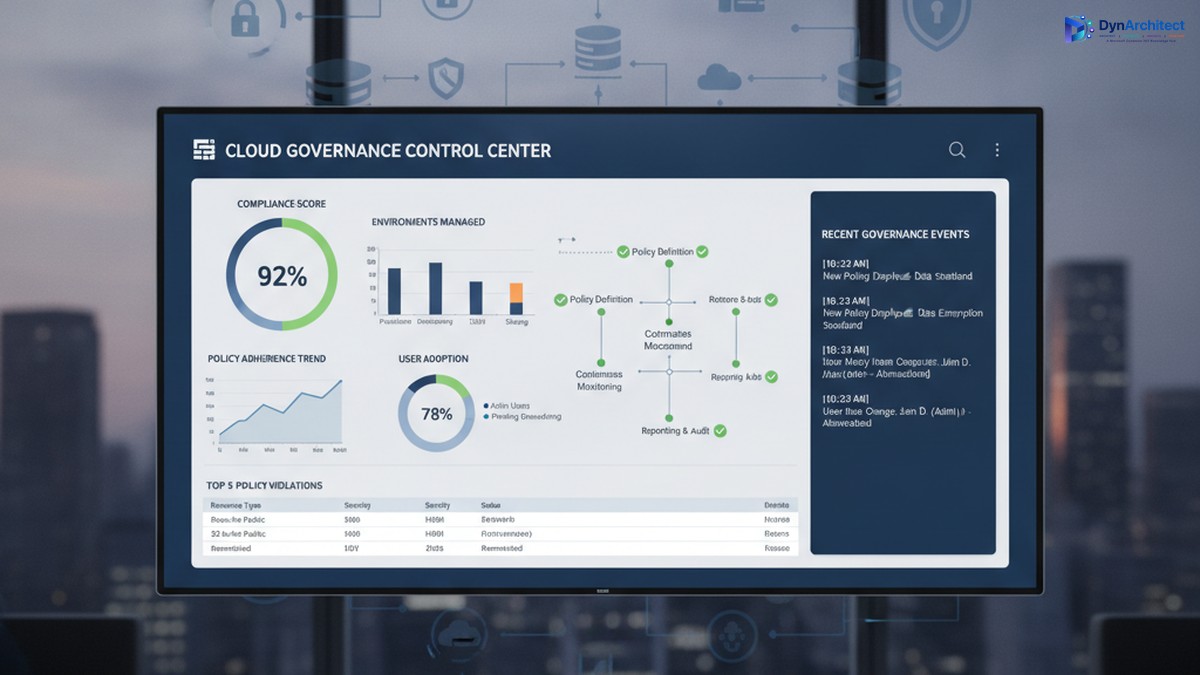
Enterprise cloud governance dashboard showing compliance metrics and governance control center

Building a Center of Excellence for Microsoft Cloud Governance: Establishing Control Without Stalling Innovation

The gap between Microsoft cloud adoption and cloud governance is widening. A CIO with three Power Platform environments deployed across finance, sales, and operations discovers, too late, that each environment has evolved its own authentication rules, data retention policies, and integration patterns. Consolidating them would disrupt active projects. Adding governance now feels like putting handcuffs on people who finally have the tools they need to move fast.

This tension is real, and it is solvable, but it requires a deliberate governance structure: a Center of Excellence (CoE). The purpose of a CoE is not to slow adoption or enforce rigid rules; it is to embed governance into the adoption process itself so that teams can move fast, safely, and with full visibility to leadership.

The Cost of Ungoverned Adoption

When organizations begin adopting Microsoft cloud services, Power Platform, Dynamics 365, Azure, Dataverse, adoption typically starts in one department or use case. A finance team builds a Power App to automate invoice processing. A field service team creates automations to dispatch technicians. Marketing builds a model-driven app to track campaigns. Each team solves a real problem immediately, with minimal delay.

Enterprise cloud governance dashboard showing compliance metrics and governance control center

The problem emerges months later, when three separate environments exist, each configured differently, each with its own data security settings, its own API connectors, and its own integration patterns. A security incident in one triggers questions about the others. A new compliance requirement (data residency, audit logging, export restrictions) means reconfiguring three environments instead of one. A developer leaves, and no one knows what custom logic lives inside automations in that environment. A connector expires, breaking integrations that no one is monitoring centrally.

The cost is not just technical debt. It includes regulatory risk (audit readiness, compliance violations), security risk (data exposure, unauthorized access), operational risk (outages affecting dependent business processes), and financial risk (unused licenses, redundant infrastructure, uncontrolled connector costs). For a mid-market organization, this hidden cost often runs to hundreds of thousands of dollars annually.

Governance after deployment is expensive and disruptive. Retrofitting compliance into three mature environments forces teams to rebuild their solutions or abandon them. Governance before deployment is far cheaper, but it requires structure and clarity on day one.

What a Center of Excellence Is (and Is Not)

A Center of Excellence is a team, function, or governance body responsible for establishing standards, providing guidance, and enforcing policies that keep cloud adoption secure, compliant, and architecturally sound. In the context of Microsoft cloud, a CoE typically has five core responsibilities:

IT leaders and cloud architects collaborating on governance and compliance framework planning

First, it establishes platform standards: which cloud services are approved for use, which are pilot-only, and which are off-limits; which authentication methods are mandatory; how data classification and sensitivity levels map to environments; where connectors can and cannot be used; which compliance frameworks apply (HIPAA, SOC2, PCI DSS, local data residency rules); and how disaster recovery and backup policies are configured.

Second, it onboards new teams and projects by providing reference architectures, reusable templates, and guidance so that new adopters do not have to invent their own governance solutions. A template might be a pre-configured Power Apps environment with the correct security role structure, DLP policies in place, and example connectors already approved and tested.

Third, it monitors ongoing usage and health. This includes license optimization (identifying unused environments and consolidating them), connector audits (catching deprecated or unapproved integrations), security scanning (checking for data exposure and overpermissioned roles), and performance monitoring (identifying resource-intensive automations that need optimization).

Fourth, it provides a feedback loop and governance review process. Teams that encounter a genuine need for a capability that current governance prohibits should be able to propose an exception, and the CoE should evaluate it against risk and organizational goals rather than simply saying no.

Fifth, it acts as an internal consulting function, helping teams plan migrations, optimize environments, troubleshoot problems, and adopt new capabilities safely.

What a CoE is not: it is not a gate that delays innovation. It is not a compliance police force that exists only to say no. It is not a one-person function managed as a side project by someone already stretched thin. These are common failure modes.

Establishing a Governance Foundation

A successful CoE begins with three foundational decisions.

First, secure executive sponsorship and clear governance scope. The CoE needs budget, staffing, and decision-making authority that comes from leadership. Without it, the CoE is a suggestion, not a standard. The scope should define: which Microsoft services the CoE governs (Power Platform, Dynamics 365, Dataverse, Azure, or all of the above); which organizational units must comply (divisions, departments, teams); and what governance decisions the CoE makes directly versus decisions it escalates.

Second, define governance principles that balance control with velocity. A principle might be: “Low-risk, read-only integrations can be self-service and pre-approved; integrations that modify business data require architecture review and security sign-off, but should be approved within two business days, not two weeks.” This principle gives teams clarity on what they can do immediately and what requires review, and it commits the CoE to a review timeline so governance does not become an indefinite bottleneck.

Third, build the governance infrastructure: identify which tools provide visibility and enforcement. This typically includes the Power Platform admin center (for environment management, DLP policies, and connector audits), Azure AD (for identity and access management), Microsoft Purview (for compliance and data governance), and possibly a custom CoE tracker (a Power Apps or Power BI dashboard that centralizes governance data across these tools and makes it visible to team leads and IT leadership).

Staffing and Operating a CoE

A CoE typically starts with a lead (dedicated, not a side project), supported by domain specialists: a Power Platform architect, a Dynamics 365 architect if applicable, a security engineer, and a compliance or risk specialist. For a mid-market organization, this might be three to five people. The CoE lead reports to the CIO or Chief Technology Officer and has direct access to business unit leaders.

The CoE should operate with a clear calendar: environment governance reviews happen monthly, new environment requests are triaged weekly, exception requests are evaluated within two business days, and a quarterly governance review presents data to leadership on usage, compliance status, security incidents, and license optimization opportunities.

Communication is essential. The CoE should publish governance policies in writing (not passed down verbally), maintain a knowledge base with FAQ and troubleshooting guidance, hold a monthly town hall for team leads to learn about new capabilities and governance changes, and send monthly status reports to IT leadership so adoption and governance metrics are visible.

Moving Forward: Quick Wins and Sustained Governance

A CoE need not be perfect from day one. An effective starting point is: document the current state of all cloud environments, establish a data classification standard and assign environments to classification levels, implement DLP policies in Power Platform to prevent data exfiltration, establish environment naming conventions and assign owners, and conduct a security audit to identify and remediate any immediate risks.

Longer-term, invest in automation: automated provisioning of new environments with governance policies pre-applied, automated security scanning and compliance audits, and automated license optimization recommendations. These investments pay off quickly through reduced manual work and faster compliance cycles.

The goal is not perfection. The goal is control: knowing what is deployed, who owns it, what data it contains, and whether it complies with organizational standards. Teams that have this clarity can innovate faster and with less risk, not slower.

Conclusion

A Center of Excellence is how organizations scale cloud adoption from experimental to strategic. It is not governance for governance’s sake; it is governance that removes risk so teams can move confidently. Building one requires executive commitment, clear principles, and sustained staffing, but the return comes quickly in reduced security incidents, faster compliance cycles, and more predictable project outcomes.

At Routeget Technologies, we have built and operated CoE functions for dozens of mid-market and enterprise organizations. We know what works: clear policies, strong automation, and leadership that understands that governance and innovation are not in conflict, they are prerequisites for each other.


#CenterOfExcellence #CloudGovernance #MicrosoftCloud #PowerPlatform #DLP #DataGovernance #ComplianceAutomation #CloudArchitecture #EnterpriseGovernance #DigitalTransformation

Hashtags: #CenterOfExcellence #CloudGovernance #MicrosoftCloud #PowerPlatform #DataGovernance #ComplianceAutomation #CloudArchitecture #EnterpriseGovernance #DigitalTransformation

Preventing Unintended Blocks: Implementing Data Loss Prevention Policies Without Paralyzing Your Power Platform

Data Loss Prevention governance dashboard with security controls and policy checkpoints

Data Loss Prevention (DLP) policies in Power Platform sit at an uncomfortable intersection: they’re necessary for governance, but they’re easy to misconfigure so that your first draft breaks legitimate business workflows. Most organizations learn this the hard way, after a DLP policy ships and silently blocks connector calls in production automations. A finance team’s approval workflow mysteriously stops routing to Slack. A sales process can’t write leads to an external data warehouse. Nobody notices until something breaks on a Tuesday afternoon.

The challenge is structural. DLP policies operate at the connector level, not at the individual action level, so a single overly restrictive rule can disable entire classes of integrations across your tenant. The organizations that avoid catastrophic blocks are not the ones that build the most restrictive policies first. They’re the ones that start with a clear map of what data actually needs protection, then craft policies targeting that specific risk rather than trying to lock down anything that looks suspicious.


Understanding DLP in Practice

A Data Loss Prevention policy defines which connectors can share data with each other. You classify connectors as Restricted Data (like SQL Server, Dataverse, SharePoint), Limited Business Use (like Slack, Teams), or General. The policy enforces rules like “data from Restricted connectors cannot flow to Limited Business Use connectors.”

The critical point most organizations miss: these classifications are tenant-wide and apply to all environments unless you create specific overrides. A policy blocking Slack from receiving SQL Server data blocks it everywhere, for everyone. That sounds straightforward on paper, but most organizations have at least a dozen legitimate integrations that move data between categories that look “risky” in isolation. A financial reporting automation sending a Slack summary of daily sales. A customer service workflow pulling account data from Dataverse to an external ticketing system. A sales tool reading opportunities from Dynamics 365 for pipeline visibility.

None of these are data leaks. All would be blocked by an overly broad DLP policy.


Common DLP Mistakes

The first mistake is auditing too aggressively. Many organizations activate DLP in Audit mode to collect data on actual usage patterns without blocking anything. The theory is sound. The practice is crushing volumes of alerts, most false positives or unavoidable business integrations. Teams see 10,000 violations in a month with no systematic way to separate real concerns from critical workflows. They either give up on enforcement or ship a policy based on highest-volume alerts, which usually fails.

The second mistake is confusing audit alerts with actual risks. Not every data flow represents a security problem. A sales team’s external deal tracker is not a breach waiting to happen just because it reads from Dataverse. An approval workflow sending Teams notifications is not exposing proprietary information just because Teams is classified as Limited Business Use. Organizations conflate appearance of complexity with presence of risk, then tighten policies to zero out complexity. This transfers risk to shadow IT. People still move the data they need. If official integrations are blocked, they’ll build their own via Excel and manual uploads.

The third mistake is shipping policies without environment-level testing. DLP policies are tenant-scoped by default, so a broad policy breaks production systems across business units before validation in staging. The correct pattern is testing in specific environments, monitoring real workflow impact, then rolling out to the entire tenant. Executives want company-wide governance immediately, but breaking multiple workflows costs more than a phased rollout.


Building a Working DLP Policy

Enterprise security infrastructure showing data governance and compliance controls

Start with an actual inventory of your integrations, not a theoretical one. Go through your most business-critical Power Automate flows (approval automations, financial data movements, sales processes) and document which connectors they use and what data moves between them. Don’t ask business owners what they think is critical. Inspect the flows. You’ll find integrations that look risky but are actually essential. A manufacturing team’s work order system pulling from Dataverse and posting to an external MES system. A finance team’s journal import flow reading CSV from a web service and loading into Dynamics 365. These would fail under restrictive DLP, and stakeholders will fight when they break.

Second, classify connectors based on actual data sensitivity, not theoretical risk. Dataverse and SQL Server carry genuinely sensitive data and warrant strong controls. SharePoint carries mixed content and needs nuance. Slack and Teams are low-sensitivity by themselves but become sensitive only when receiving restricted data. The mistake is classifying Slack as Limited Business Use, then treating any flow from SQL Server to Slack as violation. That blocks the finance team’s daily sales summary, sales team’s pipeline snapshot, and customer service team’s alert automation. These aren’t leaks, they’re operations.

A better approach is classifying Slack as General for normal use, then building specific policy exceptions for flows that legitimately move summarized data from restricted systems. This requires identifying those flows in advance.

Third, build your initial policy at the environment level, not tenant-wide. Create a restrictive policy for sandbox and development environments. Test your business-critical flows in staging with your proposed tenant-level DLP policy before shipping. You will find your policy breaks something unexpected. Refine the policy, create flow-specific exceptions, or move that flow to a dedicated environment with looser rules. All beat discovering your policy broke production automations.

Fourth, document every policy exception and why. When carving out exceptions for flows moving data between connector categories, write down the business reason, data classification, and approval stakeholder. This prevents exceptions from becoming a free-for-all over time. Each exception should have a clear owner and documented security rationale. Quarterly audits will make sense of your policy instead of inheriting blackbox carve-outs.


Monitoring and Maintenance

Finally, review your DLP policy every quarter. Power Platform gets new connectors regularly. Integration patterns change as teams adopt new tools. A policy from Q1 might be outdated by Q3. Quarterly review catches new patterns, adjusts classifications as you learn more about actual data flow, and retires unnecessary exceptions. Organizations that ship a policy and never touch it end up either too restrictive (silently blocking workflows) or too permissive (defeating the point).

Set up Power BI reporting against Power Platform audit logs. Create dashboards showing DLP violations over time by connector pair, environment, and flow. Most organizations find 80 percent of violations come from a handful of flows or connector combinations. For each, decide: Is this legitimate and needs exception? Is it shadow IT to replace? Or is it misconfigured? Document the decision.

Engage with solution architects and flow owners before violations happen. After quarterly reviews, share audit logs with teams owning business-critical integrations. This conversation prevents surprises and keeps teams aligned rather than feeling DLP is something done to them.


DLP policies are not set-and-forget security controls. They’re part of ongoing governance between your security team, platform team, and business stakeholders. Organizations implementing DLP successfully are not enforcing maximum-security policies. They start with a clear picture of what they’re protecting, build policies addressing that specific risk, and refine them as their integration landscape evolves. That approach is slower than dropping maximum-security on the entire tenant, but it’s the only approach that works in organizations where Power Platform ties directly to business operations.


#PowerPlatformGovernance #DataLossPrevention #DLPPolicy #PowerAutomateIntegration #MicrosoftCloudSecurity #EnterpriseGovernance

Power Platform License Enforcement Has a Deadline: February 2027

IT director and finance leader reviewing a software licensing compliance dashboard together in an office

A Power Platform administrator at a mid-size manufacturer got an odd notice in her Microsoft 365 message center in March. It referenced managed environments, a governance feature she associated with premium licensing decisions her CIO had deliberately deferred two budget cycles in a row. She assumed it was routine noise and archived it. Six months later, the same governance feature had been switched on for a dozen production environments without a single approval meeting, because those environments happened to be deployment targets in the organization’s new Power Platform pipelines setup. Nobody had connected the dots between an ALM modernization project and a licensing enforcement clock that started ticking the moment it went live.

That disconnect is becoming common, and it points to a real Power Platform license enforcement deadline that CIOs and IT directors should be treating as a budget line item rather than a footnote in an admin center notification. Microsoft has been quietly retiring the ALM Accelerator for Power Platform, the free, GitHub-based reference implementation many organizations used to bolt source control and deployment automation onto Azure DevOps. In its place, Microsoft is steering everyone toward Pipelines, the native, in-product ALM experience built directly into the Power Platform admin center. The pipelines feature itself is a genuine improvement for most organizations. The licensing mechanics it triggers are the part that deserves scrutiny before anyone signs off on the migration.

Why the ALM Accelerator Is Going Away

The ALM Accelerator was never meant to be permanent. Microsoft built it as a canvas app and Azure DevOps extension pairing, a reference pattern for makers who wanted Git-backed source control and staged deployments without hiring a professional DevOps team. Microsoft’s own documentation now marks it deprecated: no new features, and issues raised against it are no longer reviewed or fixed. The stated successor is Pipelines, described in Microsoft’s guidance as the strategic, in-product experience for maker-initiated application lifecycle management, extensible into Azure DevOps or GitHub when a team needs deeper customization.

For a lot of teams, that is a reasonable trade. Pipelines can be configured in minutes rather than the days or weeks a hand-built Azure DevOps release pipeline typically takes, and it comes with pre-validation, staged approvals, and automatic solution backups out of the box. The tradeoff is that Pipelines requires its non-host target environments, meaning the QA and production environments a solution deploys into, to be managed environments. Development environments are exempt, and the pipeline host itself does not have to be managed, but everything downstream of it does.

IT director and finance leader reviewing a software licensing compliance dashboard together in an office

The Auto-Enablement Nobody Voted On

Here is where the administrator’s ignored notice becomes relevant. Microsoft’s documentation states plainly that starting in February 2026, it began enabling managed environments automatically for any pipeline target environment that was not already configured that way. Tenant admins can opt into a setting under Deployments, Settings in the Power Platform admin center that converts pipeline targets to managed environments proactively, and Microsoft recommends doing so. But the underlying enforcement is not contingent on that opt-in. If a solution is deployed through a pipeline into an unmanaged production environment, Microsoft’s rollout will convert that environment regardless of whether an admin ever flipped the setting.

That matters because managed environments are not a purely technical governance toggle. They carry a licensing dimension that most conversations about ALM modernization skip entirely.

The Licensing Dimension Most ALM Conversations Skip

Managed environments themselves do not cost extra on top of the right license. They come bundled as an entitlement with standalone Power Apps Premium, Power Automate Premium, Copilot Studio, Power Pages, and most Dynamics 365 licenses, along with pay-as-you-go meters for per-app and Copilot Studio consumption. That sounds harmless until you account for how many production apps in a typical enterprise are actually running on seeded or included rights rather than a standalone license: a Power Apps use right bundled into an Office 365 plan, or Power Automate capability included with a Dynamics 365 Pro license and scoped only to that application’s context. Those included rights were never built to satisfy managed environment licensing requirements on their own, and Microsoft’s own FAQ language on the topic notes that Power Apps or Power Automate capability tied to a Dynamics 365 Pro license is meant to be used only within that licensed application, not as a general-purpose citizen development platform.

Managed environments carry an autoclaim policy that automatically assigns the correct license to a user who accesses an app there, provided the tenant has license capacity to draw from. Autoclaim solves the paperwork problem of manually assigning licenses one user at a time. It does not solve the budget problem of simply not owning enough qualifying licenses to autoclaim against, and it does nothing for a user whose only access to Power Apps or Power Automate comes through a seeded right that was never designed to extend into a managed, governed production environment.

Abstract illustration of a countdown clock merging with a network of cloud environment nodes, some locked and some unlocked

The Power Platform License Enforcement Timeline You Are Already Inside

This is not a distant, hypothetical deadline. Microsoft’s published timeline shows administrative notifications through the Microsoft 365 message center and Power Platform admin center beginning in March 2026. In-app notifications aimed directly at end users without an appropriate license started in June 2026, following a staged escalation: an informational message on day one, a warning after seven days, and an error state after fifteen, each urging the user to request a license from an admin. The hard stop lands in February 2027: users who still lack an appropriate license at that point are blocked from opening the app entirely, shown a standard message telling them they need a Power Apps license to use it. Apps are not deleted and access resumes automatically once a qualifying license is detected, but for that window, whatever workflow depended on that app simply stops working for that user.

Given today’s date, that means the notification phase is already well underway inside most tenants that run pipelines against production environments, and the enforcement date is now closer than most annual license renewal cycles.

What This Means for the Business Case

None of this is a reason to avoid Pipelines or to keep patching together an already-deprecated ALM Accelerator deployment. The practical response is to treat the license audit as part of the ALM modernization project plan rather than as an afterthought that surfaces after go-live. That means pulling a current list of every user who accesses production apps sitting in, or scheduled to sit in, a pipeline-managed environment, and checking each one against a standalone qualifying license rather than assuming a Microsoft 365 or Dynamics 365 seat covers it. It means asking whether apps currently running on included, scoped rights actually need to move to standalone Premium licensing, get rearchitected to stay within their original licensed application’s context, or get retired if nobody can justify the cost. And it means giving finance and procurement enough lead time to true up license counts well before February 2027, rather than discovering the gap when a plant floor supervisor gets locked out of a production app and escalates it as an outage.

Organizations that have gone through this kind of ALM transition tend to find the technical migration to Pipelines is the easy part. The harder, more valuable work is the license and governance audit that should have accompanied it from the start, which is usually where firms like Routeget Technologies get pulled into these engagements: less to configure a pipeline, more to make sure the environments behind it do not quietly turn into a compliance problem eleven months later.


#PowerPlatformPipelines #ManagedEnvironments #ALMGovernance #PowerPlatformLicensing #LicenseComplianceAudit #EnterpriseGovernance