
Building a Center of Excellence for Microsoft Cloud Governance: Establishing Control Without Stalling Innovation

Enterprise cloud governance dashboard showing compliance metrics and governance control center

Building a Center of Excellence for Microsoft Cloud Governance: Establishing Control Without Stalling Innovation

The gap between Microsoft cloud adoption and cloud governance is widening. A CIO with three Power Platform environments deployed across finance, sales, and operations discovers, too late, that each environment has evolved its own authentication rules, data retention policies, and integration patterns. Consolidating them would disrupt active projects. Adding governance now feels like putting handcuffs on people who finally have the tools they need to move fast.

This tension is real, and it is solvable, but it requires a deliberate governance structure: a Center of Excellence (CoE). The purpose of a CoE is not to slow adoption or enforce rigid rules; it is to embed governance into the adoption process itself so that teams can move fast, safely, and with full visibility to leadership.

The Cost of Ungoverned Adoption

When organizations begin adopting Microsoft cloud services, Power Platform, Dynamics 365, Azure, Dataverse, adoption typically starts in one department or use case. A finance team builds a Power App to automate invoice processing. A field service team creates automations to dispatch technicians. Marketing builds a model-driven app to track campaigns. Each team solves a real problem immediately, with minimal delay.
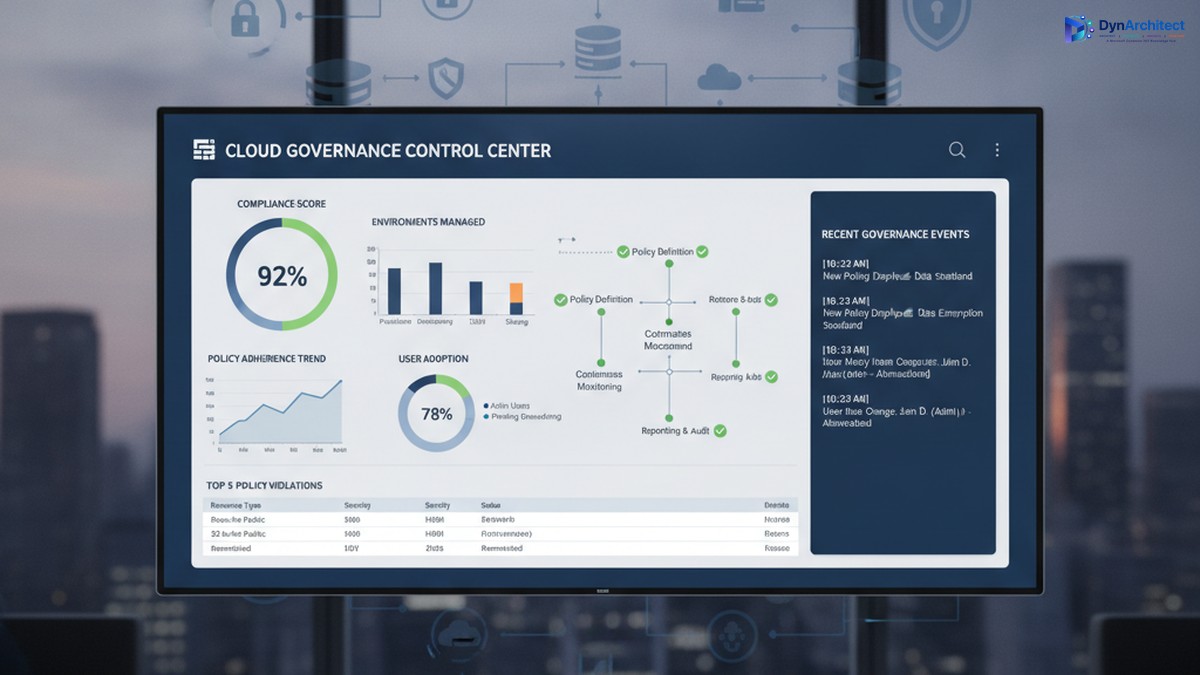
Enterprise cloud governance dashboard showing compliance metrics and governance control center

The problem emerges months later, when three separate environments exist, each configured differently, each with its own data security settings, its own API connectors, and its own integration patterns. A security incident in one triggers questions about the others. A new compliance requirement (data residency, audit logging, export restrictions) means reconfiguring three environments instead of one. A developer leaves, and no one knows what custom logic lives inside automations in that environment. A connector expires, breaking integrations that no one is monitoring centrally.

The cost is not just technical debt. It includes regulatory risk (audit readiness, compliance violations), security risk (data exposure, unauthorized access), operational risk (outages affecting dependent business processes), and financial risk (unused licenses, redundant infrastructure, uncontrolled connector costs). For a mid-market organization, this hidden cost often runs to hundreds of thousands of dollars annually.

Governance after deployment is expensive and disruptive. Retrofitting compliance into three mature environments forces teams to rebuild their solutions or abandon them. Governance before deployment is far cheaper, but it requires structure and clarity on day one.

What a Center of Excellence Is (and Is Not)

A Center of Excellence is a team, function, or governance body responsible for establishing standards, providing guidance, and enforcing policies that keep cloud adoption secure, compliant, and architecturally sound. In the context of Microsoft cloud, a CoE typically has five core responsibilities:

IT leaders and cloud architects collaborating on governance and compliance framework planning

First, it establishes platform standards: which cloud services are approved for use, which are pilot-only, and which are off-limits; which authentication methods are mandatory; how data classification and sensitivity levels map to environments; where connectors can and cannot be used; which compliance frameworks apply (HIPAA, SOC2, PCI DSS, local data residency rules); and how disaster recovery and backup policies are configured.

Second, it onboards new teams and projects by providing reference architectures, reusable templates, and guidance so that new adopters do not have to invent their own governance solutions. A template might be a pre-configured Power Apps environment with the correct security role structure, DLP policies in place, and example connectors already approved and tested.

Third, it monitors ongoing usage and health. This includes license optimization (identifying unused environments and consolidating them), connector audits (catching deprecated or unapproved integrations), security scanning (checking for data exposure and overpermissioned roles), and performance monitoring (identifying resource-intensive automations that need optimization).

Fourth, it provides a feedback loop and governance review process. Teams that encounter a genuine need for a capability that current governance prohibits should be able to propose an exception, and the CoE should evaluate it against risk and organizational goals rather than simply saying no.

Fifth, it acts as an internal consulting function, helping teams plan migrations, optimize environments, troubleshoot problems, and adopt new capabilities safely.

What a CoE is not: it is not a gate that delays innovation. It is not a compliance police force that exists only to say no. It is not a one-person function managed as a side project by someone already stretched thin. These are common failure modes.

Establishing a Governance Foundation

A successful CoE begins with three foundational decisions.

First, secure executive sponsorship and clear governance scope. The CoE needs budget, staffing, and decision-making authority that comes from leadership. Without it, the CoE is a suggestion, not a standard. The scope should define: which Microsoft services the CoE governs (Power Platform, Dynamics 365, Dataverse, Azure, or all of the above); which organizational units must comply (divisions, departments, teams); and what governance decisions the CoE makes directly versus decisions it escalates.

Second, define governance principles that balance control with velocity. A principle might be: “Low-risk, read-only integrations can be self-service and pre-approved; integrations that modify business data require architecture review and security sign-off, but should be approved within two business days, not two weeks.” This principle gives teams clarity on what they can do immediately and what requires review, and it commits the CoE to a review timeline so governance does not become an indefinite bottleneck.

Third, build the governance infrastructure: identify which tools provide visibility and enforcement. This typically includes the Power Platform admin center (for environment management, DLP policies, and connector audits), Azure AD (for identity and access management), Microsoft Purview (for compliance and data governance), and possibly a custom CoE tracker (a Power Apps or Power BI dashboard that centralizes governance data across these tools and makes it visible to team leads and IT leadership).

Staffing and Operating a CoE

A CoE typically starts with a lead (dedicated, not a side project), supported by domain specialists: a Power Platform architect, a Dynamics 365 architect if applicable, a security engineer, and a compliance or risk specialist. For a mid-market organization, this might be three to five people. The CoE lead reports to the CIO or Chief Technology Officer and has direct access to business unit leaders.

The CoE should operate with a clear calendar: environment governance reviews happen monthly, new environment requests are triaged weekly, exception requests are evaluated within two business days, and a quarterly governance review presents data to leadership on usage, compliance status, security incidents, and license optimization opportunities.

Communication is essential. The CoE should publish governance policies in writing (not passed down verbally), maintain a knowledge base with FAQ and troubleshooting guidance, hold a monthly town hall for team leads to learn about new capabilities and governance changes, and send monthly status reports to IT leadership so adoption and governance metrics are visible.

Moving Forward: Quick Wins and Sustained Governance

A CoE need not be perfect from day one. An effective starting point is: document the current state of all cloud environments, establish a data classification standard and assign environments to classification levels, implement DLP policies in Power Platform to prevent data exfiltration, establish environment naming conventions and assign owners, and conduct a security audit to identify and remediate any immediate risks.

Longer-term, invest in automation: automated provisioning of new environments with governance policies pre-applied, automated security scanning and compliance audits, and automated license optimization recommendations. These investments pay off quickly through reduced manual work and faster compliance cycles.

The goal is not perfection. The goal is control: knowing what is deployed, who owns it, what data it contains, and whether it complies with organizational standards. Teams that have this clarity can innovate faster and with less risk, not slower.

Conclusion

A Center of Excellence is how organizations scale cloud adoption from experimental to strategic. It is not governance for governance’s sake; it is governance that removes risk so teams can move confidently. Building one requires executive commitment, clear principles, and sustained staffing, but the return comes quickly in reduced security incidents, faster compliance cycles, and more predictable project outcomes.

At Routeget Technologies, we have built and operated CoE functions for dozens of mid-market and enterprise organizations. We know what works: clear policies, strong automation, and leadership that understands that governance and innovation are not in conflict, they are prerequisites for each other.


#CenterOfExcellence #CloudGovernance #MicrosoftCloud #PowerPlatform #DLP #DataGovernance #ComplianceAutomation #CloudArchitecture #EnterpriseGovernance #DigitalTransformation


Hashtags: #CenterOfExcellence #CloudGovernance #MicrosoftCloud #PowerPlatform #DataGovernance #ComplianceAutomation #CloudArchitecture #EnterpriseGovernance #DigitalTransformation

Dataverse Environment Strategy: Consolidation Versus Segregation

Dataverse consolidation vs segregation architecture comparison

When you first deploy Dataverse, the storage bill arrives as a small surprise. When you deploy your tenth instance, it arrives as a budget problem. This escalation is not accidental. It reflects a choice you likely did not consciously make: the decision to separate Dataverse environments.

Most organizations start with a single development environment, then add a staging environment for UAT, then a production environment for the main line of business. Six months later, there’s a second production environment for a parallel business unit. A year in, IT has provisioned separate Dataverse instances for finance, operations, customer service, and a pilot project that “just needed a sandbox space.” Each instance accrues storage costs, backup overhead, governance complexity, and security review burden. The organization paid for all of it. Few asked whether they needed to.

The question “Should we consolidate or segregate?” never came up because it felt obvious: production should be separate from development. But that clarity evaporates once you have multiple business units, overlapping data needs, and genuine compliance constraints. Consolidation looks cost-efficient until you calculate the management burden. Segregation looks secure until you realize your core customer data lives in four places and nobody knows which is authoritative.

The answer is neither pure consolidation nor pure segregation. It is strategy.

Understanding the Cost and Governance Tensions

Dataverse pricing ties directly to storage consumption and the number of instances you maintain. A 10 GB storage license costs roughly 100 USD per year. An organization with ten segregated Dataverse environments, even with light usage, pays backup, redundancy, and management overhead across each one. The cloud infrastructure beneath Dataverse (Azure) charges for compute, storage durability, and replication regardless of how full your instance is. A mostly empty Dataverse environment costs nearly as much as a full one.

Segregation creates what appears to be security clarity: production data stays in production, development in development, finance data in finance. This isolation has genuine value. A misconfigured Power Automate flow in a development sandbox cannot accidentally update live customer records. A security breach affecting one environment need not compromise all of them. But segregation imposes a hidden cost: data synchronization, duplicate records, inconsistent customer views, and reconciliation overhead. If customer records live in both a finance Dataverse and an operations Dataverse, which is the source of truth when they conflict? Who owns the resolution process?

Consolidation eliminates that duplication. A single Dataverse instance holding all enterprise data means one source of truth for customer records, one master file for products, one system of record for financial transactions. You skip the synchronization overhead, the reconciliation disputes, and the headache of knowing which Dataverse has the current information. The cost per record drops. But the security model becomes more complex. Consolidation means granting broader data access to more users and applications, requiring tighter role-based access control, field-level security rules, and auditing to prevent accidental or malicious data leakage. A single misconfigured permission model puts more data at risk than a segregated approach would.

Business team reviewing Dataverse environment strategy and cost metrics

When Segregation Makes Economic Sense

Segregation is the right strategy when regulatory compliance or data residency mandates isolation. A healthcare organization subject to HIPAA cannot store patient records alongside non-protected business data in the same system without additional access controls that approach the complexity of separate systems anyway. A financial services firm with customer data subject to SOX or PCI compliance, or an organization operating in multiple countries with GDPR or localization requirements, often finds segregation is mandated by policy rather than chosen for efficiency.

Segregation also makes sense when a subsidiary or business unit operates as a distinct legal entity with its own data ownership and governance. If your organization acquired a company and that company operates with its own finance department, separate Dataverse instances may be required during the integration phase and might remain appropriate long term to respect the subsidiary’s operational autonomy, even if they cost more.

Segregation further proves necessary when the organization lacks the governance maturity to enforce consistent security policies across shared data. If your Power Platform practice is young, permissioning discipline is inconsistent, and no one has ownership over a unified data governance framework, adding data to a consolidated Dataverse risks creating visibility into sensitive information that should remain restricted. In that case, segregation by business unit or application buys time for your governance practice to mature.

When Consolidation Reduces Total Cost of Ownership

Consolidation is strategically sound when you have multiple business units sharing core data, such as customers, products, and suppliers. The finance department’s customer master should be the same record your sales team references. The supply chain’s product master should be the source of truth for the pricing your finance team uses in invoicing. Consolidation eliminates the cost and risk of maintaining parallel records and reconciling discrepancies when they diverge.

Consolidation also makes sense when your organization has established governance discipline and a clear data stewardship model. If you have defined data ownership (finance owns the general ledger, supply chain owns inventory, sales owns opportunities), have role-based security groups mapped to those functional areas, and have audit mechanisms in place to catch permission violations, a consolidated Dataverse becomes a platform strength rather than a security risk. Your cost per record drops, your data consistency improves, and you simplify the user experience by giving people access to the unified information they need rather than requiring them to navigate to separate systems.

Consolidation further makes sense for organizations with mature ALM (application lifecycle management) practices. Consolidated Dataverse allows you to deploy solutions and flows to shared data layers without the release complexity of managing separate instances. Your development, staging, and production environments can all point to logically separated Dataverse spaces within a single instance, reducing provisioning overhead and backup complexity.

Hybrid Models and Environmental Separation Within a Single Instance

Many organizations land on a hybrid approach: one or two consolidated production Dataverse instances for the main business, with a separate development/test environment reserved for experimental solutions and non-production use.

This model recognizes that some segregation is necessary (development must be isolated from production), while consolidation of core business logic and shared data eliminates duplication and cost. Within a single Dataverse production instance, you use solution layers and environment variables to manage configuration differences for different business units or applications, avoiding the need for separate instances.

The Operational Complexity Multiplier

Many organizations underestimate the operational cost of managing multiple Dataverse instances. Each instance requires backup policies, disaster recovery testing, access control reviews, security patching coordination, and licensing reconciliation. Each instance needs monitoring for performance issues. Each introduces a potential point of data quality failure. If you have ten Dataverse environments with inconsistent master data definitions, ten different backup schedules, and ten separate access reviews, you have essentially maintained ten times the governance surface area compared to one consolidated instance.

Recommendations for Decision-Makers

Before you provision another Dataverse instance, ask whether the request stems from genuine compliance isolation or from organizational convenience. If it is convenience, consider whether investing in your governance model (clearer role definitions, field-level security policies, auditing) would be more cost-effective than the ongoing operational overhead of maintaining a separate instance.

If you already have multiple instances, analyze the actual data sharing patterns. Do core business entities (customers, products, suppliers) need to be synchronized across instances? If so, you are paying the cost of segregation while accepting the complexity of consolidation. A strategic consolidation project to merge those shared entities might cost less over three years than the recurring duplication and reconciliation overhead.

Document your environment strategy explicitly. Do not let instances accumulate by default. Routeget Technologies works with organizations to audit their existing Dataverse footprint, quantify the cost-benefit of consolidation versus continued segregation, and design transition plans that respect compliance constraints while reducing total cost of ownership. The difference between a well-planned environment architecture and an ad-hoc collection of instances often runs to hundreds of thousands of dollars annually for larger deployments.

Hashtags: #DataverseArchitecture #EnvironmentStrategy #PowerPlatformGovernance #EnterpriseDataManagement #DataverseCostOptimization #CloudGovernance #MicrosoftDataverse

Your Dataverse Customer-Managed Key May Have Silently Reverted in January

IT security professional reviewing a data encryption key management dashboard in a modern operations center

A compliance team preparing for a SOC 2 renewal pulls up its Power Platform admin center to confirm what it has told auditors for two years running: that its Dataverse customer-managed key, stored in the organization’s own Azure Key Vault, keeps its data encrypted under keys Microsoft cannot touch without their say. The screen says something different. The environment shows “Microsoft Managed key.” Nobody remembers approving that change, because nobody did. It happened automatically, on a date that passed eight months earlier, and the only trace of it is a single line in the environment’s admin history.

This is not a hypothetical. Microsoft retired its original bring-your-own-key (BYOK) encryption feature for Dataverse on a hard schedule: new production environments could no longer be enrolled in BYOK after June 1, 2025, and any environment still running on BYOK that had not completed migration to the newer customer-managed key (CMK) model by January 6, 2026 reverted automatically to a Microsoft-managed key. Encryption continued without interruption, so nothing broke. That is precisely the problem. An organization can lose the control it has been representing to regulators, customers, and its own board, and the system will not tell anyone unless someone goes looking.

For CIOs and IT Directors who treat encryption key ownership as a checkbox on a compliance questionnaire rather than a control that needs periodic verification, this is worth an afternoon of attention right now.

Why a Dataverse customer-managed key was worth having in the first place

Customer-managed key was never about making Dataverse more secure in a technical sense. Microsoft-managed keys use the same underlying encryption standards either way. What CMK provides is contractual and operational leverage: the ability to revoke Microsoft’s access to the underlying data by disabling a key in Azure Key Vault, independent of any support ticket or service request. For organizations in regulated industries, defense-adjacent supply chains, or jurisdictions with data sovereignty requirements, that revocation capability is often the specific control a customer contract, a government agency, or an internal risk committee asked for by name.

That is also why the BYOK-to-CMK transition matters more than a typical feature deprecation. A lapsed migration does not remove a nice-to-have. It quietly removes the exact control that a Business Associate Agreement, a defense contract, or a data processing addendum may reference. If that control disappeared in January and the organization’s compliance narrative has not been updated since, the gap is not a technical debt item. It is a misrepresentation risk sitting in a vendor security questionnaire that was answered honestly a year ago and has not been true since.

Checking whether this happened to you

The check itself takes minutes. In the Power Platform admin center, under Security, then Data and Privacy, then Customer-managed encryption key, any enterprise policy still listed will show its current status against each enrolled environment. An environment that reverted during the January cutoff will show “Microsoft Managed key” rather than “Encrypted.” The same information is visible at the environment level: open the environment’s history and search for “Update Customer Managed Key,” which will show the reversion event and its timestamp if one occurred.

Organizations that never adopted BYOK or CMK in the first place have nothing to check here, since they were never claiming otherwise. The exposure is specific to organizations that adopted BYOK, told someone about it, and then let the migration window close without follow-through, which is a more common outcome than it should be given how disruptive CMK migrations used to be to plan around.

Compliance officer and IT director reviewing a security audit and cloud governance dashboard in a meeting room

What changed that makes CMK worth reconsidering now

The reason many organizations dragged their feet on migrating from BYOK to CMK in the first place was operational risk, not indifference. Applying a customer-managed key used to mean an environment going fully offline for the duration of encryption, and if a Key Vault permission got revoked by accident, whether through an access review, a policy change, or a departing employee’s role cleanup, the environment locked and stayed locked until Microsoft support intervened. For an IT Director who has lived through that kind of outage once, avoiding a second one is a rational, if costly, choice.

Microsoft’s updates to CMK over the past year address both of those specific failure modes. Core Dataverse services now come back online once the primary encryption pass finishes, with secondary services continuing to encrypt in the background under an “Encrypting – online” status, so the outage window during initial enrollment is shorter than it used to be. More significantly, environment administrators can now restore access themselves once a revoked Key Vault permission is fixed, rather than opening a support case and waiting. That single change removes the scenario that made a lot of security teams nervous about CMK in the first place: an internal mistake in Azure RBAC no longer means the environment stays dark until Microsoft gets involved.

CMK has also expanded into GCC High, giving U.S. government entities and defense contractors the same encryption-key control in a sovereign cloud environment that commercial customers have had, and Azure Key Vault Managed HSM support for Dataverse has moved into preview, which will matter to organizations whose compliance framework specifically calls for hardware security module protection rather than software-protected keys.

Solution architect configuring cloud key vault access controls at a workstation

The coverage gap that still needs to be in the compliance narrative

None of this means CMK covers everything, and any accurate representation to an auditor or a customer needs to say so. Applying a customer-managed key to a Managed Environment encrypts Dataverse data and most of the Dynamics 365 apps built on it, but Power Automate flow data tied to that environment continues to be encrypted with a Microsoft-managed key regardless of the environment’s CMK status. Connector connection settings, environment configuration metadata, and a handful of other categories Microsoft classifies separately are also excluded. A CIO who tells a customer “our Dataverse environment is fully under customer-managed key” is accurate about the data that matters most in nearly every case, but a security questionnaire that asks about encryption coverage across the entire Power Platform estate deserves the more precise answer, not the simplified one.

What this means for planning the next quarter

For organizations that discover a silent reversion, the fix is a re-enrollment, not a support escalation: create or reuse an Azure Key Vault with soft-delete and purge protection enabled, generate or reuse an RSA key, stand up an enterprise policy, and add the environment back in through the admin center, with the expectation that core encryption completes within about four days and the environment stays reachable for most of that window under current behavior. Licensing needs a second look too, since CMK still requires a qualifying Microsoft 365 or Office 365 compliance-tier license (the E5, A5, F5, or G5 compliance and information protection SKUs) on top of the Managed Environments entitlement that comes with standard Power Platform and Dynamics 365 licensing.

For organizations that have been putting off CMK adoption entirely, the calculus has genuinely shifted. The two operational objections that used to show up in every internal debate, extended downtime and support-dependent recovery from an access mistake, have both been addressed directly. What has not changed is the governance discipline CMK requires: separating the person who administers the Key Vault from the person who administers the Power Platform environment, setting expiration alerts on the key well before it lapses, and documenting the enterprise policy and resource IDs somewhere that survives staff turnover. CMK gives an organization real control over its own encryption keys. It also gives that same organization the ability to lock itself out if that control is managed carelessly, and the discipline required to avoid that outcome has not gotten any less important just because the recovery path got shorter.

Routeget Technologies has walked several clients through exactly this kind of CMK re-enrollment after a lapsed migration, and the pattern is consistent: the technical fix is straightforward once someone notices the gap, and the harder part is almost always internal, tracking down who last touched the enterprise policy and confirming what was actually represented to auditors or customers in the meantime. That reconciliation work is worth doing before the next audit cycle asks the question first.


#Dataverse #CustomerManagedKey #EncryptionKeyManagement #DataSovereignty #ComplianceRisk #CloudGovernance