Data Loss Prevention Policy Implementation in the Microsoft Cloud: Balancing Security and Business Agility

Enterprise data governance dashboard showing Data Loss Prevention policies and security classifications

Data Loss Prevention Policy Implementation in the Microsoft Cloud: Balancing Security and Business Agility

Most IT leaders inherit DLP implementations that operate as expensive friction generators—slow approval workflows, frustrated business units, widespread policy exceptions—rather than effective data protection. The challenge isn’t building DLP capability; it’s building DLP that actually works in practice without crippling business operations.

Dynamics 365, Power Platform, and the broader Microsoft cloud stack move data at volume and velocity that traditional perimeter security cannot monitor. Spreadsheets with customer data flow through Power Automate workflows. Finance teams share GL account details via Teams. Sales consultants upload competitor files to Power Apps. Without intentional DLP governance, sensitive information leaks become statistical inevitability. Yet overly rigid DLP policies drive shadow IT and workarounds that are far less controlled.
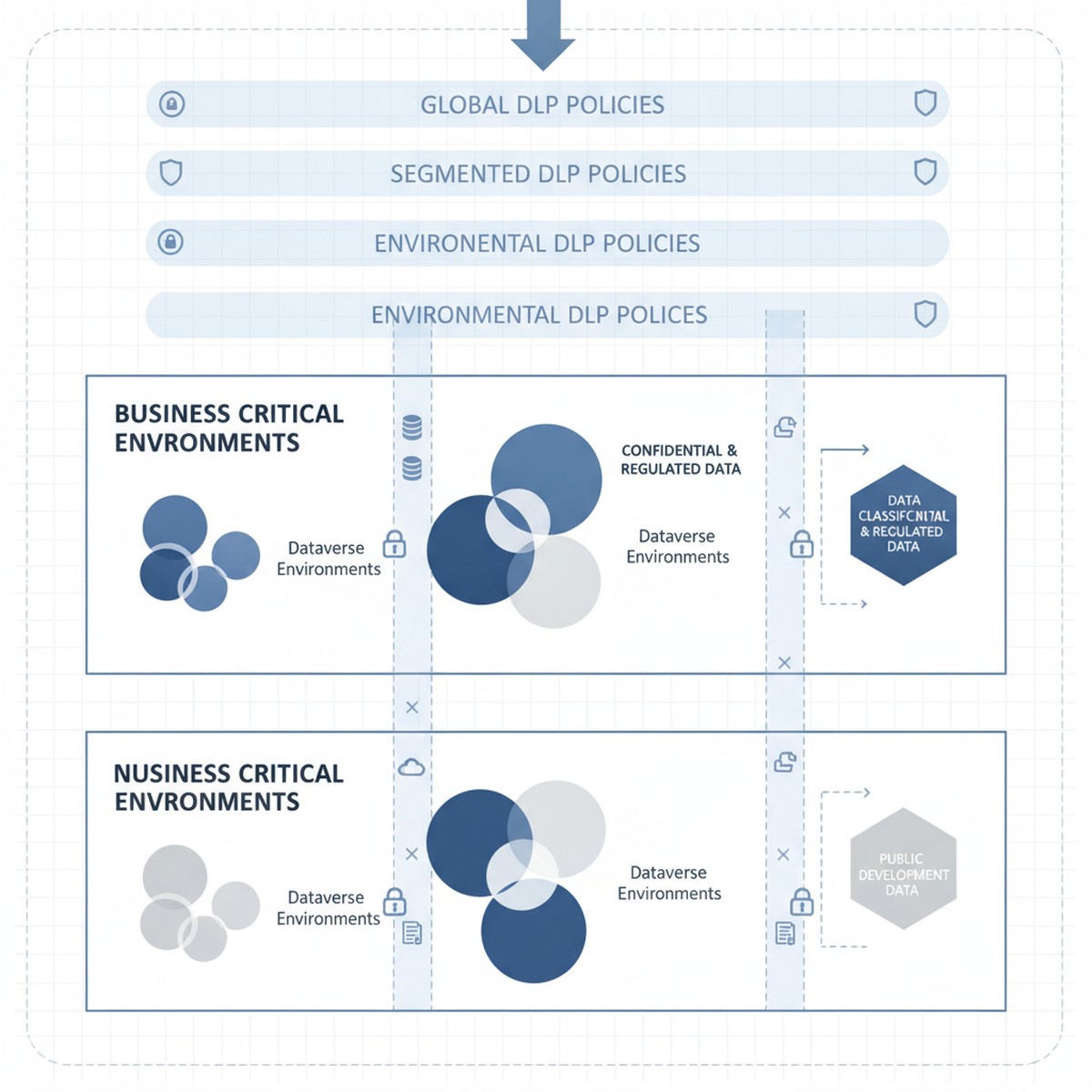
Microsoft cloud security architecture showing Dataverse environments with DLP policy layers and data classification zones

The tension is real: organizations need DLP policies that reduce breach risk and meet compliance requirements without triggering business user revolt. That balance comes from a three-layer approach starting with clear data classification, moving to segmented policy enforcement by workload, and ending with monitoring and exception workflows that catch real breaches without generating approval fatigue.

Understanding Microsoft Dataverse and Power Platform Data Classification

DLP in Microsoft Power Platform starts with a deceptively simple question: what data sensitivity level is stored in this Dataverse environment, and what external services should or should not have access to it?

Every Dataverse environment has an assigned DLP classification set by administrators. Out of the box, the options are “Business” (default), “Non-Business,” and “Unclassified,” each restricting which connectors can be used. An environment marked “Business” cannot call consumer-grade cloud services or public APIs by default. This classification system is the foundation of Power Platform DLP, and many organizations accept it unchanged. That is a mistake.

The actual tension surfaces immediately: a “Business” environment using default DLP classification prevents organizations from using essential connectors. A finance team might need to integrate Power Apps with Stripe for payment processing. A supply chain team needs logistics APIs to track shipments. A sales team needs to send customer records to third-party analytics services. These connectors fall outside default Business classification rules, but blocking them outright prevents legitimate business operations. Conversely, loosening policies to allow these services introduces real data exposure risk—customer payment details flowing to external processors without oversight.

Solving this tension requires abandoning the one-size-fits-all “Business” classification and instead segmenting Dataverse environments by actual data sensitivity and connector requirements. This segmentation becomes the policy framework that supports DLP without strangling innovation.

Segmenting Dataverse Environments by Sensitivity and Connector Requirement

Organizations that manage DLP effectively typically operate multiple Dataverse environments, each with a distinct DLP classification matched to the data sensitivity and connector requirements it actually holds.

Consider a typical enterprise structure: one environment holds Dynamics 365 Finance and Operations data (accounting records, GL accounts, intercompany transactions, supplier information). This is genuinely sensitive data subject to audit requirements and regulatory controls. This environment should be classified as “Business” under a restrictive DLP policy that prevents connectors to external consumer services, cloud file storage, or public APIs. Finance teams access this data through specifically designed Power Apps and Power Automate workflows within DLP constraints.

A second environment holds Power Apps and Power Automate flows that integrate Power Platform with external partner systems—logistics APIs, payment processors, analytics services, and public cloud connectors. This environment accepts connectors to these external services because data sensitivity and use case require it. However, no direct connection to the sensitive Finance and Operations environment is allowed. This environment operates under less restrictive DLP classification because data flowing through it is either lower sensitivity (customer feedback, survey responses, transaction history) or appropriately scoped to external partners.

A third environment is explicitly designated for proof-of-concept work and rapid prototyping. DLP is minimal here because solutions graduate to production environments with full governance only after validation and security review.

This segmentation approach solves the core tension: business users get connector freedom they need, but that freedom is appropriately scoped to environments holding data at the sensitivity level those connectors can safely access. A payment processor connector in the production environment holding Finance data would be irresponsible. The same connector in an e-commerce environment is reasonable.

Implementing Segmented DLP Without Over-provisioning

Segmentation only works when combined with clear governance over which data moves between environments and under what conditions. An organization running multiple Dataverse environments without data movement controls creates the worst outcome: complex DLP policies that block internal workflows and fail to prevent the very data exposure they were meant to restrict.

Governance begins with explicit data classification at the Dataverse table level. Every table in Finance and Operations environments should be tagged as “Highly Sensitive” (GL accounts, supplier data, payroll), “Internal” (historical transactions, internal metadata), or “Public” (product catalogs, customer-facing data). That classification becomes enforceable through data loss prevention rules: a table tagged “Highly Sensitive” cannot be queried by Power Automate flows in non-Business environments. This discipline prevents accidental sensitive data exposure through incorrectly scoped flows.

Second, organizations need exception workflows that actually work. Some business processes require sensitive data to flow to external systems. A customer requesting data export needs records to move outside the enterprise. A third-party audit requires financial table access. Building manual exception workflows—where business stakeholders request exceptions and security reviews them—turns DLP into a shared responsibility. Exception tracking also provides visibility into actual risk: organizations seeing hundreds of requests for sensitive data access learn something valuable about their risk profile.

Monitoring, Alerts, and Real-Time Response

DLP policy design matters, but enforcement and monitoring matter more. An organization with well-designed DLP policies but no monitoring ends up with policies that are either unenforced or inconsistently applied.

Microsoft Dataverse and Power Platform generate audit logs of DLP violations, but by default those logs are difficult to access in real time. Organizations that manage DLP effectively set up automated monitoring through Azure Monitor or Microsoft Sentinel, translating Dataverse audit logs into actionable alerts. A spike in violations from a specific user, a flow attempting repeated queries of sensitive tables, or patterns suggesting data exfiltration should generate alerts that security teams investigate within hours.

Real-time response capability is the difference between DLP as theoretical control and actual protection. When monitoring detects suspicious patterns, the ability to immediately disable Power Automate flows, revoke access to specific environments, or restrict Dataverse tables can interrupt a breach in progress. Without response capability, DLP monitoring is largely forensic—useful for understanding what happened after detection, not for preventing breaches.

Moving Forward: From DLP Compliance Theater to Actual Data Protection

DLP policy implementation is not a one-time project. Organizations that maintain effective data protection continuously adjust policies based on new business processes, security incidents that expose gaps, and platform evolution.

The organizations that manage this effectively treat DLP policy design as a shared responsibility across security, compliance, and business leadership. Policies are transparent—business stakeholders understand constraints and when exceptions can be requested. Exceptions are tracked regularly, signaling whether policies are appropriately calibrated. Monitoring is continuous and actionable, giving security teams real-time visibility into whether DLP policies actually protect data or just generate friction.

When these elements align, DLP stops being a security checkbox and becomes a capability that genuinely reduces sensitive data exposure risk without strangling business operations that depend on data movement and integration.

At Routeget Technologies, we have implemented data loss prevention governance across Dynamics 365 and Power Platform deployments in organizations ranging from mid-market to enterprise. Our approach begins with your current data sensitivity landscape and connector requirements, then builds segmented DLP policies and monitoring infrastructure that protect what matters most while enabling the business agility your teams need.

#DLPGovernance #DataLossPrevention #CloudSecurity #DynamicsCloudArchitecture #PowerPlatformGovernance #DataProtection #ComplianceAutomation #Dynamics365Security #MicrosoftDataverse #EnterpriseCloudGovernance

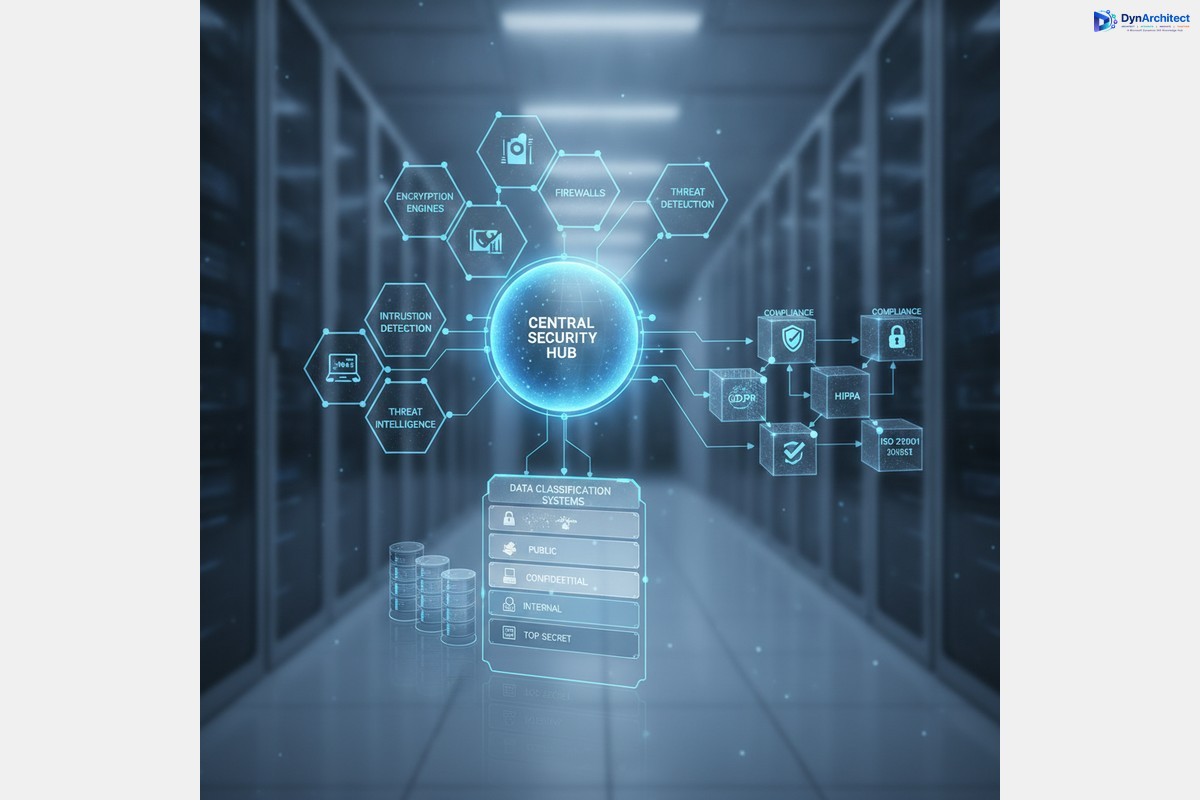
Preventing Unintended Blocks: Implementing Data Loss Prevention Policies Without Paralyzing Your Power Platform

Data Loss Prevention governance dashboard with security controls and policy checkpoints

Data Loss Prevention (DLP) policies in Power Platform sit at an uncomfortable intersection: they’re necessary for governance, but they’re easy to misconfigure so that your first draft breaks legitimate business workflows. Most organizations learn this the hard way, after a DLP policy ships and silently blocks connector calls in production automations. A finance team’s approval workflow mysteriously stops routing to Slack. A sales process can’t write leads to an external data warehouse. Nobody notices until something breaks on a Tuesday afternoon.

The challenge is structural. DLP policies operate at the connector level, not at the individual action level, so a single overly restrictive rule can disable entire classes of integrations across your tenant. The organizations that avoid catastrophic blocks are not the ones that build the most restrictive policies first. They’re the ones that start with a clear map of what data actually needs protection, then craft policies targeting that specific risk rather than trying to lock down anything that looks suspicious.


Understanding DLP in Practice

A Data Loss Prevention policy defines which connectors can share data with each other. You classify connectors as Restricted Data (like SQL Server, Dataverse, SharePoint), Limited Business Use (like Slack, Teams), or General. The policy enforces rules like “data from Restricted connectors cannot flow to Limited Business Use connectors.”

The critical point most organizations miss: these classifications are tenant-wide and apply to all environments unless you create specific overrides. A policy blocking Slack from receiving SQL Server data blocks it everywhere, for everyone. That sounds straightforward on paper, but most organizations have at least a dozen legitimate integrations that move data between categories that look “risky” in isolation. A financial reporting automation sending a Slack summary of daily sales. A customer service workflow pulling account data from Dataverse to an external ticketing system. A sales tool reading opportunities from Dynamics 365 for pipeline visibility.

None of these are data leaks. All would be blocked by an overly broad DLP policy.


Common DLP Mistakes

The first mistake is auditing too aggressively. Many organizations activate DLP in Audit mode to collect data on actual usage patterns without blocking anything. The theory is sound. The practice is crushing volumes of alerts, most false positives or unavoidable business integrations. Teams see 10,000 violations in a month with no systematic way to separate real concerns from critical workflows. They either give up on enforcement or ship a policy based on highest-volume alerts, which usually fails.

The second mistake is confusing audit alerts with actual risks. Not every data flow represents a security problem. A sales team’s external deal tracker is not a breach waiting to happen just because it reads from Dataverse. An approval workflow sending Teams notifications is not exposing proprietary information just because Teams is classified as Limited Business Use. Organizations conflate appearance of complexity with presence of risk, then tighten policies to zero out complexity. This transfers risk to shadow IT. People still move the data they need. If official integrations are blocked, they’ll build their own via Excel and manual uploads.

The third mistake is shipping policies without environment-level testing. DLP policies are tenant-scoped by default, so a broad policy breaks production systems across business units before validation in staging. The correct pattern is testing in specific environments, monitoring real workflow impact, then rolling out to the entire tenant. Executives want company-wide governance immediately, but breaking multiple workflows costs more than a phased rollout.


Building a Working DLP Policy

Enterprise security infrastructure showing data governance and compliance controls

Start with an actual inventory of your integrations, not a theoretical one. Go through your most business-critical Power Automate flows (approval automations, financial data movements, sales processes) and document which connectors they use and what data moves between them. Don’t ask business owners what they think is critical. Inspect the flows. You’ll find integrations that look risky but are actually essential. A manufacturing team’s work order system pulling from Dataverse and posting to an external MES system. A finance team’s journal import flow reading CSV from a web service and loading into Dynamics 365. These would fail under restrictive DLP, and stakeholders will fight when they break.

Second, classify connectors based on actual data sensitivity, not theoretical risk. Dataverse and SQL Server carry genuinely sensitive data and warrant strong controls. SharePoint carries mixed content and needs nuance. Slack and Teams are low-sensitivity by themselves but become sensitive only when receiving restricted data. The mistake is classifying Slack as Limited Business Use, then treating any flow from SQL Server to Slack as violation. That blocks the finance team’s daily sales summary, sales team’s pipeline snapshot, and customer service team’s alert automation. These aren’t leaks, they’re operations.

A better approach is classifying Slack as General for normal use, then building specific policy exceptions for flows that legitimately move summarized data from restricted systems. This requires identifying those flows in advance.

Third, build your initial policy at the environment level, not tenant-wide. Create a restrictive policy for sandbox and development environments. Test your business-critical flows in staging with your proposed tenant-level DLP policy before shipping. You will find your policy breaks something unexpected. Refine the policy, create flow-specific exceptions, or move that flow to a dedicated environment with looser rules. All beat discovering your policy broke production automations.

Fourth, document every policy exception and why. When carving out exceptions for flows moving data between connector categories, write down the business reason, data classification, and approval stakeholder. This prevents exceptions from becoming a free-for-all over time. Each exception should have a clear owner and documented security rationale. Quarterly audits will make sense of your policy instead of inheriting blackbox carve-outs.


Monitoring and Maintenance

Finally, review your DLP policy every quarter. Power Platform gets new connectors regularly. Integration patterns change as teams adopt new tools. A policy from Q1 might be outdated by Q3. Quarterly review catches new patterns, adjusts classifications as you learn more about actual data flow, and retires unnecessary exceptions. Organizations that ship a policy and never touch it end up either too restrictive (silently blocking workflows) or too permissive (defeating the point).

Set up Power BI reporting against Power Platform audit logs. Create dashboards showing DLP violations over time by connector pair, environment, and flow. Most organizations find 80 percent of violations come from a handful of flows or connector combinations. For each, decide: Is this legitimate and needs exception? Is it shadow IT to replace? Or is it misconfigured? Document the decision.

Engage with solution architects and flow owners before violations happen. After quarterly reviews, share audit logs with teams owning business-critical integrations. This conversation prevents surprises and keeps teams aligned rather than feeling DLP is something done to them.


DLP policies are not set-and-forget security controls. They’re part of ongoing governance between your security team, platform team, and business stakeholders. Organizations implementing DLP successfully are not enforcing maximum-security policies. They start with a clear picture of what they’re protecting, build policies addressing that specific risk, and refine them as their integration landscape evolves. That approach is slower than dropping maximum-security on the entire tenant, but it’s the only approach that works in organizations where Power Platform ties directly to business operations.


#PowerPlatformGovernance #DataLossPrevention #DLPPolicy #PowerAutomateIntegration #MicrosoftCloudSecurity #EnterpriseGovernance

Dataverse Audit Logs to Purview Now Redact Sensitive Fields. Your Incident Response Runbook Still Points There.

Compliance analyst reviewing a Dataverse audit log dashboard with some sensitive fields redacted before reaching Microsoft Purview

A security engineer investigating a compliance escalation pulls up Microsoft Purview’s unified audit log and searches for changes to a customer’s tax identification field in a Dynamics 365 Finance environment. The Dataverse audit configuration has been correctly enabled for years: environment-level auditing is on, the table is audited, the column is audited, and “Read logs” has been flowing activity to Purview since the tenant went live. Yet the search results show the record was updated, by whom, and when, but the actual before-and-after values for that field come back empty. Nothing is broken. Since June 26, 2026, Dataverse audit logs to Purview have deliberately worked this way for a defined set of sensitive columns, and most compliance and security teams have not yet updated their runbooks to account for it.

The feature responsible is a narrowly scoped but consequential change: Dataverse now strips certain categories of sensitive data, specifically financial information, health data, and personally identifiable information, out of audit events before they are transmitted to Purview’s activity logging pipeline. The values still exist. They are simply no longer making the trip to Purview, and that distinction has real operational consequences for anyone who built incident response, eDiscovery, or SIEM processes on the assumption that Purview’s audit log search was the complete picture.

What Actually Changed in Dataverse Audit Logs to Purview

Dataverse auditing has always captured create and update events at the column level, including the before-and-after value of every audited field, when environment, table, and column auditing are all enabled through the hierarchy Microsoft documents under Security, Compliance, and Auditing in the Power Platform admin center. Historically, if the environment’s “Read logs” setting was turned on, that entire audit record, field values and all, flowed to Purview’s unified audit log and became searchable at compliance.microsoft.com/auditlogsearch by anyone with the appropriate compliance role.

That behavior is what changed with general availability on June 26, 2026. Microsoft’s own release notes describe the mechanism plainly: create and update events, including a column’s before-and-after values, are still captured in Dataverse’s native audit store exactly as before. What changes is the copy sent onward to Purview. Financial data, health and medical information, and personally identifiable information are removed from that outbound payload before it leaves Dataverse. A change to a customer’s shipping address or a sales order’s discount percentage will still show full detail in Purview. A change to a national ID number, a diagnosis code stored in a custom health field, or a salary figure will not, even though every one of those changes is still fully visible inside Dataverse itself.

The rationale is straightforward: the unified audit log has a materially larger blast radius than Dataverse’s native audit history. Native audit history requires a Dataverse security role scoped to a single environment. The Purview unified audit log is a tenant-wide surface, reachable through eDiscovery cases and exportable by compliance investigators who may hold no Dynamics 365 role at all, retained under Microsoft 365 audit policy rather than Dataverse’s own retention settings. Sending unredacted salary or health data into that surface multiplied the number of people who could, deliberately or accidentally, end up looking at it.

Two Purview Pipelines That Behave Differently

Here is where the practical confusion tends to start. Dataverse actually feeds Purview through two distinct mechanisms, and they were never symmetrical even before this change. Classic Dataverse auditing, the one most organizations configured years ago through the environment’s “Log access” and “Read logs” toggles, is the pipeline this new redaction applies to. It is also the pipeline that historically sent complete field-level detail.

Separately, Dataverse’s comprehensive activity logging, the broader mechanism that captures nearly every SDK message an environment processes, including bulk exports, Advanced Find queries, and support engineer actions, has never sent column-level before-and-after values to Purview at all. Microsoft’s own documentation on comprehensive auditing states that column-level secured field values are sent to Purview as an asterisk rather than the underlying data, and that detailed field-level changes are withheld entirely from that pipeline specifically to prevent data leaks. That restriction predates the June 2026 change and applies regardless of whether a field touches financial, health, or PII data.

The practical upshot is that an organization relying primarily on comprehensive activity logging for its Purview visibility was already missing granular field values, and nothing changes for them. An organization that built its compliance program around classic Dataverse auditing with “Read logs” enabled, treating Purview’s audit log search as a faithful mirror of Dataverse’s own audit history, just lost a slice of that fidelity for exactly the categories of data most likely to matter in a regulatory inquiry.

Abstract illustration of a data grid with selectively redacted cells representing sensitive data masking

Where the Complete Record Still Lives

Nothing about this change reduces what Dataverse itself retains. The full before-and-after values for every audited column, sensitive or not, remain in Dataverse’s native audit store under whatever retention policy the environment has configured, which can run from a fixed number of days out to indefinite retention on production environments that support it. That data is accessible through the Power Platform admin center’s auditing summary view, through the classic audit history UI on individual records, and programmatically through the Dataverse Web API using the Audit entity or the RetrieveRecordChangeHistory message.

This is the detail worth building process around: if an investigation genuinely needs the value of a redacted sensitive field, the answer is not to escalate a Purview support ticket, it is to pivot the investigation to query Dataverse directly, using a role that has legitimate access to the Audit entity in that specific environment. That is a narrower, more auditable path than a tenant-wide Purview search, which is precisely the point of the change, but it means any documented incident response procedure that says “search Purview” as the first and only step now needs a second step for sensitive-field cases.

What to Check in Your Environment

Start by confirming which environments actually have “Read logs” enabled at the environment level, since that is the specific setting this change affects. Environments relying solely on comprehensive activity logging were never sending field-level detail to Purview and require no adjustment on this front, though it is still worth confirming which pipeline your compliance team believes it is querying, because in practice that assumption is not always accurate.

Next, inventory any downstream system that consumes Purview’s unified audit log for Dataverse activity: SIEM ingestion pipelines, Sentinel analytics rules built on audit log content, scheduled compliance reports, or custom Power BI dashboards pulling from the audit log search API. Any of these that parse or alert on specific before-and-after field values for financial, health, or PII columns will now see blank or null values where they previously saw data, which can silently break a detection rule that was matching on a specific value pattern rather than simply on the fact that a change occurred.

It is worth testing this directly rather than taking the documentation’s word for it, since Microsoft does not fully specify the exact classification logic used to flag a column as financial, health, or PII data. In a sandbox environment, make a controlled change to a column you believe falls into one of those categories, then compare what appears in Purview’s audit log search against what native Dataverse audit history shows for the same event, and repeat the test with a column outside those categories. The gap between documentation and observed behavior is where governance teams tend to get surprised months later.

A Compliance Improvement, Not a Complete DLP Control

It is tempting to read this feature as Microsoft having solved sensitive-data exposure in audit logging, and it has not, at least not entirely. It reduces exposure specifically on the path from Dataverse to Purview’s unified audit log for three defined data categories. It does nothing about sensitive data that lives in Dataverse’s own audit store, in exports, in Dataflows destinations, in Power BI datasets built on top of audited tables, or in any custom integration that pulls audit data directly from the Web API rather than through Purview. Organizations that treat this as a checkbox for their broader data loss prevention obligations under regulations like HIPAA or a state privacy law are conflating a narrow platform default with a program-level control, and an auditor will draw that distinction even if the platform release notes do not spell it out.

The more accurate framing is that Microsoft closed one specific, previously overlooked exposure path, and organizations now need to confirm their own audit consumption patterns still work correctly on the other side of that change. For teams running Dynamics 365 Finance and Operations or Customer Engagement with meaningful volumes of regulated data, that is a worthwhile few hours of validation, not a reason to assume the compliance posture improved on its own without anyone checking. Routeget Technologies has walked several clients through exactly this kind of audit configuration review after a platform-level change shifted what their existing monitoring actually captured, and the pattern is consistent: the environments that catch these gaps early are the ones that treat platform release notes as an input to a review, not as the review itself.


#DataverseAudit #MicrosoftPurview #PowerPlatformGovernance #DataLossPrevention #ComplianceMonitoring #EnterpriseSecurity

Power Platform Connector Certification Just Got Faster. Your DLP Policy Still Has a Gap It Doesn’t Close.

An IT governance leader reviewing a connector security and data classification dashboard in a modern office

An IT Director at a mid-size manufacturer recently found herself trying to explain, in a security review, why the company had eleven custom connectors feeding Copilot Studio agents and Power Automate flows, and why only three of them could be governed with any real precision. The other eight sat in a tenant-level policy bucket, classified by a URL pattern someone had written eighteen months earlier, long before anyone imagined an agent would be reading from that endpoint autonomously. Nobody had done anything wrong. The tooling simply hadn’t caught up to how fast custom connectors were multiplying once agentic AI entered the picture.

That gap between what Microsoft’s first-party and certified connectors can be governed with, and what a homegrown custom connector can be governed with, has existed for years. It matters more now because Copilot Studio agents lean heavily on custom connectors to reach line-of-business systems, and every one of those connectors is a new surface for a data loss prevention (DLP) policy to either control precisely or wave through by default. Microsoft’s overhaul of Power Platform connector certification, now routed through Partner Center, is worth a close look, not because it makes publishing easier (though it does), but because of what certification actually changes about how a connector can be governed afterward.

The governance gap custom connectors created

Power Platform’s DLP model treats connectors in three tiers: Business, Non-Business, and Blocked, with a rule that data can’t move between a Business-tier connector and a Non-Business one in the same flow or app. Certified and Microsoft first-party connectors slot cleanly into that model at the environment or tenant level. Custom connectors do too, technically, but the mechanics are cruder. At the environment level, an admin classifies each custom connector individually by name. At the tenant level, classification runs on URL pattern matching against the connector’s host address, using ordered allow and deny rules that end in a wildcard catch-all. It works, but it asks a governance team to maintain URL pattern lists by hand, and it treats a connector’s trustworthiness as a function of its address rather than anything Microsoft has actually reviewed.

Advanced Connector Policies (ACP), the newer and stricter allowlist model Microsoft has been rolling out for tenant-wide connector governance, makes the distinction sharper. ACP applies to certified connectors. Custom connectors and HTTP-based connectors, including the generic HTTP connector and HTTP Webhook triggers that many home-grown integrations depend on, are explicitly not supported in ACP as of this writing and still require classic DLP policies or connector endpoint filtering. In practice, that means a company standardizing on ACP for its governed estate is, by definition, leaving its custom connectors in a separate, less rigorous governance lane, no matter how business-critical those connectors have become.

What actually changed in Power Platform connector certification

Microsoft’s new certification pathway moves connector and Copilot plugin submissions into Partner Center, tied to enrollment in the Microsoft 365 and Copilot program. The prior process required manual review that partners reported taking two to five weeks, with limited visibility into where a submission stood or what specifically had failed if it was rejected. The Partner Center path automates the review, gives submitters real-time status and error detail, and covers four scenarios: new custom connectors built in Power Automate, version upgrades to already-certified connectors, custom connectors paired with an associated Copilot plugin, and version upgrades to that paired combination.

Once certified, a connector stops being a homegrown artifact and becomes a standard connector in Microsoft’s catalog. It shows up in the same list as first-party connectors in Power Automate, Power Apps, and Logic Apps, and if it has an associated plugin, that plugin becomes available for admins to enable through the Microsoft Admin Center for Copilot for Microsoft 365. For an enterprise that built an internal connector purely to reach an ERP or CRM system from a Copilot Studio agent, and never intended to publish it externally, this is the detail that matters most: certification is not only a go-to-market lever for ISVs, it is a path out of the custom connector governance lane described above.

Illustration of a digital padlock connecting through a certification gateway, representing connector certification and security governance

What certification does, and does not, fix

It would be a mistake to read this as Microsoft closing the governance gap entirely, and a CIO evaluating whether to push a critical connector through certification should go in with accurate expectations. Certification moves a connector into the standard three-tier DLP classification that Business and Non-Business connectors already use, replacing the name-based or URL-pattern approach reserved for custom connectors. That is a genuine improvement in precision, and it makes a connector eligible for ACP’s stricter allowlist model instead of being permanently excluded from it.

What certification does not do is retroactively fix the connectors an organization decides not to certify, and it does not extend ACP support to HTTP or HTTP Webhook connectors, which remain governed under classic DLP regardless of certification status elsewhere in the estate. A company with a mixed environment, some certified connectors under ACP and a long tail of custom and HTTP connectors under classic DLP, is still running two governance models side by side. Certification narrows that split. It does not eliminate it.

There is also a real cost to weigh. Certification requires standing up a Partner Center account, completing verification materials, and enrolling in the Microsoft 365 and Copilot program, none of which is a five-minute administrative task. For a connector built and used entirely inside one business unit with no reuse potential, that overhead is unlikely to pay for itself. For a connector that a dozen teams route sensitive financial, HR, or customer data through, or one that sits underneath a production Copilot Studio agent making autonomous decisions, the calculus is different.

Deciding which connectors are worth the investment

The practical question for an IT Director or CIO is not whether to certify every custom connector in the tenant. It is which ones justify the enrollment overhead and the ongoing maintenance of keeping a certified version current as the underlying API changes. Three characteristics are worth screening for. First, does the connector back a Copilot Studio agent or automated flow that acts on data without a human reviewing every step, since that is precisely the scenario where blunt, address-based DLP classification is riskiest. Second, is the connector reused across more than one business unit or environment, since URL-pattern tenant policies were never designed to express nuance across multiple consuming teams with different data sensitivity needs. Third, does the connector touch data categories, financial reporting, payroll, customer records, that already sit under stricter internal data handling policy, where a coarser custom-connector classification is a harder position to defend in an audit.

Connectors that fail all three tests, a one-off integration built by a single team for an internal utility with no agent dependency, probably do not need to go through Partner Center at all. The classic DLP tools, applied deliberately rather than left on default settings, are adequate for that tier. Where the calculus shifts is in exactly the kind of estate the manufacturer’s IT Director was trying to defend: a small number of connectors that carry disproportionate risk because of what they connect to and what increasingly autonomous agents do with that access.

Where this fits in a broader governance plan

None of this replaces the fundamentals. A tenant that has not yet adopted DLP custom connector parity, the capability that lets custom connectors be classified individually rather than only by URL pattern, should do that first, since it is available today at no additional cost and requires no Partner Center enrollment. Certification is the next step up for the specific connectors where individual classification still is not precise enough, and where eligibility for ACP’s allowlist model is worth the administrative investment.

Routeget Technologies has walked several clients through exactly this kind of connector inventory exercise, mapping which integrations sit behind agentic workflows and which ones are candidates for certification versus tighter classic DLP rules. The pattern that keeps showing up is not that organizations have too many custom connectors. It is that almost none of them have ever been ranked by actual risk, which is what makes the certification decision harder than it should be. Microsoft has removed the excuse that certification takes too long. The remaining work, deciding which connectors actually warrant it, is squarely a governance decision, not a technical one, and it belongs on the same review calendar as any other access control question in an increasingly agent-driven Power Platform estate.


#PowerPlatformGovernance #CustomConnectors #DataLossPrevention #CopilotStudio #EnterpriseAI #ConnectorCertification

Power Platform Agent Authentication Governance Reaches GA: What to Audit First

An IT administrator reviewing an agent identity and access governance dashboard on a large office monitor

A CISO at a mid-market manufacturer asked her Power Platform admin a simple question last month: how many Copilot Studio agents does the organization actually have running, and how many of them require anyone to prove who they are before they can use them? The admin came back three days later with a spreadsheet of 214 agents. Nineteen had “No authentication” configured. Four of those nineteen had access to a knowledge source containing vendor contract terms. Nobody remembered turning authentication off for any of them, because nobody had turned it on to begin with. It had simply never been set. That gap is exactly what Power Platform agent authentication governance, which reached general availability this month, was built to close.

Microsoft has been describing this exact scenario in its own guidance for a while. In a February 2026 security post, Microsoft described unauthenticated agents as a recurring pattern rather than an edge case: authentication gets “deactivated for testing, left in its default state, or misunderstood as optional,” and the result is an agent that anyone with a link can use, sometimes surfacing internal information through its topics, actions, or knowledge sources without anyone intending it to. The fix Microsoft has been building toward arrived this month, and it changes who is responsible for catching this problem before it reaches production.

What Power Platform Agent Authentication Governance Actually Does

The feature reached general availability on September 2, 2026, after a public preview that opened in late May. Listed in Microsoft’s release plan as “Manage agent security with enhanced admin controls,” it gives administrators a way to set authentication and access policy for agents centrally, at the environment or environment group level, inside the Power Platform admin center. Rather than relying on individual makers to choose the right authentication setting each time they build or republish an agent, an admin can now require Microsoft Entra ID authentication across a group of environments, permit a defined list of approved external identity providers for agents that genuinely need one, or block anonymous access outright.

The detail that matters most for a governance program is when these policies get enforced. This is not a design-time warning that a maker can dismiss and move past. Microsoft’s own documentation describes the policy as evaluated both when an agent is deployed and again at runtime, so a policy change made after the fact actually reaches agents that are already published, not just new ones being built going forward. That closes a gap that has existed in Copilot Studio governance for a while: DLP data policies could already restrict unauthenticated usage at the tenant level, but that control was blunt. It did not give admins a way to say, for example, that the environment group serving finance requires Entra ID, while a separate environment group hosting a public-facing customer service agent is allowed to run anonymously because that is the intended design.

That distinction is worth sitting with, because the instinct after reading a story like the manufacturer’s spreadsheet is to conclude that anonymous access is always the mistake. It isn’t. A number of legitimate agents, particularly ones embedded in Power Pages sites or public marketing properties, are supposed to be reachable without a sign-in. The problem in most organizations is not that anonymous agents exist. It is that nobody made a deliberate decision about which ones should, and the setting drifted in by default rather than by design.

Abstract illustration of glowing padlock and key icons connected in a network, representing agent identity and access governance

Why This Became Urgent Now

The timing lines up with a broader shift that most IT leaders are already tracking anecdotally even if they haven’t quantified it. Citizen-developer agent creation in Copilot Studio has grown faster than most organizations’ governance processes have kept pace with, and a maker publishing an agent from a template or a quick prototype rarely stops to think about identity architecture. Microsoft’s guidance on securing Copilot Studio deployments at scale describes a zoned model, where agents built by citizen developers are expected to carry the least privilege and the most constrained data access, and where authentication choices become progressively more deliberate as an agent moves toward professional development and broader distribution. Enforcement has lagged the model. Before this release, an admin who wanted to guarantee that zone boundaries actually held had to lean on DLP connector policies and manual audits, neither of which was built specifically to answer the authentication question.

There’s also a compliance dimension that will matter more to some organizations than others. Regulated industries, healthcare, financial services, and any company subject to a SOC 2 or ISO 27001 audit cycle have been fielding questions from auditors about AI agent access controls for a while now, often without a clean answer. A centrally enforced authentication policy, applied at the environment group level and demonstrably active at runtime rather than merely recommended at build time, gives those organizations something concrete to show. It is the difference between telling an auditor that agents are supposed to require authentication and showing them a Power Platform admin center screen where that policy is actually configured and enforced.

What to Audit Before You Roll This Out

The rollout sequence matters more than the feature itself, and getting it backwards creates its own incident. The first step is the one the manufacturer’s CISO already took: get a current inventory of every agent in the tenant and its existing authentication setting, broken down by environment. Most organizations doing this for the first time are surprised by the count, and a meaningful share of that surprise usually comes from test or proof-of-concept agents that were never decommissioned rather than from production systems.

Once the inventory exists, the harder work is deciding environment group boundaries before applying policy, not after. An environment group that mixes internal line-of-business agents with a customer-facing Power Pages chatbot forces an uncomfortable compromise: either weaken the policy to accommodate the anonymous agent or break a legitimate public integration. Splitting those into separate environment groups first, then applying a strict Entra ID requirement to the internal group and an explicit, reviewed exception for the external one, is the pattern that avoids both outcomes.

It is also worth coordinating this rollout with whoever owns DLP policy in the organization, since the two controls now overlap in purpose even though they operate at different layers. A tenant-wide DLP restriction on unauthenticated connector usage and an environment-group-level authentication requirement can either reinforce each other or produce confusing, hard-to-diagnose failures if they are configured without reference to one another. Treating this as a single governance conversation, rather than two separate admin tickets handled by different people, avoids that outcome.

Finally, this is a good moment to revisit whichever Center of Excellence process the organization uses to track agent inventory and ownership, since an authentication policy is only as good as the organization’s ability to know when a new agent shows up outside of it. The policy catches misconfiguration. It does not catch an agent nobody knew existed until the inventory audit runs again.

The Practical Takeaway

None of this requires a large project to act on immediately. A first pass, an inventory of current agents and their authentication settings, a decision about which environment groups genuinely need anonymous access and which don’t, and a staged policy rollout starting with the highest-risk internal environment group, is realistic within a normal sprint or two for most Power Platform admin teams. What changes with this GA release is that the tool for enforcing the decision now exists natively, rather than requiring a workaround built from DLP policies never designed for this specific job.

Routeget Technologies has been walking clients through Copilot Studio governance reviews since well before this feature existed, largely because the underlying problem, agents accumulating faster than anyone tracks their authentication posture, predates any specific Microsoft release. The general availability of centralized agent authentication governance does not solve that problem by itself. It gives the teams already paying attention to it a real lever to pull, and it gives the teams who haven’t started yet a clear, specific reason to.


#CopilotStudio #PowerPlatformGovernance #AgentAuthentication #AIGovernance #EnterpriseAI #DataLossPrevention

Advanced Connector Policies Are GA. Here’s What Still Needs Classic DLP.

IT governance administrator reviewing a Power Platform connector policy dashboard on a widescreen monitor

An admin at a 400-environment tenant spent a Tuesday afternoon tracing why a maker in a finance sandbox could connect a flow to a third-party file-sharing connector that should have been blocked tenant-wide. The tenant-level DLP policy classified the connector as non-business. An environment-specific policy, created eighteen months earlier for a since-retired pilot project, had it classified as business instead, and because classic DLP evaluates every applicable policy and merges the results, the older, looser rule won for that one environment. Nothing was misconfigured in the sense of a typo or a missed checkbox. It was misconfigured in the sense that nobody could reason about which rule applied where anymore.

That kind of drift is the specific problem Advanced Connector Policies were built to close, and as of June 4, 2026, they are generally available across the Power Platform admin center. For solution architects and platform administrators who have spent years managing DLP through the classic business/non-business/blocked model, ACP is not a UI refresh. It changes the underlying enforcement model, and it does not yet cover everything classic DLP does, which means the real work right now is figuring out exactly where the boundary sits.

What Advanced Connector Policies Actually Change

Classic DLP lets an environment inherit from multiple overlapping policies at once: a tenant-wide baseline, group-level rules, environment-specific exceptions, sometimes all three stacked on top of each other. The runtime evaluates all of them and applies the most restrictive result for a given connector, which sounds safe until you have dozens of overlapping policies and nobody has a single view of what’s actually allowed in environment 214. Advanced Connector Policies replace that model with something much narrower: each environment can have exactly one effective ACP, either configured directly on the environment or inherited from an environment group, never both at once.

The more consequential change is the default posture. Classic DLP sorts connectors into three buckets and anything not explicitly sorted lands in a default bucket, which in practice means most connectors are reachable unless someone deliberately restricts them. ACP inverts that. It is a strict allowlist: every connector is blocked until an administrator explicitly allows it, and critically, newly released connectors are blocked by default rather than automatically available. That second part matters more than it looks. Under classic DLP, Microsoft ships a new certified connector and it’s immediately usable in every environment that doesn’t have an explicit block rule against it, which is exactly how ungoverned tools accumulate over time. Under ACP, a new connector requires deliberate action before anyone can touch it, which shifts the operational model from periodic cleanup to ongoing curation.

Action-Level Control and Where MCP Governance Fits

ACP also goes deeper than connector-level allow or block. Within an allowed connector, admins get visibility into individual triggers, regular actions, internal actions, and actions Microsoft has marked deprecated, and can block any of those independently, which is useful for pushing makers off a deprecated action a legacy flow still references without pulling the whole connector. One behavior worth knowing before you rely on it: once a connector is scoped down to specific allowed actions, any new action or trigger Microsoft adds later isn’t automatically included. It has to be added deliberately, consistent with the allowlist philosophy but meaning a connector configured carefully in June can quietly miss a capability Microsoft ships in September until someone revisits the policy.

IT governance administrator reviewing a Power Platform connector policy dashboard on a widescreen monitor

This is also where ACP intersects with agentic AI governance, worth calling out since most classic DLP writeups predate MCP entirely. Advanced Connector Policies give admins visibility into MCP servers alongside standard connectors and let them block an entire server, but they don’t yet offer granular control over individual tools exposed by that server. If a team stands up an MCP server bundling a dozen tools and you need eight of them permitted while two are blocked, ACP can’t currently express that: the block is server-wide or nothing. For organizations moving quickly on Copilot Studio agents and custom MCP integrations, that’s a real gap to plan around, since it means governance over agent tool access is currently coarser than governance over a standard connector’s actions.

What’s Still Missing, and Why Classic DLP Isn’t Going Away Yet

The limitation that will affect the most environments in practice is that ACP currently only governs certified connectors. Custom connectors and HTTP connectors, including HTTP with Azure AD and the endpoint filtering that lets admins restrict a custom or HTTP connector to a specific allowed URL pattern, are not supported in ACP today and have no committed timeline for parity. If your tenant relies on endpoint filtering to say, for instance, that a generic HTTP connector may only call approved internal APIs and nothing else, that control still lives entirely in classic DLP. Virtual connectors are a separate case again: Copilot Studio’s virtual connectors are being moved to a dedicated governance model built specifically for that surface rather than folded into ACP, and Power Automate desktop flow virtual connectors are being converted into certified connectors over time, at which point they’ll fall under standard ACP rules like anything else.

Microsoft’s answer to this gap is mixed mode, which is also the default state for any environment or environment group where ACP has been configured. In mixed mode, both classic DLP and ACP evaluate simultaneously and the platform applies whichever result is more restrictive. That’s a genuinely useful design for migration: an organization can build out its ACP allowlist for certified connectors incrementally, watch how it behaves in mixed mode against real usage for a few weeks, and keep the existing classic policy doing the work ACP can’t do yet, namely custom connectors, HTTP endpoint filtering, and virtual connectors. Only once an environment’s governance needs are fully expressible in ACP, which for most tenants means never for HTTP-heavy environments, should it be switched to ACP-only mode, which turns off evaluation of classic policies entirely for that scope and can only be reversed by reconfiguring the rule.

Abstract network diagram on a laptop screen showing allowed and blocked system connections

Design-Time Enforcement Is Rolling Out Workload by Workload

One detail that’s easy to miss in the announcement is that GA for ACP as a policy engine is not the same as GA for design-time enforcement across every maker surface. Design-time blocking, meaning a maker sees an error while building a flow or app rather than discovering the failure at runtime, is rolling out one workload at a time: Power Automate’s maker portal first, Copilot Studio next, and Power Apps’ maker portal after that. Until a given surface has design-time support, ACP still enforces at runtime there, which means a maker in Power Apps today can build and save a canvas app referencing a blocked connector and only find out it doesn’t work when the app actually runs. That’s a materially different experience from the flow-checker warning a Power Automate maker gets today, and it’s worth setting expectations accordingly with any citizen developer population still working primarily in Power Apps.

A Practical Migration Sequence

The organizations getting this right aren’t treating ACP as a lift-and-shift replacement for their existing DLP policy set. They start with an audit of what their current classic policies actually enforce, separating that into a certified-connector allowlist that can move to ACP and a residual set of custom-connector, HTTP endpoint-filtering, and virtual-connector rules that has to stay in classic DLP indefinitely. From there, building the ACP allowlist environment-group by environment-group, publishing it in mixed mode, and giving it real usage time before considering ACP-only mode avoids the failure pattern of flipping a switch tenant-wide and finding the gaps through a flood of support tickets. It’s also worth reconciling allowed-connector lists periodically through the Power Platform API rather than the admin UI alone, since retired or invalid connector IDs accumulate in a policy’s configuration and throw off the connector count the UI reports without actually blocking anything.

One operational gotcha worth flagging before it surprises anyone: removing an ACP rule from an environment group does not automatically remove that policy from environments that already inherited it, and removing an environment from a group retains whatever ACP configuration it last had rather than reverting to unrestricted. That’s a deliberate design choice to prevent a connector from becoming unexpectedly available during a reorganization, but it means offboarding an environment from group-based governance requires an explicit cleanup step, not just a drag-and-drop out of the group.

None of this makes classic DLP obsolete, at least not on any announced timeline, and treating ACP’s June GA as a mandate to migrate everything immediately would be a mistake for any tenant with meaningful HTTP or custom connector usage. What it does change is the ceiling on how precisely certified-connector access and AI agent tooling can be governed, and for tenants running large numbers of managed environments, that precision is the difference between a policy set someone can actually audit and one that quietly drifts for eighteen months until an admin loses an afternoon tracing it. We’ve walked several clients through exactly this audit-first sequencing this year, and the pattern holds regardless of tenant size: know what you’re moving before you touch the switch.


#AdvancedConnectorPolicies #PowerPlatformGovernance #DataLossPrevention #MCPGovernance #ConnectorSecurity #EnterpriseAI

The Power Platform CoE Starter Kit Is No Longer Maintained. Here’s What Actually Replaces It.

IT governance director reviewing a Power Platform tenant governance dashboard on an office display

An IT Director at a mid-size manufacturer pulled up her Power Platform governance dashboard last month expecting the usual weekly refresh: new app registrations, a handful of DLP policy violations, a queue of flows awaiting review. Instead she found version numbers that hadn’t moved since February. The Center of Excellence Starter Kit her team built three years ago, the tool that had quietly governed more than 400 apps and flows across the tenant, had gone dormant. Nobody had announced a shutdown. It simply stopped getting updates, and the team only noticed because a routine compatibility check flagged an error the kit’s outdated code couldn’t handle.

That scenario is playing out across a lot of Power Platform tenants right now, because Microsoft has quietly, officially confirmed that the Power Platform CoE Starter Kit is no longer being actively maintained.

IT governance director reviewing a Power Platform tenant governance dashboard on an office display

What Changed With the Power Platform CoE Starter Kit

The language matters here, because a lot of the discussion around this shift has overstated what happened. Microsoft’s own documentation, updated April 30, 2026, states plainly that the Power Platform CoE Starter Kit is no longer actively maintained: issues submitted against the GitHub repository are no longer reviewed, and any genuine security concern should now be routed to the Microsoft Security Response Center rather than the project’s issue tracker. Monthly releases, which had shipped reliably in the first week of nearly every month for years, stopped after February 2026.

That is not the same as a retirement. Microsoft has not published an end-of-life date, has not blocked new deployments, and explicitly states the kit “remains available for both new and existing deployments.” Organizations running it today won’t wake up to a broken environment. What they will face, gradually, is a governance tool that stops keeping pace with platform changes: new connector types it doesn’t recognize, new environment settings it can’t report on, and eventually compatibility issues with Dataverse or Power Automate updates that nobody is fixing on the other side. For a CIO, this is a slower and in some ways more dangerous problem than a hard cutoff, because there’s no forcing deadline to put a migration project on the calendar.

The Native Replacement Microsoft Is Building

Microsoft’s stated direction is to fold CoE-style governance directly into the Power Platform admin center rather than leaving it to a community-maintained Dataverse solution. Four capabilities make up that shift, and they’re at different stages of maturity, which matters for anyone trying to plan around them.

Inventory gives tenant-wide visibility into every app, flow, and now agent across the organization, replacing one of the CoE kit’s original core functions: knowing what exists. Usage entered public preview on February 13, 2026, and Microsoft has targeted general availability for August 2026; it tracks adoption patterns, surfaces top resources and their owners, and sits in the licensing and capacity category of the admin center, which is a signal about where Microsoft sees the primary value: helping organizations understand what they’re actually consuming before a renewal conversation. Monitor, focused on detecting operational health issues across Power Platform resources, entered public preview in August 2026 with no GA date yet confirmed. And Actions, sometimes referred to as Power Platform Advisor, organizes personalized recommendations into four categories: security, operational efficiency, licensing and capacity, and performance, with the ability to remediate inline, automate a fix through Power Automate or PowerShell, snooze non-security items for up to two months, and share a recommendation into Teams for follow-up.

Separately, Microsoft previewed the concept of an “Agentic Center of Enablement” entering public preview in July 2026, framed as a longer-term, AI-driven successor to the CoE model built for a world where agents, not just apps and flows, need governance. It’s worth watching, but it is a preview-stage concept today, not something to build a 2026 governance budget around.

Solution architect reviewing a cloud governance and inventory dashboard alongside code at a dual-monitor workstation

Where the Native Tools Still Fall Short

None of this means the admin center is a drop-in replacement yet, and CIOs who treat it as one will find gaps. Partner analysis from governance specialists who have compared the two toolsets in detail, most notably Rencore’s review of the transition, points to real coverage gaps: shadow IT detection, the app and flow lifecycle and ownership-transfer workflows that let a departing employee’s assets get reassigned cleanly, visibility that spans multiple tenants for organizations with a multi-tenant structure, tracking of DLP policy violations across environments over time rather than as a point-in-time snapshot, and analysis of connector misuse or risky customization patterns. Those were never edge-case features in a mature CoE deployment; they were often the reason the kit got built in the first place.

This is the practical takeaway for anyone budgeting a governance program this year: the native tools are genuinely useful and getting better on a defined Microsoft release cadence, but they are not yet a full substitute for a well-built CoE kit deployment, particularly on the lifecycle and cross-environment tracking side.

What This Means for Budget and Governance Planning

The right response isn’t a rushed migration off the CoE kit, and it isn’t ignoring the situation either. A few decisions are worth making deliberately rather than by default. First, audit what your current CoE deployment is actually doing for you today: which dashboards get used weekly, which automated flows are load-bearing for compliance reporting, and which components have quietly gone unused since they were set up. Second, map that list against the admin center capabilities on their current timeline: Usage moving to GA in August 2026 is close enough to plan around now, while Monitor and the Agentic Center of Enablement are still preview-stage and shouldn’t be treated as committed infrastructure for this fiscal year. Third, price in the hidden cost most organizations forget: the CoE kit runs in its own dedicated Dataverse environment with its own capacity and maintenance overhead, and if native admin center tools can absorb even part of that workload, there’s a real capacity and licensing saving on the table, separate from the governance question entirely.

Finally, don’t assume the gap-filling has to be all-or-nothing. A common pattern emerging among organizations further along in this transition is a hybrid model: keep a thinned-down CoE kit running specifically for the lifecycle, ownership-transfer, and cross-environment tracking that Microsoft hasn’t natively replaced yet, while shifting license and capacity monitoring, security recommendations, and day-to-day operational health checks over to the admin center as those features reach general availability. That approach avoids both extremes: clinging to an aging toolkit out of inertia, or ripping out functioning governance infrastructure before its replacement is actually ready.

There’s also a licensing angle worth surfacing to a CFO, not just an IT Director. Because Usage sits in the admin center’s licensing and capacity category, it’s designed to answer a question most Power Platform tenants can’t currently answer with confidence: which licensed users, premium connectors, and per-flow capacity allocations are actually driving cost, and which are legacy grants nobody has revisited since a pilot project ended two years ago. A CoE kit deployment can surface some of this with custom Power BI reporting built on top of it, but that reporting has to be built and maintained by someone. Getting the equivalent view natively, once Usage reaches general availability, removes a maintenance burden that a lot of governance teams have been quietly carrying for years without budgeting time for it.

The Takeaway for IT Leadership

Governance programs built on the CoE Starter Kit haven’t failed and don’t need to be dismantled this quarter. But they do need a documented transition plan, because “no longer actively maintained” is Microsoft’s way of saying the clock is running even without a published deadline. Organizations that treat this as a planning input now, rather than an emergency later, will have the easier migration. We’ve helped several clients work through exactly this kind of platform transition, mapping existing governance investments against Microsoft’s native roadmap so nothing gets rebuilt twice, and it’s a conversation worth having before a compliance audit forces it.


#PowerPlatformGovernance #CoEStarterKit #DataLossPrevention #LicenseOptimization #PowerPlatformAdmin #EnterpriseAI