Power Automate’s Object-Centric Process Mining Is GA. Your Bottleneck Data Still Needs a Pipeline First.

A finance operations leader reviewing a process mining dashboard showing connected order, invoice, and payment flows

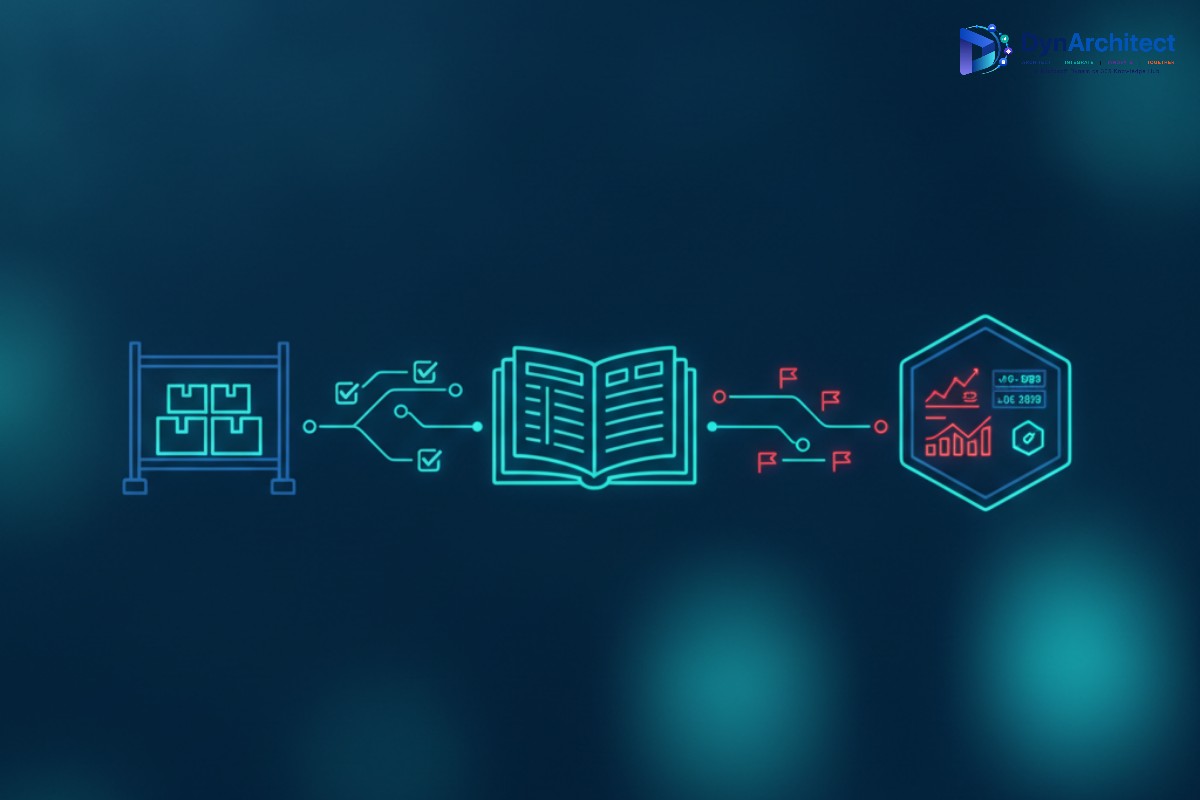
A finance operations director running Dynamics 365 Finance and Operations recently walked into a budget review with a straightforward automation pitch: build Power Automate flows to shorten the order-to-cash cycle. The CFO’s response was less straightforward. Before funding new flows, she wanted proof of where the cycle actually breaks down, not an assumption based on which team complains loudest. That question, where is the process actually stalling and why, is precisely what Microsoft’s object-centric process mining capability in Power Automate was built to answer. It reached general availability on June 5, 2026, and it changes what a process mining exercise can tell a finance or operations leader. It also comes with a data engineering requirement that most teams have not budgeted for yet.

A finance operations leader reviewing a process mining dashboard showing connected order, invoice, and payment flows

Why Case-Centric Process Mining Kept Missing the Real Bottleneck

Power Automate has offered process mining for several years, and Dynamics 365 Supply Chain Management customers on version 10.0.35 and later already have a purpose-built entry point: a warehouse material movement analysis template that reads closed warehouse work records straight out of Dataverse, no custom configuration required. That capability is genuinely useful, and it works because it treats a process as a single, well-defined case, such as one warehouse work order moving through a fixed sequence of steps.

The limitation shows up the moment a process stops being a clean sequence. An order-to-cash cycle is not one case moving through one lane. A single sales order can spawn multiple shipments, each shipment can be tied to more than one invoice, and a payment can settle across several invoices at once. Traditional case-centric mining forces all of that into one case identifier, which means analysts either duplicate events across cases to preserve accuracy, or they flatten the relationships and lose the very dependency that caused the delay. Microsoft’s own framing of the problem is direct: a shipment held up because an unrelated invoice on the same customer account went unpaid is exactly the kind of cross-object dependency that a single-case view cannot represent cleanly. Object-centric process mining, or OCPM, is built to keep orders, invoices, payments, and shipments as separate but linked object types within one process map, so an analyst can see where those flows intersect and where the actual delay originates.

What Object-Centric Process Mining Changes Once It’s Running

The practical difference for a finance or supply chain leader is that root cause analysis stops requiring a manual reconciliation project. Instead of pulling separate reports for orders, accounts receivable, and logistics and asking an analyst to manually trace where they intersect, OCPM keeps those relationships intact in the underlying data model from the start. Microsoft describes the intended outcome as compressing root cause investigations that used to take weeks down to hours, along with the more familiar benefits of shorter cycle times, lower operational cost, and better resource utilization once the actual constraint is identified rather than guessed at.

For a CFO evaluating where to spend the next automation budget, that matters more than it might first appear. A process improvement initiative built on a flattened, case-centric view risks automating the wrong step: speeding up invoice approval, for instance, when the true constraint is a shipment reconciliation process three steps downstream that only becomes visible once orders, invoices, and shipments are analyzed together. Object-centric process mining is designed to surface that kind of hidden dependency before a Power Automate build begins, which is a materially better position than discovering it after a flow has already been deployed and the expected cycle-time improvement doesn’t show up.

An abstract illustration of connected order, invoice, and payment objects intersecting in a process map

The Data Pipeline Nobody Is Budgeting For

Here is the part that tends to get skipped in the pitch. The Dataverse-native warehouse analysis template mentioned earlier works because case-centric process mining can read Dataverse tables directly. Object-centric process mining, as it stands today, does not offer that same direct connection to Dataverse or to Dynamics 365 tables. It ingests data as a CSV file structured according to Microsoft’s object-centric event log, or OCEL, format, stored in either Azure Data Lake Gen2 or OneLake. Fabric Lakehouses with schema support enabled are explicitly not yet supported as a source, which rules out one path some teams might assume would work.

Building that OCEL file is not a trivial export. The mapping step requires at least one activity attribute, at least one start event attribute, and at least two object type attributes, with optional end event, resource, and additional event or object-level attributes layered on for richer analysis. In practice, that means someone, whether an internal analytics team or an implementation partner, needs to design an extraction and transformation process that pulls order, invoice, payment, and shipment events out of Dynamics 365 and Dataverse, aligns them to a shared activity and object model, and lands the result as a correctly structured CSV before OCPM can analyze anything. That is a real data engineering task, and it is separate from, and in addition to, the Power Automate Premium licensing already required to use process mining at all.

What the Licensing Actually Covers

On the cost side, process and task mining are bundled into the Power Automate Premium per-user license, which includes both capabilities along with a starting capacity pool: each licensed user contributes 50 MB toward a shared tenant-wide limit that caps at 100 GB. Organizations that outgrow that pool can add the Power Automate Process Mining add-on, priced at the tenant level, which adds another 100 GB of process mining capacity along with additional Dataverse database and file storage. Customizing the reporting layer against your own Power BI workspace requires a separate Power BI Premium license. None of that licensing changes because a team chooses object-centric analysis over case-centric analysis, which means the incremental cost of adopting OCPM is almost entirely the data pipeline work, not the software itself.

What’s Coming That Should Factor Into Timing

Two features on Microsoft’s own roadmap are worth factoring into a rollout decision rather than treating OCPM as a finished, static capability. Support for exporting object-centric process mining data to a Microsoft Fabric semantic model is planned for August 2026, which would let this data flow into existing Power BI and Fabric reporting rather than staying siloed inside the process mining tool itself. Normalized schema import support for data ingestion, also targeted for August 2026, is intended to ease some of the current data preparation burden, though it has not been detailed in enough depth yet to know how much of the CSV construction work it actually removes. A broader Process Intelligence Studio experience is set to preview in September 2026 and reach general availability the following month, consolidating process mining, task mining, and related analysis into a single workspace. Teams weighing whether to invest in the manual OCEL pipeline now versus waiting a quarter for these dependencies to mature have a legitimate reason to ask that question before committing engineering time.

Where This Leaves a Decision-Maker Today

None of this argues against object-centric process mining. It argues for treating it as what it is: a genuinely more accurate way to see how a multi-object process like order-to-cash or procure-to-pay actually behaves, paired with a data preparation cost that is easy to underestimate when the feature is pitched as simply “available now.” Before funding an OCPM initiative, it is worth confirming which specific cross-object process is causing the most cost or delay, whether that process’s underlying data already exists in a form close to the OCEL structure or will require meaningful transformation work, and whether waiting for the Fabric export and normalized schema import features changes the math on doing this now versus later this year. Routeget Technologies has walked several Dynamics 365 clients through exactly this kind of data readiness assessment before committing to a process mining build, and the pattern holds consistently: the mining tool itself is rarely the bottleneck. The data getting to it is.


#PowerAutomate #ProcessMining #AutomationROI #OrderToCash #DataverseIntegration #PowerPlatform

The Dynamics 365 Sales MCP Server Isn’t the Whole Picture

Solution architect reviewing a Dynamics 365 Sales AI agent integration architecture diagram on a monitor

A solution architect on a recent Dynamics 365 Sales engagement did what the documentation told him to do: he pointed a GitHub Copilot session in VS Code at the newly GA’d Dynamics 365 Sales MCP server, asked it to pull up a stalled opportunity, and watched it come back with a clean summary and a suggested outreach email. Then he asked it to update the opportunity’s close date. Nothing happened. No error, no record change, just a polite explanation that the tool wasn’t available. He had connected the right server. He just hadn’t connected both of them.

That gap trips up more than one team standing up agent access to Dynamics 365 Sales for the first time, because the Dynamics 365 Sales MCP server, which reached general availability in February 2026 after a preview that started in mid-2025, was never designed to be the only door into the system. It is a purpose-built layer that exposes a narrow set of sales-specific actions: retrieving a lead summary, qualifying a lead into an opportunity, generating an outreach email, listing leads assigned to a seller. Anything that looks like ordinary create, read, update, or delete work against Dataverse records sits behind a separate, general-purpose Dataverse MCP server. Architecting AI access to Sales properly means treating these as two components of one system, not as interchangeable options.

What the Dynamics 365 Sales MCP server actually exposes

The Sales MCP server groups its tools into three functional clusters that mirror existing Copilot experiences inside the app: Sales Qualification Agent tools, Sales Opportunity Agent tools, and the broader Copilot in Sales tool set. In practice this means an MCP client authenticated against this server can list a seller’s leads, pull a structured summary of a specific lead or opportunity, move a qualified lead into an opportunity record, and draft or send an outreach email using the same generative logic that powers Copilot inside the Sales workspace. These are opinionated, workflow-shaped actions. They encode the same business rules a seller would hit clicking through the UI, which is exactly the point: an external agent gets sales-process guardrails for free instead of raw table access.

What it deliberately does not expose is a general write path. There is no “update any field on any opportunity” tool here, and that is not an oversight so much as a design choice that keeps the blast radius of an agent request contained to well-understood sales actions.

Where Dataverse MCP fills the gap

For anything outside that workflow shape, whether it’s a custom Power Apps process reading a related quote table or an agent that needs to write directly to a Dataverse entity, the connection point is the separate Dataverse MCP server, reachable at https://<OrgURL>/api/mcp. It exposes four core operations: read_query, create_record, update_record, and describe, the last of which lets a client inspect table and column schema before it attempts a write, which matters a great deal in a Dataverse environment where customizations can mean the “standard” schema an agent expects has drifted from what is actually deployed.

One detail worth building into any design review: the Dataverse MCP server is enabled by default for Microsoft Copilot Studio but disabled by default for every other client. If a team is connecting GitHub Copilot, a custom agent, or any third-party MCP-compliant tool, an admin has to go into the Power Platform admin center, open the target environment’s Settings, navigate to Product > Features, and turn on “Allow MCP clients to interact with Dataverse MCP server,” then explicitly allow-list each client under Advanced Settings. Nothing connects by accident, which is a reasonable default for a capability that can write to production data, but it also means a “why isn’t this working” support call is often really a “did anyone flip this switch” question.

Abstract illustration of two connected server nodes representing the Sales MCP server and Dataverse MCP server architecture

Configuring both servers side by side

For a VS Code or other mcp.json-driven client, the practical setup is two separate server entries pointed at two different endpoints rather than a single unified connection string. The Sales server entry targets the Agent 365 service path scoped to the environment and the Sales MCP server registration, something like https://agent365.svc.cloud.microsoft/mcp/environments/<EnvironmentID>/servers/msdyn_SalesMCPServer, while the Dataverse entry targets the organization’s own API surface directly. Both are declared as HTTP-type MCP servers. Getting an agent to feel like it has coherent access to “Dynamics 365 Sales” as a single system is really a matter of configuring both endpoints correctly and letting the client route each request to the appropriate one, which most MCP-aware clients handle transparently once both connections are live.

It’s worth noting explicitly for architects scoping this work that Claude Desktop is not on Microsoft’s list of supported clients for the Sales MCP server as of this writing; Copilot Studio, GitHub Copilot in VS Code, and other MCP-compliant clients are. That’s a constraint worth confirming before a client commitment gets made in a statement of work.

Security enforcement isn’t a separate layer, it’s the same one

The question every security-conscious stakeholder asks first is whether an AI agent connected through MCP can see or touch more than the person who authorized it could. Microsoft’s own documentation is direct on this point: the Dataverse MCP server respects existing Dataverse security roles and row-level security, meaning a connected agent can only access the tables and records that the authenticated user’s security role already permits. There is no parallel permission model to reason about, no separate access control list to maintain for agent traffic. The security model an organization has already built for its human users through business unit hierarchies, field-level security, and role-based table access extends automatically to MCP-connected agents acting on that user’s behalf. That’s a meaningfully simpler governance story than a lot of teams expect walking into this, and it’s worth stating plainly to a CISO who assumes agent access requires a whole new access-control project.

What isn’t yet documented in detail is rate limiting or granular audit logging specific to MCP calls, and that’s a fair gap to flag rather than paper over. Teams putting this into production should validate logging behavior in their own tenant and treat detailed throttling behavior as something to test empirically rather than something to design around from a published number that doesn’t exist yet.

The licensing detail that changes the cost conversation

Since December 15, 2025, Dataverse MCP tool calls made by AI agents built outside Microsoft Copilot Studio are billed against Copilot credits, unless the organization already holds qualifying Dynamics 365 Premium licensing or a Microsoft 365 Copilot User Subscription License, in which case that usage is included. Agents built inside Copilot Studio are exempt from this particular charge model. The Sales MCP server has its own credit consumption structure layered on top, with different tool categories, such as basic text and generative AI tools versus generative answer tools, billed at different Copilot Studio credit rates. For an architecture that mixes a Copilot Studio-native agent with a custom VS Code-based developer tool hitting the same environment, that means two different cost models are running in parallel, and a licensing conversation that used to be a single line item now needs to account for which client is making which call.

What to check before this goes into a proposal

Confirm which specific tools a client actually needs before assuming both servers are required. A workflow that only needs lead qualification and outreach drafting may never need Dataverse MCP write access at all, which simplifies both the security review and the licensing conversation considerably. Where write access genuinely is required, treat the admin center toggle and client allow-listing as a discrete deployment step with its own change ticket, not an assumed side effect of installing an MCP client. And build the Copilot credit cost of both servers into a pilot’s budget from day one, since credit consumption for generative tools scales with usage in a way that a fixed per-seat license does not.

Teams at Routeget Technologies have walked several clients through exactly this two-server design decision over the past few months, mostly because the documentation, while accurate, spreads the full picture across three or four separate Learn pages that don’t obviously reference each other. Getting the architecture right the first time saves a rework cycle that otherwise shows up a few weeks into a pilot, right around the point someone asks the agent to actually change a record instead of just describing one.


#DynamicsSalesMCP #DataverseMCP #AIinCRM #CopilotStudio #EnterpriseAI #D365SalesArchitecture

Bridged Payment Clearing Just Became Mandatory in Dynamics 365 Finance

Finance professional reviewing a bank reconciliation dashboard showing bridged transaction clearing

A technical consultant reviewing the release notes for Dynamics 365 Finance and Operations version 10.0.49 will hit a line that looks routine until it isn’t: automatic clearing of bridged transactions during bank reconciliation, previously something you could turn on when you were ready, is now mandatory. Self-update customers got the build on September 11, and autoupdate production environments follow on October 2. Anywhere bridging accounts, methods of payment, or bank reconciliation parameters were never fully configured, that gap stops being a backlog item and becomes an active problem in the general ledger the moment the update lands.

This is the kind of change that rewards people who read upgrade notes closely and punishes people who don’t. Bridged payment clearing isn’t a new concept in F&O, Microsoft first shipped the automatic version of it a couple of release waves back, but plenty of environments left it disabled because the manual clearing process, while tedious, was at least predictable. Mandatory rollout removes that opt-out, so it’s worth walking through what bridging actually does, what specifically changes in 10.0.49, and what a technical team should check before the autoupdate window closes in early October.

Finance professional reviewing a bank reconciliation dashboard showing bridged transaction clearing

How Bridged Payment Clearing Actually Works

A bridging payment is a payment that posts to the general ledger in two steps instead of one. When a vendor or customer payment is created, the amount lands first in an intermediate bridging account rather than directly in the bank main account. It only moves to the real bank account once the transaction actually clears, which is confirmed during bank reconciliation. The gap between those two events, sometimes hours, sometimes several business days for checks or ACH batches, is exactly the timing problem bridging accounts exist to solve. Without one, your cash position either overstates funds that haven’t cleared yet or requires someone to manually track which payments are still in flight.

Centralized vendor payments add a second layer of complexity on top of that timing gap. When a shared services organization pays vendors out of one legal entity on behalf of several operating entities, the bridging transaction has to reconcile correctly across that entity boundary, not just across time. That’s the specific scenario the 10.0.49 changes target, and it’s also the scenario most likely to have been left half-configured, because centralized payment setups tend to get built by one team and handed off before every downstream parameter gets revisited.

Abstract illustration of payments flowing through a bridging account to a final bank account

What Changes in Version 10.0.49

Three related capabilities move from optional to mandatory in this release: automatic clearing of bridged transactions through advanced bank reconciliation, the extension of that clearing to centralized bridged vendor payments specifically, and use of the latest exchange rate when posting bank transactions. A fourth item, clearing bridged customer payments automatically on the accounts receivable side, reaches general availability this same month, giving Finance teams parity between the vendor and customer sides of bridging for the first time. Microsoft also shipped a preview capability to review automatic bank reconciliation matching results before they post, along with performance improvements to bridge transaction selection that matter once you’re running this at real transaction volume rather than in a sandbox.

The practical effect is that any environment relying on the older manual clearing workflow, where a user posts a general journal by hand after reconciliation, no longer has that as a supported path once the mandatory feature activates. If your bank reconciliation parameters, methods of payment, or bank account records were never updated to support automatic clearing, the reconciliation worksheet’s “mark as reconciled” action will attempt to post clearing journals against configuration that isn’t there, and that’s where things go sideways.

Configuring It Before the Update Lands

The setup itself isn’t complicated, but it touches three separate configuration surfaces, and missing any one of them is enough to cause posting failures. Start in Feature Management and confirm that “Automatic clearing of centralized bridged vendor payments during bank reconciliation” is actually enabled rather than assuming it inherited a default; feature flags introduced in earlier waves don’t always carry forward cleanly into new environments cloned from production.

Next, check the methods of payment used for the affected vendor and customer payment types. The “Bridging account by bank account” parameter determines which account the system treats as the offset for the bridging entry: turned on, it pulls the bridging account configured on the bank account itself, and turned off, it falls back to whatever bridging account is set on the method of payment record. Mixed configurations, where some payment methods rely on the bank account setting and others rely on their own override, are a common source of confusion during testing, so it’s worth documenting which methods use which approach rather than assuming consistency.

Bank account records need attention in two places. On the General tab, confirm the bridging account itself is populated and points to a valid, active main account. On the Reconciliation tab, the “Clear bridged transactions during reconciliation” toggle needs to be on; if it’s off, the system still requires someone to clear bridging payments through a manual general journal, which defeats the purpose of the mandatory automation and will look like the feature “isn’t working” when really it’s configured to not run. Finally, in Cash and Bank Management parameters, the clearing journal name on the Bank reconciliation tab has to point to a journal name that’s actually set up to accept these postings; a blank or misconfigured journal name is a quiet failure point that won’t surface until someone tries to reconcile a real bank statement.

Handling What Doesn’t Clear Automatically

Even with configuration correct, individual transactions will occasionally fail to clear automatically, usually because of a data issue on the underlying payment rather than a setup problem. Dynamics 365 Finance includes a periodic batch job for exactly this situation: Cash and Bank Management > Periodic Tasks > Clear Bridged Transactions lets you select a specific reconciliation ID and resubmit the clearing attempt as a batch process rather than trying to force it through the interactive reconciliation worksheet again. Building a habit of checking this job’s history after each reconciliation cycle, at least for the first few months after the mandatory rollout, will catch configuration gaps faster than waiting for a period-end variance to surface them.

The posting date logic is also worth knowing before someone asks why a clearing entry landed where it did: the system uses the earlier of the reconciliation cut-off date or the system date, not always the date the bank statement itself is dated. For teams doing month-end close under a tight calendar, that detail affects which period a clearing entry hits and is easy to get wrong if you’re reasoning from the statement date alone.

Testing Before the Autoupdate Window Closes

Self-update customers already have this behavior live as of September 11. Autoupdate customers have until October 2 before it arrives automatically, which is a narrow but workable window to validate configuration in a sandbox tier rather than discovering gaps in production. The most useful test isn’t a single sample transaction, it’s running a full reconciliation cycle against a realistic batch of centralized vendor payments, ideally spanning more than one legal entity, and confirming the clearing journals post to the correct centralized entity with the correct offset accounts. Teams that skip straight to production validation tend to find out about a missing bridging account setup during the first live bank statement import after go-live, which is a worse time to find out.

Extending the same test to accounts receivable is worth the extra hour, since the customer-side clearing feature is landing in the same window and shares enough of the underlying mechanics that a gap on one side often points to the same gap on the other.

Routeget Technologies has walked several clients through advanced bank reconciliation configuration changes like this one, and the pattern holds across most of them: the technical setup itself takes an afternoon, but tracking down which of dozens of payment methods and bank accounts were configured inconsistently over several years takes longer than the actual fix. Treating this mandatory change as a prompt to audit that configuration now, rather than after a reconciliation cycle breaks, is the difference between a routine update and an unplanned fire drill.


#BridgedPaymentClearing #BankReconciliation #AccountsPayable #DynamicsFinanceOps #CashManagement #ERPGovernance

Dataverse Capacity Got Bigger This Year. Your Storage Governance Still Needs to Catch Up

IT director reviewing a Dataverse storage capacity dashboard showing database, file, and log usage

An IT director we spoke with recently pulled up the Power Platform admin center in January expecting the same tired warning banner about Dataverse capacity that had been sitting there since October. It was gone. Database storage for their Dynamics 365 Finance and Supply Chain Management environment had jumped from 90 GB to 125 GB overnight, with no purchase order, no change request, and no email from their partner. The natural conclusion was that the capacity problem had quietly solved itself. Four months later, the same environment tripped a new kind of alert: a file storage overage notice, even though database usage looked flat. Nothing had been deleted or migrated. The ground underneath the numbers had simply moved.

That is roughly where most Dynamics 365 and Power Platform customers stand right now with Dataverse storage. Microsoft raised default capacity entitlements significantly in December 2025, restructured how that capacity is reported and managed, and then made a second, narrower adjustment in the spring that reclassifies certain metadata between storage types. Individually, each change is well documented. Together, they change what a capacity plan built a year ago actually means, and CIOs and IT directors who treat the December Dataverse capacity increase as a problem solved rather than a system redesigned are going to be surprised by their own admin center in a quarter or two.

What changed in Dataverse capacity this December

The default database capacity increase was substantial and varied by product. Copilot Studio, Power Apps per-app plans, and Power Automate process licenses moved from a 5 GB to a 15 GB baseline. Dynamics 365 CRM applications, including Sales, Customer Service, Field Service, and the Contact Center, moved from 10 GB to 30 GB. Dynamics 365 Customer Insights went from 25 GB to 45 GB. On the ERP side, Standard tier products including Finance, Supply Chain Management, Project Operations, Commerce, and Human Resources rose from 60 GB to 90 GB, while the Premium tier for Finance and Supply Chain Management increased from 90 GB to 125 GB. File storage roughly doubled across most of these same products, though Microsoft did not publish the same level of per-product detail it did for database capacity. Log storage was left untouched.

The more structurally important change sits underneath those numbers. Finance and Operations customers previously managed two separate storage pools: one for the Operations database and one for Dataverse. As of December, those pools merged into a single combined entitlement. For an organization that had been carefully tracking two distinct capacity ceilings, this is not a cosmetic simplification. It changes how consumption trends read, and it means a team that spent the last two years building spreadsheets or Power BI reports to track Operations and Dataverse separately needs to rebuild that tracking around a single number.

Three capacity types, not one

Alongside the entitlement increase, Microsoft has been rolling out a new capacity reporting model that separates Dataverse storage into three distinct types: database, file, and log. This is not universal yet. Organizations still on the legacy model see a single blended capacity figure, while those on the new model get per-type visibility along with a mechanism called cross-capacity-type borrowing. Under that mechanism, unused database capacity can offset a log or file overage, and unused log capacity can offset a file overage, but file capacity cannot offset shortfalls anywhere else. A tenant only registers as officially over capacity after all of that eligible borrowing has already been applied.

Abstract illustration of database, file, and log storage blocks connected by data flow lines representing Dataverse capacity

This matters for budget owners specifically because it changes what an overage notification actually tells you. A file storage warning on an environment that appears to have plenty of headroom in its combined number is not necessarily a sign that the tenant needs more storage overall. It may simply mean the tenant has database or log capacity sitting unused that isn’t automatically flowing to cover the file shortfall, either because the environment hasn’t moved to the new model yet or because the borrowing rules genuinely don’t apply in that direction. Before anyone approves a purchase of additional capacity, it is worth confirming which reporting model the tenant is actually on and whether the specific storage type in the alert is one that borrowing rules can even help with.

The April reclassification nobody budgeted for

In April 2026, Microsoft moved solution-aware tables and related metadata out of database storage and into file storage. Total consumption for an organization does not change as a result of this move, but the split between the two numbers does, and it does so without any corresponding change in what the organization is actually storing. A team that set a database utilization threshold as an internal early-warning trigger, say 70 percent of entitlement, may find that number drop for reasons that have nothing to do with actual data growth, while file utilization climbs for the same non-reason. Anyone reviewing a capacity trend line that spans this period without accounting for the reclassification is going to draw the wrong conclusion about whether their data growth rate is accelerating or slowing down.

Sales Premium customers got a further, separate adjustment in the same window: per-user file storage entitlement doubled from 250 MB to 500 MB, and the underlying tenant base storage figures for those environments moved as well. Microsoft’s own framing for these changes has been candid about the driver: AI-assisted features, Copilot experiences inside Dynamics 365 applications, and the broader push toward agentic workflows all generate metadata, context, and interaction history that traditional transactional storage planning never had to account for. Storage capacity planning built around transaction volume alone is now measuring the wrong thing.

What a capacity plan actually needs to do differently

None of this means the December increase was a bad deal for customers. Bigger entitlements at no additional cost are, on their own terms, a straightforward win, and organizations that were previously purchasing supplemental capacity to cover a gap that the new baseline now closes should go back and cancel or right-size that spending. The mistake is treating a larger number as the end of the exercise rather than the start of a different one.

The more durable response is to rebuild storage governance around the actual mechanics Microsoft has put in place rather than around the old assumption of one number that only ever goes up when you buy more. That starts with confirming, environment by environment, whether the tenant is on the legacy single-figure model or the new three-type model, since the two require genuinely different monitoring approaches. It continues with capturing a clean baseline now, broken out by database, file, and log where that visibility exists, so that the April reclassification and any future ones can be isolated from genuine consumption growth rather than blended into it. It also means understanding the capacity extension option Microsoft makes available once an environment crosses 80 percent utilization: a 45-day window to reduce usage or purchase additional capacity, capped at three extensions in a rolling 365-day period, which is a real safety valve but not one designed to be leaned on indefinitely. And it means deciding, deliberately and in advance rather than reactively during an incident, whether pay-as-you-go billing tied to an Azure subscription is the right overage mechanism for a given environment or whether reallocating from tenant pool capacity is preferable.

For finance and IT leaders who fund these environments, the practical takeaway is that Dataverse storage has moved from a mostly static line item to something closer to a cloud consumption model, with the reporting granularity and billing flexibility that implies, but also the volatility. That is a governance conversation as much as a technical one, and it is worth having before the next reclassification lands rather than after a budget line quietly moves for reasons nobody remembers agreeing to. At Routeget, the engagements that go smoothest are the ones where a client’s storage monitoring gets rebuilt around the new model proactively, rather than the ones where the first real conversation about it happens after an unexpected overage notice.


#Dataverse #DataverseStorage #PowerPlatformLicensing #ITGovernance #DynamicsFinanceOps #CloudCostManagement

What the Power BI PBIR Format Means for Dynamics 365 Reporting Teams

A solution architect reviewing a code diff and a business analytics dashboard on dual monitors in a modern office

A finance reporting team running Power BI over Dynamics 365 Finance and Operations data has a familiar problem: exactly one person can safely have the working capital dashboard open at a time. Everyone else waits, or worse, someone opens the file anyway, makes a change, saves over a colleague’s unsaved edits, and nobody finds out until a client asks why a visual disappeared. That is not a hypothetical. It is how nearly every Power BI report built on top of Dynamics 365 or Dataverse data has been managed since the tool existed, because a .pbix file is a single binary blob. There is no diff, no merge, no pull request, just a file lock enforced by social convention. The Power BI PBIR format changes that mechanic directly, and as of May 2026 it became the default way Power BI Desktop saves new reports, which makes this less a curiosity for early adopters and more a decision every Dynamics 365 reporting practice needs to make on purpose.

PBIR stands for Power BI enhanced report format, and it replaces the older single-file report.json approach (itself an earlier attempt at the same problem, now referred to as PBIR-Legacy) with a folder of small, human-readable JSON files. Microsoft first shipped it as a Desktop developer mode preview several years ago, but the May 2026 update made it the default for both new PBIX files and PBIP projects, meaning teams that never opted into the preview are now creating PBIR reports without necessarily realizing the storage model underneath them has changed.

What the Power BI PBIR Format Actually Changes on Disk

Open a PBIR report’s project folder and you will find a definition directory containing a pages subfolder, a bookmarks subfolder, a report.json for report-level settings, and a version.json that records which format version the report requires. Inside pages, each report page gets its own folder with a page.json and a visuals subfolder, and inside that, every single visual on the page gets its own visual.json file describing its position, formatting, and query. A bookmark becomes its own file too. This sounds like a lot of small files for what used to be one, and it is, but that granularity is the entire point: a change to one chart’s conditional formatting now shows up as a one-file diff instead of an unreadable delta buried inside a compressed binary.

Each of these JSON files declares a public schema URL at the top, and Microsoft has published those schemas on GitHub, which means a report can be opened, validated, and even edited in VS Code with real IntelliSense rather than guesswork. Objects get 20-character generated identifiers by default (something like 90c2e07d8e84e7d5c026), which is ugly to read in a diff but can be renamed to something meaningful through Power BI Desktop, with the caveat that renaming requires restarting Desktop for the change to stick. There is also a lesser-known annotations feature: name-value pairs that Power BI itself ignores completely but that a deployment script can read, which turns out to be useful for marking which page should be the default landing page in a given environment or flagging a visual for environment-specific suppression.

Abstract illustration of branching and merging version control lines connecting to report dashboard blocks

The Git Workflow This Finally Enables

None of the file structure matters much without source control actually using it, and this is where the practical shift happens. A pull request against a PBIR report can now show a reviewer exactly which visual changed and how, the same way a code review shows a diff of a function. Two developers working on different pages of the same report can genuinely work in parallel and merge without one silently overwriting the other, something that was structurally impossible with a monolithic .pbix. Fabric’s own Git integration, which connects a workspace to Azure DevOps or GitHub, extends this further by tracking reports and semantic models at the workspace level and preserving folder structure in the repository, though it is worth being precise here: the file format reaching general availability in Desktop and Fabric’s Git integration support for report and semantic model items reaching full production maturity are two different milestones, and as of this writing the latter is still documented as preview for several connection scenarios, including reports tied to Analysis Services live connections.

A report’s connection to its semantic model is itself stored declaratively, through either a byPath reference that opens the model in full edit mode alongside the report, or a byConnection reference that opens the report in live connect mode with only report-level measures editable. Which one a team chooses affects how much of the semantic model layer gets included in the same Git history as the report, and it is worth deciding deliberately rather than by whatever Power BI Desktop defaulted to on first save.

Why This Matters More for Dynamics 365 Reporting Portfolios

Generic Power BI advice tends to treat this as a nice-to-have for BI teams in general. For a Dynamics 365 F&O or Business Central reporting practice specifically, it addresses a sharper pain point. These environments accumulate large report portfolios fast: financial statement packages, inventory and demand dashboards, project cost tracking, often built by a rotating cast of internal analysts and external consultants over several years. Ownership gets murky, undocumented changes creep in before a board meeting, and when something breaks nobody can say with confidence what changed or when. Power BI Desktop’s version history feature, which also reached general availability in the May 2026 wave alongside the default PBIR change, gives that audit trail natively inside the desktop tool for the first time, which is directly relevant to any organization treating financial report changes as something that needs a change management trail rather than an honor system.

Deployment pipelines benefit in a related way. A report promoted from a development workspace to test and then production can carry annotation-driven configuration differences (a different default page, a different data source binding) without manual reconfiguration at each stage, and the promotion itself becomes something a pipeline log records rather than something a person remembers doing.

Rolling Out PBIR Without Breaking Anything

The rollout mechanics are straightforward but deserve a plan rather than an ad hoc toggle. PBIR is enabled through Power BI Desktop’s preview features under Options, and existing PBIR-Legacy reports convert automatically on the next save, with Desktop creating a backup copy first. That backup detail matters because there is no supported rollback path once a report has converted; the backup is the rollback path, and it lives in a local temp folder with a 30-day retention window, not somewhere a team should rely on long term. The sensible sequence is to pick one lower-stakes report first, ideally something without heavy custom visual dependencies, convert it, get comfortable with the folder structure and the Git workflow in a sandbox repository, and only then extend the practice to the financial statement packages where a mistake actually costs something. Establishing a branching convention (a feature branch per report change, a pull request before merging to the branch a production workspace tracks) before the first real conversion saves a team from learning that lesson under time pressure.

What Still Doesn’t Work Smoothly

A few limitations are worth knowing before committing a whole reporting portfolio to this model. Edits made directly in a code editor do not sync live; the report has to be reopened in Power BI Desktop for those changes to take effect, so treat external JSON edits as a batch operation rather than a live-editing workflow. Two developers can still step on each other if they edit the same page at the same time rather than different pages, since the conflict resolution is granular but not infinite. Service-side limits apply too: a report tops out at 1,000 pages and 1,000 visuals per page, and resource packages are capped at 300 MB, ceilings that rarely matter for a typical operational dashboard but are worth knowing about before designing something unusually large. And a handful of connection types, including push datasets, live connections to on-premises Analysis Services, and older model versions, are excluded from Git integration support entirely for now.

None of that undermines the core shift. Power BI reports built on Dynamics 365 data have functioned for years as single-owner artifacts, reviewed by nobody, versioned nowhere, and handed off through tribal knowledge. PBIR does not fix that automatically, but it removes the technical excuse for not fixing it. The teams that treat this as an application lifecycle management decision, with branching conventions, review checklists, and a deliberate rollout order, will get real governance out of it. The teams that flip the preview toggle and keep working exactly as before will just have smaller binary files. At Routeget, we have been sequencing client Dynamics 365 F&O reporting portfolios through this conversion starting with the highest-change-frequency reports rather than the highest-visibility ones, on the theory that the reports changing every month are where a missing audit trail actually costs someone time.


#PowerBI #PBIR #GitVersionControl #DynamicsFinanceOps #ReportGovernance #MicrosoftFabric

Embedding Copilot Studio Agents in Power Pages: Why Authentication Comes First

A solution architect reviewing a web portal authentication architecture diagram with a chat interface panel on a monitor in a modern office

A solution architect building an external vendor portal in Power Pages gets asked, midway through the project, to add “a chat assistant that can actually answer supplier questions using our own data.” The instinct is to treat this as a UI task: drop in a chat component, point it at Copilot Studio, ship it by Friday. That instinct is the wrong one, and the mistake rarely surfaces on day one. It shows up three weeks later, when the agent works fine for logged-in partners but loops anonymous visitors through a login prompt they were never supposed to see, or when someone in security asks who approved the delegated permissions an agent is now holding on behalf of every anonymous site visitor. The single decision made when adding an agent to a Power Pages site, specifically which authentication model it runs under, quietly determines how it behaves for anonymous users, how much session state it shares with the rest of the portal, and how much rework is waiting the first time that same agent gets published to Teams or Microsoft 365 Copilot alongside the portal. Embedding Copilot Studio agents in Power Pages got considerably more capable in March 2026, and the expanded capability came with a wider set of ways to get the underlying architecture wrong.

A solution architect reviewing a web portal authentication architecture diagram with a chat interface panel on a monitor in a modern office

The Mechanics of Embedding Copilot Studio Agents

Power Pages has offered some form of Copilot-powered chat for a while, but the March 2026 updates changed what that actually means. Microsoft’s own Power Platform blog describes two related capabilities: an Agent API that lets a site’s own custom code build a tailored chat experience against a Copilot Studio agent rather than accepting the default widget, and expanded support for embedding any Copilot Studio agent, using any authentication type the platform supports, directly into a site through the setup workspace. That second piece matters more than it sounds. Previously, a site’s chat experience was tied fairly closely to a narrow generative-answers configuration. Now a maker can either let Power Pages provision a default site agent automatically, or attach a custom agent that was built and tuned independently in Copilot Studio, complete with its own topics, connectors, and orchestration logic.

The setup workflow itself is short. From Power Pages’ setup workspace, under AI Assistance, a maker toggles Site agent on and a generative-answers agent gets created automatically, or selects Add agent to bring in an existing custom one. Either way, the agent then needs web roles assigned before it becomes visible to any site visitor, the same mechanism Power Pages already uses to gate pages and forms. Multiple agents can coexist on one site, each scoped to a different role: a public FAQ agent open to anonymous traffic, say, alongside a case-lookup agent restricted to authenticated partner accounts. Before any of this works, a tenant admin has to enable the “Publish Copilots with AI features” setting in the Power Platform admin center, and the environment’s HTTP connector can’t be blocked, since the agent relies on HTTP nodes to communicate with the site.

The Authentication Fork That Shapes Everything Downstream

Here is where the real architectural decision sits. A default site agent, the one Power Pages provisions automatically, runs on generic OAuth 2 authentication with token pass-through by default. Practically, that means it inherits whatever identity providers the site already has configured, works for anonymous visitors without additional setup, and can tailor its answers based on a visitor’s web role with no extra configuration required. For a straightforward FAQ or knowledge-lookup agent, this is genuinely the easier path, and it is the one most teams will land on without thinking hard about it.

A custom agent added from Copilot Studio, on the other hand, can use any authentication type Copilot Studio itself supports, including direct Microsoft Entra ID authentication rather than the site’s own identity provider. That flexibility exists because some agents need to do more than answer questions from a knowledge source; a topic might need to call back into Dataverse, an external API, or another Microsoft 365 service using a token that carries the visitor’s own delegated permissions. Microsoft’s guidance frames this as a choice between an “Authenticate with Microsoft” option, simple to configure but without token access for topics, and an “Authenticate manually” path that enables token pass-through at the cost of setting up the OAuth registration and scopes correctly.

This is also the point where community reports, appropriately treated as anecdotal rather than confirmed platform behavior, start to matter for planning purposes. A recurring complaint in practitioner discussions is repeated login prompts appearing when a site’s own session and the agent’s authentication flow diverge, often traced back to a token exchange configuration that assumes a session the agent can’t actually see. It is a testable problem, not an unfixable one, but it is the kind of thing that is far cheaper to catch in Copilot Studio’s own testing pane, which now supports validating both the conversation and the authentication flow together, than to discover after a portal has gone live for external users.

Abstract illustration of a glowing padlock merging with a chat bubble and network nodes, representing secure AI agent authentication

Governance Multiplies Across Channels

The authentication decision doesn’t stay contained to Power Pages for long. An agent built once in Copilot Studio is frequently published to more than one surface: the portal, a Teams channel, possibly the Microsoft 365 Copilot app as well. Each channel can carry a different authentication context, which means a topic’s logic that checks for a delegated token, something like a User.AccessToken value, may find it present in one channel and absent in another. A topic written and tested only against the Power Pages experience can behave inconsistently the moment the same agent gets reused somewhere else, and that inconsistency tends to surface as a support ticket rather than a caught bug.

Practically, this argues for treating an embedded agent as a governed asset from the moment it is scoped to more than one channel, not as a Power Pages feature that happens to also work elsewhere. That means a named owner spanning the Copilot Studio author, the Power Pages maker, whoever administers identity for the tenant, and security, rather than assuming the person who built the topic also understands every channel’s authentication quirks. It also means treating the security surface honestly: an agent with broad delegated scopes, reachable from an anonymous-facing portal, is a more attractive target for OAuth consent-phishing style attacks than an internal-only agent would be, and the mitigations worth reviewing (narrower scopes, existing DLP policies, and in higher-sensitivity cases, a backend token-brokering pattern instead of direct client-side pass-through) are worth deciding on before launch, not after an incident review.

What to Confirm Before You Flip the Switch

A few items are worth confirming explicitly rather than assuming. First, decide the authentication model on purpose: the default token pass-through is fine for a lookup-and-answer agent, but anything calling back into Dataverse or another system with delegated permissions needs the manual path, planned for from the start rather than retrofitted. Second, map web roles to agents before enabling anything, since an agent provisioned without a clear role assignment can end up more broadly visible than intended. Third, use Copilot Studio’s own testing capability to validate the authentication flow itself, not just conversation quality, since that is now possible in one place rather than requiring a separate round of manual portal testing. Fourth, budget for consumption: agents provisioned through Power Pages start in a trial period and convert to capacity-based Copilot Studio billing once that period ends, drawing from the same quota pool used by every other Copilot Studio agent in the tenant, so a busy public-facing agent can compete with internal ones for capacity if nobody planned for it.

None of this makes embedding an agent in a Power Pages site a bad idea. It makes it an architecture decision rather than a component you drop onto a page, which is really the same lesson every other Power Pages capability with a security dimension has already taught: the web role model, the table permission model, and now the agent authentication model all reward being decided deliberately in week one. At Routeget, the Power Pages engagements that add agent-powered assistance now start with a short authentication and governance workshop before a single topic gets built, precisely because that conversation is inexpensive early and considerably less so after a portal is already live for external users.


#PowerPages #CopilotStudio #PowerPlatform #AgentAuthentication #PortalGovernance #EnterpriseAI

Dynamics 365 Autonomous Email Resolution: What to Audit Before September 30

Customer service manager reviewing an automated email triage dashboard in a modern operations center

A support mailbox that receives a few thousand emails a month tends to look the same from the outside no matter what’s actually happening inside it: a queue, a set of SLAs, a team quietly triaging password resets, order-status questions, and return requests alongside the handful of cases that genuinely need a human’s judgment. Most customer service leaders already know which categories in that queue are repetitive enough that a well-trained system could handle them end to end. What changes on September 30, 2026, is that Dynamics 365 Customer Service ships autonomous email resolution, a first-party feature built to do exactly that, and the decision about whether to turn it on now belongs on a CIO’s or VP of customer operations’ desk rather than in a future roadmap conversation.

The feature is called autonomous email resolution, and it is delivered through the Case Management Agent that Microsoft has been building out across the last several release waves. Microsoft’s own message center announcement, MC1465523, confirms the general availability date and describes the capability plainly: it analyzes an incoming email, identifies the customer’s intent, checks whether the knowledge and actions needed to resolve it are actually available, and then either sends a resolution, asks a clarifying question, or hands the email off as a fully-contexted case for a person to finish. That last part matters as much as the automation itself. Nothing here is pitched as replacing a support team; it is pitched as removing the portion of the queue that never needed a person’s attention in the first place.

Abstract illustration of an AI agent autonomously processing and resolving an email through a neural network

What autonomous email resolution actually ships on September 30

Reading the feature closely is worth the ten minutes it takes, because the mechanics determine how much control an organization actually retains. Configuration happens in the Copilot Service admin center, under email settings, where an administrator turns on email resolution and then, critically, sets a deployment status separately for each line of business. That per-line-of-business control is the real governance lever here: a line handling password resets or shipping status can be configured for fully autonomous resolution on day one, while a line handling billing disputes or account cancellations can be left in a draft-only mode where the system prepares a response but a representative still reviews and sends it. Nothing forces an all-or-nothing rollout, and organizations that treat this as a binary on/off switch are already making the decision harder than it needs to be.

The dependency chain behind the feature is longer than a single toggle suggests, and each link is worth confirming before a rollout date gets put on a calendar. Email resolution depends on the Customer Intent Agent being configured first, since that agent is what actually identifies what a customer is asking for. It depends on the Case Management Agent’s own guided setup being complete. For the fully autonomous path, where the system sends outbound email without a person in the loop, Microsoft requires a dedicated application user and a shared mailbox set up specifically for that flow, which is a reasonable security boundary but one that needs its own review: whoever owns identity and access management should know that a service account now has standing permission to send customer-facing email on the organization’s behalf.

One constraint is easy to miss and expensive to discover after the fact. Each email resolution configuration supports a single language. An organization running support across English, French, and Spanish mailboxes isn’t looking at one feature toggle; it’s looking at three separate configurations, each requiring its own line-of-business mapping and its own review cycle. That’s not a reason to avoid the feature, but it is a reason to scope the rollout by language and region from the start rather than discovering the limitation mid-deployment.

The billing question worth asking before the license conversation

Here is where the fine print earns its place in this article. Microsoft’s broader Dynamics 365 Customer Service pricing already establishes how most AI agent capabilities get paid for: Professional and Enterprise tier customers consume Copilot Credits, purchased separately from the base per-user license, while the Premium tier bundles in a base allocation of included capacity. That’s the billing model most IT and finance leaders have already built into their Copilot budgeting conversations over the past year.

Autonomous email resolution’s own documentation adds a second billing surface to that picture rather than simply drawing down the same Copilot Credit pool. Microsoft’s configuration guidance lists, as an explicit prerequisite, the Power Platform pay-as-you-go plan, which requires an Azure subscription attached to the environment specifically so the system can charge for agent runs on a consumption basis. In practice, that means a team that has already provisioned Copilot Credits for Case Management Agent’s classification and quality-evaluation capabilities can still be blocked from turning on autonomous email resolution until someone also attaches a billable Azure subscription to the Power Platform environment and enables the pay-as-you-go plan there. Those are two different procurement conversations, often owned by two different teams: one usually sits with the Dynamics 365 or Copilot licensing owner, and the other sits with whoever manages the organization’s Azure subscriptions and cost centers.

This is not a reason for alarm, and it is worth saying plainly that consumption-based billing tied to actual agent runs can be the more sensible model for a capability like this one, since cost then tracks usage rather than seat count. But it is exactly the kind of dependency that gets missed when a rollout gets planned purely as a licensing tier upgrade. The practical fix is straightforward: before scheduling a pilot, confirm that data movement for Copilot and generative AI features is enabled in the Power Platform admin center for the target environment, and confirm separately that an Azure subscription is attached and the pay-as-you-go plan is active, rather than assuming an existing Enterprise or Premium Customer Service license already covers it.

Governance gaps worth planning around, not waiting on

Microsoft’s own documentation, as of this writing, does not publish a specific confidence threshold or scoring mechanism that determines when the system resolves an email autonomously versus escalating it. That is a legitimate gap for governance teams to plan around rather than a reason to delay indefinitely. The practical response is the same one that has worked for every other agentic capability Microsoft has shipped into this product line over the past year: run the feature in its production-ready preview mode against a narrow, well-understood line of business first, watch what it actually resolves versus escalates over a few weeks of real volume, and only then widen the automation level or add a second line of business. Treat the per-line-of-business deployment status setting as the real control surface, since Microsoft has not given administrators a separate dial to tune model confidence directly.

It’s also worth having someone on the compliance or risk side confirm that autonomously sent customer emails, generated from enterprise knowledge and business instructions rather than drafted by a person, fit within existing customer communication policies and any regulatory obligations specific to the industry. A financial services or healthcare organization will likely want a longer review cycle here than a retailer fielding order-status questions, and that difference should shape the rollout timeline more than the September 30 GA date does.

What decision-makers should do this month

The practical sequence for a customer service or IT leader evaluating this feature ahead of GA looks like this: identify one or two lines of business with high email volume and genuinely repetitive, low-risk request types, since these are the best pilot candidates regardless of how quickly the organization intends to expand the feature afterward. Confirm the billing prerequisites on both sides, Copilot Credits and the Power Platform pay-as-you-go plan with an attached Azure subscription, well before the pilot’s target start date, since provisioning an Azure subscription and getting it approved through procurement can take longer than the feature configuration itself. Assign clear ownership of the application user and shared mailbox that the autonomous flow depends on, treating that account with the same access review rigor as any other service identity with outbound communication permissions. And build in a deliberate review checkpoint, perhaps two to four weeks into the pilot, before extending the automation level beyond draft-only for any additional line of business.

Routeget Technologies has walked several clients through exactly this kind of staged agentic rollout across the Dynamics 365 Customer Service and Field Service product lines over the past year, and the pattern holds consistently: the technology tends to work about as well as Microsoft describes it, and the actual project risk sits almost entirely in governance sequencing and billing setup rather than in the AI itself. Getting those two things right before September 30 is a smaller lift than it looks, and it is considerably smaller than untangling them after a line of business has already gone live on autopilot.


#AutonomousEmailResolution #CaseManagementAgent #DynamicsCustomerService #CopilotCredits #CustomerServiceAI #AIGovernance

The Business Central SOAP Retirement Deadline Is Closer Than It Looks

IT director reviewing a systems integration architecture diagram on a monitor in a modern office

The Business Central SOAP Retirement Deadline Is Closer Than It Looks

An IT director doing an annual vendor risk review recently found an integration nobody on her team remembered building. A bank feed connector, installed years earlier by a consultant who has long since moved on, was quietly pulling transaction data into Business Central through a SOAP endpoint pointed at a standard Microsoft page. It had run without incident since before her tenure started. The discovery only mattered because of one line buried in a Microsoft release note: that endpoint, and every other SOAP connection built the same way, stops working the moment Business Central version 29 reaches general availability in the first week of October 2026.

That is the practical shape of the Business Central SOAP retirement. It is not a single dramatic cutoff so much as the final step in a multi-year phase-out that a lot of IT teams filed away as a developer’s problem and never revisited. Microsoft introduced a feature key called “Disable SOAP web services on Microsoft UI pages” in the 2025 release wave 1 update, version 26, and it has been switched on by default ever since, blocking any new attempt to publish a standard Microsoft page as a SOAP endpoint. What made that default setting survivable for older integrations was the fact that an administrator could still go into Feature Management and turn the key back off, keeping the legacy behavior alive. Version 29 removes that feature key entirely. Once it is gone, there is no setting left to flip back on, and any integration still pointed at a Microsoft UI page over SOAP simply stops receiving responses.

The Business Central SOAP Retirement Only Touches Microsoft’s Own Pages

The scope here matters more than the deadline itself, because it is easy to overreact or underreact depending on how the news reaches you. What is actually being removed in version 29 is narrower than “SOAP support in Business Central.” Microsoft’s own justification, stated plainly in its developer documentation, is that a UI page was never designed to function as a stable API contract: a field can move, a control can be renamed, and none of that counts as a breaking change from Microsoft’s perspective, even though it can silently break an integration built directly against that page’s SOAP surface. So the retirement targets exactly that pattern: standard, out-of-the-box Microsoft pages exposed as SOAP web services.

Two other patterns are not affected by this particular change. SOAP endpoints built on codeunits keep working, since a codeunit is intentionally structured as a stable interface rather than a UI surface. SOAP endpoints built on custom, per-tenant extension pages also continue to function, because your organization controls that page’s schema and accepts responsibility for changes to it. If your integration inventory turns out to be built entirely on one of those two patterns, version 29 will not touch it. Many organizations, though, will find that at least one long-running integration, often the oldest one, was built the simple way: pointing directly at a Microsoft page because that was the path of least resistance when someone set it up years ago.

Abstract illustration of a legacy data connector being replaced by a modern API connector

The Stopgap That Isn’t a Real Exemption

Microsoft’s own migration guidance includes an option that looks like an easy out: copy the source of the affected Microsoft page into a per-tenant extension, republish that copy as your own page, and expose the copy as a SOAP endpoint instead. Technically, this works, and it buys time without touching whatever consumes the integration on the other end. It is worth treating as exactly what it is, a stopgap, and not as a long-term architectural decision.

Two things argue against leaning on it permanently. First, you now own and maintain that copied page yourself, including any future logic changes Microsoft makes to the original that you will need to track and replicate by hand, which is precisely the maintenance burden the API-first approach was designed to avoid. Second, this is not the only deprecation moving through the same pipeline. Microsoft has already issued the equivalent warning for exposing Microsoft UI pages as OData endpoints, with removal currently targeted for the 2027 release wave 1 update, version 30. The pattern is consistent: UI-page-based web services of any protocol are being phased out in favor of purpose-built API pages and queries. A team that spends its 2026 budget re-platforming a SOAP integration onto a per-tenant extension, rather than onto a proper API page, is likely to be back doing similar work again in 2027 for the same underlying reason.

What This Means for Your Integration Portfolio

For a CIO or IT director, the practical risk is less about any single connector breaking and more about not knowing how many connectors exist in this pattern in the first place. SOAP-based integrations against Microsoft pages tend to cluster in a few high-value, low-visibility categories: bank statement and payment feeds set up early in an ERP implementation, EDI order intake with a long-standing trading partner, warehouse scanning or shop-floor tools built from an older sample or tutorial, and ISV add-ons purchased years ago from a vendor who may or may not have modernized their own connector since. None of these show up on a typical application inventory unless someone specifically goes looking for the transport protocol underneath them, which is exactly why this kind of deprecation tends to surface as an incident rather than as a planned project.

The financial exposure is concentrated, not diffuse. A broken bank feed means a manual reconciliation process returns overnight, right when finance least wants to discover it. A broken EDI intake means orders stop flowing from a partner who is unlikely to be sympathetic to an internal software upgrade as an excuse. Compare that to, say, a reporting dashboard built the same way, where a short outage is an inconvenience rather than a revenue event. Triage should follow that same logic: not every SOAP endpoint deserves equal urgency, but the ones tied to cash and order flow deserve attention well before the October deadline, not the week of it.

A Practical Sequence Before October

The starting point is visibility, not migration. Business Central logs incoming web service requests, and that telemetry can be pulled to show exactly which endpoints are being called, how often, and by page or codeunit type, before anyone commits engineering time to fixing something that may not even be at risk. From there, the sequence is straightforward in outline even if the execution takes real effort: separate the SOAP calls hitting Microsoft UI pages from those hitting codeunits or per-tenant extensions, since only the first category is on the clock; rank the affected integrations by business impact rather than by ease of fixing them, so a low-effort reporting connector does not quietly jump the queue ahead of a bank feed; and for anything ranked high, start the conversation with whoever owns the other end of the integration; internal developer, systems integrator, or third-party vendor, well before the release actually lands, since REST API pages or OData V4 endpoints for the same data may already exist and simply were never adopted when the integration was first built.

For integrations tied to a purchased ISV app, it is worth a direct question to the vendor rather than an assumption either way: ask specifically whether their connector talks to Business Central over SOAP against a standard page, and if so, what their own migration timeline looks like. A vendor who has not addressed this yet is effectively asking your organization to inherit their technical debt on their schedule, not yours.

Treat This as a Cleanup Project, Not a Fire Drill

The organizations that come out of this in good shape are the ones that treat the Business Central SOAP retirement as the forcing function for an integration inventory they should have had anyway, rather than as an isolated ticket to close before a deadline. We have seen the alternative version of this play out with prior Business Central deprecations: a scramble in the final weeks, a rushed fix that solves the immediate protocol problem without addressing the underlying design, and the same conversation repeating itself at the next deprecation cycle. Version 29 is a good moment to ask the larger question once, properly, rather than answering the narrow one twice.


#BusinessCentral #SOAPRetirement #ERPIntegration #APIModernization #IntegrationGovernance #DigitalTransformation