Implementing Custom Omnichannel Routing Rules in Dynamics 365 Customer Service: Technical Configuration for Advanced Routing Logic

The omnichannel routing capabilities in Dynamics 365 Customer Service provide a solid foundation for single-queue, skill-based assignment workflows. But most real-world implementations need something more specific: a routing logic that understands complex priority rules, balances workload based on historical performance or agent utilization patterns, or applies conditional assignment rules that change based on customer attributes, queue state, or time of day. The standard configuration UI works for straightforward scenarios, but falls short when you need to implement nuanced routing behavior that reflects how your actual business operates.

This is where custom routing logic becomes essential. Dynamics 365 Customer Service exposes routing decisions through extensibility points that allow you to plug in your own evaluation logic, bypassing or augmenting the built-in rules engine. The result is routing behavior tailored to your business model rather than constrained by what the UI provides.

Understanding the Routing Extensibility Layer

Omnichannel routing in Dynamics 365 works through a queued assignment model. When a work item arrives (a chat, an email, a phone call), it enters a queue and matches against routing rules to find eligible agents. The system ranks eligible agents and assigns the item to the highest-ranked agent.

The key extensibility point is the custom routing provider, which you implement as an Azure Function or other web service endpoint. When a work item needs routing, Dynamics 365 Customer Service calls your custom provider with details about the work item, the queue, and available agents. Your code evaluates whatever business logic you need (customer history, agent performance metrics, real-time workload, complex priority calculations, or conditional rules based on item attributes), ranks the agents, and returns the ranking to Dynamics 365, which then performs the actual assignment.

This architecture preserves the queuing and assignment infrastructure that Dynamics 365 provides while giving you complete control over the ranking logic. Your custom provider receives a complete view of the situation (item metadata, queue configuration, agent availability, agent skill ratings, and historical agent performance), so you can make sophisticated routing decisions without trying to represent them in configuration UI.

Architecture and Integration Points

A custom routing implementation requires three moving parts: the custom provider endpoint, the webhook registration in Dynamics 365 Customer Service, and the data model supporting your routing decisions.

The endpoint is typically an Azure Function or API hosted in your own Azure tenant or a third-party hosting provider. It must expose an HTTPS endpoint that accepts POST requests containing the routing context (item details, queue definition, available agents, agent attributes). The payload is JSON, and your endpoint response must include a ranking of available agents: typically an ordered array of agent IDs or a scored ranking that Dynamics 365 uses to select the top candidate.

Registration happens through Dynamics 365 Customer Service configuration: you specify the endpoint URL, authentication credentials (typically a bearer token or API key), and timeout constraints. You also define which queue or which item types should route through your custom provider versus the built-in rules. This allows a phased rollout: some queues continue using standard routing while you test custom logic on lower-volume or non-critical queues first.

The data model supporting your routing decisions lives outside Dynamics 365: agent performance metrics (handle time, quality scores, historical resolution rates) typically live in a data warehouse or analytics platform, customer history and segment classification in a CDP or your CRM’s knowledge base, real-time workload in a monitoring system, or all three. Your custom provider queries these systems during routing evaluation, so the ranking reflects current business conditions rather than static configuration.

Common Routing Patterns

Priority-based routing ranks agents on historical performance and current workload, not just skill match. Skill match might count 40 percent, current queue depth 35 percent, quality history 25 percent. Weights reflect your business priorities: lower quality weight if speed matters more, increase it if you prioritize quality.

Time-sensitive routing adjusts behavior based on time and availability. Items arriving at shift-end route to your most capable agent rather than balancing load. After-hours items route to a night-shift queue. Your provider checks the current time and adjusts the routing pool accordingly.

Customer-segment routing applies different logic based on customer value or history. VIP customers route to your most experienced agents or jump queue position. Customers flagged for retention risk route to specialists. Your provider queries your CDP to identify customer segment and applies segment-specific rules.

Conditional cascade rules handle complex scenarios: high-priority technical issues route to senior technicians, but if all seniors have queue depth over 8, route to a mentor-junior pair. Language-specific requests route to geographic teams during their business hours, with overflow rules to backup teams if needed.

Implementation Constraints

Latency is the primary constraint. Dynamics 365 calls your provider for every routing decision, so if your provider takes 5 seconds, every work item waits 5 seconds. Your provider must complete in under 1 second, ideally under 500 milliseconds. Cache agent metrics locally or in a fast cache layer (Redis) rather than querying your data warehouse on every call. Update the cache periodically (every 30 seconds to 1 minute).

Agent attribute consistency matters. Dynamics 365 stores skills, availability, and queue membership natively. Custom data (language proficiency, certifications, performance ratings) goes either in Dynamics 365’s extensibility tables or in an external system your provider queries. Storing in Dynamics 365 is simpler but requires schema extension; storing externally requires synchronization.

Error handling and fallback are critical. If your provider times out or fails, fall back to the built-in routing rules engine so assignments continue. Log failures (timestamp, item ID, error, duration) to diagnose issues quickly.

Testing with production-like workloads is essential. A rule working well with 30 agents and average queue depth 2 might fail with 200 agents at depth 20. Build a test harness that generates realistic work items and measures routing latency and assignment accuracy.

Common Pitfalls

Hardcoded routing logic that does not adapt to changing business conditions is a common mistake. Store weights, thresholds, and special conditions in a configuration system, not in code, so your operations team can adjust behavior without re-deploying.

Stale cached data feeding bad decisions happens when your refresh cadence is too infrequent. If handle-time metrics update once per hour but your cache refreshes every 5 minutes, routing lags behind reality. Align refresh cadences to your business: handle-time every minute, quality scores every hour, customer segments every day.

Overweighting recent performance in scoring causes thrashing: agent with a great day scores highly, gets overloaded, scores poorly tomorrow. Weight long-term averages (last 2 weeks) more heavily than today’s performance.

Cascade failures occur when your provider is the only routing path. Always implement fallback to standard Dynamics 365 routing so assignments continue if your provider fails. Version your endpoint for safe deployment updates.

Putting It Together

A practical implementation starts small. Pick a single queue and a single routing scenario: maybe priority-based ranking of agents based on current queue depth and skill match. Deploy your custom provider to that queue, monitor for a week, confirm latency is acceptable, and confirm routing accuracy. If it works, expand to a second scenario or a second queue.

Document your routing logic: what data does it use, what are the weights and thresholds, what happens if data is unavailable. As your implementation grows (more queues, more complex rules, more data dependencies), this documentation becomes the source of truth for how your contact center assigns work. Without it, troubleshooting routing problems becomes a guessing game.

The payoff for this complexity is straightforward: routing behavior that actually serves your business model rather than constrained by UI configuration. Your most experienced agents focus on high-complexity or high-value work. Your team leads get shadowing assignments paired with junior agents. Your multilingual agents route to the languages they actually speak. And all of this adjusts dynamically as agent availability and workload change throughout the day.


About Routeget Technologies: About Routeget Technologies: Routeget Technologies specializes in Dynamics 365 Customer Engagement and Service implementations, including custom routing and omnichannel architecture design. If your contact center needs specialized routing behavior tailored to your operational model, we can help design and implement the custom provider that makes it real.


#DynamicsServiceRouting #OmnichanelRouting #CustomerServiceOptimization #D365Implementation #ContactCenterAutomation #RoutingConfiguration #D365TechnicalArchitecture

About Routeget Technologies: Routeget Technologies specializes in Dynamics 365 Customer Engagement and Service implementations, including custom routing and omnichannel architecture design. If your contact center needs specialized routing behavior tailored to your operational model, we can help design and implement the custom provider that makes it real.

#DynamicsServiceRouting #OmnichanelRouting #CustomerServiceOptimization #D365Implementation #ContactCenterAutomation #RoutingConfiguration #D365TechnicalArchitecture
Building Your Center of Excellence: A Governance Framework for Dynamics 365 and Power Platform Adoption

Most organizations discover too late that licensing a new enterprise platform is the easy part. By month nine of a Dynamics 365 implementation, the CIO faces a familiar problem: development teams are building the same reporting solution three different ways, shadow IT is spinning up unauthorized Power Apps, and nobody knows which integrations are active or whether they’re still maintained. The question shifts from “what can we build with Dynamics 365?” to “how do we manage what we’ve already built?”

The answer is a Center of Excellence, or CoE. But too many organizations approach CoE as an IT compliance function, when what they really need is a governance operating model that balances innovation with control. The difference between a CoE that stifles adoption and one that accelerates it comes down to how it’s structured, who runs it, and what decisions it actually owns.

Why a CoE Matters, and Why It Can Fail

A Center of Excellence is fundamentally about scaling capability safely. Dynamics 365 and the Power Platform make it possible for any department to build solutions without custom code. Finance can create a roll-up reporting app. Operations can design a custom workflow in Power Automate. HR can automate employee onboarding with Business Central. That capability is valuable, but without guardrails, it creates real problems.

Organizations end up with disconnected databases, data duplication, APIs that call into each other in ways nobody documents, licensing agreements nobody tracks, and worst of all, solutions that depend on a single person’s knowledge because nobody else knows how they work. Compliance teams start asking uncomfortable questions about data security, audit trails, and whether that Power App contains customer data it shouldn’t. Finance realizes they can’t account for total Power Platform costs because teams are subscribing independently. IT loses visibility into what’s running.

The instinct at this point is usually to shut it down: no more low-code development without IT approval, no more self-service, back to centralized control. But that approach guarantees that adoption stalls and shadow IT expands.

A properly functioning CoE does the opposite. It creates channels for safe innovation. It makes it easy for the right solutions to move forward quickly. It protects security and compliance without being gatekeepers. It distributes knowledge instead of centralizing it in one person’s head.

The Core Operating Model: Three Layers

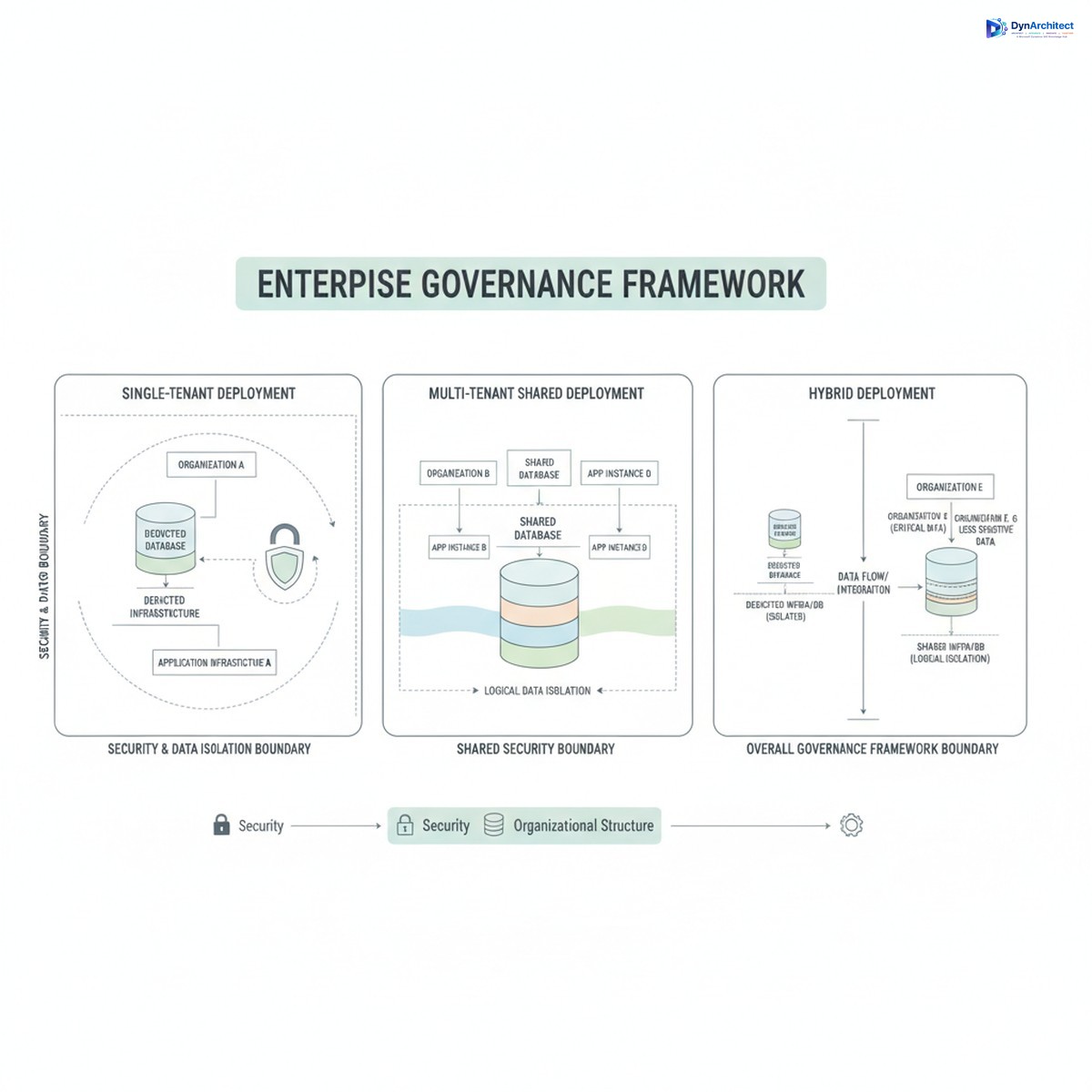
An effective CoE sits across three layers of governance, and each layer has different stakeholders and decision rights.

The first layer is Strategic Governance, which answers high-level questions about where Dynamics 365 fits in the organization’s broader technology roadmap. This is a quarterly or semi-annual conversation among CIOs, CFOs, line-of-business leaders, and enterprise architects. It covers questions like: which business processes are we standardizing on Dynamics Finance and Operations versus Business Central versus custom development? How do we allocate the Power Platform premium licensing budget across departments? What integrations are strategic versus tactical? This layer exists to prevent redundant technology investments and to align platform adoption with business priorities.

The second layer is Operational Governance, which is where most of the actual CoE work happens. This layer owns the standards, the templates, the processes for approving new solutions, the documentation requirements, and the ongoing health of solutions already in production. It’s usually staffed by a mix of IT architects, a business analyst or two, and representatives from the business units actually using the platform. They review new Power Apps for security and scalability. They maintain a catalog of existing integrations. They enforce standards for naming, documentation, and code review. They decide when a prototype is ready to move to production and who owns it afterward. This layer runs on a weekly or bi-weekly cadence.

The third layer is Community and Enablement, which builds the skills and knowledge base that allow the organization to actually use the platform effectively. This includes training programs, documentation, a repository of templates and examples, and forums where developers and citizen developers can ask questions and share solutions. This layer is usually owned by the business units themselves or by IT’s learning and development function, but it should be resourced as a key part of the CoE’s charter, not treated as an afterthought.

Key Design Principles

Several principles determine whether a CoE actually works.

First, ownership matters more than representation. It’s tempting to create a steering committee with representatives from every department, but what actually scales adoption is having clear owners: a sponsor from the business who cares whether the solution delivers value, an owner who knows how it works operationally, and an IT steward who ensures it stays secure and compliant. The business owner drives the roadmap. The operational owner is accountable for uptime and data quality. The IT steward is accountable for security and compliance. When roles are clear, decisions are faster.

Second, CoE should remove friction for good solutions, not add it. Many organizations set approval bars so high that citizen developers give up. The right standard is not “everything must meet enterprise architecture specifications,” but rather “does this solution have an identifiable owner, proper error handling, documented dependencies, and appropriate security controls?” Some solutions can approve in days. Others need weeks. Urgency and risk should determine the timeline, not blanket requirements.

Third, establish a clear criteria for retirement. Solutions do not live forever. A Power App built two years ago to work around a process gap should be retired once the process is redesigned. An integration that was tactical should either be decommissioned or formally handed to a long-term owner. CoE should have the mandate to retire solutions that are unmaintained, redundant, or no longer needed. This is how you prevent technical debt from accumulating.

Fourth, fund it properly and staff it with people who know the platform. If the CoE is underfunded or staffed by people rotating in for six months, it becomes either a compliance police force or invisible. CoE roles should be permanent, owned by people with genuine Dynamics 365 and Power Platform expertise, and the organization should accept that CoE people are not available for project work. They’re invested in scalability and governance, not delivery.

Implementation Sequencing

Most organizations do not need a full three-layer CoE from day one. Sequencing matters.

If you’re early in a Dynamics 365 implementation, focus first on Operational Governance. Establish standards for development, set up a basic review process for significant customizations, and document what you’re building. This can be two people for a company of 500 to 1000 employees.

Once you have multiple production solutions and a growing Power Platform user base, add Community and Enablement. Create documentation, templates, and a way for developers to share solutions. This is where your learning investment starts to pay dividends.

Strategic Governance is usually the last layer to formalize, and it comes when you have enough solutions in production that technology decisions are starting to conflict or duplicate. At that point, a quarterly alignment conversation prevents expensive missteps.

Measuring Success

CoE effectiveness should be measured on business outcomes, not activity metrics. The right KPIs are things like time-to-deployment for new solutions, adoption rates for platforms you’re standardizing on, percentage of solutions with active owners, compliance pass rates on security audits, and total cost of ownership including licensing. Internal metrics like number of solutions reviewed or number of approvals processed are vanity metrics. What matters is whether the organization is getting faster and safer at delivering technology solutions, not how busy the CoE is.

The Reality

Building a CoE is not a one-time project. It’s an operating model that evolves as your platform footprint grows. Early on, it might be a single person who serves as architect and approval gatekeeper. Over time, as solutions multiply and stakes rise, it becomes a cross-functional team. At that stage, it can become a political lightning rod if it’s not carefully balanced between the needs of innovation and the demands of control.

The organizations that get it right treat CoE as a strategic capability, not a compliance function. They staff it with people who actually know Dynamics 365 and Power Platform. They give it clear decision authority. And they measure it on whether the organization is adopting faster and managing risk better, not on how many rules it can enforce.

If your organization is still in the “everyone build whatever you want” stage, that window of agility is closing. A governance framework isn’t about slowing down. It’s about scaling without breaking things. That distinction is what separates companies that harness platform capability from companies that are managed by it.


#DynamicsGovernance #CenterOfExcellence #PowerPlatformAdoption #CloudArchitecture #EnterpriseGovernance #D365CoE #DigitalTransformation

Omnichannel Customer Service Economics: Reducing Support Cost Per Ticket and Improving Retention Through Unified Dynamics 365 Service

Customer service leaders face a perennial tension: how to improve customer satisfaction without proportionally increasing support costs. Many organizations default to hiring more agents when support volume grows, which drives annual staffing increases faster than revenue growth. Others cut corners with single-channel support, only to watch customer churn accelerate as phone queues lengthen and email response times stretch to days.

Dynamics 365 Customer Service’s omnichannel capabilities address this tension directly. By unifying email, phone, chat, social media, and self-service interactions into a single engagement platform, organizations can route work to the most efficient channel for each customer scenario, reduce agent idle time, and equip support teams with unified customer context that eliminates repetitive questions and context-switching. The financial result is measurable: organizations that implement omnichannel service report cost per ticket reductions of 20 to 35 percent while simultaneously improving customer satisfaction metrics.

This article examines how omnichannel service architecture improves support economics and retention, how to evaluate whether your organization is ready to transition from single-channel support, and how to structure your implementation to capture cost and retention gains rather than simply adding new channels without operational discipline.

The Economics of Multi-Channel Fragmentation

When customer service operates in silos across email, phone, chat, and social media, the structural costs are substantial and often invisible. A customer may contact support via chat, encounter a knowledge gap that requires escalation to a specialist, be told to follow up by email, and then reach that specialist hours later who has no context of the chat interaction. That customer has now consumed three separate touch points and multiple agents’ time, all because the original agent lacked visibility into tickets handled by the email team.

This fragmentation creates waste at three levels. First, agents duplicate work: opening a customer’s account history, reviewing purchase and support history, analyzing the issue, and formulating a response happens independently for each channel, multiplying the time investment per issue. Second, first-contact resolution rates decline because single-channel agents lack visibility into whether a customer was already engaged through another channel, leading to duplicate investigation and frustration. Third, specialized knowledge silos: a phone agent cannot easily escalate to an email specialist without manually recreating the context, so either work gets reassigned with zero institutional knowledge, or a generalist handles the issue inefficiently.

Organizations with mature omnichannel implementations report first-contact resolution rates 8 to 12 percentage points higher than single-channel shops, which directly translates to fewer total interactions needed to resolve customer issues and measurable cost savings per resolution.

Omnichannel Architecture: Unified Engagement, Contextualized Interactions

Dynamics 365 Customer Service implements omnichannel support through a unified work queue, contextualized agent interfaces, and configurable routing logic. Rather than segregating tickets by channel, the platform ingests incoming interactions (email, chat, social mentions, phone) into a unified queue, assigns work based on agent skill, capacity, and channel preference, and surfaces the entire customer interaction history to each agent, regardless of which channel the customer chose for their current contact.

This architecture eliminates several categories of waste. An agent handling a chat inquiry can see that the same customer submitted an email ticket yesterday, a phone call last week, and had a previous issue fully resolved two months prior. That visibility allows the agent to immediately identify whether the current issue is a followup to a prior resolution attempt, a new problem entirely, or a misunderstanding based on information the customer received during an earlier contact. The agent can surface the customer’s complete context without asking the customer to repeat information.

Omnichannel platforms also enable asynchronous work patterns that single-channel setups cannot support. A customer submits a complex billing inquiry via email late Friday. Under a single-channel model, the customer either waits until Monday for an agent’s response, or an agent handles the inquiry over the weekend at overtime cost. Under omnichannel architecture, the inquiry enters the unified queue, a billings specialist addresses it whenever they have capacity (potentially Monday morning), and the response flows back through the same channel (email) without the customer experiencing an unnecessary delay or the organization incurring overtime. The customer sees their issue handled on the next business day; the organization avoids the cost of weekend staffing.

Channel Economics and Work Efficiency

Different channels carry different cost profiles and efficiency characteristics. A phone call costs the organization $3 to $8 depending on contact center footprint, agent experience level, and geographic location. A chat interaction costs $2 to $4 but handles simpler issues; complex diagnosing conversations often require hand-off to email or phone. Email costs $0.50 to $2 per message but introduces latency, as customers expect response within hours to a day, not seconds. Self-service knowledge articles cost nearly zero per consumption after the upfront authoring investment.

Organizations that implement omnichannel service deliberately steer different customer scenarios toward the channel that combines lowest cost with highest first-contact resolution. A customer with a simple account status question gets routed to a knowledge article or AI chatbot (nearest-zero cost, immediate resolution). A customer troubleshooting a product integration issue gets routed to chat (moderate cost, real-time, suitable for step-by-step guidance). A customer with complex billing or usage implications gets routed to email or phone based on agent availability and the issue’s complexity (higher cost but lower risk of misresolving).

Without omnichannel coordination, customers choose the channel they prefer regardless of the issue type, leading to expensive phone agents handling questions a chatbot could resolve for $2. With omnichannel routing and an effective self-service strategy, organizations reduce the percentage of work hitting expensive channels and reserve high-cost channels for scenarios where personalized expertise genuinely adds value.

Customer Retention and Lifetime Value

Cost reduction is one lever; customer retention is a second equally important one. Organizations report that customers who have a positive omnichannel service experience are 20 to 30 percent more likely to renew subscriptions or expand purchasing compared to customers routed through inconsistent, single-channel support where they repeat information and encounter delayed responses.

This retention lift stems from several behavioral factors. First, customers who can engage through their preferred channel (a Gen Z customer might prefer chat; a financial services buyer prefers phone) report higher satisfaction. Omnichannel platforms track channel preference per customer and honor it, accumulating satisfaction advantages over time. Second, customers perceive support quality as higher when they are not forced to repeat context. An agent saying, “I see you encountered this issue two weeks ago with our billing team; we’ve made a change since then that should resolve it,” signals attentiveness and reduces customer frustration. Third, reduced wait times and faster resolution directly correlate with retention. When customers can resolve issues through chat in minutes rather than waiting on phone hold, or receive email responses within a few hours rather than the next day, perceived service quality rises sharply.

For organizations with recurring revenue models or high customer acquisition costs, a 5 to 10 percentage point lift in retention translates to millions of dollars in annual revenue impact, often exceeding the cost of omnichannel platform implementation within a single year.

Readiness and Implementation Considerations

Implementing omnichannel service is not a simple technology rollout. Organizations that succeed typically share several characteristics. They have an existing support organization with documented processes and agent skills matrices, making it possible to define routing rules and skill assignments. They track support metrics consistently, allowing them to measure cost per ticket and first-contact resolution before and after omnichannel implementation. They have customer data hygiene sufficient to rely on unified customer records; if customer data is fragmented or duplicated across systems, omnichannel implementation amplifies the problem.

Organizations that struggle with omnichannel implementation typically skip foundational work: assuming that adding new channels automatically improves service without first optimizing their existing single-channel operations. A phone support team with 40 percent first-contact resolution, high average handle time, and inconsistent documentation will not suddenly improve by adding chat; they will simply fragment their poor performance across more channels. Before implementing omnichannel, organizations should ensure their core support process is documented, their agents are trained consistently, and their knowledge bases are populated with answers to frequent questions.

Second, omnichannel implementation requires investment in agent training and change management. Agents accustomed to phone-only work may resist chat or email, fearing reduced earnings or reduced job security. Leadership must communicate clearly that omnichannel implementation is about improving support efficiency and customer experience, not reducing headcount, and must back that messaging with commitment to retraining and retaining existing agents in new roles.

Third, implementation requires thoughtful routing strategy. Organizations that simply activate all channels and route work uniformly across them often see cost per interaction increase rather than decrease, because they are channeling simple issues through expensive phone agents and complex issues through cheap chat agents. Successful implementations develop channel strategies linked to issue complexity, customer value, and channel economics.

Structuring the Business Case

For CFOs and finance leaders evaluating omnichannel investment, a straightforward business case framework applies. Calculate your current cost per interaction across all support channels. Multiply that by your annual support volume to establish a baseline cost. Benchmark your first-contact resolution rate; industry data suggests 65 to 75 percent for single-channel support, and 80 to 87 percent for mature omnichannel implementations. Model the impact of a 5 to 15 percentage point improvement in first-contact resolution on total support cost, accounting for the fact that fewer repeat contacts directly reduce overall staffing needs.

Against that cost reduction, estimate the annual cost of omnichannel platform licensing, implementation and integration, and agent retraining. Most organizations see payback within 12 to 18 months. Add customer retention lift conservatively, even a 2 to 3 percent improvement in renewal rates for an SaaS organization generates revenue impact that typically exceeds implementation cost in year one.

Conclusion

Omnichannel customer service is not a channel strategy; it is an operational economics strategy. By centralizing work queuing, routing interactions to the lowest-cost channel appropriate for each customer scenario, and equipping agents with unified customer context, organizations reduce cost per interaction, improve first-contact resolution, and simultaneously strengthen customer retention. For finance leaders and operations executives, omnichannel implementation should be evaluated not as a customer experience initiative, but as a direct cost reduction and revenue retention investment.

Dynamics 365 Customer Service provides the operational foundation for omnichannel strategy, but success depends on combining the platform with disciplined process design, accurate cost accounting, and clear staffing strategies that retain and retrain existing support teams rather than simply expanding headcount.


#DynamicsCustomerService #OmnichannelService #CustomerServiceROI #ServiceOperations #CustomerRetention #CostReduction #CustomerEngagement #DynamicsCRM #ServiceExcellence

Real-time Power BI Refresh Strategies for Dynamics 365 Finance: Pushing Live Operational Data to Dashboards

When a finance director opens a dashboard to check month-end cash flow status, she expects current data, not a snapshot from six hours ago. Yet most Dynamics 365 Finance environments rely on scheduled, batch-mode Power BI refreshes that update on fixed cadence, creating a widening gap between reality and what appears on screen. For operational teams, this latency can mean stale forecasts, missed cost anomalies, and delayed responses to policy violations or supply disruptions. Real-time reporting demands a different approach than the refresh-on-schedule model most organizations default to.

The challenge is that pulling Finance data directly into Power BI via standard import connections can overwhelm the Finance database with read queries during peak hours. A poorly tuned refresh takes thirty minutes while creating production impact, leaving dashboards neither fast nor current. A credible real-time architecture requires rethinking the data pipeline: push relevant Finance events and balances to an intermediate store where Power BI can consume them with minimal latency and zero impact on production.

Understanding the Refresh Bottleneck

Power BI supports three refresh modes. Import mode caches data inside Power BI after refresh, enabling fast performance but requiring a refresh cycle to pull new data. DirectQuery runs queries live against the source database whenever a user interacts with a dashboard, ensuring freshness but imposing query load on Finance. Composite models blend both approaches.

For Dynamics 365 Finance, DirectQuery is operationally risky. A single dashboard with ten visuals can translate to dozens of live queries. During month-end close or go-live testing, when Finance is running heavy batch jobs, this query load noticeably degrades system responsiveness. A dashboard that appears instant to the user is actually a series of database queries, and if Finance tables are locked during depreciation calculations or reconciliations, the entire dashboard becomes unresponsive.

Import mode decouples reporting from operational workload, but standard refresh intervals—four hours, nightly, or weekly—are too stale for operational monitoring. The solution is a push architecture where Finance pushes relevant data to a staging layer that Power BI consumes, updated near-real-time while Finance operates independently.

Push-Mode Pipelines: Event-Driven and Incremental

The simplest push pattern uses Power Automate and Azure Synapse or Data Lake Storage. When a purchase order is approved, invoice posted, or cost variance detected, a Power Automate flow extracts the record and writes it to a staging table. Power BI then connects to this staging layer in import mode with a five to ten-minute refresh cycle, capturing near-real-time changes without querying Finance directly. Total latency: 1-2 minutes.

For broader financial reporting—GL balances, trial balance rollups, cash flow forecasts—pure event-driven loading is insufficient because you need current balances as of “right now,” not a history of updates. Incremental loading becomes essential.

Incremental loading uses a watermark pattern. When Power BI refreshes, it reads only records modified since the last refresh timestamp. Finance tracks modification dates, and each refresh pulls only deltas. This approach is far faster than full reloads and, combined with five-minute refresh cycles, delivers nearly-current balances while minimizing data volume transferred.

For Finance transactional tables, this is particularly effective. Load dimension tables (charts of accounts, vendors, cost centers) once or weekly, then refresh fact tables incrementally every five minutes. The first refresh includes all historical transactions; subsequent refreshes append only new and modified rows. The result is a Power BI model covering months of history but updating near-instantaneously for recent activity.

Staging Layer Architecture

The staging layer is critical. It must be performant, flexible, and autonomous from Finance operations.

Azure Synapse Dedicated SQL Pool is the enterprise standard. Synapse can load data from Finance and other sources and expose denormalized views optimized for BI queries. Power BI imports from Synapse rapidly due to columnar storage and indexing built for analytical workloads. Synapse supports incremental loading via change data capture that tracks Finance table modifications.

For cost-conscious implementations, Azure Data Lake Storage paired with Power Automate or Azure Data Factory works well. Export incremental Finance data to parquet files in Data Lake, partition by date, and Power BI reads directly. Modern Power BI queries parquet efficiently, with lower costs than running a dedicated SQL pool.

For organizations invested in Dataverse, it serves as the intermediate layer. Configure Power Automate or a custom plugin to sync Finance transactions and balances into Dataverse tables. Dataverse provides change tracking and native Power BI integration. The downside is that large-scale Finance data can strain Dataverse capacity.

Implementation Patterns and Performance Tuning

Latency depends on refresh frequency and the delay between Finance events and staging layer updates. Power Automate delivers updates within seconds. A posted invoice triggers a flow immediately, the flow writes to staging, and within a minute the Power BI refresh cycle captures it: total latency 1-2 minutes. Scheduled loads every five minutes mean transactions post by the end of the current refresh window.

Design for aggregation from the start. Instead of storing every GL entry detail, push daily balances at the account-cost center-department level. Store history in staging, but Power BI imports only recent months for interactive work; archival slices stay queryable via DirectQuery against staging for drill-down.

Use Power BI’s incremental refresh feature at the dataset level. Keep the last thirteen months in import mode refreshed daily, while older history remains available in DirectQuery for historical analysis. This keeps import datasets fast while preserving depth.

Once a push pipeline is live, operational excellence is non-optional. If a Power Automate flow fails silently, Finance changes don’t appear in dashboards. If a Data Factory job stalls, dashboards show stale data. Set up alerts for failed inserts and incomplete refreshes. Monitor Power BI refresh completion and alert if runtime exceeds expected duration. Build an audit table tracking the last refresh timestamp for each dataset, visible to operations.

Conclusion

Real-time Finance dashboards are achievable without overwhelming production systems. The key is moving from pull (Power BI queries Finance) to push (Finance updates stream to staging). Incremental loading and aggregation prevent staging from becoming a bottleneck. The result is dashboards updating every five to ten minutes with operational Finance data, accessible to CFOs and cost center managers, without degrading Finance responsiveness.

The investment is modest: a Synapse workspace or Data Lake container, a handful of Power Automate flows or a simple Data Factory pipeline, and careful data modeling. Over eighteen months, teams stop maintaining parallel reporting databases. Finance operations becomes proactive rather than reactive. The dashboard becomes the natural source of truth rather than a supplement to static reports.


Routeget Technologies helps mid-market and enterprise organizations design and implement real-time reporting architectures that balance responsiveness with operational integrity. Whether planning a Finance system implementation or modernizing an existing reporting layer, we align staging layer strategy with organizational maturity and cost constraints.


#PowerBIOptimization #DynamicsFinanceReporting #OperationalDashboards #RealTimeAnalytics #DataPipelines #PowerBIPerformance

Building High-Performance Canvas Apps: Offline Capabilities, Data Delegation, and Performance Optimization in Power Apps

Every canvas app architect hits the same wall: users demand offline access and fast load times, but the technical cost of delivering both often gets underestimated. A field team needs to work through a poor network connection. A finance app must handle thousands of rows without freezing on startup. An enterprise application has to remain responsive while maintaining data consistency across multiple clients. Each scenario exposes a different bottleneck, and fixing one without understanding the others creates a cascade of performance problems.

The challenge runs deeper than just enabling offline mode. A canvas app running offline operates within a fundamentally different architecture than its online counterpart, with its own synchronization model, local storage constraints, and hard limits on data availability. Meanwhile, data delegation patterns control whether your queries run on the server or fail silently by returning truncated results. These three dimensions—offline resilience, delegation correctness, and performance optimization—are often treated as separate concerns, but they intersect constantly in production applications.

This article walks through how to design canvas apps that work reliably in challenging network conditions, delegate data operations correctly at scale, and deliver fast load times without sacrificing correctness or user experience.

Offline Architecture: How Canvas Apps Handle Disconnected Scenarios

When offline mode is enabled in a Power Apps canvas app, the runtime relies on a local SQLite-based database cache stored on the user’s device. This fundamentally changes how the app operates. Reads no longer hit the server; they execute against the local cache, regardless of connectivity. Writes are queued locally and synchronized back to Dataverse when the connection restores.

The offline profile is where this architecture gets defined. A maker creates a profile specifying which tables, columns, and relationships should be available offline, along with optional filters to limit which rows download initially. The app then maintains this profile’s data through a series of synchronization cycles.

On initial app load, the runtime downloads all data matching the offline profile to the device. This is a full synchronization and can take minutes for large datasets. Subsequent syncs are incremental, fetching only inserts, updates, and deletes since the last sync. Power Apps is smart about this: if a table has no changes pending, the sync is skipped entirely, saving bandwidth and battery life.

One critical detail: iOS apps only sync in the foreground, while Android apps can continue syncs in the background. This asymmetry matters in practice. An iOS user might close the app to take a phone call and miss a sync window entirely, leaving their local cache stale. Design apps with this in mind, and consider shorter sync intervals for iOS to reduce the risk of working with outdated data.

Data retention is indefinite until the user clears the app cache, uninstalls the app, or signs out. Updating an offline profile triggers a full refresh, not an incremental sync. This is important: if you add a column to an offline profile mid-deployment, every device will re-download the entire dataset on next app load. Plan profile changes carefully for large user bases.

Data Delegation: The Silent Correctness Problem

Delegation errors are a special kind of production trap. The app doesn’t crash. No error message surfaces. Instead, the query silently returns wrong data. A developer might filter a dataset to show only records matching a condition, but without proper delegation, only the first 2,000 rows are evaluated locally, causing the filter to miss valid results if they fall outside that window.

Delegation in canvas apps means the server (Dataverse, SharePoint, or SQL) executes the operation, not the app itself. Some formulas naturally delegate; others do not. The Search() function delegates a text query to SharePoint when used correctly, but the in operator does not. Direct date comparisons like DueDate >= Date(2024,1,1) delegate, while functions like Year() do not. Filtering a Dataverse person column by direct email address works, but wrapping the condition in a function breaks delegation.

The non-delegable row limit is 2,000. Query a table without proper delegation, and only 2,000 rows download locally. If your dataset has 10,000 rows and you apply a non-delegable filter, the filter runs only on those 2,000 rows, returning incomplete results.

The solution requires discipline during development. Use Power Apps’ “blue dot” indicator in the formula bar to spot non-delegable functions as you write them. Test queries with datasets larger than 2,000 rows to catch delegation failures before users encounter them. For Dataverse, use indexed columns when filtering; indexes unlock delegation for more complex conditions. For SharePoint, preference indexed columns and avoid complex nested functions.

Model-driven apps have a parallel concept called server-driven filtering, which is delegated by design. Canvas apps require explicit developer attention.

Performance Optimization: Three Patterns That Matter

Canvas apps often drag on startup because of sequential data loading. The App.OnStart event loads data one query at a time, blocking the UI until each completes. A typical enterprise app might load five tables sequentially, and if any connection is slow, startup takes 30 seconds or more.

Parallel loading solves this. Use Concurrent() to fire multiple queries simultaneously. Instead of waiting for customers to load before loading orders, fire both at once. Startup time drops proportionally. Most apps that parallelize load times see improvements of 40% to 60%.

Loading unnecessary columns inflates payload size and wastes bandwidth. A table might have 50 columns, but the app uses only 10. Every kilobyte matters in poor network conditions. Use ShowColumns() explicitly to select only required fields. This cuts payload size by 70% or more in some cases.

The third pattern is lazy evaluation. Instead of loading all data in App.OnStart, move some queries to Screen.OnVisible. If a user never visits a particular screen, that data never loads. For large apps with dozens of screens, this reduces startup impact significantly. Power Apps evaluates named formulas lazily anyway, which means they compute only when referenced. Leverage this behavior.

A gallery or data table that fires a lookup formula inside its item template creates one network call per row. Loading 100 rows means 100 network calls. This is the single worst performance pattern in canvas apps. Pre-join data instead. Use AddColumns() at load time to attach lookup values to the primary dataset, eliminating per-row queries entirely.

Putting It Together: Offline-First Canvas App Design

An offline-capable field service app might follow this pattern: on startup, load the technician’s schedule and assigned jobs in parallel using Concurrent(). For each job, include only the columns needed for the mobile view (job number, customer name, priority, status). Connect the app to Dataverse in offline mode with a profile that includes jobs, customers, and any reference tables needed for dropdown lists.

When a technician works offline, reads hit the local cache instantly. When they complete a job and change its status, that write queues locally. Once connectivity returns, the app syncs changes back to Dataverse. The sync is incremental, so only the modified jobs sync up.

Performance optimization happens early. Parallel data loading keeps startup under 5 seconds. Limited columns keep bandwidth requirements low. The offline profile is minimal, syncing only what the field team needs, which reduces initial download time and device storage pressure.

Delegation patterns are built in from the start. Any filtering of the jobs table uses Dataverse indexing to ensure server-side execution. Developers avoid wrapping conditions in functions that would break delegation.

The result is a mobile app that works reliably without internet, loads fast, and scales to thousands of records without UI freezing or silent data loss.

Avoiding Common Pitfalls

Offline mode is not a magic switch. It does not improve online performance. An app that runs slowly online will run equally slowly in offline mode once data loads, since the offline cache uses the same query engine as the online app. Offline helps with resilience and latency under poor connectivity; it does not fix fundamental performance problems.

Delegation failures are invisible until testing at scale. Test with datasets larger than your current production size to catch these issues before users do. The 2,000-row limit is a real constraint for enterprise applications.

Synchronization conflicts are rare but can happen. If two users modify the same record offline and both sync simultaneously, Dataverse applies the last-write-wins rule. Design apps to minimize this risk through logical data partitioning (each user works only on their own data) or through conflict resolution logic in cloud flows.

The Path Forward

Canvas apps have the technical tools needed to work offline at scale, but these tools require developers to understand how they work together. Offline capabilities, data delegation patterns, and performance optimization are not independent choices; they intersect at every decision point in app architecture. Building high-performance canvas apps means mastering all three and designing for them from the start, not retrofitting them when performance or connectivity issues surface.


About Routeget Technologies: Routeget helps enterprises build and scale Power Platform solutions. From architectural planning to post-launch optimization, our teams bring hands-on expertise in offline-capable canvas apps, performance tuning, and data integration patterns at enterprise scale.

#PowerAppsCanvasApps #CanvasAppPerformance #OfflineFirstDesign #DataDelegation #PowerPlatformDeveloper #MobileAppOptimization

Real-Time Financial Dashboarding: Replacing Static Reports with Live Power BI Analytics in Dynamics 365 Finance

Most finance teams still operate on reports published monthly or quarterly. The CFO gets a dashboard refreshed on the first of the month, shows variance analysis in a board meeting two weeks later, and by then the underlying reality has shifted. If you are a finance leader managing a mid-to-large organization on Dynamics 365 Finance, this delay represents a real cost: slower decisions on cost control, less visibility into P&L movement, slower response to market changes. The constraint is not missing data—Dynamics 365 Finance captures GL transactions, invoices, and cash positions continuously. The constraint is getting that data into a usable analytical layer fast enough that it actually informs decisions while they still matter.

Real-time Power BI dashboards embedded directly into Dynamics 365 Finance change this equation. Instead of waiting for a report run and a refresh schedule, finance teams can see actual GL balances, AP aging, revenue recognition status, and cash forecasts as they shift through the day. This shift from static-report thinking to live-analytics thinking is not just a technical change; it affects how finance teams prioritize work, how fast they react to spending or revenue surprises, and ultimately how much visibility the CFO has into the business between board meetings.

Why Static Reports No Longer Fit Finance Operations

For the past decade, the finance reporting cycle has been predictable: month-end close, GL reconciliation, report generation, variance analysis. This cycle made sense when data moved slowly and finance leadership made quarterly decisions. But most organizations now operate on shorter cycles. Weekly cash positions matter. Daily AP aging matters. Real-time cost overruns matter. A financial controller managing a manufacturing operation needs visibility into material costs and inventory turns as they happen, not as a summary in next month’s report.

Static reports have another hidden cost: they are expensive to maintain and easy to misalign. A report that runs monthly is updated infrequently. If the GL structure changes, account mappings shift, or the business adds a new division, the report can fall behind quickly. Teams end up building spreadsheets alongside reports, creating dual sources of truth. Power BI, by contrast, connects directly to the Dynamics 365 Finance data model, so it automatically reflects current GL structures, current divisions, and current transaction data.

How Power BI Embeds Real-Time Visibility into Dynamics 365 Finance

Embedding Power BI visuals directly inside Dynamics 365 Finance means finance users stay in the application they already use, without jumping to a separate analytics tool. A CFO reviewing the GL summary page can see a live P&L chart refreshed every few minutes. An AP manager can see aging curves update as new invoices post. A treasury team can monitor cash forecasts that incorporate real-time bank feeds and outstanding commitments.

The technical bridge is the Dynamics 365 Finance data model itself—tables like GeneralJournalEntry, VendorInvoiceJournal, and CustInvoiceJournal flow into Power BI via Dataverse or direct SQL connections (depending on your cloud architecture). Once Power BI connects, the refresh cadence can be as fast as the business needs: hourly updates for cash positions, intraday for P&L variance, real-time for transaction counts and exception tracking.

For a CFO, this means three practical shifts. First, the decision context is current. If a division’s costs are running 15 percent over budget this month, you see it on day 10, not day 35 when the full report closes. Second, drilling down is immediate. A dashboard showing revenue variance doesn’t require a follow-up email to accounting asking for detail; the CFO clicks on the variance and sees the underlying transactions. Third, exceptions bubble up visually. A Power BI dashboard can highlight AP invoices that have aged beyond terms, GL items that are outside historical range, or cash positions that trigger borrowing needs—raising flags that static reports miss because those reports are not built with exception logic.

Real-World Implementation Pattern

A typical implementation starts narrow. Finance teams select one high-impact reporting area—often P&L and cash flow—and build a Power BI workspace that pulls from Dynamics 365 Finance in real time. The workspace includes a main dashboard for CFO review (top-level P&L, cash position, variance to budget), plus detailed pages for cost center managers (expense detail by department), treasury (cash forecast and liquidity), and audit (GL activity and reconciliation status).

Adoption often includes a refresh pattern: the main dashboard updates hourly, detail pages update on-demand (when a manager opens them). This balance respects system performance while giving leadership current data. As the team becomes comfortable, additional areas follow—supply chain cost analytics, project profitability, tax provision tracking. Each addition reuses the same Power BI-to-Dynamics 365 Finance bridge, so incremental cost is low.

A key implementation detail is security. Power BI’s row-level security (RLS) rules can enforce that a cost center manager sees only their own department’s data, and that audit staff see transactions tagged for their audit scope. This means the same dashboard can serve different roles without creating multiple versions.

When to Prioritize Real-Time Analytics

Real-time Power BI dashboards are not universal replacements for static reports. Regulatory compliance reports often need to be frozen at month-end and archived as signed documents, not updated live. But operational dashboards—cash flow, expense tracking, revenue recognition, headcount burn, project margin—nearly always benefit from real-time refresh.

A good starting signal is this: if your CFO regularly asks for “numbers as of today” in the middle of the month, or if cost control decisions are delayed because report data is stale, real-time Power BI embedded in Dynamics 365 Finance is likely a strong priority. Similarly, if your organization is moving toward shorter planning cycles (rolling forecasts, weekly cash planning, daily spend reviews), the static month-end report cycle falls further behind.

The business case is straightforward. Most implementations cost between 30 and 60 days of implementation effort, assuming a solid Dynamics 365 Finance foundation and basic Power BI skills in-house or via a partner. The payoff is faster decisions, fewer duplicate spreadsheets, less rework when GL structures change, and visibility that actually informs strategy rather than summarizing it after the fact.

Getting Started

If you are a CFO or finance leader evaluating this approach, the first step is inventory: which reports do you actually use, and which ones do you need to be current? Many organizations publish dozens of reports but rely operationally on a handful of core dashboards. Focusing real-time Power BI on those core dashboards delivers 80 percent of the value with 20 percent of the effort.

The second step is to confirm your Dynamics 365 Finance data architecture is clean enough to support analytics. If GL accounts are poorly structured, if cost centers are inconsistent, or if data quality issues are rampant, Power BI will amplify those problems. A small data cleansing effort upfront pays dividends: clear account hierarchies, consistent cost center mapping, standardized transaction descriptions all make the Power BI experience more trustworthy and useful.

The third step is to pilot with a single dashboard and a small user group, then expand. This approach surfaces integration issues, data quality gaps, and adoption friction in a manageable scope before rolling out across the finance organization. Teams that rush to “all reports in Power BI immediately” often create dashboards that sit unused because they don’t match how the team actually works.

Conclusion

The shift from static reports to real-time analytics in Dynamics 365 Finance is fundamentally about giving finance leadership visibility that actually informs decisions. A CFO who can see cash positions, cost variances, and revenue trends in real time can make faster decisions, spot problems before they become crises, and respond to business changes with less delay. Power BI embedded directly in Dynamics 365 Finance bridges the gap between transactional data and actionable insight, without requiring finance users to jump between systems.

For organizations operating in faster decision cycles, this shift is less a nice-to-have and more a competitive necessity. The implementations that succeed do so because they focus on the handful of dashboards that finance actually uses every day, build them on clean data, and embed them where the team already works. The payoff is faster decisions and more current business visibility—the two things most finance leaders say they most wish they had.

At Routeget Technologies, we have implemented real-time Power BI analytics for dozens of organizations moving from static Dynamics 365 Finance reporting to live dashboards. We find that the most successful implementations begin with a clear priority (cash flow, P&L, or expense control), deliver a working dashboard within weeks rather than months, and let adoption drive the next phase. If your finance organization is ready to move from monthly reports to live analytics, we can help navigate the data architecture and Power BI design decisions that make the difference between a dashboard people use and one that sits idle.

#PowerBI #DynamicsFinance #FinanceAnalytics #DashboardDesign #RealTimeReporting #DigitalTransformation #CFOInsight

Building Efficient Data Migrations into Business Central: ETL Patterns, RapidStart Configuration, and Real-Time Synchronization

Your legacy ERP implementation is seven years old. The system has grown brittle: custom fields have accumulated in unexplained places, vendor integrations rely on scheduled jobs that sometimes fail silently, and nobody quite knows why inventory positions don’t reconcile with the general ledger until month-end. You’ve committed to migrating to Dynamics 365 Business Central, and your implementation team is now staring at the reality that your current data is not structured the way Business Central expects it.

Data migration into Business Central is not a one-time ETL job. It’s a series of overlapping concerns: understanding Business Central’s data model constraints, designing transformation logic that can run repeatedly during pre-cutover validation cycles, choosing between built-in tools like RapidStart and custom integration patterns, and managing the transition from parallel-run validation to cutover-day data loading. Teams that treat migration as simply “extract, transform, load” often discover weeks into go-live that they have unresolved dependencies, incorrect intercompany eliminations, or missing dimension details that corrupt reporting. Teams that plan migration as an architecture pattern from the start avoid these problems.

Understanding Data Model Constraints

Business Central’s data model enforces relationships that many legacy systems do not. A sales line cannot exist without a sales header. A gl entry cannot post unless its balance sheet and income statement accounts match the financial dimension structure you’ve set up. Inventory transactions must have complete traceability back to a purchase or production order. These constraints are there for good reason, but they mean migration cannot be a simple row-by-row copy. Instead, migration requires understanding five key patterns: header-detail hierarchy construction, dimension and attribute mapping, data validation and cleansing orchestration, iterative migration cycles, and post-migration reconciliation.

Five Essential Migration Patterns

The first pattern is header-detail hierarchy construction. In your legacy system, you may have sales data stored flat, with the order header mixed with line-item details in a single table. Business Central separates them: every line must reference a parent header with a valid document number, customer account, posting date, and currency. More critically, Business Central validates business rules at load time. If a customer has a credit limit and your migration tries to load an order exceeding that limit without explicitly setting a flag to bypass the check, the load fails. The solution is to stage data in intermediate tables or external systems where you can construct the hierarchy correctly, apply validation rules intentionally, and load in dependency order: first headers, then lines, validating the relationship at each step. Tools like SQL Server Integration Services, custom PowerShell, or cloud-based ETL platforms such as Azure Data Factory allow you to perform this staging outside Business Central and load the validated result once, rather than attempting to transform data during the load process itself.

The second pattern is dimension and attribute mapping. Business Central’s general ledger uses dimensions (departments, cost centers, projects) to organize financial data. If your legacy system uses different dimension structures or names, you must map them before posting. Similarly, inventory items in Business Central require master data (unit of measure, costing method, posting groups) that your legacy system may not have captured consistently. For example, if you have items in the legacy system stored with a costing method inferred from transaction history rather than explicitly defined, you must resolve this during migration. Build a mapping table that documents how each legacy dimension value corresponds to a Business Central dimension, and validate that every financial transaction has a mapped dimension before loading. If legacy transactions have missing dimensions, decide whether to default them to a placeholder value, create ad-hoc dimensions during migration, or exclude them from the initial load and handle them separately. Document this decision in your migration specification so reviewers understand the trade-off.

The third pattern is data validation and cleansing orchestration. Business Central’s import tools (RapidStart for core setup and configuration, or manual import via templates and data providers) will validate your data against the system’s rules as you load. Some validations are obvious: an item cannot have a negative quantity on hand. Others are subtle: a sales order line for a discontinued item should fail unless the item is explicitly set to “blocked for sales.” Rather than discovering these failures during a timed cutover window, implement validation before loading. Write queries that identify duplicate master records, missing required fields, out-of-range values, and inconsistent hierarchies. Document the count of errors found and fixed for each category. This document becomes part of your cutover checklist, and it gives stakeholders confidence that edge cases have been identified and resolved rather than hidden.

The fourth pattern is iterative migration cycles. Your first migration run will not be your last. Between the initial data extract from the legacy system and final cutover, you may run ten or twenty test cycles. Each cycle should follow the same process: extract current data from legacy, apply transformations, validate results, load into Business Central, and reconcile key totals against the legacy system. Automate this cycle so it can be repeated without manual rework. Build a control table that tracks the source extraction timestamp, the count of records extracted, the count of errors found, and the final load status. If a subsequent cycle finds data inconsistencies (for example, an account balance that shifted between runs), your control table helps you understand whether the change occurred in the legacy system or in your transformation logic.

The fifth pattern is post-migration reconciliation. After you load data into Business Central, immediately run reconciliation reports that compare totals between the legacy system and Business Central: general ledger account balances, inventory quantities by location, customer account balances, and vendor payables. Discrepancies should be resolved before users begin transacting in the new system. Build reconciliation queries that group legacy and Business Central data by account, location, and customer, showing the legacy balance, the loaded balance, and the variance. If variances exist, do not assume they are the migration’s fault. Some discrepancies are expected because you may not migrate partial transactions (for example, a purchase order that was partially received in the legacy system may load as fully received in Business Central if you choose to migrate only the final state). Document the expected variance for each transaction type, and investigate any variance that falls outside the expected range.

RapidStart vs. Custom Integration

Choosing between RapidStart and custom integration deserves its own consideration. RapidStart is Business Central’s built-in data migration tool, designed for structured, relatively straightforward data imports. It excels at loading master data (customers, vendors, items, general ledger accounts) and provides UI-driven validation and error handling. If your migration is primarily master-data focused, RapidStart is efficient. If your migration includes complex transactions (intercompany eliminations, multi-step production orders, consolidated financial statements from multiple legacy systems), custom integration using Data Management Framework (DMF) or external tools gives you more control. Custom patterns also allow you to handle idempotency, the ability to run the same migration multiple times without creating duplicates or conflicting records. RapidStart migration can sometimes create duplicate records if run without careful cleanup. Custom patterns let you upsert (update if exists, insert if not) rather than always inserting, which is essential during iterative validation cycles.

A practical approach combines both. Use RapidStart for master data, which is relatively stable and can be validated in the UI. Use custom integration for transactional data, where you need more control, error handling, and the ability to reconcile against legacy totals. Implement idempotent logic that recognizes whether a transaction has already been loaded and skips re-insertion if the data is unchanged.

Building Long-Term Confidence in Data Integrity

Business Central migration is not fundamentally different from any ERP migration, but the specific constraints and tools require clear patterns. Header-detail hierarchy, dimension mapping, validation before load, iterative cycles, and post-migration reconciliation form the foundation. Teams that implement these patterns methodically reduce cutover risk, accelerate validation cycles, and build confidence that data integrity will be maintained as the business begins transacting in the new system.

Routeget Technologies has guided dozens of organizations through Business Central migrations, designing ETL patterns for complex legacy consolidations, building custom data providers that handle real-world ambiguities in historical data, and conducting pre-cutover validation that uncovers hidden data quality issues before they become cutover blockers. The work is detail-intensive, but the payoff is substantial: on-time go-lives, accurate financial reporting from day one, and users who trust the data they’re working with.

#BusinessCentralMigration #DataMigration #ETLPatterns #RapidStart #DataIntegration #BusinessCentral #ImplementationStrategy #DataQuality

Implementing Resilient Notification Workflows in Power Automate: Retry Logic, Error Handling, and Fault-Tolerance Patterns

Your notification workflow fails silently. A customer inquiry approval message never reaches the approver. A procurement alert gets dropped during a network hiccup. Three hours pass before anyone realizes the system stopped processing critical notifications, and by then, a delivery is missed and a SLA is breached. The code in your cloud flow looks correct, but production behavior tells a different story.

This problem sits at the intersection of two competing demands in enterprise automation: business processes require notifications to be reliable and traceable, yet cloud environments are inherently unpredictable. Network connectivity varies. External APIs return unexpected status codes. Throttling limits kick in under load. Building notification workflows that survive these failures requires more than trying once and hoping for the best. It demands deliberate architecture.

The Three Failure Modes of Notification Workflows

Before designing a solution, recognize where notification workflows actually break. The first failure mode is transient: the external service is temporarily unavailable, throttled, or experiencing a brief network interruption. A retry seconds or minutes later often succeeds. The second failure mode is permanent: the email address is malformed, the Teams channel ID is invalid, or the service genuinely cannot fulfill the request. Retrying indefinitely wastes resources and masks the real problem. The third failure mode is cascading: a single failed notification blocks subsequent actions, leaving the workflow in an incomplete state with no trace of what happened or what remains to be done.

Cloud flows do not distinguish between these modes automatically. By default, a failed step halts execution and marks the entire flow as failed, creating one large bucket where transient network blips sit alongside configuration errors. Without explicit handling, you lose visibility into what failed, why it failed, and whether retrying makes sense.

Implementing Retry Logic That Works

Power Automate’s native retry policy is a starting point, not the complete solution. You can configure automatic retry on any action: wait a few seconds, then try again, up to a maximum of three attempts by default. This covers many transient failures cheaply without extra code. However, relying on this alone creates a false sense of reliability.

The first limitation is scope. Native retry applies to a single action, not to a logical workflow segment. If your notification workflow involves multiple dependent steps (compose a message, look up the recipient, send via Teams, log the result), a failure in any step halts the sequence. You need retry logic at a higher level, not just at individual actions.

The second limitation is visibility. Retries happen silently. If a notification retries three times and still fails, you have no built-in way to capture that failure, alert an operator, or escalate it for investigation. The flow concludes as failed, but the reason and the scope of impact remain opaque.

The practical approach combines native retry with explicit error handling. Start by enabling automatic retry on actions most likely to hit transient failures: HTTP requests, API connectors, and external service calls. Set retry to two or three attempts with exponential backoff (few seconds, then longer). This handles 80 percent of transient issues with zero extra configuration.

Then wrap critical sequences in a try-catch pattern using Power Automate’s scope and error handling features. A scope action groups related steps into a single unit. Configure the scope to run on success and to run on failure. If any step within the scope fails, the failure branch executes, allowing you to decide what happens next: retry the entire scope with exponential backoff, escalate to a backup notification method, log the failure with context, or all three.

Designing Fault-Tolerant Notification Pipelines

Enterprise notification workflows often have multiple delivery channels: primary email, then Teams, then SMS, then human escalation. Implementing this as a cascade, where each channel fails the entire workflow if it fails, is fragile. Instead, treat each channel as optional with explicit failure handling.

Use a parallel-branching pattern: attempt all channels concurrently, each with its own error handling scope. If email fails but Teams succeeds, the critical notification still reaches the recipient. Log successes and failures separately so you can trace what worked and what did not. This approach trades lower latency (parallel execution) for improved resilience (multiple chances to deliver).

For each notification channel, implement a three-tier escalation. First, attempt the primary delivery method with native retry enabled. Second, if that fails, attempt a backup channel (different service, different account, fallback mechanism). Third, if both fail, trigger an alert to your operations team with full context: who was being notified, what message failed, which channels were attempted, and what error was returned. Do not silently drop notifications that cannot be delivered.

Implementing Distributed Retry With Exponential Backoff

Simple retry on immediate failure is insufficient for workflows that encounter throttling or queue congestion. Distributed retry spreads retry attempts across time, reducing load spikes and improving success rates. The pattern is straightforward: if an action fails, wait a calculated interval (longer each time), then retry, rather than hammering the same endpoint repeatedly within seconds.

Implement this using a compose action that calculates backoff time based on retry count. After the first failure, wait 5 seconds. After the second, wait 15 seconds. After the third, wait 60 seconds. If you want to implement this correctly, the backoff should be exponential or follow a configurable schedule rather than linear, since most transient failures resolve within seconds while congestion-related failures require longer waits.

Store retry metadata (attempt count, last error, timestamp) in a variable or log table. This gives you visibility into how many times each notification was retried and when, which is essential for troubleshooting and for detecting patterns (are certain recipients always failing? is a particular channel consistently timing out?).

Centralized Failure Logging and Alerting

A notification workflow that fails silently is worse than no workflow at all. You must log every notification attempt with outcome, timestamp, error details, and context. Store this in a dedicated table (Dataverse, SQL database, or even a SharePoint list) so you can query it later to answer: which notifications failed? which users were affected? which channels are unreliable?

Structure your logging to capture: the intended recipient (email, Teams ID, mobile number), the notification content or message ID, the primary delivery method attempted, any fallback methods attempted, the final status (success or failed), the specific error (if any), retry count, and total time to resolution. With this data, you can identify patterns and respond proactively when a channel starts degrading.

Implement centralized failure alerting. If a notification fails after all retries are exhausted, trigger an alert to a monitored channel or queue immediately. Do not rely on someone checking a log table tomorrow. Critical notifications that fail require immediate human attention, and that attention must reach someone in minutes, not hours.

Testing Resilience Before Production

Resilient workflows are not magic. They must be tested. Create a test harness that simulates failures: configure a mock endpoint that returns throttling errors, configure a test recipient that always fails, inject errors into specific retry attempts and confirm that the workflow recovers. Test parallel channel execution by failing one channel and confirming the others still complete.

Run chaos testing. Temporarily disable a notification channel and confirm the workflow escalates to backups rather than giving up. Introduce network latency and confirm retry logic triggers appropriately. Test the logging system itself: if a failure occurs while trying to log a failure, can the workflow detect and handle that cascade?

Most importantly, test under load. A workflow that handles single notification failures gracefully may behave differently when processing 10,000 notifications an hour and throttling begins. Exponential backoff patterns that work fine for occasional failures can create thundering herds if applied uniformly across thousands of concurrent retries. Test at realistic scale before deploying.

Moving From Fragile to Reliable

Notification workflows are among the most important automations you build, yet they are often treated as afterthoughts. A flow that sends one message and halts on failure does not serve business processes. Building resilience into notification architecture takes deliberate design, but the investment pays dividends: customers receive approvals on time, teams get alerts they need to act on, and operations teams can trust that critical communications actually reach their destinations.

Routeget Technologies helps organizations architect Power Automate notification systems that are designed to succeed under real-world conditions, with comprehensive error handling, multi-channel delivery, and operational visibility built in from the start.


#PowerAutomateResilience #CloudFlowsErrorHandling #PowerAutomateRetryLogic #EnterpriseAutomation #NotificationWorkflows #PowerPlatformDevelopment #FaultTolerancePatterns #AutomationArchitecture #PowerAutomateIntegration #EnterprisePowerPlatform

Securing Multi-Tenant Dataverse Deployments: Governance Models and Compliance Strategies for Enterprise Organizations

Enterprise data governance dashboard showing Dataverse multi-tenant architecture with secure data silos and compliance controls

When a large manufacturing conglomerate with seven regional subsidiaries decided to consolidate its Dynamics 365 deployments, the IT leadership faced a fundamental question: should each subsidiary run its own independent Dataverse environment, or could they share a single tenant with logical data separation? The answer shaped not just their technical architecture but their compliance posture, operational costs, security model, and ability to scale quickly. It took six months of planning to get it right.

This is the decision every large enterprise faces when moving Dynamics 365 to the cloud. Dataverse gives organizations flexibility in how they structure data and access, but that flexibility demands clear governance thinking. The wrong choice creates either unnecessary costs, security vulnerabilities, or both.

Dataverse Multi-Tenancy: Three Fundamental Models

Enterprise data governance dashboard showing Dataverse multi-tenant architecture with secure data silos and compliance controls

Enterprises typically evaluate three deployment patterns, each with distinct governance and operational implications.

Single-tenant deployment assigns a dedicated Dataverse environment to one business unit or subsidiary. This model simplifies tenant isolation since no shared infrastructure exists by definition. Security boundaries are cleaner. Compliance is straightforward if each tenant operates independently. However, fixed operational costs accrue per environment. Database administration, monitoring, backup, and disaster recovery all require separate infrastructure management. For smaller subsidiaries or regional offices, this overhead becomes difficult to justify financially.

Multi-tenant through shared services consolidates multiple business units into one Dataverse environment. A single application or shared platform manages data for many organizations. The platform itself enforces logical separation through row-level security rules, tenant-scoped data models, and access controls. This dramatically reduces infrastructure costs and operational complexity. A single database serves multiple customers or business units with one support team managing the system. The tradeoff is immediate: the governing application must understand which organization a request belongs to, and that context must remain consistent across every operation, from queries and reports to background jobs and integrations. A single tenant-context error can leak data across organizational boundaries. Compliance teams want evidence that this separation actually works in practice.

Hybrid deployment splits the difference. Some data, like shared employee records or common business reference tables, lives in a truly shared environment. Sensitive or regulated data, integrations requiring stronger isolation, or high-value processes get their own dedicated environments. This approach suits large enterprises with compliance mandates that prohibit certain data sharing while allowing others. It requires governance discipline to maintain two separate data environments and ensure they stay in sync where intended.

The Governance Foundation: Tenant Identity and Isolation

Three tenant deployment models for Dynamics 365 showing single-tenant, multi-tenant shared, and hybrid architectures

Successful multi-tenant deployments rest on one foundational principle: a stable, immutable tenant identifier that serves as the authoritative reference throughout the entire system. This is not the legal entity name, which can change. Not the region code, which can be reorganized. It is a stable, globally unique identifier assigned once to each tenant and never changed.

That identifier must flow consistently through every data operation. Row-level security rules check it to filter records. Integration service calls include it to route data to the correct tenant. Batch jobs and background processing reference it to ensure work stays within tenant boundaries. Logging systems tag every action with it. Reporting queries filter by it. Caching mechanisms key on it. If the tenant context becomes inconsistent anywhere in the system, separation breaks.

Compliance teams increasingly demand evidence that this separation actually works. That evidence includes tenant-attributed logging showing what data each tenant accessed and when, deletion verification confirming that removed records do not appear in other tenants’ data, and incident response procedures demonstrating how the organization would investigate suspected data leakage. Testing tenant isolation is no longer optional for regulated industries.

Governance Structures and Organizational Alignment

Multi-tenant governance requires clear organizational decision-making. Large enterprises typically establish a steering committee with representation from business unit leaders, compliance, information security, and IT operations. This committee makes decisions about which business units share a tenant, who has administrative access, approval processes for data access changes, and how compliance incidents are escalated.

Role-based access control becomes more complex in multi-tenant systems. A user working for Subsidiary A should never see Subsidiary B’s data, even if they have elevated system permissions. Dataverse security roles, business unit assignments, and column-level security all play a part. But the governing application layer above Dataverse must also respect these boundaries. A sales user from one region should not be able to see pipeline data from a different region through an analytics dashboard, even if the underlying queries are technically able to retrieve that data.

For organizations with strict regulatory requirements, the governance model may include physical separation of sensitive data. Regulated or restricted information remains in a dedicated, single-tenant environment with its own security posture, audit trail, and access controls. Non-sensitive shared data, like product catalogs or employee directories, lives in a shared tenant. This hybrid approach reduces operational costs for non-sensitive data while maintaining compliance for sensitive domains.

Compliance and Risk Management Implications

Multi-tenant Dataverse deployments touch several regulatory and risk areas that executives and compliance officers must address before deployment.

Data residency and sovereignty are the first consideration. Some regulations require data to remain in a specific country or region. A shared Dataverse environment across many business units may violate residency requirements if any tenants must store data outside their home region. The governance decision here may force certain subsidiaries into their own environments regardless of cost.

Data retention and deletion become more complex in multi-tenant systems. When a customer or business unit leaves your organization, their data must be removed completely, with no residual traces in shared systems. Testing this process and documenting it is essential for regulatory audits. Shared environments require proof that deletion actually worked and did not accidentally retain records in caches, backup systems, or logs.

User access and entitlements require clear governance. Who approves data access requests? How do you audit who has access to what? Multi-tenant systems need centralized entitlement management where access decisions can be reviewed, revoked, and traced back to business justifications. Integrating with Microsoft Entra ID and governance tools like privileged access management becomes necessary.

Building the Governance Framework

Successful enterprises start governance planning before they write code or configure Dataverse. The planning phase answers five key questions:

First, which data is truly shared, and which data must stay isolated? Not all data requires separation. Employee directories and organizational reference tables can be safely shared. Customer lists, financial records, and intellectual property need isolation.

Second, what tenant model fits the business? Single-tenant is simplest but most costly. Multi-tenant requires discipline but scales efficiently. Hybrid requires the most planning but may be necessary for compliance.

Third, how will you prove isolation works? Logging, testing, and incident response procedures should be planned upfront, not added later.

Fourth, who owns governance decisions? A clear organizational structure with decision rights prevents delays and conflicting policies.

Fifth, how will you monitor and enforce compliance? Automated controls, regular audits, and incident response playbooks should be part of the initial design, not afterthoughts.

Organizations that move Dataverse without this governance foundation often discover problems after deployment. Reorganizations reveal security gaps. Audits uncover poorly documented access controls. System failures expose incomplete backup strategies. The cost of retrofitting governance after deployment far exceeds the cost of planning correctly upfront.

The Path Forward

Dataverse multi-tenancy is not inherently risky, but it demands deliberate governance planning. Enterprises that treat this as a technical infrastructure decision alone will eventually face compliance violations, security incidents, or costly redesigns. Those that treat it as a governance and organizational design problem, with technical architecture supporting that design, build systems that are secure, compliant, and resilient. The most successful implementations started with governance, not with infrastructure.


About Routeget Technologies: Routeget assists enterprises with Dynamics 365 governance, architecture, and deployment strategy, helping organizations structure multi-tenant environments that balance operational efficiency with compliance requirements.

#DataverseGovernance #MultiTenantArchitecture #DynamicsCompliance #DataverseIsolation #EnterpriseDataStrategy #CloudArchitecture #DataGovernance

Omnichannel Contact Center Queue Management and Skill-Based Routing in Dynamics 365 Customer Service: Architecting High-Performance Multi-Channel Queues

Omnichannel contact center dashboard with queue management and skill-based routing

Contact center leaders say something that rarely appears in press releases: naive routing destroys customer satisfaction faster than most operational failures. When a customer’s chat hits a queue and lands with whoever happens to be least busy, not whoever can actually solve their problem, two things happen predictably. First, the first contact resolution rate drops. Second, the agent becomes frustrated trying to fake competence outside their domain. Neither outcome makes a financial case for digital transformation.

Dynamics 365 Customer Service addresses this with unified routing and skill-based assignment, a routing architecture that replaces simple round-robin with intelligence: it matches incoming work to the agent or AI assistant most likely to resolve it on first contact. This is not a marketing claim about “intelligent” features. It is a specific technical architecture that must be designed correctly during implementation or it becomes expensive theater.

The Architecture: Why Round-Robin Fails at Scale

Most contact centers start with simple queues. Work comes in, you assign it to the next available agent in rotation. This works until it does not. The moment you have agents with different language skills, product expertise, or capability profiles, pure round-robin creates a matching problem: a billing dispute comes to an agent who specializes in technical support. A complex integration question lands with someone trained only on account inquiries. Resolution time balloons. Transfers multiply. Customers experience delays they should not have experienced.

Unified routing in Dynamics 365 reformats this problem into a two-stage architecture. First, a classification stage adds metadata to each incoming work item: what skills does this conversation need? What customer segment? What channel did it arrive on? This happens through rules, through machine learning models trained on historical skill assignments, or through a combination of both. Second, an assignment stage actually distributes the work. The system finds agents whose assigned skills match the work item’s required skills, checks their current capacity across all channels they handle, considers their performance against defined SLAs, and assigns the work to the most suitable candidate.

This is the architecture. The implementation requires thinking about three distinct components: skills definition, workstreams and routing rules, and queue configuration with fallback logic. Miss any of these and the system either routes work inefficiently or leaves conversations unassigned.

Skills and Capability Mapping: The Foundation

Before any work item reaches an agent, the system must know what each agent can do. Dynamics 365 supports two approaches to skills: you can manually assign skills to each representative, or you can use AI Builder’s Intelligent Skill Finder to train a model on historical skill assignments and predict required skills for new conversations automatically.

Manual assignment is reliable but does not scale easily in organizations with hundreds of agents and dozens of skills. Every new hire, every skill gain, every change in capability requires administrative updates. What gets stale fastest is skill data when it depends on manual entry.

The machine learning approach trains on resolved work items: for conversations that went to specific agents and got resolved, the model learns which conversations typically require which skills. For an incoming ticket about Xbox support in Spanish, the model learns to classify it as requiring Xbox product knowledge and Spanish language capability. Once a model is trained, incoming conversations are automatically tagged with predicted skill requirements without administrative overhead.

In practice, most implementations use a hybrid approach: core skills are defined manually (product lines, supported languages, technical domains) and prediction models augment this with finer classification. For example, a billing conversation might be classified with the predicted skills billing-premium-customer and billing-high-dispute-risk in addition to the basic billing skill.

Workstreams and Classification Rules: Directing Traffic

The actual routing logic lives in workstreams. A workstream defines a channel or type of work, specifies how new work items flow through the system, and applies the rules that determine which queue should receive them. For a chat workstream, you configure things like: when a chat arrives, run these classification rules to tag it with required skills, then find a matching agent from these queues. For a voice workstream: when a call comes in, use speech-to-text to classify the caller’s intent, tag the call with required skills, and route to an available agent who has those skills plus appropriate language support.

Classification rules themselves can be simple or sophisticated. A simple rule might say: if the conversation mentions the phrase billing dispute, tag it with the billing skill and high priority. A more sophisticated rule uses custom attributes, related entity lookups (if this is an existing customer with account status, what does that signal about needed skills?), and even real-time API lookups to external systems that classify customer value or problem complexity.

The architecture decision here is about tradeoff. More rules and more machine learning classification means more accurate skill matching and better first contact resolution, but also more operational complexity to maintain the classification logic and retrain models. In contact centers with low call volume or narrow skill requirements, simple rule-based classification is more maintainable. High-volume centers with heterogeneous skill needs benefit from machine learning despite the operational cost.

Queue Configuration: Capacity and Fallback Strategy

Once work is classified and matched to required skills, it lands in a queue. Dynamics 365 supports three queue types: messaging queues (chat, SMS, social), record queues (cases, emails), and voice queues (phone calls). Each queue type has distinct configuration because the constraints are different. A voice queue must prioritize speed to answer. A case queue can tolerate slightly more delay if it finds a better-matched agent. A chat queue sits between both.

For each queue, configure the assignment method. Highest capacity assigns work to whoever is least busy, simple but ineffective at matching expertise. Advanced round robin rotates work among qualified agents while respecting their capacity across all channels, so if an agent is handling two chats and is at capacity, the next chat goes to the next available qualified agent rather than forcing overallocation. Least active routes to the representative who has handled the fewest conversations recently, useful when you need to spread load evenly. Custom methods use rulesets to define assignment priority: skill match first, then capacity, then response time to previous messages.

Overflow management is where most implementations fail. When a queue is saturated (all skilled agents at capacity), work items must go somewhere. Define an overflow queue that handles these situations: perhaps it routes to a higher-tier support queue, perhaps to an AI agent, perhaps to a human agent with adjacent skills who can attempt resolution. Without explicit overflow configuration, work items get stuck in queue, wait times climb, and the system looks broken even though routing logic is functioning correctly.

Enterprise queue management and omnichannel routing dashboard with skill-based assignment

Multi-Channel Scale: The Operational Reality

In practice, contact centers rarely run a single channel. A queue might receive work from chat, voice, and social simultaneously. An agent might be licensed to handle both chat and email. The routing system must track each agent’s capacity across all channels they handle, not just within a single channel. This is where advanced routing becomes complex: an agent with two active chats might have capacity for one email but not a voice call. The system must allocate work respecting the agent’s total workload across channels, not just within one.

Dynamics 365 supports this through workload balancing that checks capacity across channels before assigning work. Before assigning a new chat to an agent, the system checks: does this agent have capacity remaining across all their active channels? If not, it finds the next qualified agent with available capacity. This prevents the common failure mode where agents get swamped in one channel while remaining underutilized in another.

Performance and Scaling Considerations

For contact centers beyond a certain size, routing latency becomes a real factor. Classification and assignment happen in near-real-time, but with hundreds of agents and complex skill matching, the system must quickly identify which subset of qualified agents has available capacity. Dynamics 365 handles this through optimized queries and caching of agent capacity status, but implementation matters. If your classification rules are computationally expensive, or if your skill definitions are granular (hundreds of specific skills), querying for matches becomes a bottleneck.

The architectural consideration is skill dimensionality. Defining skills as a basic list (billing, technical, spanish, premium_account) is fast to query and scale-friendly. Defining skills as heavily-nested multi-attribute models (billing-premium-customer-churn-risk-phone-channel, etc.) becomes increasingly expensive to query at scale. Most implementations benefit from a primary skill set for routing (fast, broad categorization) and secondary attributes (stored separately) for analytics and quality management.

Similarly, machine learning-based classification has operational cost: models must be trained, validated, and retrained as your contact center’s needs evolve. Running classification inference on thousands of conversations daily against an active model has latency implications. Budget for this during planning.

Practical Implementation Path

Start with manual skill assignment and simple rules. Get the queue structure working, confirm that agents see work items appropriately, and validate that overflow queues catch edge cases. Once this baseline is stable, layer on machine learning classification if your volume and skill complexity justify the operational overhead. Monitor first contact resolution and average handle time before and after changes to validate that routing logic is delivering the intended outcome.

The technical reality of omnichannel routing is straightforward on paper: match skills to conversations, assign fairly, handle overflow. The implementation reality requires thinking through capacity management across channels, designing classification logic that is both accurate and maintainable, and building explicit fallback paths for conversations that do not match expected patterns. Contact centers that treat this as configuration find they have built a bottleneck. Contact centers that treat it as architecture find that their routing actually enables better customer outcomes.

About Routeget Technologies: Our contact center and customer service architecture practice specializes in designing omnichannel routing systems that balance first contact resolution with agent utilization. We help organizations build skill-based routing from the ground up, design classification rule sets, configure machine learning-based skill prediction, and establish monitoring that confirms routing effectiveness in practice. If you are evaluating or implementing Dynamics 365 omnichannel routing, we can help accelerate the architecture phase before you lock in configuration decisions that become expensive to change later.

#DynamicsCustomerService #OmnichannelRouting #SkillBasedRouting #ContactCenterArchitecture #QueueManagement #Dynamics365CRM #ServiceModules #CustomerServiceArchitecture