Automated 1099 Compliance and Vendor Management in Business Central: Eliminating Manual Year-End Reconciliation

Your accounts payable team is three weeks away from month-end close, and someone just discovered that twenty vendor records lack 1099 classification codes. Finding that error now means scrambling to update historical transactions and validating tax IDs, hoping the IRS forms you file in January match what accounting recorded in September. This pattern repeats annually, consuming weeks of Finance Controller time and introducing error risk.

For SMB organizations running Dynamics 365 Business Central, this annual firefighting is preventable. The problem is not that Business Central lacks 1099 functionality; it is that most implementations treat 1099 compliance as a year-end task rather than a continuous vendor management process. Organizations duplicate effort across systems, manually validate data that Business Central can track automatically, and discover compliance gaps too late to correct them cleanly.

Business Central’s native 1099 framework and its ecosystem of compliance integrations can transform 1099 from a month-end expense into a metadata attribute that flows through vendor records and payment transactions continuously, surfacing errors and compliance gaps in real time rather than in December.

The Year-End 1099 Crunch: Why Manual Processes Persist

Finance teams often view 1099 compliance as a specialized tax topic, distinct from day-to-day accounts payable operations. The logic is superficially sound: 1099-eligible vendors are a small subset of overall payables; validate them when 1099 preparation begins in Q4. In practice, this creates three interconnected problems.

Vendor master data drifts throughout the year. Businesses add new vendors opportunistically through email requests or procurement processes. Accounts payable staff focus on processing invoices, not classifying vendors by tax treatment. By October or November, dozens of relationships exist without 1099 metadata, and tracing which payments went to which vendors requires manual reconciliation against invoices.

Second, classification is not a one-time decision. IRS thresholds and vendor eligibility rules change, and business relationships evolve. A vendor at $4,000 annually in 2024 becomes a $7,000 relationship in 2025, potentially crossing reporting thresholds. Without continuous validation, this progression gets missed, and Finance discovers it only when reconciling December payments.

Third, legacy workarounds persist. Finance teams maintain parallel spreadsheets to track 1099 vendors, validation status, tax ID accuracy, and payment thresholds, duplicating data that belongs in the ERP system itself. This creates conflicting records and necessitates manual year-end reconciliation to determine which version is correct. The result: 1099 preparation consumes 60 to 100 hours of Finance Controller time per year, with most spent discovering and correcting errors rather than performing actual tax calculations or form generation.

Business Central’s Native 1099 Framework: More Capable Than Most Realize

Dynamics 365 Business Central includes native 1099 compliance functionality that most SMB implementations underutilize. The platform allows you to classify vendors by 1099 type (1099-NEC for nonemployees, 1099-MISC for miscellaneous income, 1099-K for payment cards), track tax identification numbers, maintain payment threshold metadata, and filter transactions by vendor tax classification. These capabilities are built into the vendor master record and the general ledger.

This matters because 1099 data flows through your accounting system continuously, not as an external extract at year-end. When you code a payment for a 1099-NEC vendor, Business Central knows both the vendor classification and the payment amount in a single system context. Year-end 1099 reporting becomes aggregation of data that has been accurate throughout the year, not reconstruction of historical payments.

The practical capability includes: vendor tax type classification, tax ID validation rules that flag missing or mismatched IDs during vendor creation, threshold monitoring that alerts finance teams when vendors cross reporting thresholds, and reporting that segregates 1099-eligible payments for year-end reconciliation. These features exist in the base system and require no custom development.

However, the gap between what Business Central can do and what most Finance teams actually implement is substantial. Many organizations activate 1099 fields in the vendor master but do not enforce classification at invoice entry or payment posting. They track tax IDs but do not validate them against IRS records. They set threshold alerts but do not connect those alerts to an escalation workflow. The result: 1099 metadata exists in the system but is not actively used to guide daily operations, and Finance still falls back to manual year-end reconciliation.

Closing the Gap: Integrations That Drive Continuous Compliance

The second layer of 1099 automation comes from integration platforms and specialist compliance applications built for Business Central. These tools fall into two categories: those that validate vendor master data continuously, and those that automate form generation and filing.

Continuous validation tools integrate with IRS databases and tax ID verification services, automatically checking vendor tax IDs against authoritative sources as vendor records are created or modified, flagging mismatches and expired IDs in real time. When a vendor record is missing a tax ID or the ID does not match IRS records, the system can block payment posting or flag the vendor as non-compliant. This shifts error detection from December to the moment the error occurs, when it is simplest to correct.

Form generation integrations automate the calculation of 1099 amounts, formatting of tax forms, and electronic filing with the IRS. Rather than exporting payment data from Business Central, importing it into Excel, manually categorizing amounts, and formatting forms by hand, these integrations read 1099-eligible transactions directly from the General Ledger, aggregate amounts by vendor and payment type, generate IRS-formatted forms, and file directly with the IRS. The typical workflow requires less than two hours of Finance input in January for form verification and signing, compared to 40-60 hours of manual data manipulation in a spreadsheet-based process.

The most effective implementations combine continuous validation with automation: vendor master data stays clean throughout the year via ongoing validation, threshold alerts keep procurement informed of vendor spend patterns, and year-end form generation is a 90-minute process rather than a three-week undertaking.

Avoiding Common Implementation Mistakes

Organizations implementing 1099 automation often encounter pitfalls. First, they activate 1099 fields in the vendor master but do not enforce them at transaction entry. The fix: mark 1099 fields as mandatory for certain vendor categories and configure invoice entry screens to prevent posting if required metadata is missing.

Second, they assume a single year-end validation pass is sufficient. Vendor data decays continuously: tax IDs change, addresses shift, business relationships evolve. Organizations that implement automated validation once per quarter catch and correct issues far more reliably and with less time pressure.

Third, they neglect the integration between 1099 compliance and procurement workflows. Finance often manages 1099 classification independently of procurement. Effective implementations tie vendor creation and 1099 classification together, with both teams seeing vendor compliance as a shared responsibility.

Fourth, they underestimate edge cases. One-time vendors, interim contractors, and international vendors blur the line between 1099-eligible and employee-equivalent arrangements. Automation works well for straightforward cases but needs human review workflows for ambiguous scenarios.

Putting 1099 Compliance Back in Scope

Year-end 1099 compliance does not have to consume weeks of Finance Controller time or introduce error risk every tax season. Business Central’s native 1099 capabilities, combined with integrations that extend those capabilities to continuous validation and automated filing, can reduce 1099 from an annual firefighting exercise to a metadata attribute that flows through your vendor master and payments continuously.

Finance teams that invest in configuring Business Central’s native 1099 framework and connecting it to vendor management workflows discover that 1099 compliance becomes a side effect of good vendor master data, not a specialized tax task. That shift from detective work to verification is what transforms 1099 from a cost center into operational infrastructure that actually supports finance and procurement partnership.

Routeget Technologies works with mid-market organizations to audit current 1099 compliance processes, design integration strategies that fit existing Business Central deployments, and execute vendor master remediation programs that bring 1099 data into alignment with IRS requirements. If your finance team is spending October and November managing 1099 reconciliation, the investment in continuous compliance automation typically pays for itself in the first year.

#Automated1099Compliance #BusinessCentral1099 #VendorManagement #1099Automation #SMBFinance #ERPCompliance #FinanceAutomation #TaxCompliance


Global Payroll Consolidation in Dynamics 365 F&O: When Mandatory Upgrade Meets Your Legacy Salary System

CFOs and Finance Operations leaders managing global enterprises with Dynamics 365 Finance and Operations often inherit complex, multi-country payroll systems built over years of acquisition and consolidation. When Microsoft announces mandatory payroll module upgrades, the panic is real. Your current system handles salary processing across 12 countries in 9 currencies with legally binding tax rules in each jurisdiction. A forced upgrade risks disrupting payroll runs and triggering compliance violations that no CFO wants on their record.

The Payroll Module Upgrade Dilemma

Dynamics 365 F&O payroll has evolved significantly since its introduction. Earlier versions of the payroll module, built on older technology stacks, are being deprecated in favor of a modernized architecture that integrates more tightly with current Human Resources, General Ledger, and Tax Calculation Services. The upgrade is not optional. Microsoft has published end-of-support dates, and after those dates, support contracts expire, patches stop arriving, and your system becomes an orphan.

For most organizations, this timeline feels compressed. The payroll system is not something you can take offline for a two-week migration. Employees must be paid on schedule, tax filings must meet jurisdictional deadlines, and auditors expect clean transaction trails. A payroll upgrade failure doesn’t just hurt IT morale; it creates payroll delays, tax exposure, and employee relations issues that escalate to the CFO’s desk very quickly.

Where Consolidation Starts Making Financial Sense

Many organizations discover during upgrade planning that they have more payroll complexity than necessary. Legacy systems from acquired subsidiaries still run parallel payroll processes. Some countries process payroll in the legacy system and then manually reconcile into F&O. Others have built custom calculation engines in Excel or external tools because the standard payroll module didn’t handle local requirements at the time.

This redundancy is expensive. Each parallel system requires dedicated support, training, reconciliation labor, and audit oversight. When the F&O payroll upgrade forces a modernization moment, many CFOs find that consolidation becomes not just feasible but economical. Instead of re-implementing the old approach in the new payroll module, you can redesign payroll processing around what the modernized module actually does well, eliminate legacy workarounds, and reduce operational complexity in the process.

The question is not just “Can we upgrade?” but “Should we consolidate while we upgrade?”

Technical and Compliance Constraints

The payroll module redesign in Dynamics 365 F&O is substantial. The new architecture integrates more tightly with the Tax Calculation Service, allowing organizations to stay current with tax rule changes across jurisdictions without manual updates. It also supports real-time General Ledger posting, which means payroll accruals reflect in your books immediately rather than waiting for a month-end batch. These are genuine improvements, but they require careful mapping during migration.

Compliance constraints are real. Each country where you process payroll has specific requirements: statutory deductions must be calculated by law, tax filings must use government-mandated formats, and records must be preserved for audit. The payroll module upgrade must maintain compliance across every jurisdiction you operate in. Some countries have limited payroll capabilities even in the modernized module. If you rely on those capabilities, you cannot simply consolidate everything into F&O; you must maintain targeted parallel systems for those jurisdictions and carefully reconcile with F&O.

Currency conversion rules, withholding tax calculations, and pension contribution formulas all vary by country. The new payroll module handles this variability, but configuration is complex and requires deep knowledge of local requirements. Many organizations underestimate the effort needed to get country-specific payroll configurations right during upgrade, leading to post-go-live adjustments that cost more than front-loaded planning would have.

Planning the Consolidation Alongside Upgrade

A successful approach treats the payroll upgrade and consolidation as a single program, not as separate initiatives. Start by mapping every current payroll process: which countries are in F&O today, which are in legacy systems, which are in Excel or external vendors. For each, document the business rules (tax treatment, deductions, gross-to-net calculations), the data sources (HR system, time tracking, benefits), and the downstream processes (GL posting, tax filing, employee reports).

Then evaluate consolidation options. Full consolidation into the upgraded F&O payroll module is ideal from a system management standpoint but may not be feasible for all countries. Selective consolidation where F&O handles core operations and legacy systems remain for countries with limited module support is often more realistic. Some organizations design a hybrid model: F&O runs payroll in supported countries and serves as a hub that reconciles with legacy systems in other jurisdictions.

Build a detailed integration plan. The Tax Calculation Service in Dynamics 365 can handle many jurisdictions natively, but configuration effort is significant. Plan for tax configuration as part of the overall upgrade timeline, not as an afterthought. If you are consolidating from multiple legacy systems, plan for data reconciliation: will prior-year data come into F&O, or will legacy systems remain as historical record? What is the cutover date?

Avoiding Common Pitfalls

Many organizations make predictable mistakes during payroll upgrade and consolidation. First, underestimating configuration complexity. Payroll module configuration for even a single country requires weeks of effort. Global payroll with multiple countries and currencies requires months. Adding consolidation demands on top of upgrade demands extends the timeline further. Plan accordingly and resource adequately. Second, neglecting change management. Payroll teams, HR teams, finance teams, and employees all experience change when payroll migrates. Users accustomed to legacy system workflows will find F&O workflows different. Training and communication matter more than they seem to.

Third, skipping the parallel run. Running old and new payroll systems in parallel for at least one full cycle (monthly for most organizations) allows you to validate that the new system calculates payroll correctly and produces results that match the legacy system (or justify differences). Skipping this step and going live immediately risks discovering critical calculation errors after employees have been paid incorrectly, which creates compliance and employee relations damage.

Fourth, treating consolidation as a technical project rather than a business decision. Whether to consolidate particular countries is a business choice: it trades operational simplification against some loss of local autonomy. This decision should involve Finance Operations leadership and regional business leaders, not just the technical team. Without business buy-in, post-go-live support and change management will be harder.

Beyond the Upgrade: Continuous Improvement

After successful upgrade and consolidation, the payroll system is positioned for easier maintenance and evolution. The modernized module receives quarterly updates from Microsoft that include new tax rules, currency changes, and feature improvements. Organizations can adopt these updates more readily than they could with legacy systems, because the new architecture is designed for continuous change.

From a finance perspective, consolidated payroll also opens opportunity for better analytics. When all payroll runs through a single system and posts to the General Ledger in real-time, Finance teams can analyze labor costs, accruals, and headcount trends more easily and accurately. Payroll becomes less of a back-office compliance function and more of a finance analytics asset.

Next Steps for Finance Leaders

If your organization faces a mandatory F&O payroll module upgrade, the time to plan is now. Engage your Dynamics 365 technical partners early. Perform a comprehensive audit of your current payroll landscape: what systems do you have, what are the compliance and business requirements for each, and where is consolidation feasible? Build a realistic timeline and resource plan. Brief your CFO and business leaders on consolidation opportunities and trade-offs. And plan for adequate parallel-run validation before cutover, no matter how eager you are to decommission legacy systems.

The upgrade is mandatory, but consolidation is strategic. Making the right choice at this inflection point can simplify your finance operations for years to come.


Routeget Technologies helps finance-driven enterprises navigate Dynamics 365 F&O implementations, including payroll consolidation, global tax configuration, and upgrade program management. If your organization is planning a payroll module upgrade, our consulting team can help assess consolidation opportunities and design migration strategies that reduce risk and operational complexity.

#DynamicsFinanceOps #GlobalPayroll #PayrollIntegration #ERPModernization #FinanceOperations #MultiCountryPayroll #PayrollModuleUpgrade

Power Apps Business Alignment: When Custom Apps Get Built But Never Adopted

Your operations team just demoed a custom Power App to solve a recurring data-entry bottleneck. The app works technically. It’s deployed. Three months later, your finance team is still using the old spreadsheet-based process while the app sits idle.

This scenario repeats across hundreds of organizations building on the Power Platform. Power Apps makes it possible for business teams to build applications without professional developers, lowering the friction to create. But that low-friction building phase often masks a harder problem: getting the organization to actually use what gets built. The technology isn’t the constraint. The constraint is adoption, and most business decision-makers aren’t accounting for it when they greenlight Power Apps investments.

The challenge cuts both ways. CIOs and IT Directors approving Power Apps want to democratize application development and reduce dependency on professional development teams. Business leaders want faster solutions and quicker time-to-value. Power Apps delivers on those promises technically, but without clear ownership and user alignment from the start, projects that succeed in building often fail in landing.

The Two Adoption Failures Nobody Talks About

Most organizations that struggle with Power Apps adoption encounter one of two distinct failure modes, each rooted in different planning gaps.

The first failure is the misalignment project. A team builds a Power App to solve what they believe is a broadly understood problem, but the application’s workflows don’t match how the intended users actually work. A procurement team might design an approval-flow app optimized for the approval process as they understand it, but if field operators or managers submit requests in different ways depending on their context, the app creates extra friction instead of reducing it. The result: users abandon the app because working around it is faster than using it correctly. This isn’t a technical failure; the app functions as designed. It’s a design failure disguised as a user-adoption problem.

The second failure is the audience mismatch. A Power App gets built to serve a specific department or function, but the organization’s structure or priorities shift between when the project starts and when it launches. A regional operations app rolls out just as the company consolidates regions. A vendor-management app launches as procurement pivots to a new supplier strategy. The app was never designed for the new reality, and users inherit a tool that doesn’t match their actual needs. Again, adoption stalls because the tool doesn’t align with the current organizational context.

Both failures look the same from above: teams invest in building something, launch it, and watch adoption languish. But the root cause isn’t resistance to change or poor training; it’s a planning gap that existed before a single line of code was written. Business decision-makers sign off on Power Apps projects expecting fast iteration and rapid value, but many organizations treat the discovery and requirements phase as something to compress rather than something to do rigorously.

The Business Case for Upfront User Alignment

The power of Power Apps lies in its accessibility and speed of iteration. But that speed creates a hidden trap: it’s easy to start building without having actually nailed what you’re building or who will use it. Professional development teams can’t start building without requirements; users have to articulate what they need. Power Apps teams, by contrast, often start iterating with a looser sense of requirements, and the assumption is that feedback from users will shape the app as it grows.

That works if users are directly involved in the iteration cycle. It fails when the app is built inside a team and then handed to users for adoption without that collaborative refinement. The team that built it has ownership; the team that inherits it has skepticism.

The business decision-maker’s role is to enforce a prerequisite: before funding a Power App, clarify who will use it, how their day-to-day work will change, and whether those users are aligned on the change. This is not bureaucracy; this is preventing wasted investment.

Concretely, this means asking before the project starts:

Are the intended users aware this app is being built and involved in shaping it? If the answer is that an app is being built “for” a team rather than “with” a team, adoption risk is high. User involvement in requirements and design iteration is not optional; it’s a prerequisite for adoption.

Is the organizational context stable enough for this app to land? If the department is undergoing restructuring, if reporting lines are shifting, or if the function’s process is being redesigned separately from the app project, the app’s requirements are likely to change before it’s even finished. Aligning the app timeline with the organizational change timeline matters.

Does the app solve an actual pain point, or does it automate a process that’s working acceptably and just feels inefficient? The distinction matters for adoption. Users adopt apps that solve problems they feel acutely. They tolerate but don’t embrace apps that make acceptable processes slightly more efficient. If the value proposition is “this will save you a couple of hours per week,” adoption will be tepid. If it’s “this will eliminate a workflow that regularly delays your month-end close,” adoption will be stronger.

Are there informal workarounds or shadow IT systems already in place to solve this problem? If so, the app has to be meaningfully better than the existing solution, not just different. If a team has built a Access database that works for them, a Power App that does roughly the same thing won’t displace it just because it’s cloud-based or newer.

Governing Power Apps for Adoption, Not Just Speed

Business team collaborating on software design and user alignment

The shift from asking “Can we build this?” to “Will users actually use this?” requires a light governance layer that focuses on adoption rather than control. Most organizations approach Power Apps governance as a security and compliance exercise: which connectors are allowed, who can publish apps, what data can be accessed. Those questions matter, but they’re insufficient.

A business-focused governance approach adds a few adoption gates. Before a Power App is approved for organization-wide rollout or integration into critical processes, someone independent of the building team validates that users have been involved in design, that the app solves a felt pain point (not just an imagined one), and that the launch plan includes training and ongoing support. This sounds like bureaucracy, but done right it’s a 30-minute review conversation that prevents months of wasted effort from an app nobody will use.

The approver doesn’t need to be IT. An operations director, a functional manager, or someone from a Center of Excellence can conduct this review. The point is adding a voice that asks whether the app fits the users’ needs and context, not just whether the app is technically sound.

The Role of Ongoing Support in Sustaining Adoption

Building and launching an app is not the end of the adoption work; it’s the beginning. Yet many organizations treat the launch as a project end and shift resources away. A Power App that solves a pain point on day one needs to be refined as users work with it and discover edge cases. An app that isn’t updated or supported after launch will lose adoption as users encounter bugs, workarounds, or changes to the underlying process.

This isn’t an argument for endless feature building. It’s an argument for someone being accountable to users after the app is live: answering questions, capturing feedback, fixing bugs, and evolving the app as the business changes. If users submit a feature request and hear nothing for three months, they assume the app is abandoned and revert to the old way of working.

For business decision-makers, this means budgeting for post-launch support as part of the app investment, not as an afterthought. Whether that support comes from an in-house center of excellence, a dedicated team member, or a consulting partner, the accountability has to be clear.

A Realistic Path Forward

The organizations that succeed with Power Apps are not faster at building; they’re more deliberate about alignment before building and more committed to adoption after launch. They involve users from the start, validate that the app solves a real problem, ensure the organizational context is stable enough for the change, and commit resources to ongoing support.

This might feel like it slows down the promise of rapid low-code development. In a sense, it does. But it also prevents the false speed of building something nobody uses. A Power App that launches faster but is adopted by 30 percent of the intended users has a lower return on investment than an app that takes slightly longer to launch but is adopted by 80 percent of users.

Routeget Technologies has seen this pattern repeatedly across organizations building on the Power Platform: technical execution is almost never the constraint. Adoption is. We work with business leaders and IT teams to ensure Power Apps initiatives align users, stakeholders, and support structures before projects start, so the apps that get built are the apps that actually land.

The question is not whether your organization can build custom Power Apps. Modern platforms make that democratization real. The question is whether you can build apps that users will actually adopt. That requires thinking beyond the build and into the governance and support that follow.

—

#PowerAppsBusiness #UserAdoption #PowerPlatformGovernance #BusinessAlignment #CustomApplications #DigitalTransformation #OperationalExcellence

Revenue Leakage in Dynamics 365 Sales: How Customer Insights Reveals the Customers and Deals Your Sales Team Is Overlooking

Sales analytics dashboard showing customer data, revenue trends, and risk indicators

Every sales leader knows the tension: your forecast shows healthy pipeline, yet deals slip, renewal customers disappear, and you discover too late that a key account has been quietly moving spend to a competitor. By then, the revenue is gone. The uncomfortable truth is that most sales organizations are missing revenue opportunities because they lack complete visibility into customer health. Dynamics 365 Sales gives you the transaction history, but it doesn’t automatically tell you which customers are at churn risk, which territories are underserving high-value segments, or which accounts have unmet needs your sales team has overlooked.

This visibility gap creates revenue leakage—the silent drain of money your organization should be capturing but isn’t. It’s not a process problem or a capability problem. It’s a data problem. Sales teams today operate with fragmented customer views, pulling insights from email, spreadsheets, and half-remembered conversations rather than from a unified, AI-informed customer profile.

Dynamics 365 Customer Insights, integrated with Dynamics 365 Sales, changes that equation. It surfaces the customer and deal patterns your sales team is missing, turning reactive forecasting into proactive opportunity identification. Here’s why this matters, and how to use it.

The Hidden Cost of Incomplete Customer Visibility

A typical enterprise sales organization manages accounts across multiple product lines, regions, and sales representatives. Within that sprawl, visibility breaks down. A customer’s service interactions, support history, and product usage patterns live in separate systems. Your CRM captures what the sales team recorded, often days or weeks after the conversation. Marketing knows about digital engagement and content downloads but doesn’t automatically share that with the sales team. Finance sees transaction history but not the potential for expansion.

The result is that your sales team operates on a partial picture. A renewal customer who shows declining product usage may not trigger an alert until the renewal comes due—too late to course-correct. A high-value prospect showing strong product engagement may never get the right follow-up because the sales process doesn’t connect product behavior to account value. A territory might be systematically underserving customers in a high-margin segment simply because the data to identify those customers never reaches the account manager’s workspace.

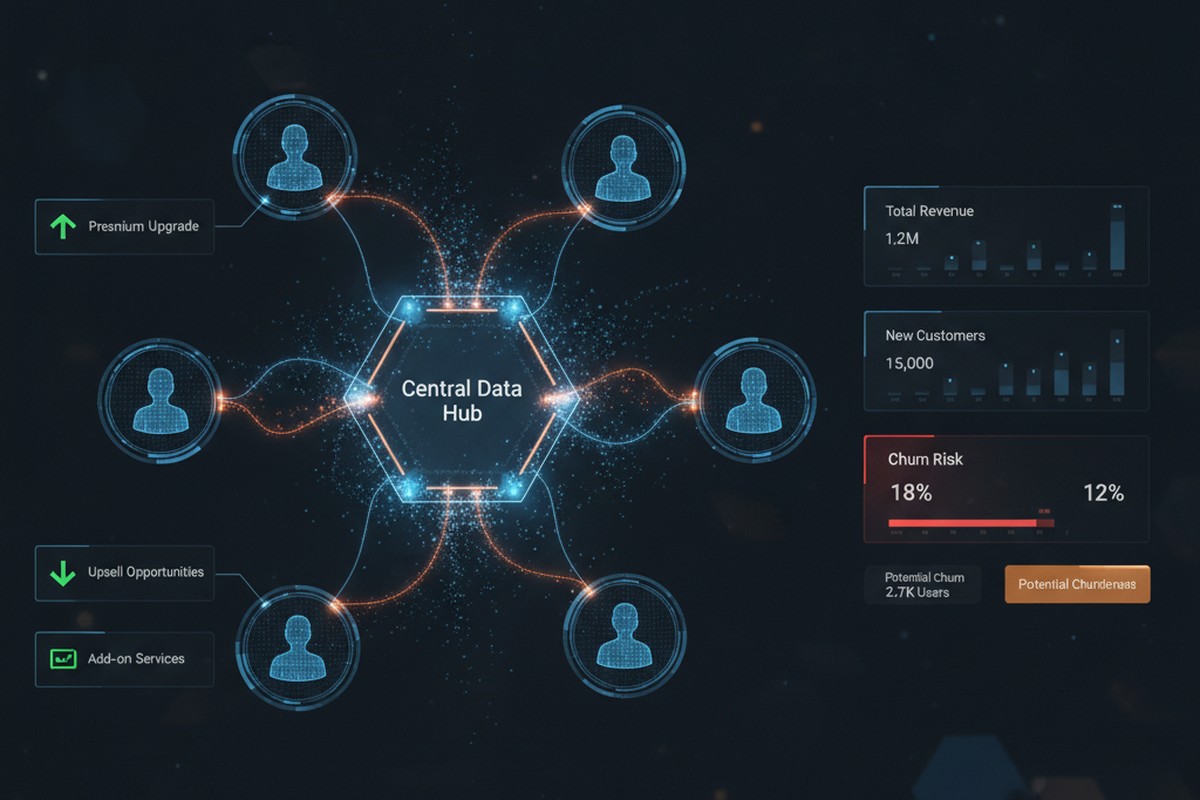
Customer insights and sales analytics visualization showing interconnected customer data, churn risk indicators, and upsell opportunities

None of these problems are individually dramatic. But they accumulate. A single missed upsell here, a renewal at risk there, a territory misaligned by segment. Over a year, across a 50-person or 500-person sales organization, the revenue impact becomes material. This is revenue leakage: money your organization should capture but doesn’t because the visibility isn’t there to act on it.

What Customer Insights Reveals

Dynamics 365 Customer Insights does three things that Dynamics 365 Sales alone cannot do: it unifies fragmented data, it applies AI to detect patterns, and it surfaces those patterns directly where sales works.

First, unification. Customer Insights pulls data from Dynamics 365 Sales, Service, and Finance, along with external sources like transactional systems, email engagement platforms, and even product usage telemetry if you’re licensing that data. It resolves duplicate customer records, maps fragmented customer identities across systems, and builds a single unified customer profile. That profile then becomes the source of truth for your sales team, not the sum of dozens of disconnected systems.

Second, AI-driven pattern detection. Once your customer data is unified, Customer Insights applies machine learning models to detect risk and opportunity. It identifies which customers are at churn risk based on behavioral signals: declining engagement, reduced transaction frequency, increasing support tickets for infrastructure issues rather than feature adoption. It flags cross-sell and upsell candidates by finding customers with strong product engagement, high contract value, and similarity to customers who have successfully adopted adjacent products. It detects territory misalignment by showing which high-value customer segments are under-represented in each territory’s current assignment.

Third, integration into sales workflows. Customer Insights insights aren’t buried in a separate analytics portal. They live inside Dynamics 365 Sales, where your sales team already works. A segment insight becomes a targeted list for account managers. A churn risk indicator appears on the customer card, prompting a proactive outreach. Territory realignment recommendations come with data backing that makes the business case clear to sales leadership.

Three Revenue Leaks Customer Insights Stops

In practice, this surfaces three common revenue leaks that Dynamics 365 Sales alone doesn’t catch.

Churn risk not detected until renewal: A customer’s service organization starts requesting more support tickets. Their product usage plateaus. They haven’t attended your quarterly business reviews. But your sales team doesn’t know this yet because the renewal isn’t for eight months. By the time the renewal date arrives, the customer has already decided to leave. Customer Insights detects these behavioral signals and flags the account as at-risk, giving your sales team months to engage, understand the underlying issues, and propose solutions before the customer decides to leave.

Upsell and cross-sell opportunities invisible in transaction history: An existing customer has been steadily growing revenue with one product line. Their usage of that product is high relative to their segment peer group. They have no adoption of your complementary product, despite a clear business case. But this pattern doesn’t surface in your CRM unless a sales rep manually reviews the account and spots it. Customer Insights identifies customers matching this profile (high engagement with Product A, zero adoption of Product B, high segment value) and presents the opportunity to the account manager in a curated list. The sales team then has clear targeting and clear messaging: here are ten accounts that look exactly like your most successful cross-sell deals.

Territory assignments that systematically underserve high-value segments: A sales rep covers a territory by geography or existing customer base, as most do. But unbeknownst to anyone, their territory is underindexed for your highest-margin customer segment. There are five high-value customers they should be servicing more aggressively, but the assignment wasn’t based on segment data. Customer Insights analyzes territory composition and identifies these gaps. Sales leadership can then realign assignments, pair reps, or adjust compensation to prioritize the underserved segment, recovering revenue that was never really lost but never properly prioritized either.

Making It Work: Implementation Reality

Deploying Customer Insights for revenue recovery requires more than licensing and configuration. It requires discipline around data and alignment between sales and the teams supporting data quality.

Start narrow. Don’t try to build a unified customer profile from all your data at once. Pick your three to five highest-priority leakage patterns: churn risk, a specific high-margin upsell use case, or territory underutilization in a specific segment. Build the data foundation for those patterns first. That usually means cleaning Dynamics 365 Sales and Finance data, establishing integrations with service and support systems, and clarifying the business definitions your models need (what signals constitute churn risk for your product and industry, what engagement level constitutes strong adoption, what segments you care most about).

Then connect insights to action. An insight that doesn’t make it to a sales rep’s attention is just reporting. Customer Insights insights should flow into Dynamics 365 Sales as filtered lists, dynamic segments, or automated workflow triggers. When a customer hits a churn-risk threshold, a task appears on the account manager’s dashboard. When your AI identifies a cross-sell candidate, it lands in a weekly opportunity list. This requires configuration, but it’s configuration that makes the investment pay off.

Finally, track adoption and adjust. Sales teams don’t automatically trust new data. They trust data that repeatedly surfaces patterns they already sense. So measure: what percentage of churn-risk customers your team engages, what percentage of AI-identified cross-sell opportunities convert, what revenue the territory realignment recovered. As results emerge, adoption increases and the business case for the investment becomes clear.

The Compound Effect

Revenue leakage seems invisible because it’s measured by the opportunities you didn’t see, not by the deals you lost. A customer renewal that didn’t happen looks like a churn, not a miss. A customer segment your territory didn’t pursue looks like normal variation in segment mix, not a systemic gap. But when you unify customer data and apply AI to detect patterns, these invisible leaks become visible. And visible problems are fixable.

For a 100-person sales organization with average deal size of $50,000, recovering even one additional deal per quarter per rep through improved territory alignment or churn prevention represents $5M to $10M in annual recurring revenue. The math compounds as your organization scales. Customer Insights is not the only solution to revenue leakage, but it’s one of the few tools that surface the patterns causing the leak in the first place.

Dynamics 365 Sales will always show you what happened. Customer Insights shows you what you’re missing. For sales leaders serious about revenue recovery, that difference is strategic.


About Routeget Technologies: Routeget specializes in Dynamics 365 implementations for enterprise sales and service organizations. We help sales leaders establish data governance and customer analytics strategies that uncover revenue recovery opportunities through Customer Insights and Dynamics 365 Sales integration. If your organization is looking to reduce revenue leakage through better customer intelligence, we’d welcome a conversation.

#DynamicsSales #CustomerInsights #RevenueLeakage #SalesAnalytics #SalesForecasting #CustomerDataPlatform #SalesLeadership

Predictive Lead Scoring in Dynamics 365 Sales: Configuration and Model Governance

Your sales team receives three hundred leads per week, but only eight percent convert to qualified opportunities. Most sales leaders assume the problem is lead quality at source. The real problem is visibility: without a systematic way to identify which leads are most likely to convert, your reps spend time following up on prospects with low intent, while genuine high-intent leads sit in the queue waiting for attention.

Dynamics 365 Sales includes a native predictive lead scoring capability powered by machine learning. When configured correctly, it surfaces conversion likelihood as a numeric score directly on the lead form, helping your sales teams prioritize pipeline work and reduce time-to-qualification. The catch: most organizations enable the feature and assume it works immediately. In practice, predictive lead scoring requires careful model training, ongoing governance, and a clear understanding of what the model actually learns from your organization’s historical data.

This article walks through configuration, model governance, and the operational decisions that separate effective implementations from ones that generate noise without insight.

How Predictive Lead Scoring Actually Works in Dynamics 365 Sales

Dynamics 365 uses a machine learning model trained on your own historical lead-to-opportunity conversion data. The system looks back at leads created in your instance over a specified lookback window, typically six to twelve months, and identifies patterns: which fields, field values, and combinations of values correlate with leads that eventually converted to qualified opportunities.

Once trained, the model scores new incoming leads on a scale of zero to one hundred, with higher scores indicating higher predicted conversion likelihood. That score appears as a system-calculated field on the lead form and can be surfaced in views, charts, and mobile applications.

The model itself is not configurable at the formula level. You cannot adjust weights, add or remove features, or hand-code scoring logic. What you can configure is the data the model learns from: the lookback window, the definition of a converted lead, the data quality rules applied before training, and the threshold at which scores trigger actions such as automatic lead assignment or alerts to sales management.

Prerequisites and Data Quality Considerations

Before enabling predictive lead scoring, confirm that your historical lead data meets basic quality requirements. The model learns from whatever is in your database, including inconsistent statuses, duplicate records, and incomplete lead information. If your leads table has a high duplication rate or inconsistent status coding, the model’s training data is noisy, and its predictions will reflect that noise.

Specifically, check three things. First, confirm that your lead-to-opportunity conversion is tracked reliably. The model identifies a converted lead as one that was linked to a qualified opportunity. If your sales process sometimes creates opportunities without linking them to the originating lead, the model will treat those as unconverted, causing false negatives in the training data.

Second, verify that your lead statuses follow a consistent naming convention and that the lead status “Qualified” or your equivalent is used reliably. If some reps close leads with a status of “Closed (Won)” and others use “Qualified,” the model will see inconsistency and may under-weight the signals that should drive high scores.

Third, assess data completeness across key fields. If most leads in your database have empty Company Name, Industry, or other demographic fields, the model has less information to learn from and will depend heavily on behavioral signals alone, which can reduce accuracy for early-stage leads.

Configuration Steps and Model Training

In Dynamics 365 Sales, navigate to Settings and then Model Prediction Settings. Select Predictive Lead Scoring and choose Edit. The configuration form asks you to specify four items.

First, set the lookback window. This is the number of months of historical data the model will use for training, typically ranging from six to twenty-four months. A shorter window (six months) trains faster and reflects more-recent sales patterns, but may not include enough converted leads for the model to learn reliably if your conversion volume is low. A longer window (twelve to twenty-four months) provides more training data but may incorporate outdated sales patterns if your business model, market, or team composition has changed significantly.

Second, define the opportunity status that indicates a converted lead. Most organizations use “Qualified” or “Won,” but confirm this matches your actual sales process. If you have a custom opportunity status field, you can reference that instead.

Third, set the minimum lead age. This field controls which leads are included in the training set. A common choice is seven days, meaning only leads created at least seven days prior to the training run are included. This ensures the model trains on leads that have had time to be worked by the sales team and either qualify or close.

Fourth, optionally define additional filters to exclude low-quality records from training. For example, you might exclude leads where Company Name is empty, or leads created by batch imports from sources you consider unreliable.

Once you configure these settings and save, Dynamics 365 creates a training job. This job typically completes within a few hours, depending on the size of your lead table and the complexity of your data. After the job completes, the model is considered trained and begins scoring new leads automatically.

Monitoring and Governance

After the initial model training, predictive lead scoring runs on a daily schedule by default, scoring all new leads created since the last run. This means your model is static: it does not continuously learn or adapt. It only rescores existing leads if you manually trigger a retraining job.

This design choice has important implications. If your sales process changes (you add new qualification criteria, your target market shifts, or you acquire a company with different lead sources), your existing model will continue using old patterns. Conversely, if your model is performing well, leaving it static ensures consistent scoring behavior that your team learns to trust.

Establish a quarterly or semi-annual review cadence for model retraining. Pull a sample of leads scored high (eight five or above) and leads scored low (twenty five or below), and ask your sales leadership whether those scores match their intuition about lead quality. If high-scoring leads frequently fail to convert, the model may be picking up on signals that do not actually correlate with future sales success, suggesting your business environment has shifted.

Also monitor the score distribution over time. If your new leads average a score of forty but your model was trained on a cohort where the average score was sixty, that can indicate a change in lead source quality or inbound marketing mix. This is not necessarily bad, but it is a signal that the model may need retraining to reflect the new baseline.

Practical Integration: Actions Based on Scores

The score alone provides visibility, but the real value emerges when you use scores to trigger actions. Common integrations include automatic lead assignment to specific queues based on score thresholds, automatic field population (for example, setting Potential Revenue based on score and industry patterns), and creation of alerts or tasks for sales managers to follow up on high-score leads that remain unworked.

In Power Automate, create a cloud flow triggered when a lead is created or updated. Add a condition checking whether the predictive lead score is greater than seventy five. If true, set the lead owner to your highest-performing sales rep queue, or send an adaptive card notification to a sales manager with the lead details and score.

Be cautious with automatic routing based on score alone. If you route all high-score leads to a single rep, you create an artificial resource bottleneck. Instead, route to a queue and let the queue assignment rules distribute the load based on workload and territory. The score should inform priority within the queue, not become the sole routing criterion.

Common Pitfalls and How to Avoid Them

One frequent mistake is treating the predictive lead score as a definitive lead quality metric. The score reflects patterns from your past data, not market reality. A lead with a score of ninety does not guarantee a sale. It means that leads with similar characteristics converted historically, but circumstances change.

Another pitfall is enabling the feature and never revisiting it. If the model trains once and is never retrained, it will eventually drift out of sync with your business. Set reminders to review model performance quarterly and retrain semi-annually at minimum.

Finally, avoid over-automating based on scores. If you automatically disqualify leads below a certain score, you may discard leads that do not fit the model’s learned patterns but are actually viable. Instead, use scores to prioritize and segment, not to make hard gate decisions.

Predictive lead scoring works best when integrated into a sales process that still values human judgment and does not abdicate qualification decisions to an automated rule. The model is a guide, not an autopilot.

Conclusion

Predictive lead scoring in Dynamics 365 Sales can compress qualification cycles and help sales reps focus on high-intent leads. Success depends on clean historical data, careful configuration of the training window and conversion criteria, and regular model governance to keep scores aligned with your business.

Treat the initial model training as the beginning of an ongoing relationship with the feature. Monitor score distribution, retrain regularly, and integrate scores thoughtfully into your sales process rather than relying on automation alone. Done this way, predictive lead scoring becomes a genuine tool for sales productivity rather than a feature that runs silently in the background.

For organizations looking to deepen their approach to sales automation and lead management in Dynamics 365, Routeget Technologies provides implementation expertise and post-launch governance support that helps teams avoid common configuration errors and make the most of the platform’s analytics and scoring capabilities.

#PredictiveLeadScoring #DynamicsSalesOps #LeadQualification #SalesAutomation #DynamicsConfiguration #CRMImplementation #SalesProductivity


Tags: #PredictiveLeadScoring #DynamicsSalesOps #LeadQualification #SalesAutomation #DynamicsConfiguration #CRMImplementation #SalesProductivity

Business Central Multi-Company Consolidation: The Feature Gap Finance Leaders Don’t See Coming

Every CFO implementing Business Central for a multi-entity organization asks the same question within weeks: “Where is the consolidation module?” The answer exposes a gap that often catches finance leadership off guard. Unlike Dynamics 365 Finance & Operations, Business Central has no native intercompany consolidation engine. That feature absence is not a bug or a temporary roadmap item; it is a deliberate design choice rooted in BC’s architecture and target market. Understanding why matters because misreading this reality creates expensive downstream problems that finance teams discover months into a rollout.

Microsoft designed Business Central for the midmarket: primarily single-entity or loosely-coupled organizations. The platform assumes most BC customers either operate a single legal entity or maintain separate database instances per company, with consolidation handled outside the system via Excel, Power BI, or external tools. This works perfectly for a manufacturer with one operating company and a few regional sales offices that don’t require true intercompany transactions. It breaks down immediately when a customer has acquired three subsidiaries, each on their own BC instance, and the CFO’s finance team needs consolidated group financial statements by the first of the month.

The confusion stems partly from BC’s multi-company user interface. Users can navigate between separate companies within a single BC tenant, giving the appearance of a unified system. The reality is different: each company is a separate database schema. Transactions post to separate general ledgers. The multi-company feature is a navigation and reporting convenience, not a consolidation backbone. Finance teams often believe consolidated reporting is one Power BI dashboard away from a solution, only to learn that the data model required for accurate consolidation—elimination entries for intercompany transactions, equity rollforward, minority interests, revaluation adjustments—exists nowhere in BC’s native feature set.

This creates three categories of actual problems that surface during the consolidation planning phase.

The first problem is intercompany transaction elimination. Suppose you have a parent company and two subsidiaries, all on BC. The parent company invoices subsidiary A for management services; subsidiary A invoices subsidiary B for purchased goods. Without a native consolidation module, each invoice posts as a real customer or vendor transaction in the receiving company’s books. During month-end, finance must manually identify these intercompany flows, create reversing entries, and ensure the elimination amounts match across companies. A single unmatched penny means the consolidated balance sheet won’t balance. In organizations with hundreds of intercompany transactions monthly, this becomes a bottleneck that often forces consolidation closes to slip by five to ten days, and the effort eventually drives demand for a dedicated consolidation software license on top of BC.

The second problem is equity and capital structure. BC tracks retained earnings and equity per company, but consolidation requires rolling forward opening equity at the subsidiary level, eliminating the subsidiary’s equity against the parent’s investment in subsidiary account, and calculating minority interests if the parent doesn’t own 100 percent. These calculations are external to BC’s financial reporting model. The CFO’s team either builds them in a separate tool—Power BI, Excel with Power Query, Anaplan, or similar—or manages them manually by GL account. The risk is high: a missed rollforward or incorrect elimination can distort group equity and overstate or understate the parent’s ownership claim, triggering downstream issues in audit, regulatory reporting, and capital plan discussions.

The third problem is revaluation and adjustment transactions. Many multi-entity organizations consolidate in a reporting currency different from local currencies, requiring foreign exchange revaluation adjustments. Some organizations consolidate at a higher price point than operational books, requiring allocation or writeup entries. Some pursue purchase accounting adjustments for recently acquired entities. All of these must be managed outside BC. The more adjustments required, the more likely a consolidation team will abandon BC as the source and instead build a separate consolidation layer in dedicated software, accepting BC as a operational ledger system only.

For organizations that absolutely require native consolidation, the paths are limited. Some choose to consolidate via Power BI Desktop, building the elimination logic in DAX measures and the data model, then publishing consolidated statements to a workspace. This works for companies willing to accept Power BI’s design constraints: limited support for large intercompany matrices, long refresh times if transaction volumes are high, and a reporting-only layer that does not feed back into GL for audit trail purposes. Others select a dedicated consolidation tool such as OneStream, Certent, Tableau, or Microsoft’s own Anaplan. The consolidation software becomes the single source of truth for group reporting, pulling operational data from BC instances and producing the consolidated financial statement. This creates a license cost external to BC, a separate user community, and a need to manage data integration and reconciliation between BC and the consolidation platform.

A third path, less common but increasingly pragmatic, is to implement BC only at the consolidated level and keep subsidiary ledgers in their existing systems. The parent company runs BC and reconciles to the subsidiary ledgers via month-end intercompany settlements rather than consolidating underlying GL detail. This works well for organizations that acquire mature, stable subsidiaries and want a clean integration without forcing migration. It requires a more complex intercompany/intersegment accounting setup in BC but avoids the consolidation feature gap entirely. The parent GL becomes the group GL, and subsidiaries report upward rather than consolidating downward.

The best practice for any organization evaluating BC for a multi-entity structure is to answer the consolidation question before implementation, not during. The CFO’s finance team should clearly define what consolidation means for their organization: Do they need elimination of intercompany transactions? Do they need IFRS 10 consolidation with minority interests? Will they require foreign exchange revaluation? Will they consolidate monthly, quarterly, or annually? Once the scope is clear, BC’s ability to support it is measurable. For organizations needing full consolidation with elimination logic and frequent reporting cycles, a dedicated tool is the right choice. For organizations needing rolled-up reporting from operationally separate entities with limited intercompany transactions, BC plus Power BI often suffices. For organizations running subsidiary ledgers as operational feeds to a parent BC company, BC alone works well. The critical mistake is assuming BC includes consolidation as a standard feature and discovering the gap after implementation begins.

Routeget Technologies regularly advises finance organizations on this trade-off. The organizations that achieve the smoothest multi-entity BC implementations are the ones that separate the operational ledger expectation from the consolidation expectation during vendor selection and architecture planning, rather than treating consolidation as a feature that should simply be there because D365 F&O includes it. BC’s architectural simplicity—what makes it fast and cost-effective for single-entity and straightforward multi-entity scenarios—is also what creates the consolidation feature boundary. Organizations that acknowledge and plan for that boundary find BC delivers real value; those that don’t often end up paying for a consolidation layer they didn’t budget for, installed alongside BC rather than within it.


Hashtags: #BusinessCentralConsolidation #MultiCompanyFinance #ConsolidationStrategy #FinanceOperations #ImplementationPlanning #CorporateFinance #AccountingAutomation

Why Your Sales Teams Miss Account History: Building a Customer Data Foundation That Actually Works

Your sales rep is three weeks into a high-value deal. The prospect sends an email with a technical question about API integration. Your rep forwards it to the solutions architect, but there’s a gap: the solution architect doesn’t know that this same prospect raised the same concern in a customer service case six months ago, and the issue was already resolved. The rep and the architect spend two days re-solving a problem that was already closed. The deal slips by four weeks. The customer eventually buys, but at a lower margin because you spent double the resources.

This isn’t a technology failure. It’s a data foundation failure. Dynamics 365 Sales works beautifully when account history is available, connected, and accessible in real time. When it isn’t, your sales teams operate blind.

The Customer Data Foundation Problem

Dynamics 365 Sales is built for transparency. Every interaction, touchpoint, and detail about a customer should flow into a single, unified picture. In theory, your CRM contains everything: sales calls, email conversations, support cases, service interactions, contract history, purchase records, and even indirect interactions like website behavior. In practice, most organizations run multiple systems in parallel, and Dynamics 365 Sales sees only fragments.

A prospect visits your website. That behavior sits in your marketing automation tool. The same prospect opens a support ticket. That history lives in a separate service module, sometimes even a different Dynamics 365 instance. Your sales rep meets with the account team. The meeting notes go into email or OneNote, not into CRM. By the time your rep views the account record, they see a fractured picture: a contact history, some opportunities, maybe a few email messages, but no sense of the full customer journey.

The cost shows up in productivity loss, longer sales cycles, and missed upsell opportunities. More subtly, it shows up in deal risk: your sales teams make decisions based on incomplete information, leading to longer negotiations, missed risk signals, and post-sale surprises.

Why This Happens

Most organizations don’t lack a CRM. They lack a data platform that treats the customer as the central entity and routes all relevant data there automatically.

Building this requires three layers to work in concert. First, data integration: every system that touches a customer must have an automated bridge to Dynamics 365. Second, data normalization: when the same customer appears in different systems under slightly different names, identifiers, or attributes, they must be recognized as one entity before the data is merged. Third, data governance: your organization needs rules about data quality, freshness, ownership, and access, so that when sales teams see an account record, they trust what they’re seeing.

Most implementations skip or minimize one or more of these. Integration is expensive and complex, especially with legacy systems. Normalization requires understanding your data schema deeply, and many organizations have multiple schema variants across regions or business units. Governance is abstract and political; it’s hard to justify the investment before the problems surface.

The result: Dynamics 365 Sales is implemented, the basic data is loaded, and then the platform sits at a 40-50% adoption rate, with sales teams treating it as a record-keeping system rather than an operational tool.

Building the Right Foundation

A customer data platform implementation in Dynamics 365 Sales requires starting with a clear scope. Most organizations make the mistake of trying to integrate everything at once, which leads to scope creep, budget overruns, and delayed value. Instead, start by answering: which data sources touch the largest portion of your customer base, and which of those would have the highest impact on sales productivity or deal safety if that data were available in real time?

For many B2B organizations, the answer is clear: service ticket history, website engagement, and past contract terms. A sales rep should open an account and immediately know if there’s an open support ticket, whether the customer visited your website in the past week, and what the contract renewal date is. That’s table stakes. Everything else is an enhancement.

Start with those three sources. Integrate them into Dynamics 365, set up automated matching rules so that a customer in your support system is recognized as the same customer in your CRM (this is harder than it sounds), and implement a data governance rule that these three fields are always current, always trusted. Set a target: within 90 days, you want 90 percent of your active sales accounts to have historical data from at least two of these sources visible in Dynamics 365.

After 90 days, measure the impact. Did sales cycle length change? Did win rates move? Did customer acquisition cost shift? Did rep adoption of CRM increase? Don’t guess; measure it. If the foundation is working, the metrics should show improvement. If not, diagnose whether the issue is data quality, system design, or adoption, and fix the root cause before you expand.

Only after you’ve validated the value of the core foundation should you expand to other systems. That second wave might include marketing automation, accounting, or project management data. By then, you’ll have experience integrating systems, cleaning data, and managing adoption; the second and third integrations will move faster and face less internal resistance because the business already sees the return.

Implementation Considerations

Dynamics 365 Sales doesn’t provide a unified customer data platform out of the box. You’ll need to either build integration layers yourself or license a middleware platform to handle the data flow. Microsoft Dataverse, which underlies Dynamics 365, can handle the volume and complexity, but the plumbing to get data in and keeping it fresh is not trivial.

Cloud-based middleware platforms like MuleSoft, Tata Consultancy Services (TCS) iPaaS, or native solutions like Azure Data Factory can automate the flow from source systems to Dataverse. The choice depends on your technical depth, the number of source systems, and your tolerance for managed services versus internal ownership. Budget-conscious organizations often underestimate the effort here; real-world integration projects are 60-70 percent data cleaning and schema mapping, not configuration.

Data governance is the second underestimated piece. Before you integrate a data source, your organization needs to decide: who owns this data? What’s the acceptable latency? If data in the source system changes, how quickly should Dynamics 365 reflect that change? What’s the fall-back plan if the integration breaks? Who monitors it? These questions are boring, but organizations that skip them end up in situations where sales reps stop trusting the data because updates are erratic, or where the system breaks and no one notices for weeks.

Adopt an incremental approach. Start with one source system, prove value, expand carefully, and measure at each step. That’s the path to a customer data foundation that actually works.

The Competitive Advantage

When your sales teams have a complete, current picture of each account, everything changes. Your reps spend less time gathering context and more time strategizing. Your AEs shorten sales cycles because they understand account history and can speak credibly about prior interactions. Your customer success teams have better handoff information, leading to higher retention. Your account teams spot upsell opportunities they would otherwise miss because they see the full engagement history.

In competitive deals, this advantage compounds. If your sales rep knows that a competitor pitched to the same prospect three months ago but was rejected over a specific feature concern, and your company has since shipped that feature, your rep can lead with that insight. The prospect feels heard and known. That’s the difference between a deal that is hard-won and a deal that moves smoothly.

The first step is admitting that your current CRM isn’t showing you everything you need to see. The second is committing to build the data foundation that makes that visibility real. Start small, measure honestly, and build from there. Your sales teams and your pipeline will thank you.


About Routeget Technologies: Routeget helps enterprise organizations design and implement customer data platforms on Dynamics 365. If your sales teams are working blind, we can help you build the foundation to fix it.

#DynamicsCustomerEngagement #CustomerDataPlatform #SalesProductivity #Dynamics365CRM #SalesEnablement #DataIntegration #CustomerInsights #SalesStrategy

Business Central for Growing Manufacturers: Why Your ERP Doesn’t Need to Cost $500K/Year

“

Why Legacy ERP Cost So Much

\n\n

On-premises ERP systems impose costs at three points that most CFOs misunderstand until they are deep into a migration project. First, there is the initial software license cost, which for large suites often runs between fifty and one hundred fifty thousand dollars upfront, plus annual maintenance fees that compound every year. Second, and more significant, is implementation cost. A team of five consultants embedded for twelve to eighteen months at typical rates adds two hundred to three hundred fifty thousand dollars, sometimes more.

\n\n

Third, and often overlooked, is the ongoing operational cost. On-premises systems require dedicated infrastructure, whether owned or leased. Database administration, system patching, security monitoring, and backup management all fall to your IT team. A medium-sized manufacturer typically allocates at least one full-time employee, sometimes more, to keep the system running, preventing outages, and managing infrastructure growth as data volume increases.

\n\n

The perpetual license model also creates a perverse incentive to extend the useful life of outdated systems. Once you have spent half a million dollars, retiring the system in five years feels wasteful. So manufacturers keep systems in production for ten, twelve, or fifteen years, long past the point where modern capabilities could improve operations. Meanwhile, the system becomes increasingly fragile. Every upgrade risks instability. Reporting requires manual steps because the database schema no longer accommodates new business logic. Integration to modern tools like Microsoft Teams or Power BI requires custom bridges that consume engineer time.

\n\n

Business Central breaks this cost structure at every stage.

\n\n

Business Central’s Cost Foundation

\n\n

Business Central runs on the cloud, which means no infrastructure cost for you to manage. Microsoft owns and maintains the servers, databases, backup systems, and security infrastructure. Your finance and operations team still has full access to configuration, reporting, and business logic customization. But the system administration overhead shifts to Microsoft.

\n\n

The licensing model reflects this shift. A Business Central user license currently runs between $50 and $140 per month depending on the tier, with no perpetual license, no infrastructure fee, and no hidden per-transaction cost. A typical mid-market manufacturer with 100 to 150 active users in finance, operations, supply chain, and manufacturing would spend $60,000 to $250,000 annually on user licenses. Compare that to the upfront costs of enterprise ERP, and the difference is immediately clear: Business Central’s annual cost can be lower than the implementation cost of older systems.

\n\n

The implementation timeline for Business Central also compresses dramatically. A well-scoped Business Central implementation for a manufacturer typically completes in four to eight months, not eighteen. Core financial management, inventory control, and basic manufacturing production scheduling can be operational within that timeframe. A smaller implementation might need only four weeks to three months. That speed exists because the system arrives with reasonable defaults for standard business processes. You are not building a system from scratch. You are configuring a system that already understands accounts payable, inventory valuation, and bill-of-materials logic because that is what every manufacturer needs.

\n\n

A typical Business Central implementation for a mid-market manufacturer might engage two to four consultants for four to six months, which translates to $80,000 to $240,000 in consulting services, depending on regional rates and the extent of custom reporting or integration needs. For comparison, that is in line with the annual ongoing cost of maintaining a legacy system with dedicated IT staff, and you are paying it once, not every year indefinitely.

\n\n

What Business Central Gives You

\n\n

The faster implementation and lower ongoing cost matter only if the system delivers the capabilities a manufacturer actually needs. Business Central includes standard functionality for the core business processes that define manufacturing operations.

\n\n

Financial management in Business Central covers general ledger accounting, accounts payable, and accounts receivable without requiring custom configuration. Multi-company consolidation is built in, which matters to organizations with multiple manufacturing facilities or regional operating entities. Tax calculation integrates with native modules, and the platform supports multiple currencies and statutory reporting requirements across different countries, important for manufacturers with any international operations or sales.

\n\n

Inventory management handles lot tracing, serial number tracking, and expiration date management, all capabilities required by regulated manufacturers. The system supports standard costing, moving average, FIFO, and other valuation methods. Cycle counting, physical inventory reconciliation, and intercompany inventory transfer all work without custom code.

\n\n

Production scheduling and shop floor management in Business Central use visual production scheduling, work center definitions, and routing setup. The system calculates material requirements based on bill-of-materials structures and translates production schedules into purchase orders for raw materials. For job shops or custom manufacturers, production orders can be linked to sales orders, so each job’s profitability is tracked separately.

\n\n

Purchasing and supplier management allow you to define purchase agreements, track supplier performance, and manage invoice matching. Multi-level approval workflows prevent unauthorized spending.

\n\n

What Business Central does not include, and what some larger manufacturers require, is distributed manufacturing across a complex supply network, advanced demand planning with statistical forecasting, or deeply customized shop floor control logic. If your manufacturing operation is relatively standard, if you make primarily to stock or engineer to order without extreme complexity, if you operate one or two facilities, Business Central will fit. If your operation requires the scale of Dynamics 365 Supply Chain Management to manage global supply networks or highly complex planning logic, Business Central is not the answer.

\n\n

The Real Cost Comparison

\n\n

A manufacturing organization with 150 active users, a single factory, and standard ERP requirements might spend:

\n\n

With Business Central: $180,000 annually on user licenses (150 users times $120 per month times 12 months divided by 12), plus $150,000 in implementation consulting over four months, for a total first-year cost of $330,000. Year two cost drops to $180,000 annually since implementation is complete.

\n\n

With enterprise ERP on premises: $150,000 in perpetual software licenses, $300,000 in implementation consulting over 18 months, $80,000 annually for database administration and infrastructure management, and miscellaneous annual maintenance and upgrades. Year one cost is $430,000; every year after is $230,000 indefinitely.

\n\n

By year three, the organization using Business Central has spent $690,000 total. The organization using enterprise ERP has spent over $890,000 and will spend $230,000 every year going forward. The payback period for migrating to Business Central, if that option exists, is typically between three and four years for a mid-sized manufacturer.

\n\n

That financial calculation assumes the enterprise system remains operational without major problems, major upgrades, or unexpected infrastructure failures, which is not always realistic for fifteen-year-old systems.

\n\n

Beyond the Initial Implementation

\n\n

Business Central also integrates directly with Microsoft 365 and Power Platform tools, which many manufacturing organizations already use for email, collaboration, and office productivity. Accounting data can be analyzed in Power BI without additional ETL or data warehouse setup. Office integration means finance teams can work with Excel, Word, and Teams directly with ERP data without exporting and re-importing.

\n\n

If a manufacturer later needs to scale, Business Central can coexist with Dynamics 365 Supply Chain Management or Finance and Operations for specific functions. A common pattern is to run Business Central for accounting and operations, then layer Supply Chain Management on top if manufacturing complexity or global supply network needs increase later. That staged approach spreads capital expenditure over time and allows you to prove ROI before investing in enterprise licensing.

\n\n

When Business Central Is Not the Right Answer

\n\n

For extremely high-volume manufacturers, organizations with complex engineering-to-order processes, or manufacturers operating hundreds of facilities across different regulatory jurisdictions, Business Central’s simpler data model and configuration limits may become constraints. Dynamics 365 Supply Chain Management and Finance and Operations exist for those scenarios. But those scenarios represent a small fraction of manufacturers.

\n\n

For the mid-market manufacturer currently on an outdated system, believing that only enterprise ERP justifies modernization, the real question is not whether Business Central is capable enough. It almost certainly is. The question is whether staying on legacy infrastructure is really more cost-effective than moving forward. For most manufacturers, the answer is no.

\n\n


\n\n

#BusinessCentralERP #ManufacturingERP #Dynamics365CloudERP #SMBERPSolutions #ManufacturingCostReduction #CloudAccountingSystems #Dynamics365BusinessCentral #ERPImplementation

\n”

AI Builder Document Intelligence: Why Your Finance Team Still Manually Keys 2,000 Invoices a Month

AI Builder Document Intelligence: Why Your Finance Team Still Manually Keys 2,000 Invoices a Month

For most large enterprises running Dynamics 365 Finance, accounts payable looks straightforward on paper: invoices arrive, they get matched to purchase orders, approvals happen, payments post. In practice, the first step is where the actual work lives.

An average mid-market organization processes 2,000 to 5,000 invoices per month across dozens of vendors. Each arrives in a different format, with fields in different positions, sometimes with missing data. A finance team that tries to automate this early usually concludes it is not worth the engineering effort. The result is a process that remains almost entirely manual: an AP clerk opens an email, scans an attachment, reads the invoice line by line, and keys data into the ERP by hand.

The financial impact compounds invisibly. A clerk processes around 30 to 50 invoices per day. That is 8 to 10 minutes per invoice of pure data entry, plus rework for errors. Across 2,500 monthly invoices at an average of 40 minutes per invoice, you have roughly 1,667 labor hours per month, or 8 to 10 full-time equivalent staff just feeding data into your ERP. The opportunity cost is real: those people are doing work machines could do better.

Intelligent document processing has existed for years, but it historically demanded custom machine learning expertise or vendor lock-in to specialized platforms. AI Builder changes that. It is a low-code intelligent document processing engine built directly into the Power Platform and accessible through Microsoft Dataverse. Using AI Builder’s document intelligence model, you can teach a system to extract data from invoices, POs, or receipts, and have that extracted data automatically flow into Finance and Operations as journal entries, vendor invoices, or line items, without custom code or a separate platform.

The catch is that most implementations get the architecture wrong, deploy too early, or do not think through the business case clearly enough to justify the investment.

What AI Builder Document Intelligence Actually Does

AI Builder’s document intelligence model learns patterns from example documents. You supply 5 to 100 sample invoices, mark the specific fields you want extracted (invoice number, date, line item amounts, vendor name, cost center), and AI Builder trains a model. Once trained, it processes new invoices and extracts those fields with a confidence score for each value.

The extraction outputs structured data as JSON, which flows into Power Automate, passes to Dynamics 365 through REST APIs, or writes directly to Dataverse tables. You can build an approval workflow where extracted data is reviewed by humans, corrections are made if confidence scores are low, and once approved, the invoice posts without manual rekeying.

The critical limitation: AI Builder solves data entry, not the entire AP transformation. It does not solve the three-way match or reconciliation of discrepancies between invoice amounts and actual receipts. If invoices regularly have billing errors or missing line items, AI Builder will extract those discrepancies accurately, but human approval workflows are still required to investigate.

AI Builder also assumes reasonably stable vendor populations. If vendors send different invoice formats month to month, or you have 200 vendors across five countries with different field positions, you may need multiple models or a more flexible extraction architecture.

The Actual Implementation Costs

The common mistake is to assume that because AI Builder is “low code,” implementation cost is proportionally low. It is not.

Training a single AI Builder model requires deciding which fields are worth extracting, building a training set, and determining how much format variance the model needs to handle. You cannot build a generic model across all vendors. You have to scope it precisely. Multiple vendor formats require multiple models or accepting lower confidence scores and higher downstream rework.

The real cost sits in the integration layer. You need a Power Automate flow that ingests documents, calls the AI Builder model, handles extracted data, performs validation and enrichment (cost center lookups, amount threshold checks, purchase order verification), and posts data into Dynamics 365 Finance. That flow needs error handling, logging, and exception routing for human review. You also need to decide where documents come from: email, OneDrive, a vendor portal. Each source requires a different ingestion pattern.

A medium-complexity invoice processing automation project involving 5 to 10 major vendors, one AI Builder model, and robust Power Automate orchestration typically runs 6 to 12 weeks, roughly 300 to 600 professional services hours. At 200 USD per hour fully loaded, that is 60,000 to 120,000 USD. AI Builder licensing is usage-based at roughly 0.01 to 0.02 USD per page. An organization processing 2,500 invoices per month with 3 pages each processes 90,000 pages annually, costing 900 to 1,800 USD in consumption.

But labor savings are substantial. Saving 1,667 hours per month at 45 USD per hour fully loaded equals 75,000 USD monthly, or 900,000 USD annually. Even if net savings are 70 percent of that due to exception handling and ongoing overhead, you still have 630,000 USD in annual labor savings against a 120,000 USD implementation cost. Payback happens in 2 to 3 months.

Those numbers are achievable if, and only if, you have a focused vendor population, reasonably consistent invoice formats, and a clear baseline for how much time the manual process actually consumes. Many organizations skip that baseline measurement, build the system anyway, and then cannot measure whether it actually saved time.

Common Failure Modes

The most common failure is misalignment on scope. Finance wants to automate “all invoices.” Engineering builds one model for all vendor formats. The model trains on 50 random invoices from 20 different vendors. When it encounters a new vendor invoice, confidence scores are low, and the entire pile ends up in the exception queue. The fix: scope tightly. Start with 3 to 5 major vendors representing 40 to 60 percent of volume. Get those working first. Add additional vendors only after the core extraction pipeline is mature and stable.

The second failure is underestimating validation and enrichment workload. Once you extract data, you need to validate it. Does the date make sense? Is the vendor in the master list? Is the amount within normal range? If any check fails, the invoice needs review. Without a validation layer, you have not saved labor; you have shifted it from data entry to exception handling.

The third failure is publishing to Dynamics 365 without handling master data dependencies. A vendor invoice requires valid vendor master records, cost centers, and often purchase order references. Incomplete or inconsistent vendor master data means extraction works perfectly but posting fails because the vendor cannot be resolved. This shows up as an AI Builder problem when implementation teams do not plan for data quality prerequisites upfront.

When AI Builder Works

The use cases with clear ROI are relatively specific.

The strongest case is a company with a stable vendor population where the top 10 to 20 vendors represent 70 percent of invoice volume and use consistent invoice formats. Train one or two models for those top vendors, automate their extraction entirely, and you have converted 70 percent of invoice volume from manual to automated. The remaining 30 percent stay manual, but you have cleared the decks of high-volume repetitive work.

The second strong case is an ERP migration where the existing system has data entry backlogs. Using AI Builder to accelerate historical invoice loading during migration can meaningfully shorten timelines. Post-migration, you keep the system running for ongoing automation.

The third case is significant localization requirements, where invoices come from subsidiary companies in multiple countries and languages. AI Builder’s multilingual capabilities handle non-English documents, so you can build a single orchestration layer that routes invoices by language, extracts data consistently, and maps that data to the right cost centers based on geography.

Measuring Before Committing

Before starting, measure three things.

First, measure current invoice processing with precision. How many invoices per month? Average time per invoice from receipt to posting, broken down by task (data entry, validation, research, approval, posting)? Error rate and rework volume? These numbers should come from actual time tracking, not estimates.

Second, identify scope. Which vendors represent the top 50 percent of volume? Are their formats consistent month to month? If you extracted 20 sample invoices from your top 10 vendors, how much variation would you observe in field positions? This informs whether you need one model or multiple models.

Third, confirm you have people and tools in place. AI Builder handles extraction, but you still need a Power Automate designer, a Dynamics 365 developer, and ongoing operational ownership for the flow. If you would need to hire these resources, that cost belongs in the implementation budget.

With those measurements, the business case becomes concrete. You can calculate labor savings per month against implementation cost and decide with confidence whether the project pencils out.

AI Builder document intelligence is not a panacea for AP efficiency, but in focused scope with stable vendor populations and consistent invoice formats, it solves a real problem that costs most large enterprises hundreds of thousands of dollars per year in pure human labor. The implementation requires clarity on scope, attention to data quality, and realistic expectations about exception handling. But for the right use case, the ROI is compelling enough to build into your Dynamics 365 Finance roadmap.


Hashtags: #AIBuilder #DocumentIntelligence #InvoiceProcessing #DynamicsFinance #FinanceAutomation #DynamicsFinanceOps #RPA #PowerPlatform

Building Approval Loops in Power Automate That Don’t Fall Apart

Enterprise approval workflow dashboard with timeout and escalation management

Approval workflows sound simple in theory. Send a request, wait for response, move forward based on outcome. But somewhere between the proof of concept and production reality, approval loops accumulate failures so quietly that six months pass before anyone notices half your approvals never closed, escalations silently vanished, and the finance team is manually reworking approvals that should have auto-completed.

The gap between what you design and what survives in production typically opens in three places: timeouts on waiting responses that get no notification when they expire, escalation logic that triggers but assumes someone is actually paying attention to a hand-passed email, and no mechanism to detect an approval that was submitted but never reached the assigned approver. Each failure is small enough to dismiss as a one-off, but they compound quickly enough that the flow looks broken even when it is technically working.

This isn’t a flaw in Power Automate itself. Approval loops are possible and reliable at scale. But they require specific configuration practices that most documentation glosses over because they fall outside the “happy path” that gets written up in tutorials. The actual production implementation involves setting constraints, monitoring for stuck states, and building reminders and escalations that stay responsive even when people are unavailable.

The Three Failure Modes in Approval Workflows

Power Automate approval workflow state transitions showing timeout and escalation paths

The first and most common failure mode is the timeout without escalation. By default, an approval waits forever for a response. In production, this means a request sits in someone’s inbox for days while they’re in meetings, on vacation, or simply overwhelmed. The approver eventually rejects or approves, but by then the original requestor has stopped watching and other parts of the process have already stalled or errored out. Better practice: set an explicit timeout on the approval action itself. Don’t wait indefinitely. Use a 48 or 72 hour window depending on your business, and when the window closes without a response, trigger an escalation workflow instead of just abandoning the request.

The second failure mode is silent escalation that nobody actually sees. When a primary approver times out, many designs hand off to a backup approver or manager using a simple email notify step. But email is not a reliable alert mechanism inside workflows. The backup approver doesn’t get a red flag in their task management system. The approval request lands in a folder with two hundred other emails. Three days later, the request is still pending, nobody knows why, and you discover by accident that the backup approver never saw it. Better practice: when escalating, create an explicit escalation record in a tracked system, assign it directly to the backup approver through Power Automate’s assignment or Outlook task creation, and log the escalation so you can report on it later.

The third failure mode is the orphaned approval that disappears from tracking. An approver response can fail for reasons outside your control: the response email is misrouted, the approval action times out before the response is processed, or the flow logic that handles the response encounters an error and doesn’t retry. In many cases, there’s no notification that the approval failed, so it simply stays pending forever. The requestor has moved on, the approver thinks they responded, and your audit log shows a request that was submitted but never resolved. Better practice: attach a completion deadline to every approval, separate from the timeout. If the approval has not resolved by that deadline, automatically resolve it with a fallback decision, and send a notification that escalation occurred.

Implementing a Production-Ready Approval Loop in Power Automate

Start with an approval request that includes a deadline. Use a scheduled cloud flow as a failsafe trigger that runs daily or every six hours and checks for approvals that have been pending longer than expected. If one is found, resolve it by creating a comment on the original record and moving the process forward with a fallback decision (typically approval, pending manager review). This sounds like it adds complexity, but it prevents the entire workflow from silently stalling.

The approval action itself should have a timeout set explicitly, measured in hours rather than days. In Power Automate’s approval action settings, set “Time Out In” to a value between 24 and 72 hours depending on your business rhythm. When that timeout is reached, the flow should not just stop. Instead, trigger an escalation workflow that routes to a backup approver, creates an escalation record, and sends an alert through a more reliable channel than email, such as a Teams message or a specific task in a project management system.

The escalation workflow should include logic that detects whether the backup approver is available. If the backup is out of office, the flow should identify an additional escalation level and continue upward. This requires maintaining a clear escalation path in a configuration table or SharePoint list, but it is the only way to ensure approvals don’t stall when a single person is unavailable.

Every approval flow should also log its state transitions to a tracking table. Each time an approval is requested, assigned, escalated, responded to, or timed out, write a record to a SharePoint list or a database table that includes the approval ID, the approver name, the action taken, the timestamp, and the outcome. This log is what makes it possible to audit the flow later, identify patterns of missed approvals, and debug failures when they occur. Without logging, you’re flying blind.

Error Handling and Retry Logic

Approval flows should not fail silently. Every step that might fail, particularly the send approval action itself, should have an error handler configured. If the approval action fails, the flow should retry once or twice before escalating. Use the retry policy built into cloud flows to automatically retry transient failures without adding extra steps.

The response handling section is where most approval flows fail operationally. The flow waits for a response, the response arrives, and then the flow tries to parse it or use it in a downstream action. If the response object is malformed or the downstream action fails, the approval is left in an inconsistent state. Configure error handling around the response processing step, and if it fails, log the failure, notify an administrator, and set the approval to a manual-review state so it can be handled by a human.

Avoiding the Common Pitfalls

Many approval flows make the mistake of embedding the approval timeout in a scheduled flow instead of setting it on the approval action itself. This doubles the complexity and introduces a race condition where the approval might respond after the timeout is checked but before the scheduled flow resolves it. Set the timeout on the approval action, not as a separate scheduled check.

Another pitfall is using the approval owner’s email address to send escalations. Escalations should be routed through the actual escalation workflow, not as emails copied to a backup. If the email approach is used, the escalation has no status tracking and no way to know whether the backup actually saw it.

A third pitfall is assuming that because an approval was sent, it was received. Always add a receipt confirmation step after sending the approval, using a follow-up flow or a scheduled check that verifies the approver’s status. Some organizations send a brief Teams message or Slack notification alongside the approval to ensure the approver knows to check their Outlook task.

Monitoring and Iteration

Once an approval loop is deployed, the real work begins. Run reports monthly on approval cycle times, timeout rates, escalations, and manual overrides. If escalations are happening more than 5% of the time, the timeout is too aggressive or the approval routing is misaligned. If timeouts rarely occur, you may be able to shorten the window to speed up the overall flow.

Track approvers who consistently miss deadlines and consider reassigning their responsibilities. Some approval routing that looks good on paper breaks down in practice because a particular approver is overloaded or rarely checks their tasks.

Approval loops are a reliable part of any organization’s workflow infrastructure when they are designed with production reality in mind. But that reality is messier than most documentation acknowledges. The difference between a working approval flow and one that silently breaks down is attention to timeouts, escalations, and monitoring from the start.

About Routeget Technologies: Routeget specializes in enterprise transformation across the Microsoft cloud ecosystem, including Power Automate automation and workflow optimization. Organizations looking to build production-ready approval systems that scale reliably can engage our consulting team to design governance frameworks, implement monitoring patterns, and optimize approval workflows for their specific operational needs.


#PowerAutomateApprovals #ApprovalWorkflows #EnterpriseAutomation #PowerAutomate #WorkflowOptimization #DynamicsIntegration