Building a Center of Excellence for Microsoft Cloud Governance: Establishing Control Without Stalling Innovation

Enterprise cloud governance dashboard showing compliance metrics and governance control center

Building a Center of Excellence for Microsoft Cloud Governance: Establishing Control Without Stalling Innovation

The gap between Microsoft cloud adoption and cloud governance is widening. A CIO with three Power Platform environments deployed across finance, sales, and operations discovers, too late, that each environment has evolved its own authentication rules, data retention policies, and integration patterns. Consolidating them would disrupt active projects. Adding governance now feels like putting handcuffs on people who finally have the tools they need to move fast.

This tension is real, and it is solvable, but it requires a deliberate governance structure: a Center of Excellence (CoE). The purpose of a CoE is not to slow adoption or enforce rigid rules; it is to embed governance into the adoption process itself so that teams can move fast, safely, and with full visibility to leadership.

The Cost of Ungoverned Adoption

When organizations begin adopting Microsoft cloud services, Power Platform, Dynamics 365, Azure, Dataverse, adoption typically starts in one department or use case. A finance team builds a Power App to automate invoice processing. A field service team creates automations to dispatch technicians. Marketing builds a model-driven app to track campaigns. Each team solves a real problem immediately, with minimal delay.
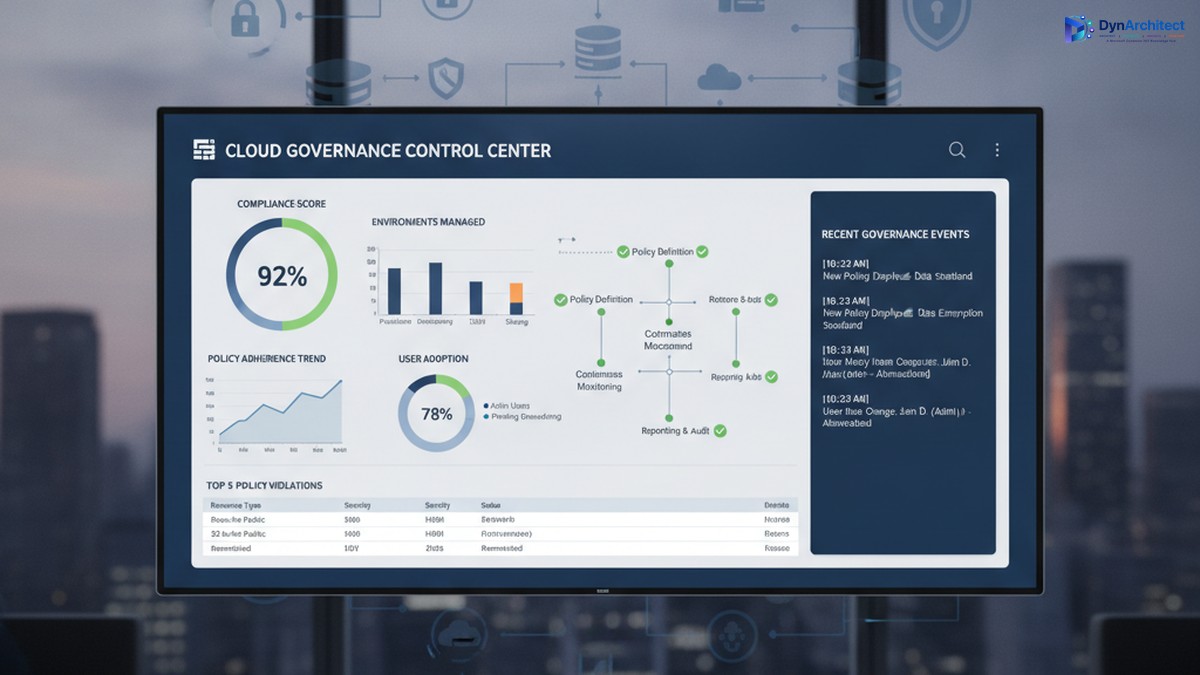
Enterprise cloud governance dashboard showing compliance metrics and governance control center

The problem emerges months later, when three separate environments exist, each configured differently, each with its own data security settings, its own API connectors, and its own integration patterns. A security incident in one triggers questions about the others. A new compliance requirement (data residency, audit logging, export restrictions) means reconfiguring three environments instead of one. A developer leaves, and no one knows what custom logic lives inside automations in that environment. A connector expires, breaking integrations that no one is monitoring centrally.

The cost is not just technical debt. It includes regulatory risk (audit readiness, compliance violations), security risk (data exposure, unauthorized access), operational risk (outages affecting dependent business processes), and financial risk (unused licenses, redundant infrastructure, uncontrolled connector costs). For a mid-market organization, this hidden cost often runs to hundreds of thousands of dollars annually.

Governance after deployment is expensive and disruptive. Retrofitting compliance into three mature environments forces teams to rebuild their solutions or abandon them. Governance before deployment is far cheaper, but it requires structure and clarity on day one.

What a Center of Excellence Is (and Is Not)

A Center of Excellence is a team, function, or governance body responsible for establishing standards, providing guidance, and enforcing policies that keep cloud adoption secure, compliant, and architecturally sound. In the context of Microsoft cloud, a CoE typically has five core responsibilities:

IT leaders and cloud architects collaborating on governance and compliance framework planning

First, it establishes platform standards: which cloud services are approved for use, which are pilot-only, and which are off-limits; which authentication methods are mandatory; how data classification and sensitivity levels map to environments; where connectors can and cannot be used; which compliance frameworks apply (HIPAA, SOC2, PCI DSS, local data residency rules); and how disaster recovery and backup policies are configured.

Second, it onboards new teams and projects by providing reference architectures, reusable templates, and guidance so that new adopters do not have to invent their own governance solutions. A template might be a pre-configured Power Apps environment with the correct security role structure, DLP policies in place, and example connectors already approved and tested.

Third, it monitors ongoing usage and health. This includes license optimization (identifying unused environments and consolidating them), connector audits (catching deprecated or unapproved integrations), security scanning (checking for data exposure and overpermissioned roles), and performance monitoring (identifying resource-intensive automations that need optimization).

Fourth, it provides a feedback loop and governance review process. Teams that encounter a genuine need for a capability that current governance prohibits should be able to propose an exception, and the CoE should evaluate it against risk and organizational goals rather than simply saying no.

Fifth, it acts as an internal consulting function, helping teams plan migrations, optimize environments, troubleshoot problems, and adopt new capabilities safely.

What a CoE is not: it is not a gate that delays innovation. It is not a compliance police force that exists only to say no. It is not a one-person function managed as a side project by someone already stretched thin. These are common failure modes.

Establishing a Governance Foundation

A successful CoE begins with three foundational decisions.

First, secure executive sponsorship and clear governance scope. The CoE needs budget, staffing, and decision-making authority that comes from leadership. Without it, the CoE is a suggestion, not a standard. The scope should define: which Microsoft services the CoE governs (Power Platform, Dynamics 365, Dataverse, Azure, or all of the above); which organizational units must comply (divisions, departments, teams); and what governance decisions the CoE makes directly versus decisions it escalates.

Second, define governance principles that balance control with velocity. A principle might be: “Low-risk, read-only integrations can be self-service and pre-approved; integrations that modify business data require architecture review and security sign-off, but should be approved within two business days, not two weeks.” This principle gives teams clarity on what they can do immediately and what requires review, and it commits the CoE to a review timeline so governance does not become an indefinite bottleneck.

Third, build the governance infrastructure: identify which tools provide visibility and enforcement. This typically includes the Power Platform admin center (for environment management, DLP policies, and connector audits), Azure AD (for identity and access management), Microsoft Purview (for compliance and data governance), and possibly a custom CoE tracker (a Power Apps or Power BI dashboard that centralizes governance data across these tools and makes it visible to team leads and IT leadership).

Staffing and Operating a CoE

A CoE typically starts with a lead (dedicated, not a side project), supported by domain specialists: a Power Platform architect, a Dynamics 365 architect if applicable, a security engineer, and a compliance or risk specialist. For a mid-market organization, this might be three to five people. The CoE lead reports to the CIO or Chief Technology Officer and has direct access to business unit leaders.

The CoE should operate with a clear calendar: environment governance reviews happen monthly, new environment requests are triaged weekly, exception requests are evaluated within two business days, and a quarterly governance review presents data to leadership on usage, compliance status, security incidents, and license optimization opportunities.

Communication is essential. The CoE should publish governance policies in writing (not passed down verbally), maintain a knowledge base with FAQ and troubleshooting guidance, hold a monthly town hall for team leads to learn about new capabilities and governance changes, and send monthly status reports to IT leadership so adoption and governance metrics are visible.

Moving Forward: Quick Wins and Sustained Governance

A CoE need not be perfect from day one. An effective starting point is: document the current state of all cloud environments, establish a data classification standard and assign environments to classification levels, implement DLP policies in Power Platform to prevent data exfiltration, establish environment naming conventions and assign owners, and conduct a security audit to identify and remediate any immediate risks.

Longer-term, invest in automation: automated provisioning of new environments with governance policies pre-applied, automated security scanning and compliance audits, and automated license optimization recommendations. These investments pay off quickly through reduced manual work and faster compliance cycles.

The goal is not perfection. The goal is control: knowing what is deployed, who owns it, what data it contains, and whether it complies with organizational standards. Teams that have this clarity can innovate faster and with less risk, not slower.

Conclusion

A Center of Excellence is how organizations scale cloud adoption from experimental to strategic. It is not governance for governance’s sake; it is governance that removes risk so teams can move confidently. Building one requires executive commitment, clear principles, and sustained staffing, but the return comes quickly in reduced security incidents, faster compliance cycles, and more predictable project outcomes.

At Routeget Technologies, we have built and operated CoE functions for dozens of mid-market and enterprise organizations. We know what works: clear policies, strong automation, and leadership that understands that governance and innovation are not in conflict, they are prerequisites for each other.


#CenterOfExcellence #CloudGovernance #MicrosoftCloud #PowerPlatform #DLP #DataGovernance #ComplianceAutomation #CloudArchitecture #EnterpriseGovernance #DigitalTransformation


Hashtags: #CenterOfExcellence #CloudGovernance #MicrosoftCloud #PowerPlatform #DataGovernance #ComplianceAutomation #CloudArchitecture #EnterpriseGovernance #DigitalTransformation

Building Agentic AI Systems with Copilot Studio: Model Context Protocol Server Integration

Enterprise organizations building AI agents face a fundamental challenge: enabling large language models to perform meaningful work within existing systems while maintaining security, auditability, and control. Copilot Studio provides the interface layer for conversational agents, but traditional API integrations create fragility. Each new action requires endpoint configuration, error handling, and tight coupling to specific business logic. Model Context Protocol (MCP) servers offer a structured alternative. They allow agents to discover, request, and invoke actions across distributed systems through a standardized interface. For development teams architecting production-grade agentic systems, understanding how to design and integrate MCP servers into Copilot Studio workflows separates proof-of-concept prototypes from systems that scale across departments and organizational boundaries.

Understanding MCP as an Agent Capability Layer

The Model Context Protocol is a lightweight, JSON-RPC based standard defining how AI models interact with external tools and data sources. Rather than embedding specific tool definitions directly into an agent’s configuration, MCP creates a server layer that exposes capabilities in a way agents can discover and invoke independently. An MCP server implements two core patterns: resource exposure (providing read access to data or context) and tool definition (declaring executable actions with input schemas and return formats).

In Copilot Studio terms, an MCP server acts as a capability broker between the agent and backend systems. When a user interacts with a Copilot, the agent receives the request, determines which capabilities it needs, and queries the MCP server for available tools. The server responds with a catalog of action definitions; the agent selects appropriate tools, constructs parameters according to the schema, and requests execution. The server performs the action against the underlying system, returns structured results, and the agent synthesizes those results back to the user.

This architecture decouples the agent from specific implementation details. If business processes change or you need to add new backend systems, you extend the MCP server without rewriting agent logic. Teams building multiple agents needing access to the same core systems can reuse the same MCP server across different Copilots, reducing duplication and maintenance overhead.

Designing MCP Servers for Enterprise Dynamics 365 Scenarios

Most MCP server use cases in enterprise environments involve exposing Dynamics 365 and Microsoft Power Platform capabilities through standardized interfaces. Common patterns include MCP servers that expose Dataverse operations (create, read, update, delete with role-based access control), Power Automate flow invocation (triggering automated workflows from agent requests), or custom business logic endpoints (order fulfillment checks, inventory queries, approval workflows).

The design process begins with identifying which actions agents need to perform and who should be authorized. An MCP server accepting arbitrary Dataverse record creation is a security liability; an MCP server that only creates records in a specific table with predefined field values, within the scope of the user’s Dataverse security role, is architecturally sound. Define input parameters explicitly, validate data types and constraints before passing to backend systems, and handle errors gracefully by returning structured error messages the agent can interpret.

Consider a scenario where multiple Copilots need to query customer records, trigger approval workflows, and update lead status based on user interactions. Rather than hardcoding these capabilities into each Copilot, you build an MCP server exposing three tools: GetCustomerInfo, TriggerApproval, and UpdateLeadStatus. Each tool includes access control checks, parameter validation, and error handling. That server becomes the single source of truth for those capabilities; updating the underlying business logic happens once and applies across all agents that use it.

Implementation Considerations and Integration Patterns

Integrating an MCP server with Copilot Studio requires understanding the data flow and potential failure points. The Copilot Studio SDK provides mechanisms for discovering and invoking MCP servers. Configuration points to the server’s network location and credentials. At runtime, when a user interacts with a Copilot, the agent constructs a request to the MCP server’s tool discovery endpoint, which returns available actions. The agent processes the user’s natural language request, determines which tools apply, formats parameters, and invokes the tool via the MCP server. The server responds with execution results (success, failure, or partial success) that the agent interprets.

Resilience matters in this chain. What happens if the MCP server is temporarily unavailable? A well-designed agent might inform the user that a capability is temporarily offline or queue the request for retry. What if the user’s security role doesn’t allow the requested action? The MCP server should reject clearly, rather than attempting the action and failing silently. What if the underlying system returns unexpected data? The MCP server should normalize responses into the schema the agent expects.

Monitoring and observability are equally important. Log which tools were invoked, by which user, with which parameters, and what the outcome was. Structured logging (JSON format, clear event types) makes it easier to analyze patterns and identify when tools start failing unexpectedly.

Building Custom Tools Within the MCP Server Framework

Custom tools are where the MCP server delivers business value. Instead of asking users to navigate a system directly, an agent can expose a conversational interface that guides users through actions and invokes appropriate tools. An example: an expense approval workflow. The underlying Dynamics 365 workflow requires expense data (employee ID, category, amount, justification) in specific fields, routed to appropriate managers. An agent with access to an MCP-exposed tool can accept the conversational description (“I need to submit a client dinner expense of $500 for Tuesday”), parse relevant details, validate them against business rules (Is the user authorized? Is the amount within policy?), and invoke the approval tool, all without asking the user to navigate a form.

Building these tools requires clarity about inputs, validation, and return values. Tool definitions in MCP include a name, description (used by the agent to understand when to invoke), input schema (JSON schema specifying required and optional parameters), and implementation code. The implementation typically retrieves information from Dynamics 365 or Power Platform, applies business logic (checking approval authority, order fulfillment status, next process steps), and returns structured results. If implementation requires multiple backend calls (query Dynamics 365 customer data, check Power Automate status, verify external inventory), the MCP server orchestrates those calls and returns unified responses.

Error handling at this layer is critical. If a tool invocation fails (customer record not found, workflow error, API timeout), return error information the agent can act on. A generic “something went wrong” response is not useful; “Customer record with ID X not found in Dynamics 365” gives the agent actionable context.

Scaling and Common Pitfalls

As organizations mature their agentic AI adoption, a single MCP server often serves multiple Copilots across departments. A sales Copilot needs customer and opportunity records; an operations Copilot needs inventory and order fulfillment data; a finance Copilot needs expense and budget information. A centralized MCP server exposes core capabilities in a standardized way, and each Copilot calls the same server but requests only the tools it needs, avoiding duplication and inconsistent business logic.

Scaling also means handling load. An MCP server might receive tool requests from dozens of agents simultaneously, each serving multiple concurrent users. The server should queue requests appropriately, implement rate limiting if necessary, and fail gracefully if backend systems become unavailable. Caching helps. If the same customer record is requested repeatedly, the MCP server can cache it briefly rather than querying Dynamics 365 every time.

Teams new to MCP often make predictable mistakes. One: defining tool inputs too loosely. A tool that accepts “any Dataverse table name” is a security risk. Constrain tool inputs to specific, well-defined options. Two: insufficient error handling. Wrap backend calls in try-catch blocks, validate responses against expected schemas, and return clear error messages. Three: lack of monitoring. Implement structured logging, alert on tool invocation failures, and track response times so you identify performance regressions.

Moving Forward

If your organization is building agentic AI systems with Copilot Studio, the decision to use MCP servers should be driven by scope and complexity. A single Copilot performing a handful of simple lookups might not need the structure MCP provides. A multi-Copilot environment where agents need access to shared capabilities benefits significantly from MCP’s decoupling and standardization.

Start by inventorying the capabilities your agents need to perform. Group them by system (Dynamics 365 capabilities, Power Automate invocations, external APIs). Design an MCP server that exposes those capabilities through well-defined tools, with input validation, access control, and error handling. Build incrementally. Launch with the core capabilities your first Copilot needs, then extend it as additional Copilots come online. Monitor usage and iterate on tool definitions based on agent feedback.

The result is a more maintainable, scalable, auditable system where agents focus on conversational understanding and reasoning, while MCP servers handle the complex work of integrating with enterprise systems reliably and securely.

—

Routeget Technologies brings deep expertise in designing and deploying agentic AI systems within Microsoft Dynamics 365 and Power Platform environments, from MCP server architecture to multi-Copilot deployment strategies.

Tags: #AgenticAI #CopilotStudio #ModelContextProtocol #AIAgents #DynamicsIntegration #PowerPlatform #AIDevelopment #CloudArchitecture #Dynamics365 #EnterpriseSoftware

Multi-Currency Operations and Exchange Rate Management in Business Central: Navigating Global Transactions with Confidence

Business Central multi-currency operations interface

Multi-Currency Operations and Exchange Rate Management in Business Central: Navigating Global Transactions with Confidence

Organizations operating across multiple geographies face a persistent challenge: managing transactions in foreign currencies while maintaining accurate financial reporting in their home currency. For midmarket companies expanding internationally, this challenge intensifies as foreign sales and sourcing become central to revenue and profitability. The cost of financial inaccuracy compounds across months of trading, creating either unexpected write-downs or inflated asset values that misrepresent organizational health to stakeholders and auditors alike.

Business Central addresses this directly through a built-in multi-currency framework that automates both conversions and accounting treatment of exchange rate fluctuations. Unlike manual spreadsheet-based approaches or systems that force workarounds, Business Central integrates currency management with general ledger posting, bank reconciliation, and financial reporting. This keeps your books accurate without requiring manual intervention after each transaction closes or demanding error-prone spreadsheet work during month-end.

Business Central multi-currency operations interface

The Problem With Currency Conversion At Scale

Most organizations begin handling foreign currency informally: receiving invoices in EUR or GBP, converting at the spot rate of the transaction day, and recording the home-currency amount manually. As transaction volume grows, this approach breaks down. Spot rates move daily. Which rate should you use for a purchase order placed Monday but invoiced Friday? When payment occurs three weeks later, the rate has shifted again. By year-end reconciliation, you have multiple rates applied to transactions in the same account with no clear audit trail of which rate was used when or why.

The financial statement impact is equally murky. Unpaid invoices in foreign currency represent unrealized gains or losses as rates fluctuate between transaction date and payment date. Without systematic adjustment, these gains and losses either go unrecorded until payment occurs or are manually estimated in spreadsheets, creating reconciliation risks and audit complications. For auditors and stakeholders reviewing financial statements, the inability to explain the currency position reliably signals weak financial controls over a core operational area.

Finance professional reviewing global transactions

Business Central solves this by enforcing a structured approach: every transaction in a foreign currency is recorded using a defined exchange rate, gains and losses are calculated algorithmically and posted to designated accounts in real time, and the entire history remains queryable and auditable.

How Business Central Structures Multi-Currency Operations

At its foundation, Business Central maintains a currency master file where each foreign currency you transact in is defined with an ISO code and associated exchange rates. You can enter rates manually through its Currency Exchange Rates interface, or configure external feeds to push rates automatically on a schedule you define. This choice affects both the frequency with which rates are updated and the operational overhead involved in maintaining current rates.

When you create a purchase or sales transaction in a foreign currency, Business Central records it using the exchange rate valid on the posting date. The system maintains this rate on the transaction itself, creating an immutable record of which rate was used for which transaction. This becomes critical when adjustments happen, because you can trace every change back to the posting date and its associated rate.

The exchange rate adjustment process, which Business Central runs via a batch job you schedule periodically (monthly is standard practice, though you can run it weekly or more frequently), is where the real financial control emerges. When exchange rates fluctuate between the posting date and payment date (or between posting date and month-end), Business Central calculates the unrealized gain or loss and posts it automatically. These adjustments hit designated accounts in your chart of accounts, which means they flow into financial reporting without manual journal entry and without the risk of being omitted.

For example, consider a 1,000 EUR invoice posted on January 1 at a rate of 1.12, creating a 1,120 home-currency liability. By month-end, the EUR strengthens to 1.125, and you run exchange rate adjustment. Business Central recalculates the liability to 1,125 and posts the 5-unit unrealized gain to your unrealized gains account. Three weeks later, when you actually pay the invoice and the rate is 1.12, the system reverses the unrealized gain and posts the realized loss, so your final cash outflow and gain/loss reflect the actual payment rate. This automation eliminates the reconciliation headache of manual currency adjustments and reduces the risk that period-end close occurs with outdated FX positions still in the books.

Implementation Considerations and Configuration Choices

Implementing multi-currency in Business Central requires deliberate choices about how rates are sourced and how gains and losses are distributed across your organization. The first decision is rate maintenance: will you update exchange rates manually through Business Central’s interface, or will you connect an external service to push rates automatically? For organizations with active trading in more than three or four currencies, automatic feeds significantly reduce operational overhead and eliminate the risk of a forgotten rate update that invalidates weeks of transactions. Business Central supports integration with common data services, and many organizations use this as part of a broader data automation strategy.

The second decision concerns the treatment of exchange rate adjustments across your chart of accounts. Business Central allows you to designate separate accounts for unrealized gains versus realized gains, and to choose whether those accounts roll up by currency, by customer/vendor group, or at the enterprise level. This choice affects how granular your FX reporting can be and what insights finance leaders can extract from the system.

A third consideration is the frequency of adjustment runs. Running exchange rate adjustment monthly is standard and aligns with close cycles, but some organizations run weekly, particularly if they have significant open positions in high-volatility currencies. Each adjustment run is reversible and can be previewed before posting, so running it more frequently carries minimal risk but does create more ledger entries.

For organizations with multiple legal entities, Business Central’s dimension functionality lets you attach currency exposure to any dimensional breakout you define. This means your FX reporting can follow your organizational structure.

Practical Benefits and Financial Outcomes

The operational benefit of Business Central’s multi-currency system is straightforward: it reduces the time and error risk in period-end close. Instead of manually identifying open foreign-currency items, looking up rates, calculating adjustments, and posting them as journal entries, the system does this automatically. For most organizations, this saves 2-5 hours of close time per month and eliminates one of the most error-prone manual steps.

The financial control benefit is more significant. Because all currency gains and losses are posted to the general ledger automatically, they cannot be overlooked. Every financial statement shows currency impacts accurately. For organizations evaluating Business Central against legacy systems, this multi-currency functionality is often a deciding factor, removing a category of financial risk that many organizations accept begrudgingly under their current systems.

Moving Forward

Organizations realizing the most value treat multi-currency not as compliance requirement, but as strategic capability. By maintaining clear system-based visibility into currency impacts, your finance team makes better decisions about hedging, payment timing, and currency-specific pricing strategies. This shifts currency management from necessary accounting chore to competitive tool.

Routeget Technologies helps organizations configure and optimize multi-currency operations in Business Central during ERP implementations and upgrades. If your finance team manages exposures through disconnected tools, or if you’re evaluating Business Central for your specific currency scenarios, we can walk through your environment and demonstrate how the system simplifies this complex area of financial operations.

#BusinessCentral #MultiCurrencyERP #ExchangeRateManagement #FinanceOperations #ERPImplementation #GlobalFinance

Power Apps Governance and Scaling: Building Enterprise Applications Without Creating Technical Debt

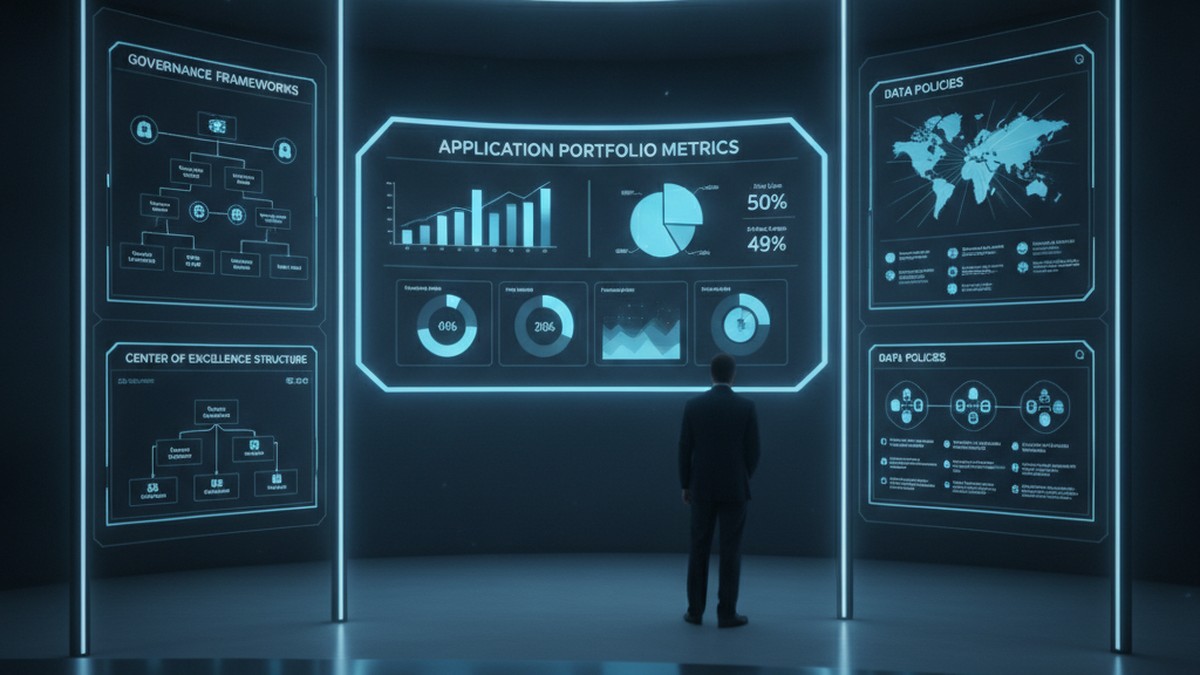
Enterprise Power Apps governance dashboard with application portfolio metrics and CoE framework

Problem Statement (Opening Hook)

Six months after launching your Power Apps initiative, you have 47 applications built across the organization. You’re congratulating yourself on driving digital velocity when IT discovers that 23 of those apps are querying the production Dataverse directly without connection audits, three apps are storing passwords in Power Automate flows, and nine apps were built with Dataverse tables that now conflict with the enterprise data model you’re implementing for Dynamics 365. You also cannot tell which apps are critical, which are experimental, and which are duplicates of work already done by other teams. This is not a Power Apps problem. This is a governance problem, and the cost of fixing it later vastly exceeds the cost of defining it now.

Why Power Apps Governance Matters at Scale

Power Apps succeeds because it is low-code. Business teams move faster. IT provisioning cycles shrink from months to days. Without governance, organizations end up managing application sprawl rather than portfolio. They face compliance risks when applications store regulated data without proper encryption. They accumulate technical debt through duplicate apps and integration spaghetti. Most critically, they lose the ability to retire old applications because no one remembers dependencies.

Governance does not mean blocking innovation. It means setting up boundaries so innovation happens inside a framework that scales. Done well, governance feels like enabling guardrails rather than restrictive rules.

The Three Pillars of Effective Power Apps Governance

Governance across Power Platform breaks into three interdependent areas: application lifecycle management (ALM), data governance, and access control. Each addresses a different aspect of operational risk, and each requires clarity before you have hundreds of applications in production.

ALM defines how applications move from development to test to production, who approves releases, and how rollback works. Without ALM discipline, applications get updated without testing and deployments happen without documentation. Microsoft Power Platform’s ALM tooling (solution containers, source control integration, deployment pipelines) is mature. Using it from the first application, rather than retrofitting later, saves significant effort.

Data governance specifies which Dataverse tables are available to which applications, which fields those applications can read and write, whether applications have direct table access or go through a custom API layer for auditing, and how data synchronization happens when multiple applications share tables. Organizations that skip data governance often discover halfway through Dynamics 365 F&O implementation that Power Apps developers were extending the General Ledger table directly, bypassing the compliance logic built into the F&O ledger posting engine. Starting with a canonical data model and enforcing read-write boundaries prevents those conflicts.

Access control governs who can create applications, what permissions they have, whether they can publish to production, and what user-level permissions applications inherit. Many organizations default to giving all users “create” permissions in Power Platform, then react with panic when app sprawl becomes visible. Instead, defining roles and mapping them to permission levels creates scalability. Skilled developers need broad creation rights. Business power users need constrained environments where they can build applications without affecting production infrastructure.

Enterprise Power Apps governance dashboard with application portfolio metrics and CoE framework

Common Governance Failures

Most organizations make one of three mistakes. The first is defining governance so rigorously it kills velocity. Requiring sign-off from multiple committees before publishing an app causes teams to work around the process in unsanctioned environments. The second mistake is defining no governance at all. Teams build freely until compliance audits arrive. Retrofitting governance then requires temporarily shutting down production applications to audit and repair them. The third mistake is defining governance on paper without technical enforcement. Policies exist but the actual permissions and Dataverse configurations never match. Effective enforcement requires embedding governance into administration, not just culture.

Effective governance finds the middle ground. It sets clear, enforceable boundaries while leaving room for teams to innovate within those boundaries. It is documented not in slides but in the actual configuration of your Dataverse, your solution containers, and your deployment pipelines.

Building a Practical Governance Framework

Start with application classification. Tier applications by criticality: mission-critical (runs the business and cannot fail), important (supports major business process and needs monitoring), and experimental (proof-of-concept or exploratory work). Mission-critical and important applications get the most scrutiny. Experimental applications get looser controls. This prevents governance overhead from killing innovation while ensuring critical work gets appropriate rigor.

Next, establish your Dataverse data architecture before widespread application development begins. Define which tables are canonical and which are read-only views or replicas. Specify who owns each table. Set up row-level security policies and field-level permissions. If applications bypass the model, audit logs show it. This enforces a single version of truth and prevents applications from accidentally conflicting.

Implement solution containers and source control integration. Every application goes into a solution container, not deployed loose to the environment. Solutions are version-controlled in Git. Deployments go through a clear pipeline: development environment, test environment, staging, production, with manual gates between stages. Automate testing at each stage where possible. This creates an audit trail of every change and makes rollback possible.

Enterprise development team collaborating with ALM workflows and CI/CD pipelines on display monitors

Set up a governance review board (often called a CoE governance committee) that meets monthly to review application portfolio health, approve new high-risk applications, and identify applications for retirement. The board includes IT architecture, security, compliance, and business process representatives. This is not a blocking committee. It is an enabling committee that helps teams navigate governance boundaries and flags risks early.

Finally, communicate governance as infrastructure, not as restriction. Frame governance conversations around what it enables: faster time to production for compliant applications, easier integration with enterprise systems, reduced security risk, and the ability to retire old applications without cascading failures. Teams that understand the rationale behind governance adopt it voluntarily.

Technical Debt and Long-Term Maintenance

Technical debt in Power Apps manifests quietly. An application built against a local Dataverse table works fine for six months until the enterprise decides to synchronize that table with Dynamics 365. The app breaks because its queries now hit a different data source. Another application stores customer IDs in a text field. When customer ID standards change, updating that field breaks any app that relied on the old format. A third application has hard-coded access credentials buried in flows. When those credentials rotate, the application goes dark.

These failures happen because applications were not architected for change. Avoiding technical debt requires discipline upfront: use API layers instead of direct table access, parameterize configuration values, separate data schemas from application logic, build retry logic into integrations, and document dependencies. It also requires governance processes that periodically review applications for architectural drift.

Balancing Speed and Control

The tension between moving fast and maintaining governance is real. The resolution is not to choose one or the other, but to acknowledge that different applications need different levels of control. A dashboard for business analytics needs different governance than an application that writes to the General Ledger. A proof-of-concept application needs different processes than a mission-critical customer portal. Tailoring governance to the application’s role allows you to move fast where speed matters and deliberate where risk is highest.

Organizations that execute this balance well report that governance, once established, does not slow velocity. If anything, it accelerates it. Teams know the boundaries. Deployments are predictable. Integration is straightforward. Failures do not cascade. Applications retire cleanly. The cost of operating the Power Platform ecosystem decreases even as the number of applications grows.

Building for Sustainable Scale

Power Apps’ promise is that business teams can build applications without IT intermediaries. Realizing that promise at scale requires intentional governance, not despite that governance, but because of it. The organizations building the most applications fastest are the ones with the clearest governance frameworks. They have defined what good looks like. They enforce it technically. They review it regularly. They adjust it based on what they learn.

If your organization is still in the early stages of Power Apps adoption, spending time now on governance infrastructure saves vastly more time later. If you are already in growth mode with sprawling applications, implementing governance means making deliberate choices about which applications to migrate to ALM pipelines first and which to retire. Either way, the question is not whether to govern Power Apps at scale. The question is how quickly you can build governance that enables scale rather than constrains it.

Routeget Technologies works with organizations across this journey, from establishing governance frameworks and Center of Excellence operations to implementing ALM pipelines and data architecture for large-scale Power Platform deployments. The difference between organizations that scale Power Apps sustainably and those that end up in technical debt rework usually comes down to governance discipline established early and reinforced consistently.

#PowerAppsGovernance #PowerPlatformCoE #ApplicationLifecycleManagement #LowCodeGovernance #EnterpriseArchitecture #DataverseGovernance #PowerAppsDevelopment #DigitalTransformation

Omnichannel Contact Center Queue Management and Skill-Based Routing in Dynamics 365 Customer Service: Architecting High-Performance Multi-Channel Queues

Omnichannel contact center dashboard with queue management and skill-based routing

Contact center leaders say something that rarely appears in press releases: naive routing destroys customer satisfaction faster than most operational failures. When a customer’s chat hits a queue and lands with whoever happens to be least busy, not whoever can actually solve their problem, two things happen predictably. First, the first contact resolution rate drops. Second, the agent becomes frustrated trying to fake competence outside their domain. Neither outcome makes a financial case for digital transformation.

Dynamics 365 Customer Service addresses this with unified routing and skill-based assignment, a routing architecture that replaces simple round-robin with intelligence: it matches incoming work to the agent or AI assistant most likely to resolve it on first contact. This is not a marketing claim about “intelligent” features. It is a specific technical architecture that must be designed correctly during implementation or it becomes expensive theater.

The Architecture: Why Round-Robin Fails at Scale

Most contact centers start with simple queues. Work comes in, you assign it to the next available agent in rotation. This works until it does not. The moment you have agents with different language skills, product expertise, or capability profiles, pure round-robin creates a matching problem: a billing dispute comes to an agent who specializes in technical support. A complex integration question lands with someone trained only on account inquiries. Resolution time balloons. Transfers multiply. Customers experience delays they should not have experienced.

Unified routing in Dynamics 365 reformats this problem into a two-stage architecture. First, a classification stage adds metadata to each incoming work item: what skills does this conversation need? What customer segment? What channel did it arrive on? This happens through rules, through machine learning models trained on historical skill assignments, or through a combination of both. Second, an assignment stage actually distributes the work. The system finds agents whose assigned skills match the work item’s required skills, checks their current capacity across all channels they handle, considers their performance against defined SLAs, and assigns the work to the most suitable candidate.

This is the architecture. The implementation requires thinking about three distinct components: skills definition, workstreams and routing rules, and queue configuration with fallback logic. Miss any of these and the system either routes work inefficiently or leaves conversations unassigned.

Skills and Capability Mapping: The Foundation

Before any work item reaches an agent, the system must know what each agent can do. Dynamics 365 supports two approaches to skills: you can manually assign skills to each representative, or you can use AI Builder’s Intelligent Skill Finder to train a model on historical skill assignments and predict required skills for new conversations automatically.

Manual assignment is reliable but does not scale easily in organizations with hundreds of agents and dozens of skills. Every new hire, every skill gain, every change in capability requires administrative updates. What gets stale fastest is skill data when it depends on manual entry.

The machine learning approach trains on resolved work items: for conversations that went to specific agents and got resolved, the model learns which conversations typically require which skills. For an incoming ticket about Xbox support in Spanish, the model learns to classify it as requiring Xbox product knowledge and Spanish language capability. Once a model is trained, incoming conversations are automatically tagged with predicted skill requirements without administrative overhead.

In practice, most implementations use a hybrid approach: core skills are defined manually (product lines, supported languages, technical domains) and prediction models augment this with finer classification. For example, a billing conversation might be classified with the predicted skills billing-premium-customer and billing-high-dispute-risk in addition to the basic billing skill.

Workstreams and Classification Rules: Directing Traffic

The actual routing logic lives in workstreams. A workstream defines a channel or type of work, specifies how new work items flow through the system, and applies the rules that determine which queue should receive them. For a chat workstream, you configure things like: when a chat arrives, run these classification rules to tag it with required skills, then find a matching agent from these queues. For a voice workstream: when a call comes in, use speech-to-text to classify the caller’s intent, tag the call with required skills, and route to an available agent who has those skills plus appropriate language support.

Classification rules themselves can be simple or sophisticated. A simple rule might say: if the conversation mentions the phrase billing dispute, tag it with the billing skill and high priority. A more sophisticated rule uses custom attributes, related entity lookups (if this is an existing customer with account status, what does that signal about needed skills?), and even real-time API lookups to external systems that classify customer value or problem complexity.

The architecture decision here is about tradeoff. More rules and more machine learning classification means more accurate skill matching and better first contact resolution, but also more operational complexity to maintain the classification logic and retrain models. In contact centers with low call volume or narrow skill requirements, simple rule-based classification is more maintainable. High-volume centers with heterogeneous skill needs benefit from machine learning despite the operational cost.

Queue Configuration: Capacity and Fallback Strategy

Once work is classified and matched to required skills, it lands in a queue. Dynamics 365 supports three queue types: messaging queues (chat, SMS, social), record queues (cases, emails), and voice queues (phone calls). Each queue type has distinct configuration because the constraints are different. A voice queue must prioritize speed to answer. A case queue can tolerate slightly more delay if it finds a better-matched agent. A chat queue sits between both.

For each queue, configure the assignment method. Highest capacity assigns work to whoever is least busy, simple but ineffective at matching expertise. Advanced round robin rotates work among qualified agents while respecting their capacity across all channels, so if an agent is handling two chats and is at capacity, the next chat goes to the next available qualified agent rather than forcing overallocation. Least active routes to the representative who has handled the fewest conversations recently, useful when you need to spread load evenly. Custom methods use rulesets to define assignment priority: skill match first, then capacity, then response time to previous messages.

Overflow management is where most implementations fail. When a queue is saturated (all skilled agents at capacity), work items must go somewhere. Define an overflow queue that handles these situations: perhaps it routes to a higher-tier support queue, perhaps to an AI agent, perhaps to a human agent with adjacent skills who can attempt resolution. Without explicit overflow configuration, work items get stuck in queue, wait times climb, and the system looks broken even though routing logic is functioning correctly.

Enterprise queue management and omnichannel routing dashboard with skill-based assignment

Multi-Channel Scale: The Operational Reality

In practice, contact centers rarely run a single channel. A queue might receive work from chat, voice, and social simultaneously. An agent might be licensed to handle both chat and email. The routing system must track each agent’s capacity across all channels they handle, not just within a single channel. This is where advanced routing becomes complex: an agent with two active chats might have capacity for one email but not a voice call. The system must allocate work respecting the agent’s total workload across channels, not just within one.

Dynamics 365 supports this through workload balancing that checks capacity across channels before assigning work. Before assigning a new chat to an agent, the system checks: does this agent have capacity remaining across all their active channels? If not, it finds the next qualified agent with available capacity. This prevents the common failure mode where agents get swamped in one channel while remaining underutilized in another.

Performance and Scaling Considerations

For contact centers beyond a certain size, routing latency becomes a real factor. Classification and assignment happen in near-real-time, but with hundreds of agents and complex skill matching, the system must quickly identify which subset of qualified agents has available capacity. Dynamics 365 handles this through optimized queries and caching of agent capacity status, but implementation matters. If your classification rules are computationally expensive, or if your skill definitions are granular (hundreds of specific skills), querying for matches becomes a bottleneck.

The architectural consideration is skill dimensionality. Defining skills as a basic list (billing, technical, spanish, premium_account) is fast to query and scale-friendly. Defining skills as heavily-nested multi-attribute models (billing-premium-customer-churn-risk-phone-channel, etc.) becomes increasingly expensive to query at scale. Most implementations benefit from a primary skill set for routing (fast, broad categorization) and secondary attributes (stored separately) for analytics and quality management.

Similarly, machine learning-based classification has operational cost: models must be trained, validated, and retrained as your contact center’s needs evolve. Running classification inference on thousands of conversations daily against an active model has latency implications. Budget for this during planning.

Practical Implementation Path

Start with manual skill assignment and simple rules. Get the queue structure working, confirm that agents see work items appropriately, and validate that overflow queues catch edge cases. Once this baseline is stable, layer on machine learning classification if your volume and skill complexity justify the operational overhead. Monitor first contact resolution and average handle time before and after changes to validate that routing logic is delivering the intended outcome.

The technical reality of omnichannel routing is straightforward on paper: match skills to conversations, assign fairly, handle overflow. The implementation reality requires thinking through capacity management across channels, designing classification logic that is both accurate and maintainable, and building explicit fallback paths for conversations that do not match expected patterns. Contact centers that treat this as configuration find they have built a bottleneck. Contact centers that treat it as architecture find that their routing actually enables better customer outcomes.

About Routeget Technologies: Our contact center and customer service architecture practice specializes in designing omnichannel routing systems that balance first contact resolution with agent utilization. We help organizations build skill-based routing from the ground up, design classification rule sets, configure machine learning-based skill prediction, and establish monitoring that confirms routing effectiveness in practice. If you are evaluating or implementing Dynamics 365 omnichannel routing, we can help accelerate the architecture phase before you lock in configuration decisions that become expensive to change later.

#DynamicsCustomerService #OmnichannelRouting #SkillBasedRouting #ContactCenterArchitecture #QueueManagement #Dynamics365CRM #ServiceModules #CustomerServiceArchitecture

Multi-Company Consolidation and Intercompany Eliminations in Business Central: Building Predictable Financial Reporting for Multi-Entity Organizations

Multi-company consolidation architecture in Business Central

Most finance leaders in multi-entity organizations face the same uncomfortable question every quarter: when you’ve pushed the consolidation close button, how confident are you that the consolidated revenue number sitting in front of the board actually represents what happened across all your companies? Not the individual piece that’s typically reliable, but the consolidated picture? That’s where consolidation becomes less about compliance and more about survival.

Business Central’s consolidation framework is deceptively straightforward on paper. Transfer general ledger entries from subsidiary companies into a consolidated company, eliminate intercompany transactions, and generate a trial balance. The reality of getting there, especially across multiple environments, different chart of accounts structures, and hundreds of intercompany transactions, is where most implementations hit friction.

The Two Paths to Multi-Entity Financial Reporting

Business Central offers two fundamentally different architectures for consolidation, and choosing between them shapes your entire finance operation.

Native Business Central Consolidation handles multiple subsidiary companies within the same environment. Each subsidiary is a separate legal entity (company), and the consolidated company pulls general ledger entries from all of them into a single trial balance. This works well for organizations with moderate complexity: two to six subsidiaries, similar chart of accounts structures, and predictable intercompany volumes. The native approach requires no additional licensing and runs against your existing Business Central instance.

Cross-Environment Consolidation pulls data across separate Business Central environments, typically when subsidiaries operate independently or have separate implementations. This approach demands Azure app registration and explicit API configuration beyond what most implementations document upfront. It gains you geographic flexibility and organizational autonomy at the cost of architectural complexity that surprises most finance leaders when they discover it.

The decision between these architectures should happen before implementation begins, not halfway through configuration. A CFO running five subsidiaries with different revenue streams should make that choice explicitly based on reporting requirements, not stumble into cross-environment consolidation because someone recommended “a separate environment for that subsidiary.”

Why Intercompany Eliminations Break Without Architecture

Intercompany eliminations are not an accounting problem. They are an architecture problem masquerading as accounting.

A subsidiary books a $500,000 sale to its sister company. The buying subsidiary records a $500,000 purchase from that same sister. The parent company sees $500,000 of revenue and $500,000 of expense moving through its chart of accounts. In a consolidated trial balance, these numbers double-count the same economic transaction, distorting both the consolidated revenue line and gross margin.

Eliminating this intercompany transaction seems straightforward: enter an adjusting entry in the consolidated company’s general journal, reverse out the duplicate revenue and expense, and your consolidated numbers reflect the economic reality of what actually happened outside the company. In practice, this process fails for three reasons that surface repeatedly in multi-entity implementations.

First: Account mapping complexity. When subsidiaries maintain different chart of accounts structures, you cannot simply reverse a $500,000 revenue entry in Subsidiary A against a matching $500,000 purchase entry in Subsidiary B. The account numbers don’t align. You must maintain a separate intercompany chart of accounts and map each subsidiary’s accounts to that shared chart, then map back to the consolidated company’s structure. This creates bidirectional mapping rules that are easy to misconfigure and difficult to audit later.

Second: Dimension fragmentation. Subsidiaries may use different dimensions to slice data. One subsidiary tracks revenue by sales region; another tracks revenue by customer segment. Consolidated reporting demands that these dimensions reconcile or remain separately reportable. Without deliberate dimension strategy upfront, finance teams end up manually reconciling consolidated totals back to subsidiary detail because the consolidated trial balance doesn’t break down by the dimensions that matter to the business.

Third: Timing and currency mismatch. Intercompany eliminations assume the subsidiary’s books match. If the subsidiary records a $500,000 sale in December and the parent records a $500,000 purchase in January, the consolidation period matters. Similarly, when subsidiaries operate in different currencies, the exchange rate used to record the transaction must align with the rate used to record the corresponding entry in the other company, or the elimination fails to net perfectly and leaves a mysterious gain or loss on currency conversion that nobody can explain.

These technical details are finance operations details. They cascade directly into close speed, error rates, and the executive team’s confidence in the numbers.

CFO reviewing consolidated financial statements in Business Central

Practical Path: Right-Sizing the Consolidation Approach

A common failure mode in consolidation implementations is overengineering for tomorrow’s complexity. Organizations build elaborate cross-environment consolidation architectures when today’s requirements could run entirely on native consolidation.

For two to six subsidiaries with predictable intercompany volumes: Start with native Business Central consolidation. It requires no licensing premium, minimizes Azure complexity, and works against your existing environment. The Business Units page becomes your consolidation control center. Test data before running consolidation (the “Test File” or “Test Database” action flags account number and dimension mismatches before they corrupt your close). Generate the Consolidated Trial Balance report (Report 17) and the G/L Consolidation Eliminations report (Report 16) to preview elimination impact before posting adjustments.

For cross-environment requirements or complex subsidiary structures: Allocate implementation time explicitly to Azure app registration, API endpoint configuration, and cross-environment testing. Document which company data moves which direction, which chart of accounts mapping applies at each step, and which dimensions matter to consolidated reporting. This is not something a finance team should discover mid-close.

For intercompany transaction volume above 200 per month: Evaluate ISV extensions like Binary Stream MEM (Multientity Management) or equivalent tools. Native Business Central consolidation handles centralized intercompany payables and receivables adequately, but it is not optimized for mass journal entry processing when intercompany volumes exceed what native functionality was designed for. ISV tools are cost-justified if they reduce manual reconciliation by five to ten hours per close cycle.

Building Eliminations into Your Close Process

Intercompany eliminations work best when they become a defined step in your close calendar, not an afterthought when the numbers don’t match.

Pre-close phase: Publish a “no intercompany transactions after X date” deadline to all subsidiary controllers. Require them to settle open intercompany payables and receivables (the native Business Central Intercompany Transactions module makes this transparent). Running consolidation after that deadline eliminates the problem of transactions in flight.

Consolidation phase: Run the Consolidated Trial Balance report. Compare this to the prior quarter. Material variances should be investigated before finalization. Use the G/L Consolidation Eliminations report to preview the impact of pending adjustments. Only post elimination entries if the consolidated numbers reflect the economic reality the business expects.

Post-close phase: Publish the consolidated trial balance to Finance stakeholders (CFO, Board reporting team, external auditors). Confidence in this number determines trust in all downstream financial statements.

The Bottom Line

Business Central’s consolidation engine solves a real problem: bringing multiple legal entities’ financial data into a single, trusted view. But consolidation success depends entirely on architecture decisions made before implementation starts. Choose between native and cross-environment consolidation explicitly. Map your chart of accounts and dimensions upfront. Define your intercompany elimination rules in writing before you book a single subsidiary transaction.

When you do this work, consolidation becomes predictable. The numbers reconcile. Your close accelerates. The board sees financial statements that actually represent what happened across the organization.

When you don’t, you spend the last three days of every close cycle chasing mysterious variances and rebuilding eliminations by hand.

The difference between those two outcomes isn’t luck. It’s architecture.


About Routeget Technologies: Routeget specializes in Business Central implementations for mid-market organizations with complex multi-entity structures. Our approach begins with consolidation architecture design before any configuration touches the system, ensuring your finance team closes faster with higher accuracy.

#MultiEntityConsolidation #BusinessCentralFinance #ConsolidationAccounting #IntercompanyEliminations #FinanceOperations #CFOStrategy #BusinessCentralCFO

Building Custom Dataverse Plugins for Real-Time Business Logic: Architecture Patterns and Deployment Strategies

Custom plugins remain one of the most powerful yet misunderstood levers in the Microsoft Dataverse platform. While Power Automate handles lightweight workflows and Power Apps provides UI automation, plugins solve a different problem: they execute business logic in response to Dataverse operations with the performance and security model of server-side code.

The challenge most organizations face isn’t whether to build plugins. It’s determining which problems *require* plugins versus which can be solved with lower-code alternatives. When plugins are the right answer, the next challenge becomes: how do you design, test, and deploy them in a way that scales without becoming a maintenance nightmare?

**The Real-Time Constraint Problem**

Dataverse operations happen in a transactional context. When a record is created, updated, or deleted, plugins can intercept that operation at two points: pre-operation (before the database transaction) or post-operation (after commit). This matters because pre-operation plugins can modify the data before it’s saved, validate input with business rules, or prevent the operation entirely. Post-operation plugins can trigger downstream processes once the change is safely committed.

Many organizations treat these as interchangeable. They aren’t. A pre-operation plugin that makes an external API call can block the user’s operation for as long as that call takes. A 5-second timeout becomes a frozen user interface. Scale that across hundreds of concurrent users, and you’ve created a denial-of-service vulnerability in your own system.

The architecture decision here determines whether your plugin becomes a reliable part of the system or a bottleneck that gets disabled during peak load because it’s failing too many operations.

**Three Plugin Execution Patterns**

The first pattern is synchronous validation. Pre-operation plugins should validate, transform, and enforce business rules before data is saved. They should execute in milliseconds. Any operation that takes longer—external API calls, complex calculations on large datasets, cross-system lookups—should be moved to a separate execution path. This pattern prevents bad data from ever entering the system. A pre-operation plugin validating that a customer’s credit limit isn’t exceeded, or that a purchase order references an active supplier, should complete in 50-200ms. If your logic can’t hit that target, it belongs in an async plugin.

The second pattern is asynchronous post-operation actions. After a record is safely committed, a plugin can trigger downstream effects without blocking the user’s operation. Sending notifications, updating related records in other tables, integrating with external systems, or kicking off approval workflows all belong in post-operation async plugins. These execute outside the user’s transaction and can tolerate higher latency. A 5-second external API call in a post-operation async plugin is acceptable. The same call in a pre-operation plugin is a performance problem.

The third pattern is event-driven architecture. Rather than having plugins orchestrate complex multi-step processes, plugins emit events that external systems subscribe to. A change to an opportunity triggers a plugin that publishes the event. A separate microservice (Azure Function, Logic App, or external system) consumes that event and decides what happens next. This decouples your Dataverse plugins from downstream business logic and lets you evolve downstream systems without changing your Dataverse model.

Each pattern solves a different problem. Synchronous validation makes the data layer trustworthy. Asynchronous actions keep the user’s experience snappy while still triggering necessary side effects. Event-driven architecture makes the system resilient to change.

**Registration and Filtering Strategy**

A common mistake is registering plugins on every attribute change when only a few attributes matter. If your plugin only needs to react when the Status field changes, don’t register on “all attributes.” Instead, register specifically on the Status attribute. This cuts the plugin’s execution count dramatically and improves overall system performance.

Filtering also applies to message types. A plugin doesn’t need to fire on every Create, Update, and Delete. It can fire on Update only. Combine message filtering with attribute filtering, and you’re executing your logic only when it’s actually needed.

Stage selection matters too. Pre-operation runs before validation, so it’s useful for modifying data before validation rules apply. Pre-operation 10 (earliest) runs before pre-operation 20 (later). Post-operation runs after the transaction commits and is useful for downstream actions. Each stage has a purpose; using the wrong stage adds latency where it isn’t needed.

**Testing and Deployment**

Plugin code runs server-side, with access to the organization’s data and permissions. A poorly written plugin can corrupt data at scale. Testing is not optional.

Unit tests should cover the logic of your plugin independent of Dataverse. Integration tests should run the plugin against a Dataverse environment and verify it behaves correctly. Deployment should happen through an Application Lifecycle Management (ALM) pipeline: develop in a sandbox, test in a staging environment, deploy to production only after validation.

One pattern that simplifies testing is moving the core business logic out of the plugin class and into a separate, testable library. The plugin becomes a thin wrapper: extract the input from the Dataverse SDK, call your logic library, and apply the result back to the execution context. This makes unit testing trivial and keeps your plugin logic independent of Dataverse framework details.

**Common Mistakes to Avoid**

Unintended recursion is a classic issue. A plugin modifies a record, which triggers the same plugin again, which modifies the record again, and so on until the system reaches a depth limit and throws an error. Prevention requires tracking execution depth and skipping logic if the current execution is a plugin-triggered update rather than a user-initiated change.

Another mistake is sharing state across plugin executions. Plugin instances aren’t persistent; each execution creates a new instance. Trying to use static variables to pass data between plugin invocations leads to race conditions and unpredictable behavior.

Excessive synchronous API calls create bottlenecks. If your plugin makes 10 external API calls sequentially, and each takes 500ms, your plugin runs for 5 seconds. Users experience 5-second operations for record updates. Move those calls to post-operation async or to a separate integration service.

**Moving Forward**

Dataverse plugins are not obsolete. They’re essential for enforcing business logic at the data layer, but they’re not the only tool. Modern Dataverse implementations combine plugins for critical synchronous validation, Power Automate flows for multi-step post-operation actions, and external microservices for complex integrations. The plugin’s job becomes focused: validate and transform data in real time. Anything else should run asynchronously or outside the transaction.

Routeget Technologies’ experience scaling plugin architectures across large Dynamics 365 deployments shows that the teams that succeed are those that treat plugin development as seriously as they treat any server-side code—with rigorous testing, clear ownership, and architectural intent behind every decision.

#DataversePluginDevelopment #DynamicsArchitecture #CloudIntegration #ServerSideLogic #ALMPipeline #PluginArchitecture #EnterpriseDataManagement #Extensibility

AI-Powered Sales Forecasting in Dynamics 365 Sales: From Historical Data to Predictive Revenue Planning

The Forecast Nobody Trusts

Sales forecasts in enterprise organizations have a credibility problem. Sales leadership submits a forecast one month, management adjusts it downward out of habit, and by quarter-end everyone discovers that actual pipeline and close rates bore no resemblance to either number. The problem is not salespeople lying or poor spreadsheet discipline. It is that traditional forecasting relies on human judgment applied to datasets too large and complex for human pattern recognition to work reliably.

Dynamics 365 Sales with integrated AI and analytics capabilities changes this dynamic fundamentally. Rather than asking managers to estimate close rates and deal velocity based on their gut feel, organizations can build forecasts on the same historical data that actually predicts outcomes: past deal size, industry, pipeline velocity, sales rep experience, deal characteristics, and seasonal patterns. The result is not perfect, but it is consistently more accurate than traditional methods, and it gives sales leadership a fact-based foundation for revenue conversations with finance rather than negotiated guesses.

How Predictive Sales Analytics Work in Dynamics 365

Dynamics 365 Sales Premium includes a suite of analytics capabilities that power forecasting without requiring advanced data science skills or external platforms. The system automatically ingests data from opportunity records, activities, customer accounts, and deal attributes, then uses machine learning to identify the patterns that correlate with closed wins, lost deals, and extended cycles.

For an organization selling enterprise software with typical sales cycles of six to nine months, the system learns that deals from specific industries have different close rates, that proposals sent in month two (as opposed to month four) have higher win probability, and that opportunities touching more buying committee contacts are more likely to close. These patterns are statistically significant but often invisible to human judgment operating over dozens or hundreds of deals simultaneously.

The forecasting engine generates a confidence score for each opportunity: a prediction of the probability that deal will close within the target quarter. Rather than replacing the salesperson’s forecast with an algorithm, Dynamics 365 surfaces these predictions as a recommendation layer, allowing sales managers to keep the deal in forecast if they believe factors not in the data justify it, or to flag deals where the algorithm’s assessment contradicts the sales rep’s estimate. In practice, deals the system rates as low-probability but the rep insists will close become visible decision points, and forecasts weighted by these probabilities prove more accurate than unadjusted rep estimates.

Moving from Monthly Submissions to Continuous Intelligence

Traditional sales forecasting operates on a monthly or quarterly cadence. Sales leaders call a forecast meeting, reps submit their estimates, managers apply adjustments, and the number goes to finance. Three weeks later, when actual deals close or new opportunities surface, the forecast is already outdated.

AI-driven forecasting in Dynamics 365 Sales operates continuously. As pipeline changes, deal characteristics evolve, and close dates shift, the system recalculates probability scores in real time. Sales leadership can check accuracy at any point in the quarter rather than waiting for the official review, and can identify where actual progress is diverging from forecast early enough to adjust strategy or pipeline development.

This shift from periodic submission to continuous intelligence has operational consequences. Sales managers no longer spend two days in forecast-call meetings; instead they spend fifteen minutes reviewing a dashboard that shows which deals are tracking as expected and which have shifted risk status. Finance gets a more current picture of expected revenue. And sales reps see their opportunities scored fairly against consistent criteria rather than subject to manager judgment that varies month to month.

Building Revenue Predictability Across Market Segments

One of the highest-value uses of predictive sales analytics is building segment-specific forecast models. An organization selling both managed services and perpetual licenses may discover that customers purchasing managed services have a seventy-percent close rate while perpetual license deals close at forty-five percent, and that rep tenure affects close rates only for managed services, not perpetual deals. Once these segment-specific patterns are identified, forecasts weighted by segment become far more accurate than a single organization-wide model.

Organizations with international operations benefit further, as the system can identify which regions have different sales dynamics. A deal structure that works reliably in North America may have lower success in Asia Pacific due to buying patterns or competitive dynamics, and a forecast that does not account for that regional signal will consistently overshoot certain markets and undershoot others.

Building these segment models requires data discipline (opportunity fields must be filled consistently, sales stages must be defined clearly), but once that foundation is in place, the system automatically detects and incorporates segment-specific patterns. Sales organizations that have historically managed separate forecast models for different markets often find they can consolidate to a single system with segment-driven weightings, reducing forecast maintenance overhead while improving overall accuracy.

Common Implementation Mistakes

Organizations implementing AI-driven forecasting in Dynamics 365 Sales often make three systematic mistakes. First, they attempt to train the model on too little historical data. If the system only has two quarters of opportunity records, it cannot detect patterns that matter for a deal type with an eighteen-month cycle. Second, they do not invest in data quality upstream. If opportunity records lack consistent stage definitions, industry classifications, or customer size information, the model has no signal to work with. Third, they present the AI forecast as a replacement for human judgment rather than as a tool that surfaces patterns human judgment can integrate. Sales organizations that frame the system as “the computer will tell you who to trust” face adoption resistance; those that frame it as “the system flags patterns you should investigate” see adoption and engagement.

Next Steps for Sales Leadership

For organizations already using Dynamics 365 Sales, enabling predictive analytics is typically a configuration matter rather than a deployment project. Assess your historical opportunity data to confirm you have at least four quarters available and that field completion rates are reasonable. Review your sales stage definitions to ensure they are consistent with how deals actually progress. Then enable the analytics features and begin building segment-specific forecast models based on your business lines.

For organizations evaluating Dynamics 365 Sales or planning major system migrations, AI-driven forecasting should be part of the evaluation criteria. Whether your organization benefits from this capability depends on your sales model, your forecast accuracy needs, and your data discipline, but for enterprises where forecast accuracy directly affects financial planning and capital allocation, predictive sales analytics often justify the platform investment on their own.

The Forecast Everyone Uses

The strategic value of AI-driven forecasting extends beyond raw accuracy. When sales leadership and finance can trust a forecast because it is grounded in historical data rather than negotiation, conversations shift. Instead of debating the number, the conversation becomes, “What actions should we take to shift close rates or deal velocity?” Sales and finance become partners in building pipeline rather than adversaries in a forecast negotiation.

Dynamics 365 Sales with integrated AI analytics makes this shift possible. For sales organizations ready to move beyond spreadsheet-based forecasting, the capability is available today.


About Routeget Technologies: Routeget Technologies helps mid-market and enterprise organizations implement and optimize Dynamics 365 Sales, enabling teams to improve forecast accuracy, streamline pipeline management, and drive predictable revenue growth through data-driven sales practices.

#SalesForecastingAI #DynamicsSalesAnalytics #SalesRevenuePlanning #PredictiveAnalyticsD365 #SalesLeadership #EnterpriseAI #DynamicsSales

Extending Power Pages Beyond UI: Liquid Templates, Code Components, and JavaScript for Production Portal Requirements

Power Pages’ low-code interface makes building portals faster than traditional custom development. But every organization eventually hits the moment where the out-of-the-box form controls, basic table views, and standard workflows become constraints rather than features. The portal needs business logic that doesn’t fit the declarative model. Data needs to transform based on context. The user experience requires patterns Power Pages doesn’t provide natively.

At that point, technical teams face a critical decision. Many teams build custom portals in React or Vue, burning months of development and losing the Power Platform’s Dataverse integration layer. Others try to force every requirement into Power Pages’ declarative surface, resulting in fragile workarounds that break with each platform update. A third path exists: understanding how to extend Power Pages with Liquid templates, custom JavaScript, and code components without abandoning the platform’s operational advantages.

The Architecture Mismatch: Why Low-Code Hits a Ceiling

Power Pages’ strength is also its limitation. The platform provides configuration-driven portal building because that model works for the common cases: customer self-service forms, portal content, and basic lookup forms. The form engine optimizes for ease of use, not for the kind of sophisticated client-side behavior a production portal often requires.

Consider a realistic scenario. A financial institution needs a partner portal where finance directors can submit loan applications, see real-time pricing based on their organization’s profile, track application status through workflow stages, and export reports combining Dataverse data with external system information. The default Power Pages form control has no awareness of multi-step workflows. Table views don’t support the kind of conditional formatting and interactive filtering the business expects. The out-of-the-box experience feels incomplete.

This gap between what Power Pages provides by default and what production portals require is not a product limitation. It’s a signal that the team needs to step beyond configuration and into code. The opportunity is recognizing which layer to extend, which will determine the development complexity and maintenance burden of the resulting system.

Three Extension Points: Understanding When to Code

Liquid Templates are server-side templating that query Dataverse using FetchXML and render dynamic content before sending HTML to the browser. They excel at personalized content: showing customers only their records, displaying role-based form sections, or calculating KPIs in dashboards. Liquid queries run with elevated permissions, making it safe to expose read-only data that would be restricted through the client-side portal Web API. The limitation is clear: Liquid generates static HTML. Interactive behavior requires client-side code.

JavaScript and Portal Web API enable client-side interactivity. Custom JavaScript embedded in web templates can make asynchronous Dataverse calls for create, retrieve, update, and delete operations. This supports sophisticated portals: real-time filtered dashboards, search-and-filter experiences, and form interactions without page reloads. The portal Web API is constrained by design (specific tables and columns exposed, row-level security enforced), which means portals are secure by default. The tradeoff: teams sometimes discover in production that row-level security filters block the data they need. Performance matters here too. Portals making dozens of sequential API calls feel slow. Efficient implementations batch calls, cache data, and avoid redundant queries.

Code Components built with the Power Apps Component Framework (PCF) provide reusable custom controls that can be packaged and deployed independently. A data grid with sorting and filtering. A date picker with business calendar logic. A currency converter. Code components encapsulate complexity and can be versioned and reused across multiple portals. Power Pages supports a subset of PCF APIs (no device access, no multi-field components), but this covers most scenarios. The advantage over inline JavaScript is encapsulation and reusability; the cost is more formal development and packaging.

Combining Patterns in Production

Successful portals typically combine these extension points strategically. Liquid templates render personalized, read-only content server-side. JavaScript layered on top adds client-side interactivity like filtering, modal dialogs, and form submission without page reloads. Code components provide sophisticated interactive controls for scenarios too complex for inline JavaScript.

The principle is simple: use the least powerful extension point that solves the problem. Server-side logic stays in Liquid. Client-side behavior goes to JavaScript. Reusable controls become code components. This discipline keeps portals maintainable and reduces the surface area for bugs.

Common Implementation Mistakes

Teams building production portals frequently encounter predictable problems.

Overusing the portal Web API is the most common. Developers build portals that make dozens of sequential API calls to fetch related records, transform them, and populate sections of the page. The portal feels slow because it genuinely is slow: each API call adds 200-500ms of network latency. The solution is to rethink the architecture: can Liquid fetch the related records server-side? Can the JavaScript cache frequently needed data instead of querying it repeatedly? Can the form be restructured to avoid needing related data?

Neglecting row-level security testing is another common mistake. Developers build portals using a system administrator account and assume the portal Web API will return certain columns and records. In production, when row-level security rules are applied, the queries fail or return no data. Testing with non-administrator accounts during development prevents this category of surprise.

Security logic embedded in JavaScript is another pattern to avoid. A developer might write JavaScript that checks whether a button should be shown by verifying the user’s role. But if the role is determined by JavaScript on the client, an attacker can modify the browser’s DOM and show a button that should be hidden. Any security decision must be validated server-side, either through Liquid templates or through server-side plugins.

Moving Forward: When to Invest in Extension Architecture

The decision to extend Power Pages with code components, custom JavaScript, and Liquid templates should be made deliberately, not by accident. If the portal’s core requirements can be met with Power Pages’ declarative features, stay there. Configuration is faster to build, simpler to maintain, and survives platform updates with fewer breaking changes than custom code.

But if the portal needs personalized server-side content, client-side interactivity beyond basic form submission, or reusable custom controls, then understanding these extension points is essential. Teams that build with a clear architecture in mind, that understand which layer solves which problems, and that test thoroughly across use cases and user roles will build portals that feel native while leveraging the operational advantages of the Power Platform and Dataverse.

Organizations that struggle are often those that assume Power Pages is only for simple portals, then scramble to refactor when production requirements demand sophistication. By understanding the extension architecture from the start, teams can make intentional decisions about scope, complexity, and implementation approach rather than discovering these constraints partway through development.

Power Pages is capable of hosting sophisticated production portals. The key is recognizing what each extension point is designed to solve, and building with that clarity in mind.


About Routeget Technologies

Routeget Technologies helps enterprise organizations design, implement, and optimize Power Platform solutions including sophisticated Power Pages portals. Whether you’re planning a customer-facing portal, a partner collaboration site, or an internal employee experience, the difference between a successful portal and a frustrating one often comes down to architecture choices made early in the project. Our team works with organizations to understand their portal requirements, design an appropriate extension architecture, and guide implementation to ensure portals perform well, remain secure, and stay maintainable through their production lifecycle.

#PowerPagesCustomization #LiquidTemplates #CodeComponents #PortalDevelopment #PowerPlatform #EnterprisePortals #CustomJavaScript #WebAPIDevelopment #LowCodeExtension #PortalArchitecture

Automated 1099 Compliance and Vendor Management in Business Central: Eliminating Manual Year-End Reconciliation

Your accounts payable team is three weeks away from month-end close, and someone just discovered that twenty vendor records lack 1099 classification codes. Finding that error now means scrambling to update historical transactions and validating tax IDs, hoping the IRS forms you file in January match what accounting recorded in September. This pattern repeats annually, consuming weeks of Finance Controller time and introducing error risk.

For SMB organizations running Dynamics 365 Business Central, this annual firefighting is preventable. The problem is not that Business Central lacks 1099 functionality; it is that most implementations treat 1099 compliance as a year-end task rather than a continuous vendor management process. Organizations duplicate effort across systems, manually validate data that Business Central can track automatically, and discover compliance gaps too late to correct them cleanly.

Business Central’s native 1099 framework and its ecosystem of compliance integrations can transform 1099 from a month-end expense into a metadata attribute that flows through vendor records and payment transactions continuously, surfacing errors and compliance gaps in real time rather than in December.

The Year-End 1099 Crunch: Why Manual Processes Persist

Finance teams often view 1099 compliance as a specialized tax topic, distinct from day-to-day accounts payable operations. The logic is superficially sound: 1099-eligible vendors are a small subset of overall payables; validate them when 1099 preparation begins in Q4. In practice, this creates three interconnected problems.

Vendor master data drifts throughout the year. Businesses add new vendors opportunistically through email requests or procurement processes. Accounts payable staff focus on processing invoices, not classifying vendors by tax treatment. By October or November, dozens of relationships exist without 1099 metadata, and tracing which payments went to which vendors requires manual reconciliation against invoices.

Second, classification is not a one-time decision. IRS thresholds and vendor eligibility rules change, and business relationships evolve. A vendor at $4,000 annually in 2024 becomes a $7,000 relationship in 2025, potentially crossing reporting thresholds. Without continuous validation, this progression gets missed, and Finance discovers it only when reconciling December payments.

Third, legacy workarounds persist. Finance teams maintain parallel spreadsheets to track 1099 vendors, validation status, tax ID accuracy, and payment thresholds, duplicating data that belongs in the ERP system itself. This creates conflicting records and necessitates manual year-end reconciliation to determine which version is correct. The result: 1099 preparation consumes 60 to 100 hours of Finance Controller time per year, with most spent discovering and correcting errors rather than performing actual tax calculations or form generation.

Business Central’s Native 1099 Framework: More Capable Than Most Realize

Dynamics 365 Business Central includes native 1099 compliance functionality that most SMB implementations underutilize. The platform allows you to classify vendors by 1099 type (1099-NEC for nonemployees, 1099-MISC for miscellaneous income, 1099-K for payment cards), track tax identification numbers, maintain payment threshold metadata, and filter transactions by vendor tax classification. These capabilities are built into the vendor master record and the general ledger.

This matters because 1099 data flows through your accounting system continuously, not as an external extract at year-end. When you code a payment for a 1099-NEC vendor, Business Central knows both the vendor classification and the payment amount in a single system context. Year-end 1099 reporting becomes aggregation of data that has been accurate throughout the year, not reconstruction of historical payments.

The practical capability includes: vendor tax type classification, tax ID validation rules that flag missing or mismatched IDs during vendor creation, threshold monitoring that alerts finance teams when vendors cross reporting thresholds, and reporting that segregates 1099-eligible payments for year-end reconciliation. These features exist in the base system and require no custom development.

However, the gap between what Business Central can do and what most Finance teams actually implement is substantial. Many organizations activate 1099 fields in the vendor master but do not enforce classification at invoice entry or payment posting. They track tax IDs but do not validate them against IRS records. They set threshold alerts but do not connect those alerts to an escalation workflow. The result: 1099 metadata exists in the system but is not actively used to guide daily operations, and Finance still falls back to manual year-end reconciliation.

Closing the Gap: Integrations That Drive Continuous Compliance

The second layer of 1099 automation comes from integration platforms and specialist compliance applications built for Business Central. These tools fall into two categories: those that validate vendor master data continuously, and those that automate form generation and filing.

Continuous validation tools integrate with IRS databases and tax ID verification services, automatically checking vendor tax IDs against authoritative sources as vendor records are created or modified, flagging mismatches and expired IDs in real time. When a vendor record is missing a tax ID or the ID does not match IRS records, the system can block payment posting or flag the vendor as non-compliant. This shifts error detection from December to the moment the error occurs, when it is simplest to correct.

Form generation integrations automate the calculation of 1099 amounts, formatting of tax forms, and electronic filing with the IRS. Rather than exporting payment data from Business Central, importing it into Excel, manually categorizing amounts, and formatting forms by hand, these integrations read 1099-eligible transactions directly from the General Ledger, aggregate amounts by vendor and payment type, generate IRS-formatted forms, and file directly with the IRS. The typical workflow requires less than two hours of Finance input in January for form verification and signing, compared to 40-60 hours of manual data manipulation in a spreadsheet-based process.

The most effective implementations combine continuous validation with automation: vendor master data stays clean throughout the year via ongoing validation, threshold alerts keep procurement informed of vendor spend patterns, and year-end form generation is a 90-minute process rather than a three-week undertaking.

Avoiding Common Implementation Mistakes

Organizations implementing 1099 automation often encounter pitfalls. First, they activate 1099 fields in the vendor master but do not enforce them at transaction entry. The fix: mark 1099 fields as mandatory for certain vendor categories and configure invoice entry screens to prevent posting if required metadata is missing.

Second, they assume a single year-end validation pass is sufficient. Vendor data decays continuously: tax IDs change, addresses shift, business relationships evolve. Organizations that implement automated validation once per quarter catch and correct issues far more reliably and with less time pressure.

Third, they neglect the integration between 1099 compliance and procurement workflows. Finance often manages 1099 classification independently of procurement. Effective implementations tie vendor creation and 1099 classification together, with both teams seeing vendor compliance as a shared responsibility.

Fourth, they underestimate edge cases. One-time vendors, interim contractors, and international vendors blur the line between 1099-eligible and employee-equivalent arrangements. Automation works well for straightforward cases but needs human review workflows for ambiguous scenarios.

Putting 1099 Compliance Back in Scope

Year-end 1099 compliance does not have to consume weeks of Finance Controller time or introduce error risk every tax season. Business Central’s native 1099 capabilities, combined with integrations that extend those capabilities to continuous validation and automated filing, can reduce 1099 from an annual firefighting exercise to a metadata attribute that flows through your vendor master and payments continuously.

Finance teams that invest in configuring Business Central’s native 1099 framework and connecting it to vendor management workflows discover that 1099 compliance becomes a side effect of good vendor master data, not a specialized tax task. That shift from detective work to verification is what transforms 1099 from a cost center into operational infrastructure that actually supports finance and procurement partnership.

Routeget Technologies works with mid-market organizations to audit current 1099 compliance processes, design integration strategies that fit existing Business Central deployments, and execute vendor master remediation programs that bring 1099 data into alignment with IRS requirements. If your finance team is spending October and November managing 1099 reconciliation, the investment in continuous compliance automation typically pays for itself in the first year.

#Automated1099Compliance #BusinessCentral1099 #VendorManagement #1099Automation #SMBFinance #ERPCompliance #FinanceAutomation #TaxCompliance